 Lavkush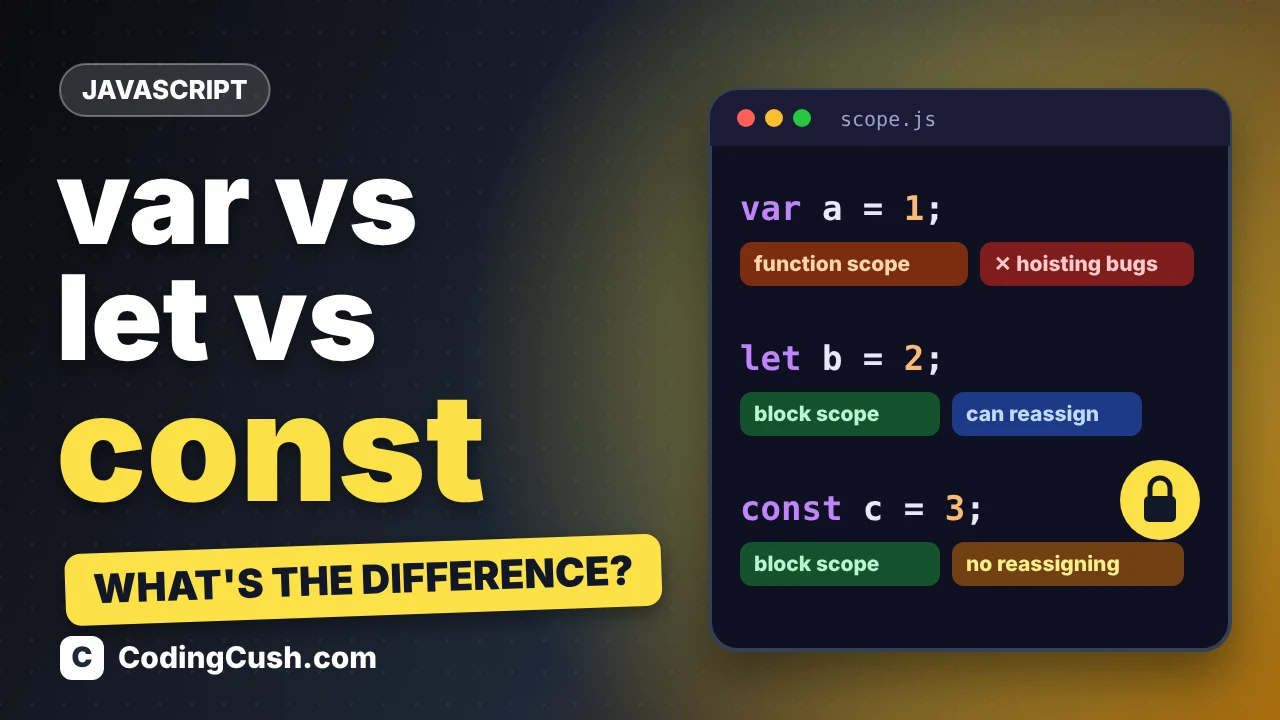
In JavaScript, var, let and const all create variables, but they behave differently in three ways: where the variable can be used (scope), whether you can declare it again, and whether you can change its value. The short, modern rule is this: use const by default, use let when the value must change, and avoid var in new code. In this guide, you will see exactly why, with examples you can paste into your browser console and test yourself.
The Three Ways to Create a Variable
JavaScript has had var since the very beginning. In 2015, the ES6 update added let and const to fix some confusing behaviour of var. All three still work today, which is why beginners see all three in tutorials and get confused. Here is each one declaring the same kind of value:
var name = "Asha";     // old way, still works
let age = 21;          // value can change later
const country = "India"; // value cannot be reassigned
The differences appear when your code grows: when a variable is used inside loops, inside if blocks, or declared twice by accident. That is where var causes bugs that let and const prevent. Let us look at each difference one by one.
Difference 1: Scope — Where the Variable Lives
Scope means the part of your code where a variable can be used. var is function-scoped: it ignores normal code blocks like if statements and loops, and only respects function boundaries. let and const are block-scoped: they live only inside the nearest curly braces { }.
if (true) {
  var a = 10;
  let b = 20;
  const c = 30;
}

console.log(a); // 10 — var escaped the block!
console.log(b); // ReferenceError: b is not defined
console.log(c); // ReferenceError: c is not defined
This escaping behaviour of var is a famous source of bugs. A variable you created inside a loop or an if block quietly leaks out and can overwrite, or be overwritten by, another part of your program. Block scope with let and const keeps each variable in the small area where it belongs, which is why modern code prefers them. MDN's reference page for the let statement on MDN describes this block scoping in detail, with more examples.
Difference 2: Reassignment and Redeclaration
Reassignment means giving an existing variable a new value. Redeclaration means creating the same variable name again with var, let or const. The three keywords behave differently at both:
var score = 50;
var score = 60;   // redeclare: allowed (often a silent bug)
score = 70;       // reassign: allowed

let price = 100;
// let price = 120;  // redeclare: SyntaxError, the mistake is caught
price = 120;      // reassign: allowed

const tax = 0.18;
// tax = 0.20;       // reassign: TypeError
// const tax = 0.2;  // redeclare: SyntaxError
const is the strictest: once you assign a value, the binding cannot change. That sounds limiting until you realise most variables in real programs never change after they are set — a name, a price limit, a configuration value. Declaring them with const makes the code tell the truth, and the browser will stop you if you try to change one by mistake. One important detail: const prevents reassignment, not modification. An array or object held in a const can still have its contents changed:
const fruits = ["apple", "banana"];
fruits.push("mango");   // allowed — the contents change
console.log(fruits);    // ["apple", "banana", "mango"]
// fruits = [];         // not allowed — that is reassignment
You will use this pattern constantly when working with lists, just like the examples in our guide to JavaScript array methods such as map, filter and reduce.

Difference 3: Hoisting
Hoisting means JavaScript moves declarations to the top of their scope before running the code. All three keywords are hoisted, but they differ in what happens if you use the variable before its line. With var, the variable exists but holds undefined — no error, just a confusing empty value:
console.log(city); // undefined — no error!
var city = "Delhi";

console.log(pin); // ReferenceError — cannot use before declaration
let pin = 110001;
let and const sit in a "temporal dead zone" from the start of the block until their declaration line, and touching them there throws an error immediately. That sounds harsher, but it is actually kinder: an instant error pointing at the exact problem is far better than a silent undefined travelling through your program and breaking something later. MDN explains this dead zone on its const statement reference page as well.
A Classic Trap: var Inside a Loop
One famous example shows why block scope matters in real code. Imagine a loop that schedules three messages. With var, all three share one single variable, so by the time the messages print, the loop has finished and every message shows the final value. With let, each round of the loop gets its own fresh variable, so the messages print 0, 1 and 2 as expected:
for (var i = 0; i < 3; i++) {
  setTimeout(function () { console.log(i); }, 100);
}
// prints: 3, 3, 3

for (let j = 0; j < 3; j++) {
  setTimeout(function () { console.log(j); }, 100);
}
// prints: 0, 1, 2
Nothing about the loop itself changed — only the keyword. This is block scope doing quiet, useful work for you, and it is one more reason modern JavaScript code is written with let and const.
Side-by-Side Comparison Table
| Feature | var | let | const |
|---|---|---|---|
| Scope | Function scope | Block scope | Block scope |
| Can reassign? | Yes | Yes | No |
| Can redeclare? | Yes (risky) | No | No |
| Use before declaration | undefined, no error | ReferenceError | ReferenceError |
| Must assign a value at declaration? | No | No | Yes |
| Introduced | Original JavaScript | ES6 (2015) | ES6 (2015) |
So Which One Should You Use?
Follow this simple order in every new program. First, reach for const — most variables never change, and const protects them and tells other readers "this value is fixed". Second, when a value genuinely must change — a counter in a loop, a running total, a flag that flips — use let. Third, leave var for old code you are maintaining; you need to recognise it when reading older tutorials, but there is no reason to write it in new code today.
const maxMarks = 100;   // fixed — const
let marks = 0;          // will grow as answers are checked — let
marks = marks + 25;
console.log(marks);     // 25
If you are building your JavaScript step by step, our Learn JavaScript hub collects the beginner tutorials in the order to read them, starting from variables just like these.
Frequently Asked Questions
Is var removed from JavaScript now?
No. var still works in every browser and old code depends on it, so it will not be removed. It is simply not the recommended choice for new code because of its function scope and silent redeclaration.
Can I change the value of a const variable?
You cannot reassign it to a new value. But if the value is an array or object, you can change what is inside it, for example with push() or by setting a property — the variable still points to the same array or object.
Why does my code say "x is not defined" with let?
Because let is block-scoped: outside the curly braces where it was declared, it does not exist. Move the declaration to a wider block, or declare the variable before the block and assign inside it.
Which keyword should a beginner learn first?
Learn const and let first and use them from day one. Just recognise var when you meet it in older examples — you will rarely need to write it yourself.
Conclusion
The whole topic fits in one line: var is function-scoped, redeclareable and silently undefined before its line; let is block-scoped and changeable; const is block-scoped and fixed after assignment. Write const by default, switch to let only when the value must change, and you will avoid an entire family of beginner bugs. It is a tiny habit that makes every JavaScript program you write from now on cleaner and safer.

Leave a Comment