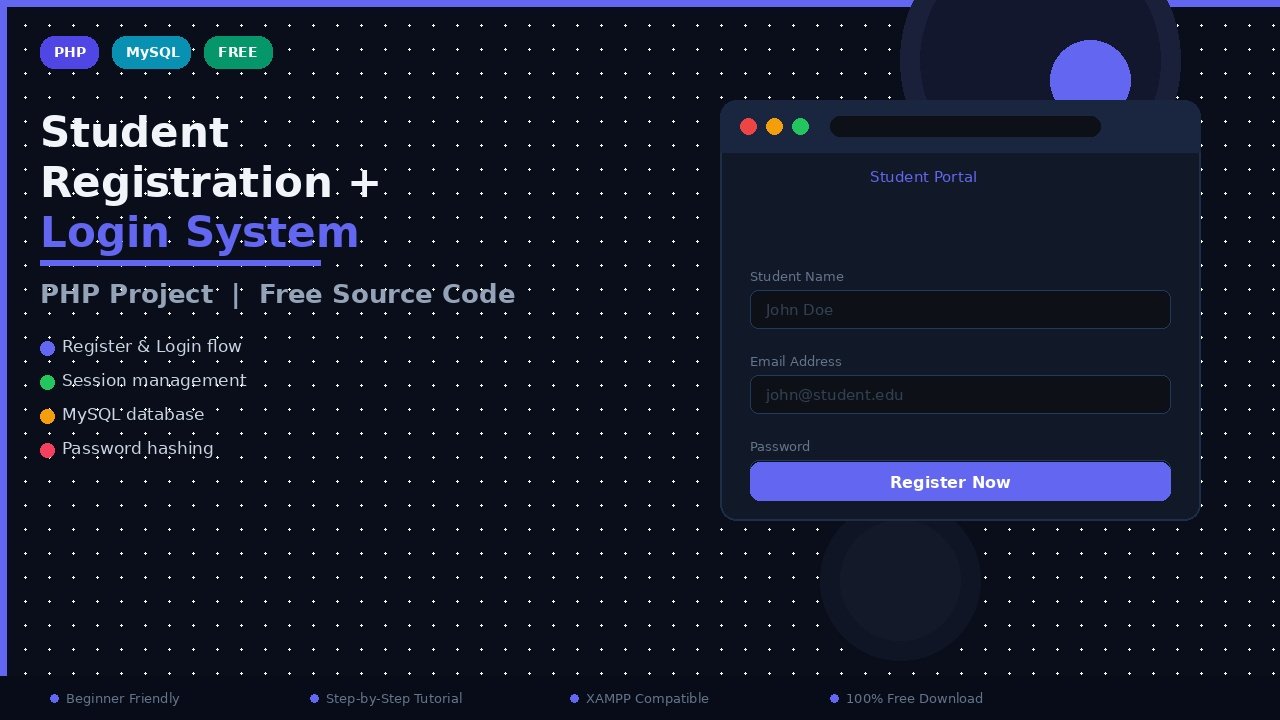
A student registration and login system is one of the most useful PHP projects a beginner can build, because it combines the four things almost every real website needs: a registration form, secure login and logout, password management, and an admin side that can view, edit and manage student records. This post explains the complete project: what it does, which technologies it uses, how the database is arranged, the exact steps to install it on your own computer, and the features you get, so you can run it, study it and confidently explain it in a viva.
What This Project Does
The system has two sides. On the student side, a new student fills a registration form with details such as name, email, phone, course and password. After registering, the student can log in, see a personal dashboard, change the password and log out safely. On the admin side, a teacher or administrator can view the full student list, add a new student manually, edit any student's details, delete a record, sort the list, and even export all student data to Excel for reports. Earlier, registration and login were often taught as two separate mini projects; this version combines them into one complete, polished application, which makes it far more realistic and much better for college submissions.
Who Should Use This Project
This project is perfect for three groups. Students can submit it as a mini project or semester project, because it demonstrates forms, sessions and database work in one place. Teachers and coaching institutes can genuinely use it to maintain admission records for a small class or tuition batch. And beginner developers can use it as a base and grow it into a bigger school management system by adding attendance, fees or results modules later.
Technology Stack
| Part | Technology | What it does in this project |
|---|---|---|
| Structure | HTML | Builds the registration form, login page and dashboard layout |
| Styling | CSS and Bootstrap | Makes the pages neat, responsive and mobile-friendly |
| Interactivity | JavaScript | Form checks in the browser and small interactive touches |
| Back end | PHP | Handles registration, login, sessions and all database work |
| Database | MySQL | Stores student records safely in tables |
| Local server | XAMPP / WAMP / MAMP / LAMP | Runs Apache, PHP and MySQL on your own computer |
How the Database Is Organised
The heart of the project is a MySQL database (named admission in the setup below) with a students table that stores each record: an auto-increment ID, the student's name, email, phone number, course, and a securely hashed password, plus a created date. Keeping the password hashed instead of plain text is the most important habit this project teaches. When a student registers, PHP first checks whether the email already exists; if not, it inserts the new row. At login, PHP fetches the row by email and verifies the typed password against the stored hash before starting a session. If you are new to database connections, read our guide on how to connect PHP with MySQL database first, and then our post on how to hash passwords in PHP to understand the security side properly.
Installation Steps
Follow these steps carefully and the project will run on your machine in about ten minutes:
- Install XAMPP (or WAMP/MAMP/LAMP) and start the Apache and MySQL services from its control panel.
- Download and unzip the project folder.
- Move the unzipped folder into
C:/xampp/htdocs/(on Windows) or the equivalent htdocs/www folder on your system. - Open your browser and go to
http://localhost/phpmyadmin. - Create a new database named
admission. - Click the Import tab, choose the
station.sqlfile from the database folder inside the project, and click Go. This creates the tables with sample structure. - Open the project's database connection file and confirm the database name, username and password match your local setup (by default XAMPP uses user
rootwith an empty password). - Visit
http://localhost/YourProjectFolderName/in your browser. You should see the home page with registration and login options.
If the page shows a database connection error, the problem is almost always one of three things: MySQL is not started, the database name in the code does not match, or the SQL file was imported into the wrong database. Fix those in order and it will connect.
Complete Feature List
- Student registration with a clean form and duplicate-email check.
- Secure login and logout using PHP sessions, so protected pages cannot be opened directly.
- Change password option for logged-in students.
- Add new student from the admin side.
- View student details in a tidy, readable list.
- Edit student data when any detail changes.
- Delete student records that are no longer needed.
- Sort student data to find records quickly.
- Export to Excel so the full list can be downloaded for reports and record keeping.
A small piece of the login check looks like this in spirit:
<?php
session_start();
$email = $_POST['email'];
$password = $_POST['password'];
$stmt = $conn->prepare("SELECT id, password FROM students WHERE email = ?");
$stmt->bind_param("s", $email);
$stmt->execute();
$result = $stmt->get_result();
if ($row = $result->fetch_assoc()) {
if (password_verify($password, $row['password'])) {
$_SESSION['student_id'] = $row['id'];
header("Location: dashboard.php");
exit;
}
}
echo "Invalid email or password";
?>
Notice two safety habits in this short code: a prepared statement, so user input can never break the SQL query, and password_verify(), so passwords are never stored or compared in plain text.
Ideas to Extend the Project
Once the base system runs, you can grow it in useful directions: add a profile photo upload, email verification during registration, a forgot-password flow using PHPMailer, pagination and live search on the student list, and role-based access where teachers see more than students. Each addition is a small project in itself, and together they turn a mini project into a portfolio piece. If you later want a bigger challenge, an online examination system builds naturally on top of this login foundation.
A Quick Tour of the Project Files
When you open the project folder, the structure is easy to follow. The home page and public pages sit at the top level, separate PHP files handle registration, login, logout and the dashboard, and a single connection file (often named db.php or config.php) is included wherever the database is needed, so you change your database settings in exactly one place. Admin pages for adding, editing, deleting and exporting students are grouped together, and a CSS file plus the Bootstrap library handle all the styling. Before changing anything, run the project once as it is, click every link, and note which file opens for each page. That ten-minute tour makes the whole codebase feel familiar, and viva questions about "where is the login code?" become very easy to answer.
Frequently Asked Questions
Which local server should I use to run this project?
XAMPP is the most popular choice on Windows and works perfectly. WAMP is also fine on Windows, MAMP suits macOS, and LAMP is the Linux equivalent. All of them bundle Apache, PHP and MySQL together.
What is the name of the database and the SQL file?
Create a database named admission in phpMyAdmin, then import the station.sql file found in the database folder of the project. It creates the required tables for you.
How are passwords stored in this project?
Passwords are stored as secure hashes created with PHP's password_hash() function, and checked at login with password_verify(). The real password is never saved in the database.
Can I use this as my college mini project?
Yes, it is a very common choice for mini and semester projects. Prepare to explain registration flow, session handling, prepared statements and the export-to-Excel feature, as examiners ask about these.
The project shows a database connection error. What should I check?
Check that MySQL is running in the XAMPP control panel, that the database name in the connection file is exactly admission, and that you imported the SQL file into that same database.
Conclusion
A student registration and login system looks small, but it quietly contains the skeleton of almost every web application you will ever build: forms, validation, sessions, hashed passwords and full record management. Run it, read its code file by file, break it and fix it. When you can explain every page of this project in your own words, you are ready for much bigger PHP projects.
Leave a Comment