

 Lavkush
MVC in PHP is a way of organising your code into three separate parts: the Model handles the data and the database, the View handles the HTML that the user sees, and the Controller sits in the middle, takes the user's request, asks the Model for data and passes it to the View. This one idea is the base of almost every modern PHP framework, and once you understand it, messy mixed-up PHP files become clean, easy-to-maintain projects.
What Is the MVC Pattern?
MVC stands for Model-View-Controller. It is a software design pattern, which simply means a proven way of arranging code that many developers agreed works well. The pattern was created for building user interfaces, and it fits web applications perfectly because a web app always does the same three jobs: it works with data, it shows pages, and it responds to what the user clicks or types.
In a beginner PHP project, all three jobs are usually mixed inside one file. The file connects to the database, runs SQL queries, checks form data and prints HTML tables all in the same place. This works for a five-page college project, but it becomes painful very quickly. Change the design and you might break the database code. Change a query and the whole page layout can break. MVC solves this by giving each job its own home.
The Three Parts of MVC Explained
1. The Model: Your Data Layer
The Model is responsible for everything related to data. It talks to the database, runs queries, applies business rules and returns clean data to the rest of the application. The Model never prints HTML. It does not know or care whether the data will be shown on a web page, in a mobile app or in an email. If you want to see how the database connection inside a Model is written, read our guide on how to connect PHP with MySQL — every Model starts with that connection. For the exact behaviour of any function used in these examples, the official PHP manual is the reference worth bookmarking.
<?php
// models/User.php - the Model only works with data
class User {
    private $pdo;

    public function __construct($pdo) {
        $this->pdo = $pdo;
    }

    public function getAllUsers() {
        $stmt = $this->pdo->query("SELECT id, name, email FROM users");
        return $stmt->fetchAll(PDO::FETCH_ASSOC);
    }
}
2. The View: What the User Sees
The View is the presentation layer — the HTML page, the design, the part your visitor actually looks at. A View receives data from the Controller and simply displays it. It should contain almost no logic beyond simple loops and conditions for showing the data. A designer can change the View's colours, layout and text without touching any database code, which is a huge advantage in team projects.
<!-- views/users.php - the View only displays data -->
<h1>All Users</h1>
<ul>
<?php foreach ($users as $user): ?>
    <li><?= htmlspecialchars($user['name']) ?>
        (<?= htmlspecialchars($user['email']) ?>)</li>
<?php endforeach; ?>
</ul>
3. The Controller: The Traffic Police
The Controller handles the user's request. When a visitor opens a page or submits a form, the Controller decides what should happen: which Model to call, what data to fetch, and which View to show. Think of it as a traffic policeman standing between the user, the data and the screen, directing everything to the right place.
<?php
// controllers/UserController.php
class UserController {
    public function index() {
        global $pdo;
        require 'models/User.php';

        $userModel = new User($pdo);
        $users = $userModel->getAllUsers();  // ask the Model

        require 'views/users.php';            // show the View
    }
}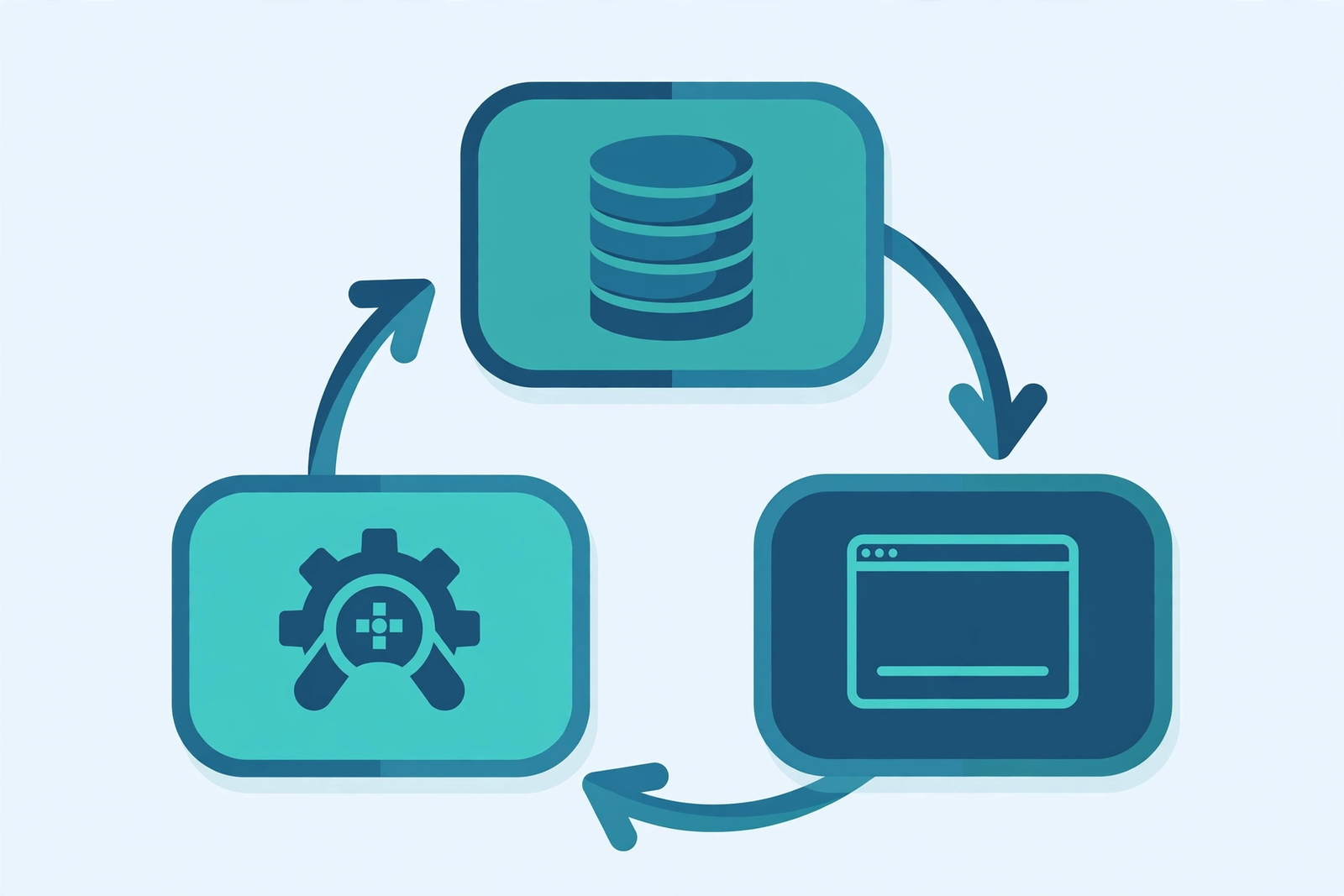
How a Request Flows Through MVC
Let us follow one real request. A visitor opens the users page of your website:
- The request reaches a single entry file, usually
index.php, which loads the Controller. - The Controller checks what the user wants — here, a list of users.
- The Controller calls the Model, and the Model fetches the users from the MySQL database.
- The Model returns the data to the Controller as a simple PHP array.
- The Controller passes that array to the View.
- The View loops through the array and prints neat HTML, which is sent to the browser.
Notice that the View never talks to the database, and the Model never prints a single line of HTML. That clean separation is the whole point of the pattern.
Folder Structure of a Simple MVC Project
my-project/
|-- index.php            (entry point)
|-- models/
|   |-- User.php
|   |-- Product.php
|-- views/
|   |-- users.php
|   |-- products.php
|-- controllers/
    |-- UserController.php
    |-- ProductController.php
The entry file stays very small. It only starts the application and hands control to the right Controller:
<?php
// index.php - the single entry point
$pdo = new PDO("mysql:host=localhost;dbname=mvc_demo", "root", "");

require 'controllers/UserController.php';

$controller = new UserController();
$controller->index();
MVC vs Plain PHP Scripts: A Quick Comparison
| Point | Plain PHP (Everything in One File) | MVC Structure |
|---|---|---|
| Code organisation | SQL, logic and HTML mixed together | Each job has its own folder and file |
| Changing the design | Risky — you edit files that also run queries | Safe — you only edit View files |
| Team work | Difficult, everyone edits the same files | Easy, designers and developers work separately |
| Testing | Hard to test one part alone | Models can be tested without any HTML |
| Best for | Tiny scripts and quick demos | Real projects that will grow |
Benefits of Using MVC
The biggest benefit is maintainability. When a bug appears in the data, you know it lives in the Model. When the page looks wrong, you open the View. You stop hunting through one giant file. MVC also makes code reusable — the same User Model can serve a web page today and an API tomorrow, because it never depended on HTML. Testing becomes easier, collaboration becomes easier, and your project can grow from ten pages to a thousand without collapsing.
There is one honest warning: for a very small script, MVC can feel like extra work. Creating three files to show one list is slower than writing one quick file. The pattern pays off when the project will live, grow and be maintained — which is true for almost every real website.
PHP Frameworks That Use MVC
You do not always have to build this structure by hand. Popular PHP frameworks are built on MVC and give you the folders, routing and conventions ready-made. Laravel is the most popular, CodeIgniter is lighter and beginner-friendly, and Symfony and CakePHP also follow the same pattern. If you are choosing between them, our comparison of Laravel vs CodeIgniter vs Core PHP will help you decide. Learning raw MVC first makes every one of these frameworks much easier to understand, because underneath, they all work exactly the way you saw in this guide.
Frequently Asked Questions
What does MVC stand for?
MVC stands for Model-View-Controller. The Model manages data, the View displays it, and the Controller handles user requests and connects the two.
Is MVC a language or a framework?
Neither. MVC is a design pattern — a way of organising code. You can apply it in plain PHP with your own folders, or use a framework like Laravel that applies it for you.
Should beginners learn MVC?
Yes. After learning basic PHP syntax and database connection, MVC is the most valuable next step, because every professional PHP job and framework expects you to know it.
Can I use MVC without a framework?
Absolutely. The simple folder structure and classes shown in this guide are a complete working MVC setup in core PHP, with no framework needed.
What is a front controller in MVC?
It is the single entry file, usually index.php, through which every request passes. It loads the correct Controller for the requested page.
Conclusion
MVC separates your PHP application into Models for data, Views for display and Controllers for handling requests. The structure takes a little extra effort at the start, but it gives you clean, testable and reusable code that stays manageable as your project grows. Build the small example from this guide once with your own hands, and frameworks like Laravel will suddenly feel familiar instead of magical.


Leave a Comment