

 Lavkush
 An online examination system in PHP and MySQL is a web application where an admin creates and schedules exams, and students take them in the browser and get their result the moment they submit. This free, open-source project gives you a complete one: an admin panel, MCQ exams with CSV import, a proctored exam engine with a countdown timer and auto-save, instant results and analytics. It is built with pure PHP (MVC), MySQL and Bootstrap 5, with no framework, and runs locally in about five minutes.
This guide shows every feature with real screenshots, explains how the project is structured, and walks you through installation step by step on your own computer or with XAMPP.
Watch the full demo
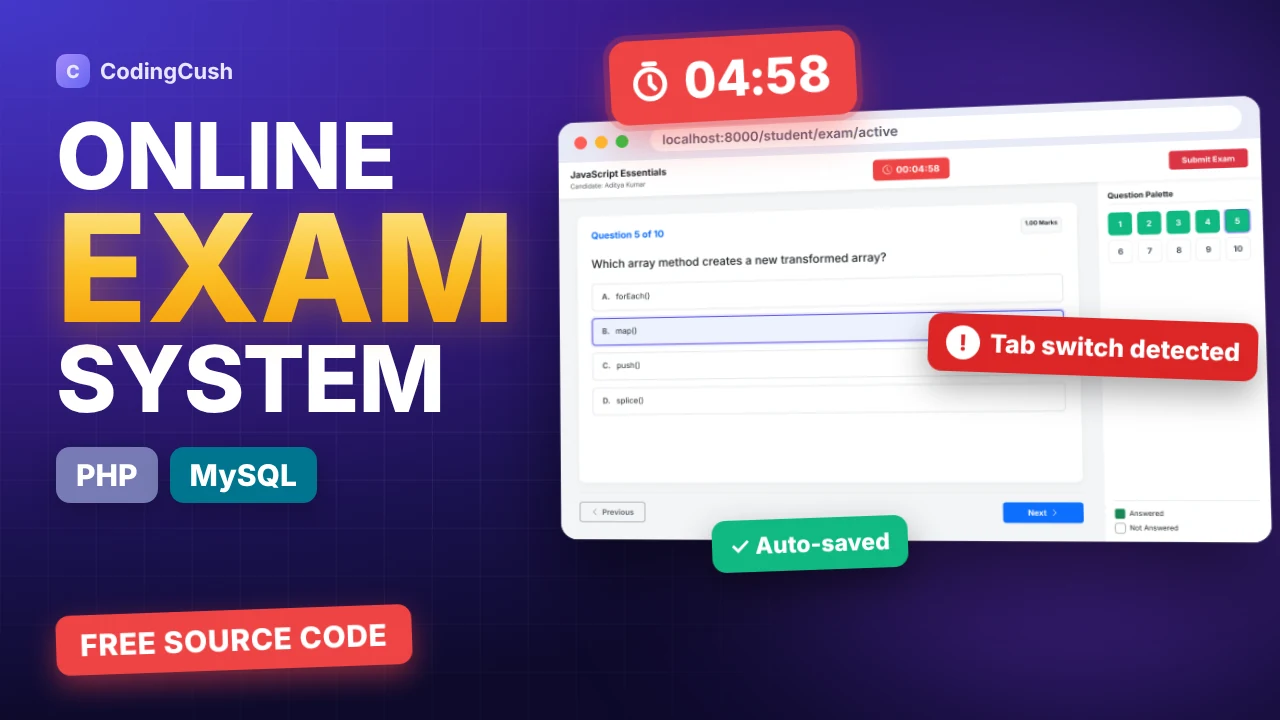
Prefer video? This 5-minute walkthrough shows every feature in action, from creating an exam to a proctored test and its instant result. Click the thumbnail or watch it on YouTube.
Project at a glance
| Item | Details |
|---|---|
| Language | PHP 8.1+ (custom MVC, no framework) |
| Database | MySQL 8 or MariaDB 10.4+, accessed with PDO prepared statements |
| Front end | Bootstrap 5.3, Bootstrap Icons, vanilla JavaScript (AJAX), Chart.js |
| User roles | Admin, Examiner, Student |
| Database tables | 6 (users, exams, questions, options, exam_attempts, student_answers) |
| Question type | Multiple choice, 2 or more options, optional image |
| Anti-cheating | Full-screen mode, tab-switch detection, right-click/copy/paste blocked, auto-submit |
| Setup time | About 5 minutes |
| Price | Free source code |
Key features
- Admin dashboard with total exams, users, submissions, pass rate, average score and integrity flags.
- Exam management with duration, start and end time, total and passing marks, negative marking, and draft or published status.
- Question bank with dynamic options, images per question, AJAX search and pagination, and bulk CSV import.
- Student and user management with profiles, exam history, instant activate/deactivate, and three roles.
- Proctored exam engine with a full-screen gate, live countdown, auto-saved answers, a question palette and auto-submit.
- Instant results with score, accuracy, correct/wrong/skipped counts and a My Results history page.
- Results analytics with pass/fail and score-distribution charts, filters, and a question-by-question answer review.
Admin panel features
Public homepage and registration
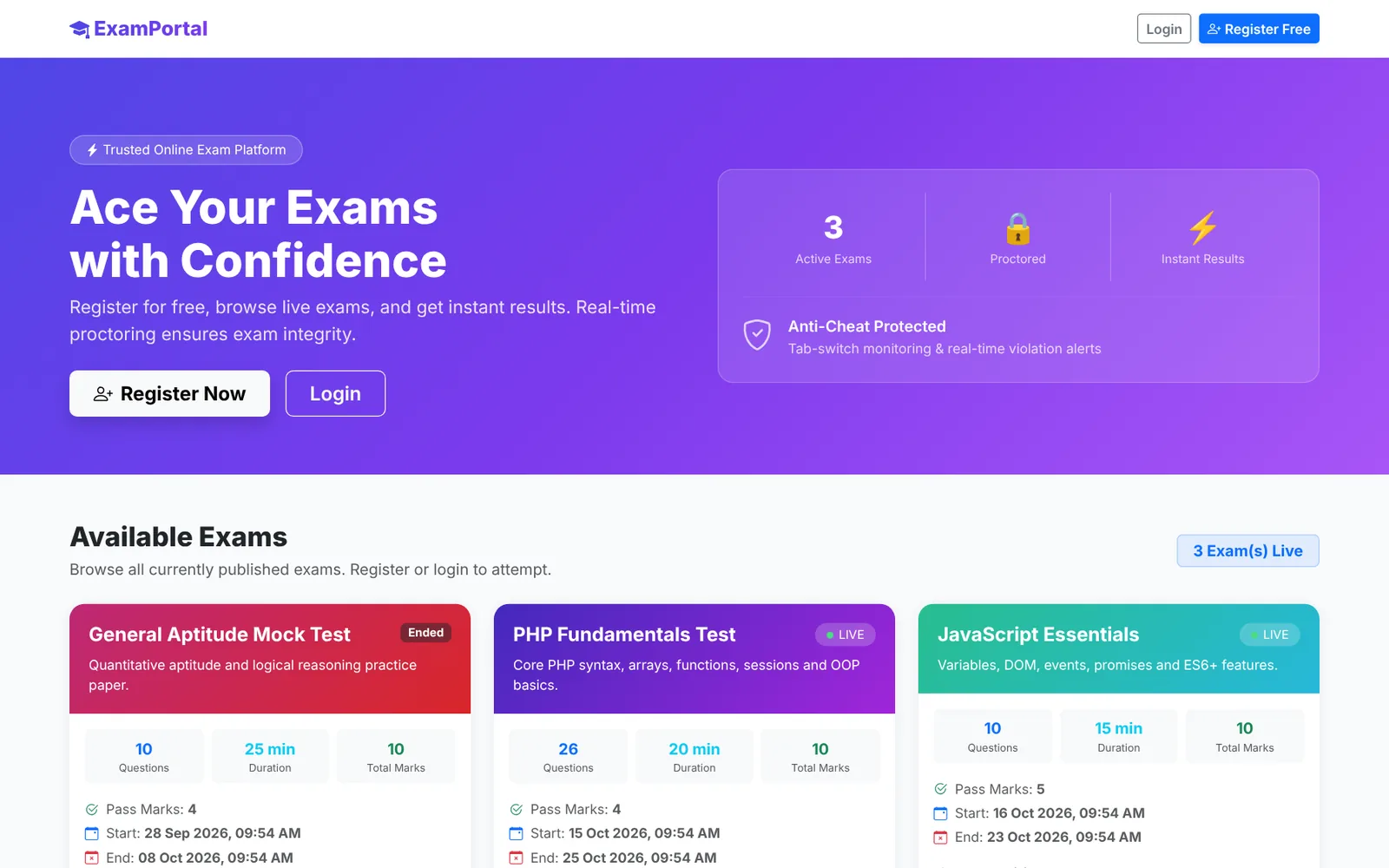
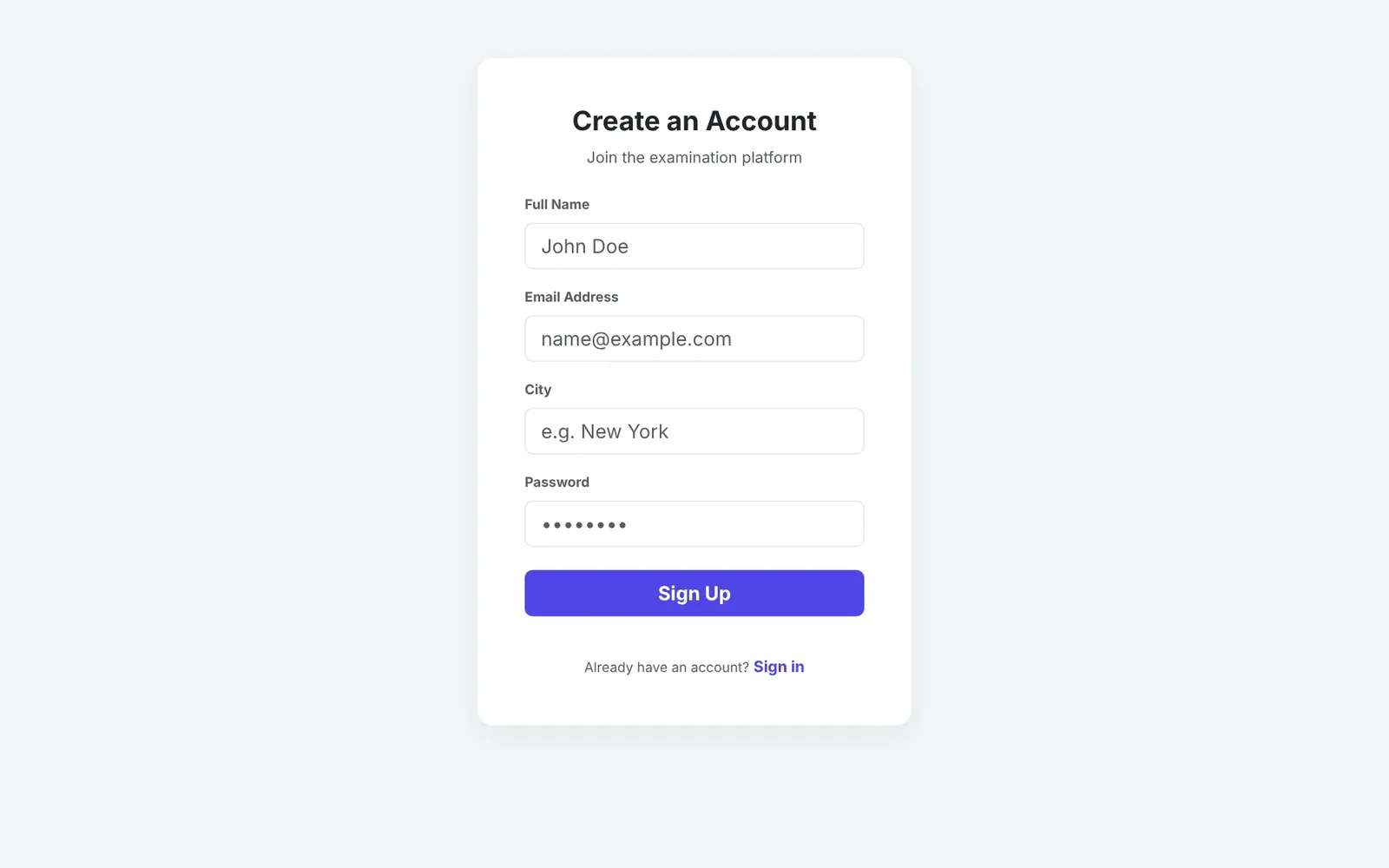
Visitors see every published exam on the homepage, with its number of questions, duration, marks, dates and negative marking. Each card shows whether the exam is Live, Upcoming or Ended. Students register with their name, email, city and password. Passwords are hashed with bcrypt (see how to hash passwords in PHP), and duplicate emails are rejected.
Admin dashboard
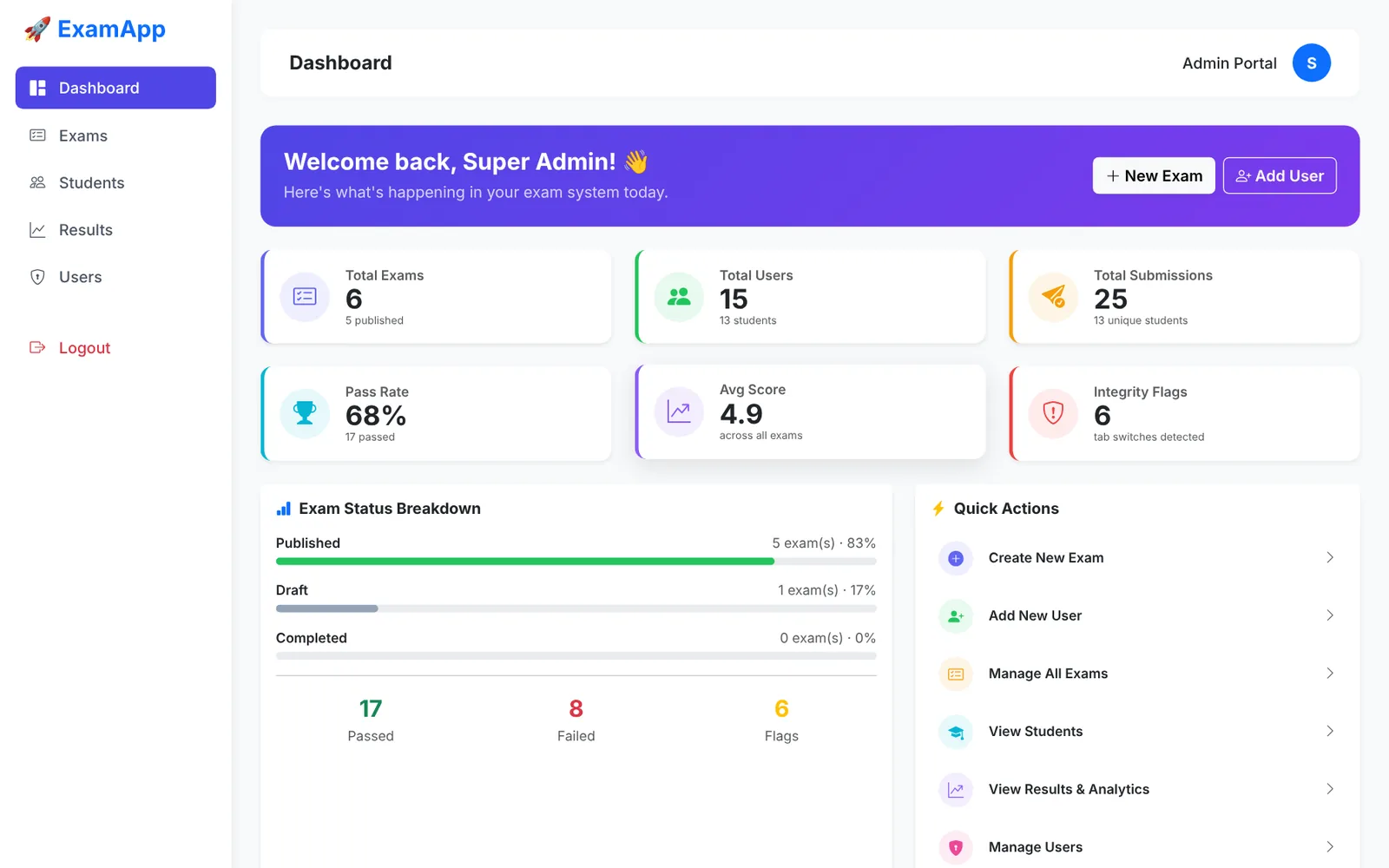
One login page serves every role. After signing in, the admin sees the whole system at a glance: total exams, users and submissions, the overall pass rate, the average score, and integrity flags, which count attempts where a student switched tabs or left full screen. Below are the exam status breakdown and quick actions.
How do you create an exam?
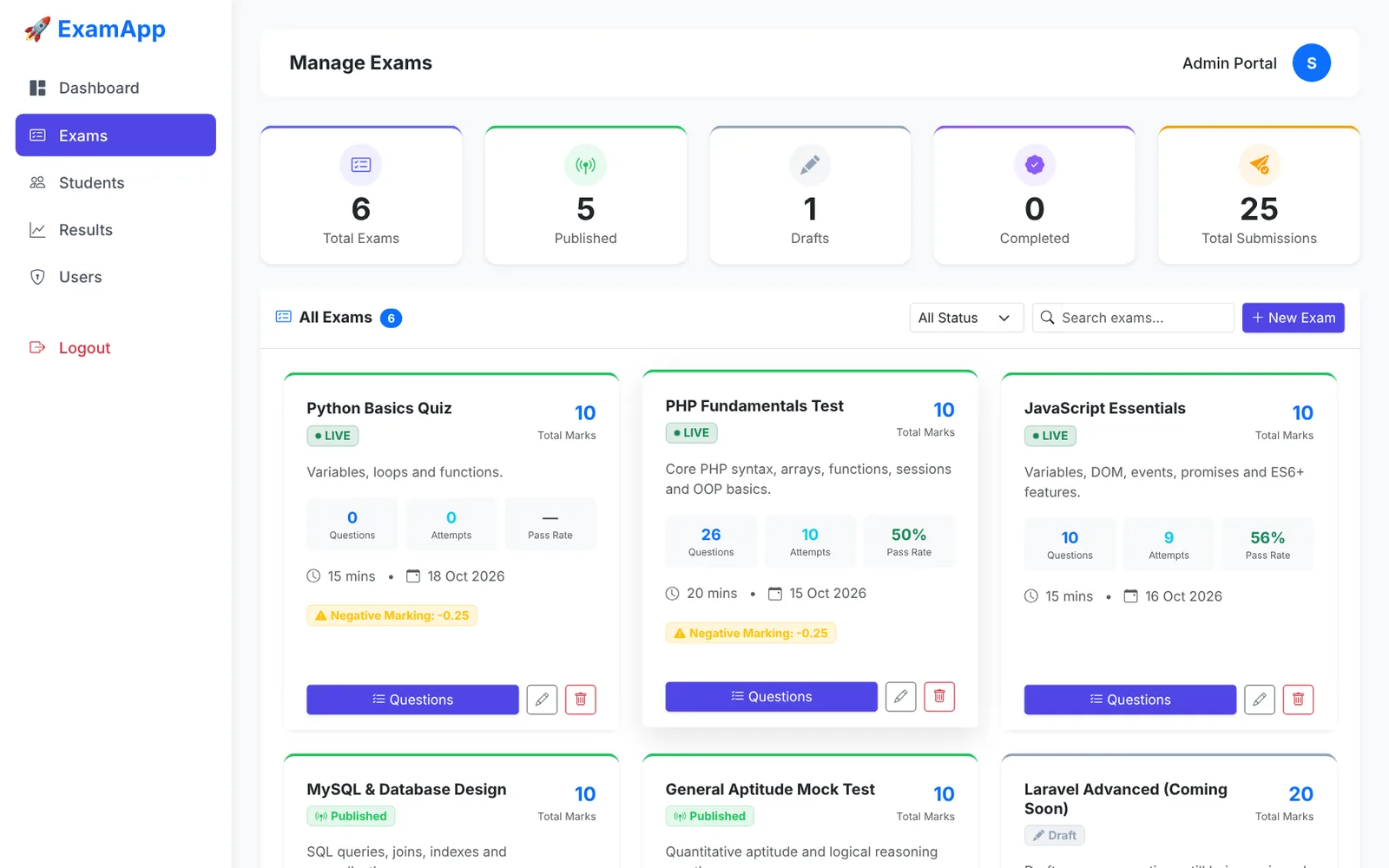
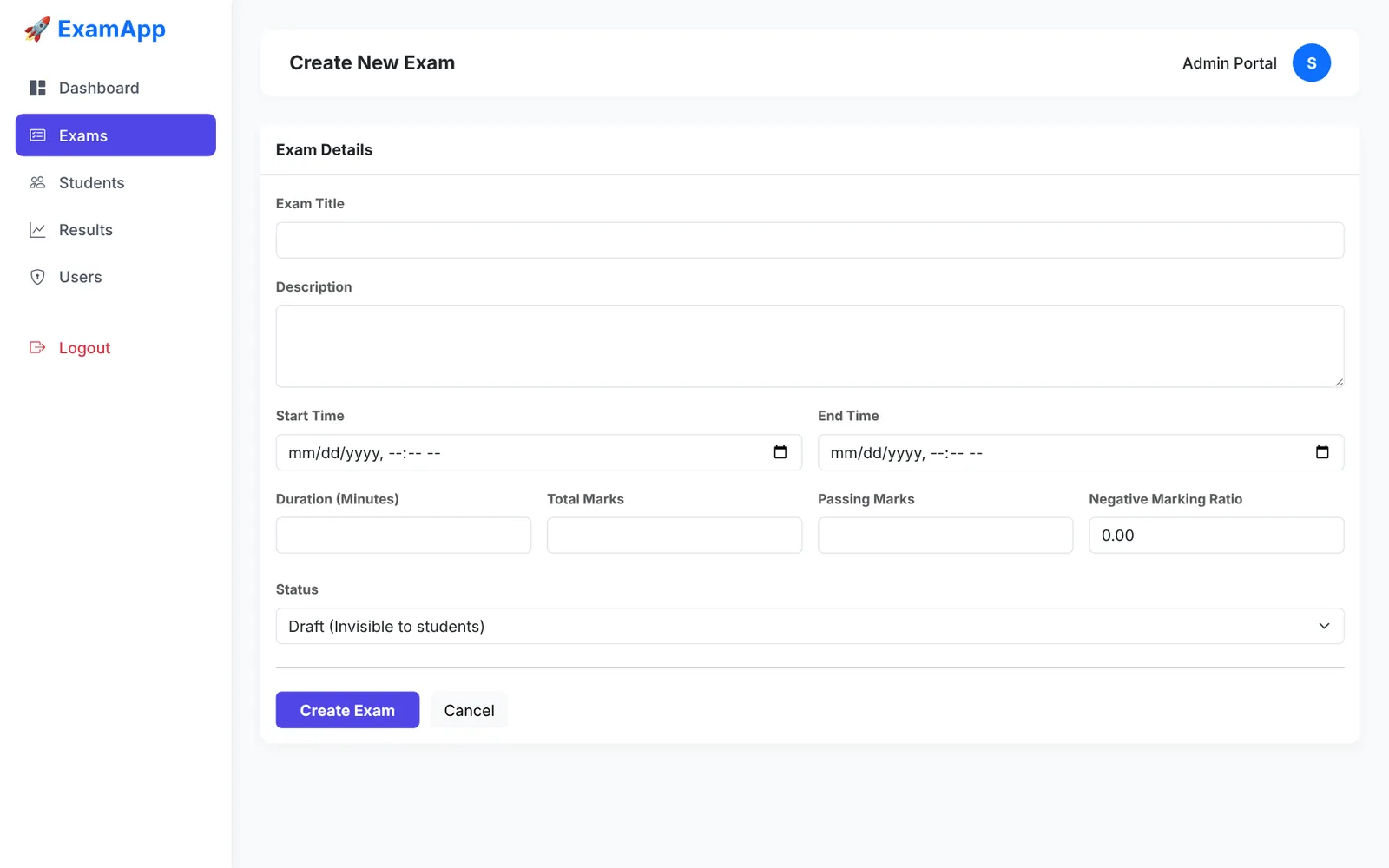
Open Exams → New Exam and fill in the title, description, duration in minutes, start and end time, total marks, passing marks and an optional negative marking ratio (for example 0.25 deducts a quarter mark per wrong answer). Save it as Draft to keep it hidden, or Published to show it to students. Every exam appears as a card with its question count, attempts and pass rate, and a LIVE badge appears automatically while it is running.
How do you add questions?
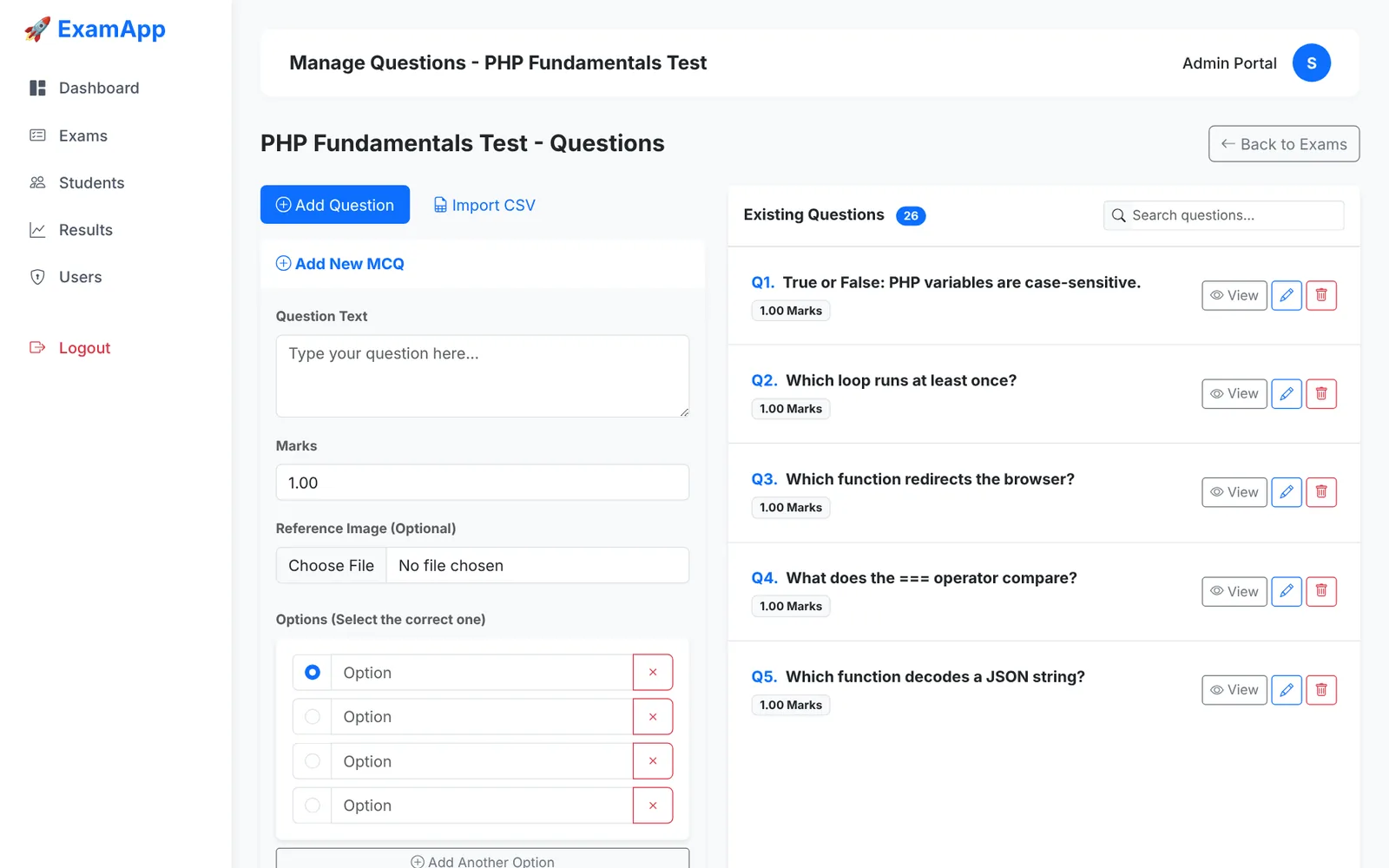
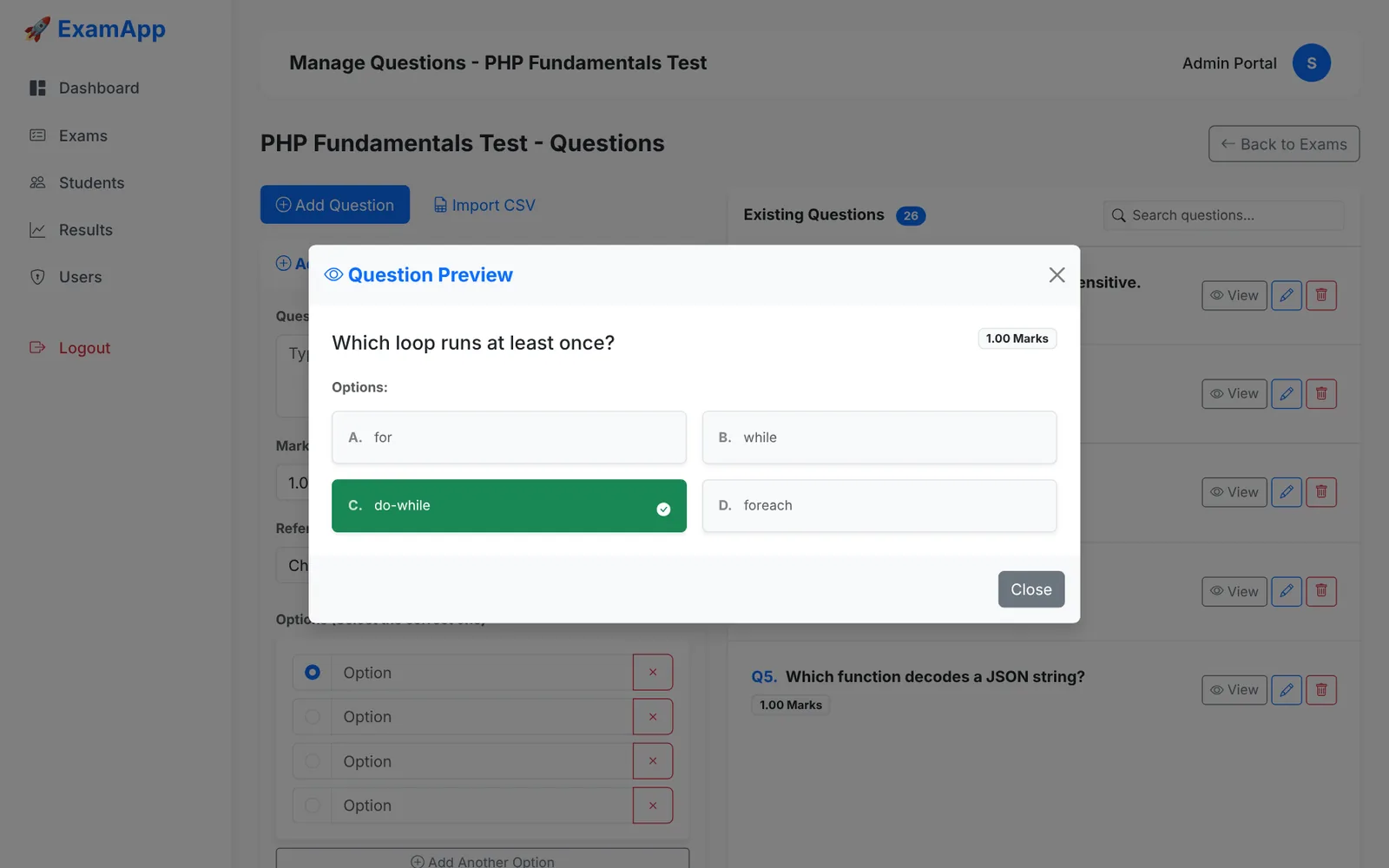
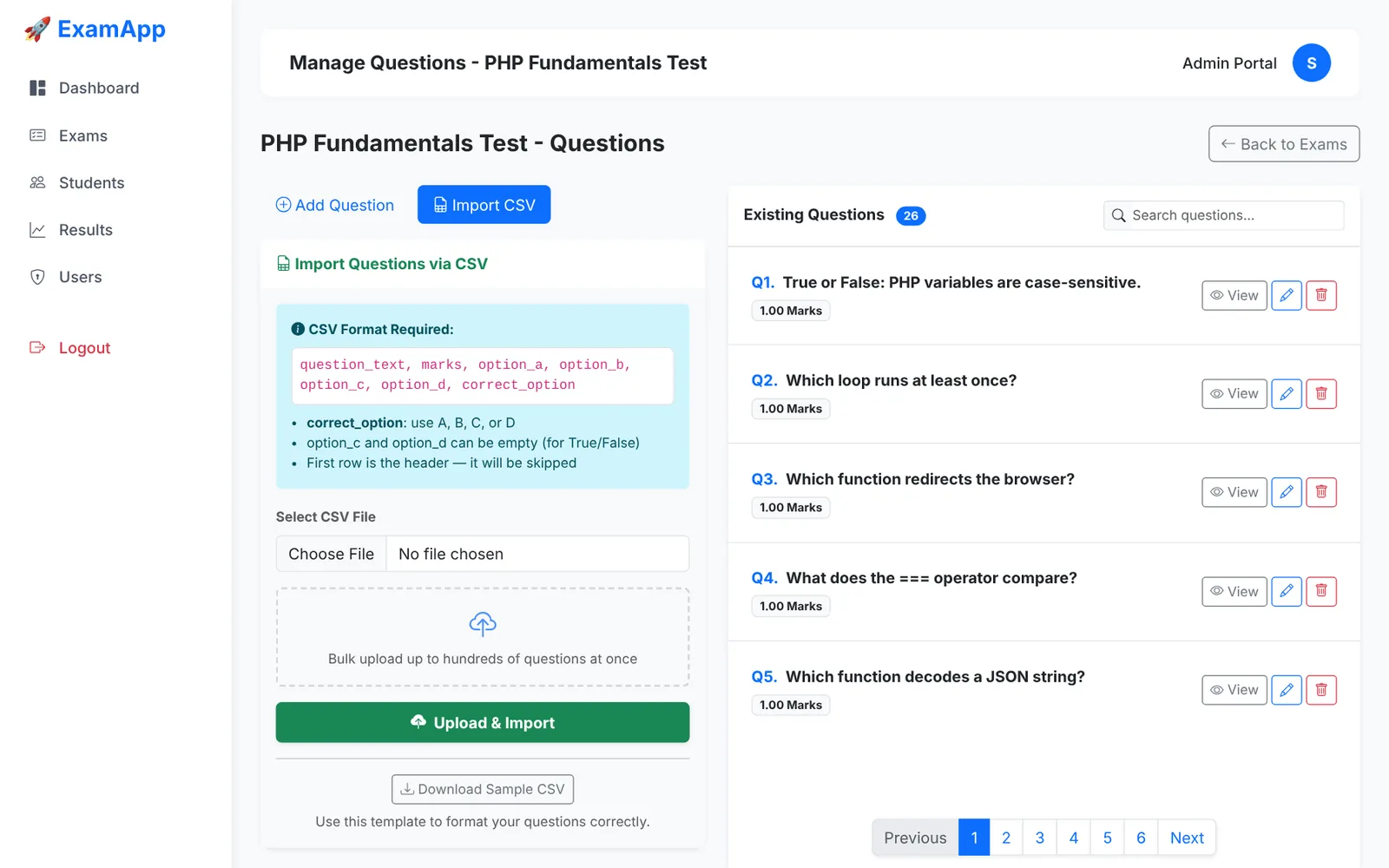
Each exam has its own question manager. Type the question, set its marks, optionally attach an image, add as many options as you need and mark the correct one. Existing questions load with AJAX, five per page, with instant search. Click View to preview a question with the correct answer highlighted.
How do you import questions from CSV?
Switch to the Import CSV tab, download the sample template, fill it in and upload it. Every valid row becomes a question, and the page reports how many were imported and which rows were skipped. Use this column order:
question_text,marks,option_a,option_b,option_c,option_d,correct_option
What does PHP stand for?,1,Personal Home Page,Hypertext Preprocessor,Private Hosting Page,Pre Hypertext,B
True or False: PHP variables are case-sensitive.,1,True,False,,,A
correct_option is A, B, C or D. Options C and D can be empty for true/false questions, and the header row is skipped.
Student management
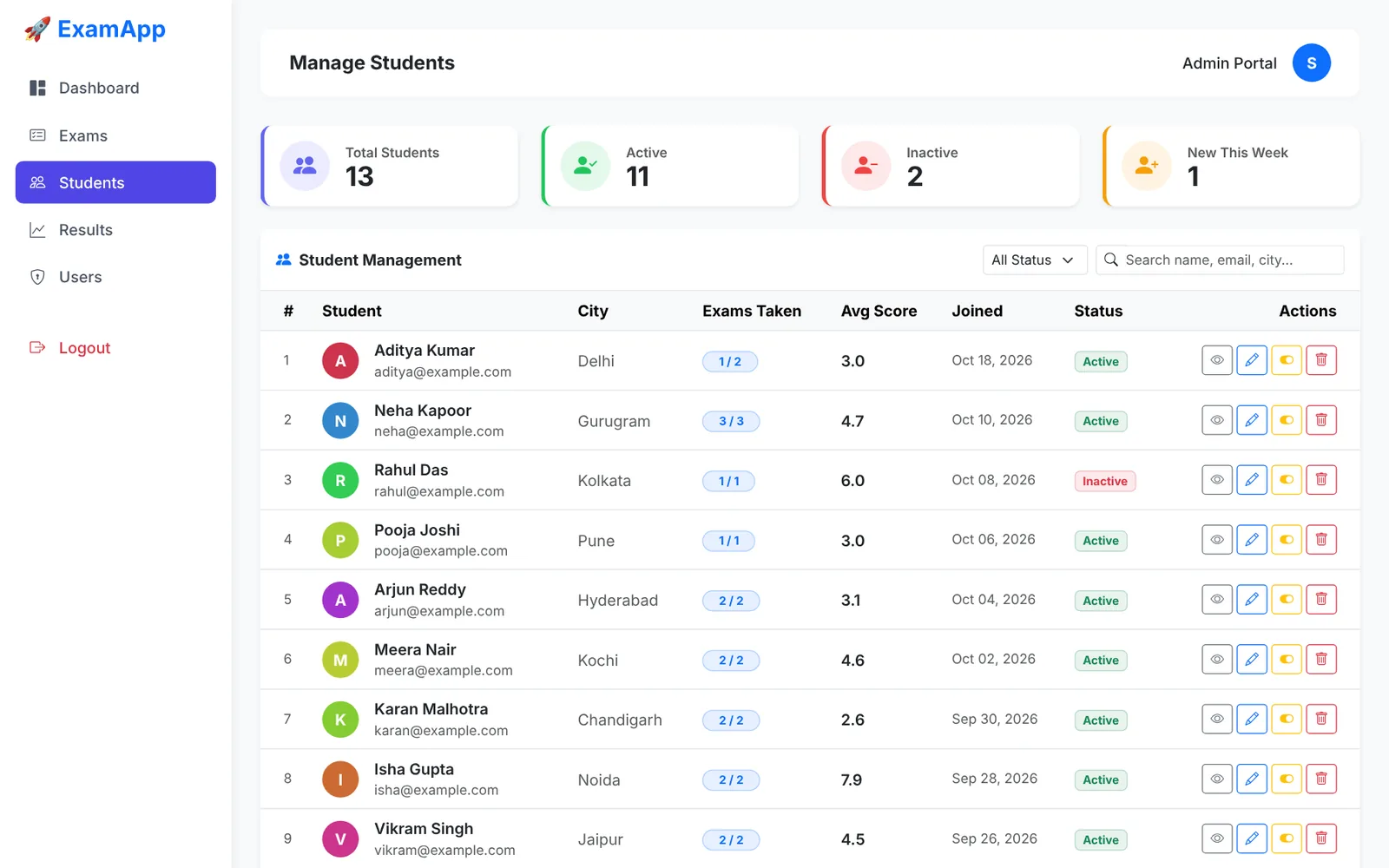
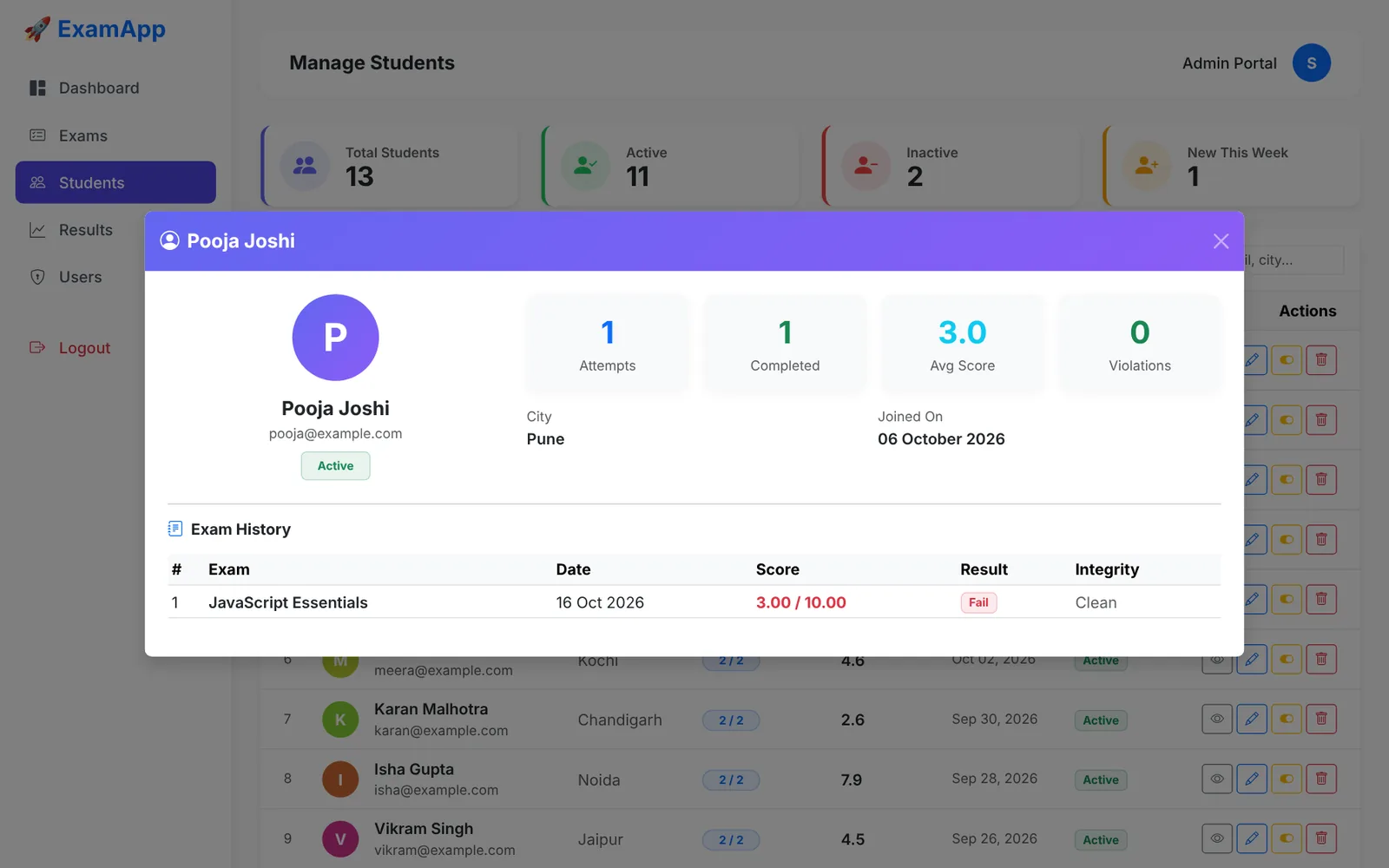
The Students page lists every student with city, exams taken, average score and join date, with search and status filters. Click the eye icon to open a profile with attempts, average score, total violations and full exam history. The toggle button activates or deactivates an account instantly, and a deactivated student can no longer log in.
What can admins, examiners and students do?
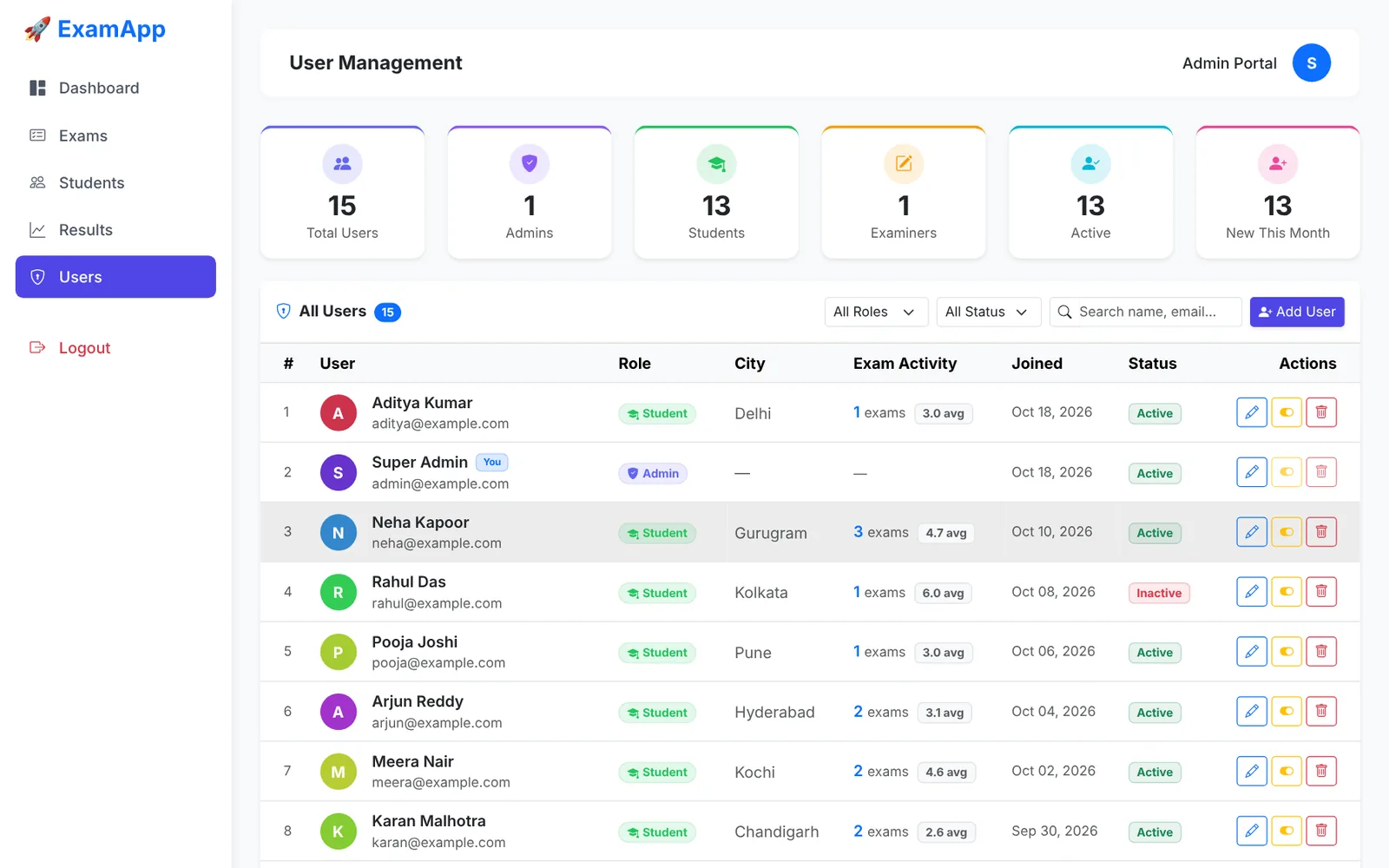
Admins have full access. Examiners can manage exams, questions and results, but not students or user accounts. Students take exams and see their own results. The system also stops you from deleting your own account or the last active admin.
Results and analytics
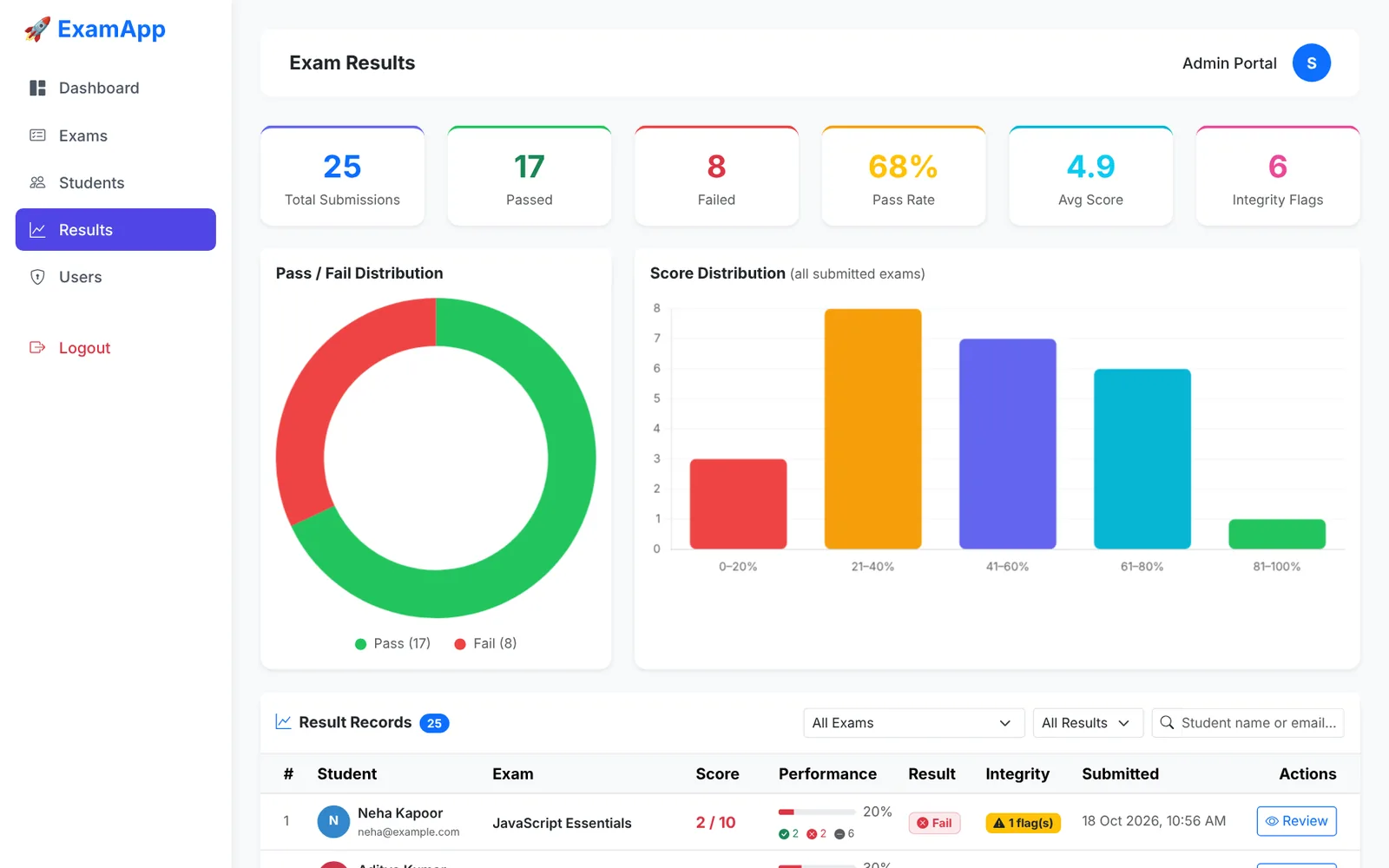
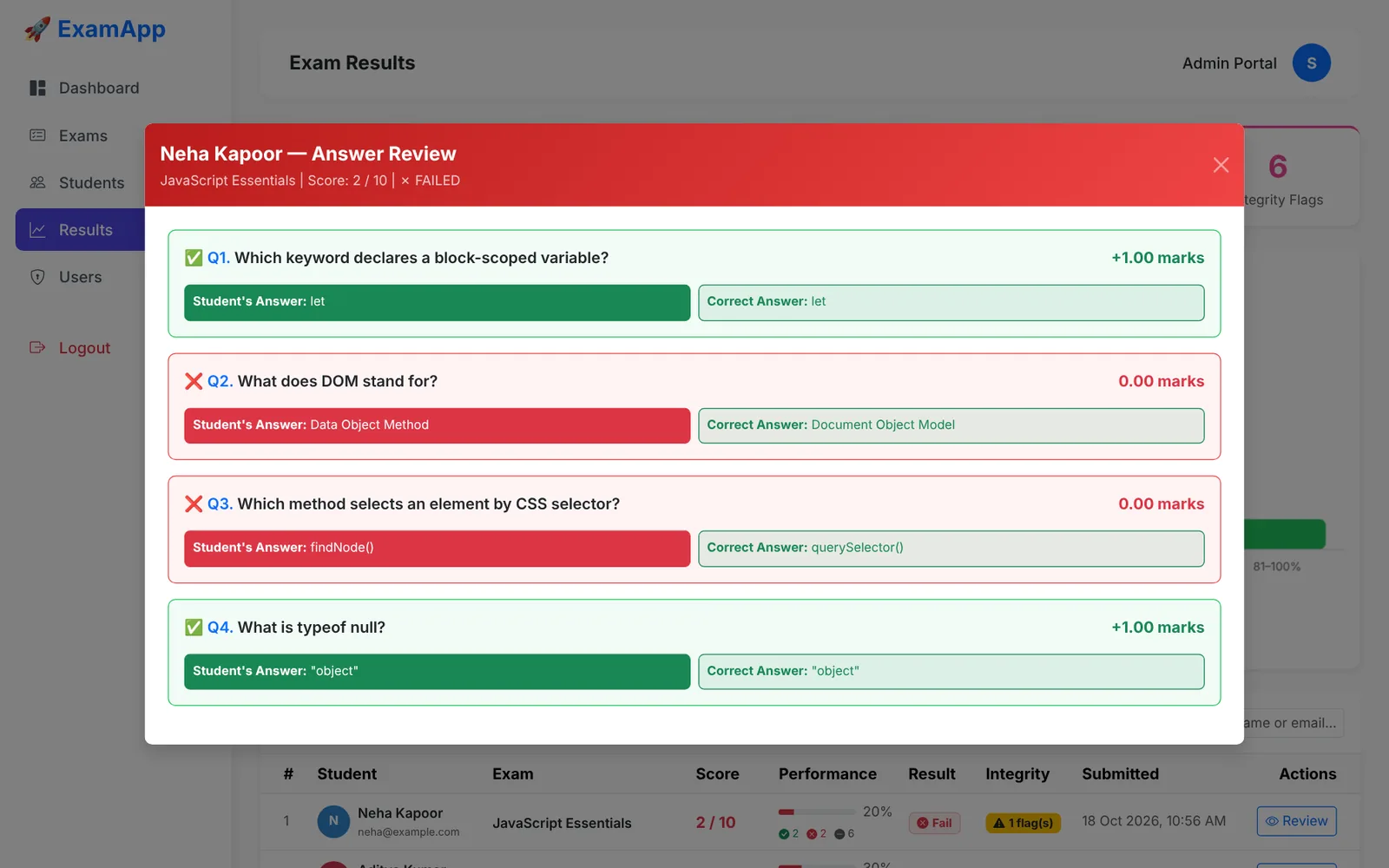
The Results page brings everything together: summary cards, a pass/fail chart, a score-distribution chart and a table of every attempt with a performance bar, pass/fail badge and integrity status. Filter by exam, result or student name, then click Review to compare each answer with the correct one and see the marks gained or lost.
Student exam experience
Student dashboard and exam instructions
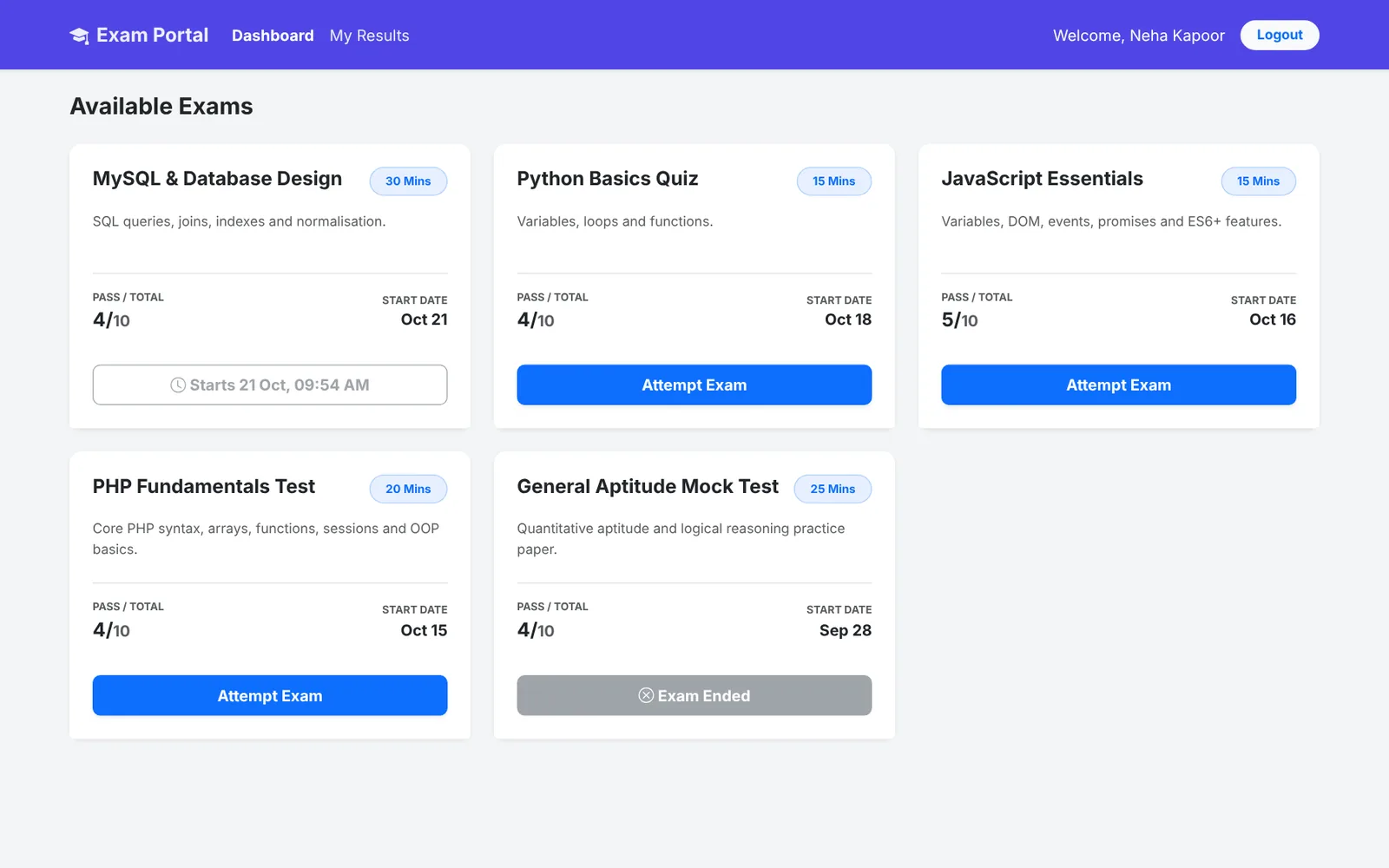
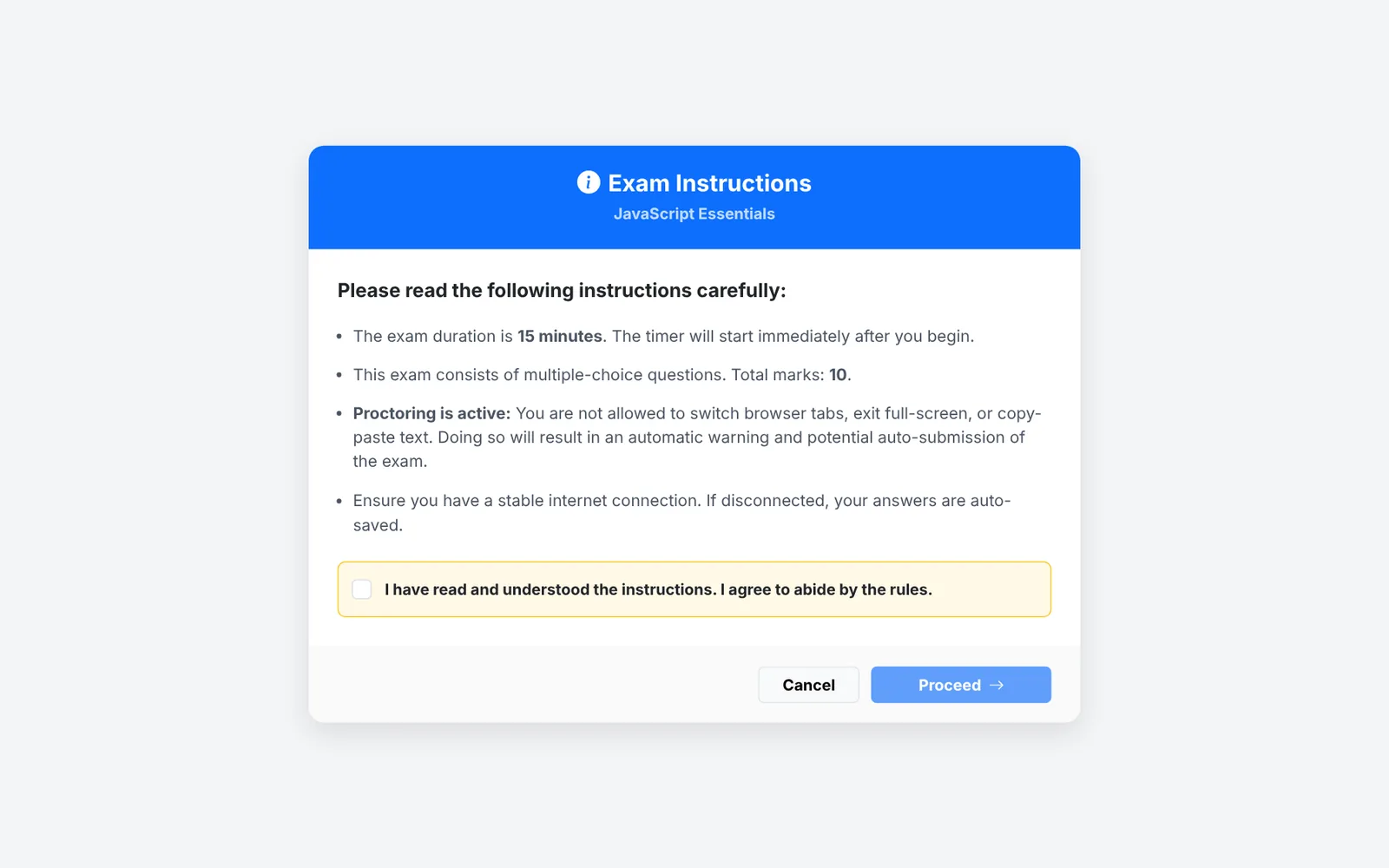
Students see every published exam, but only live exams can be started. Upcoming exams show their start time and ended exams are locked. Before the exam begins, the student reads the instructions (duration, marks, negative marking and proctoring rules) and must accept them to continue.
How does the exam engine work?
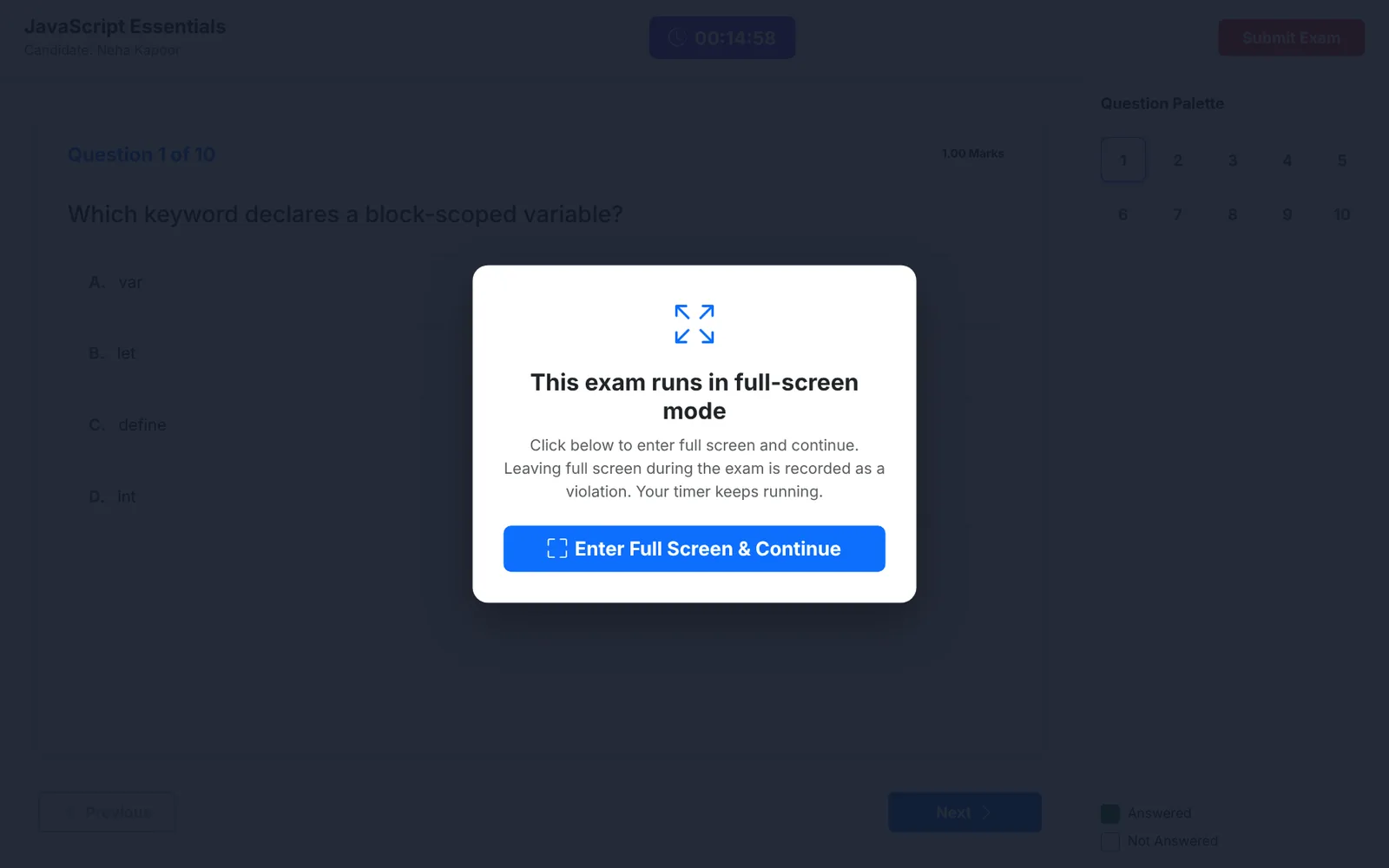
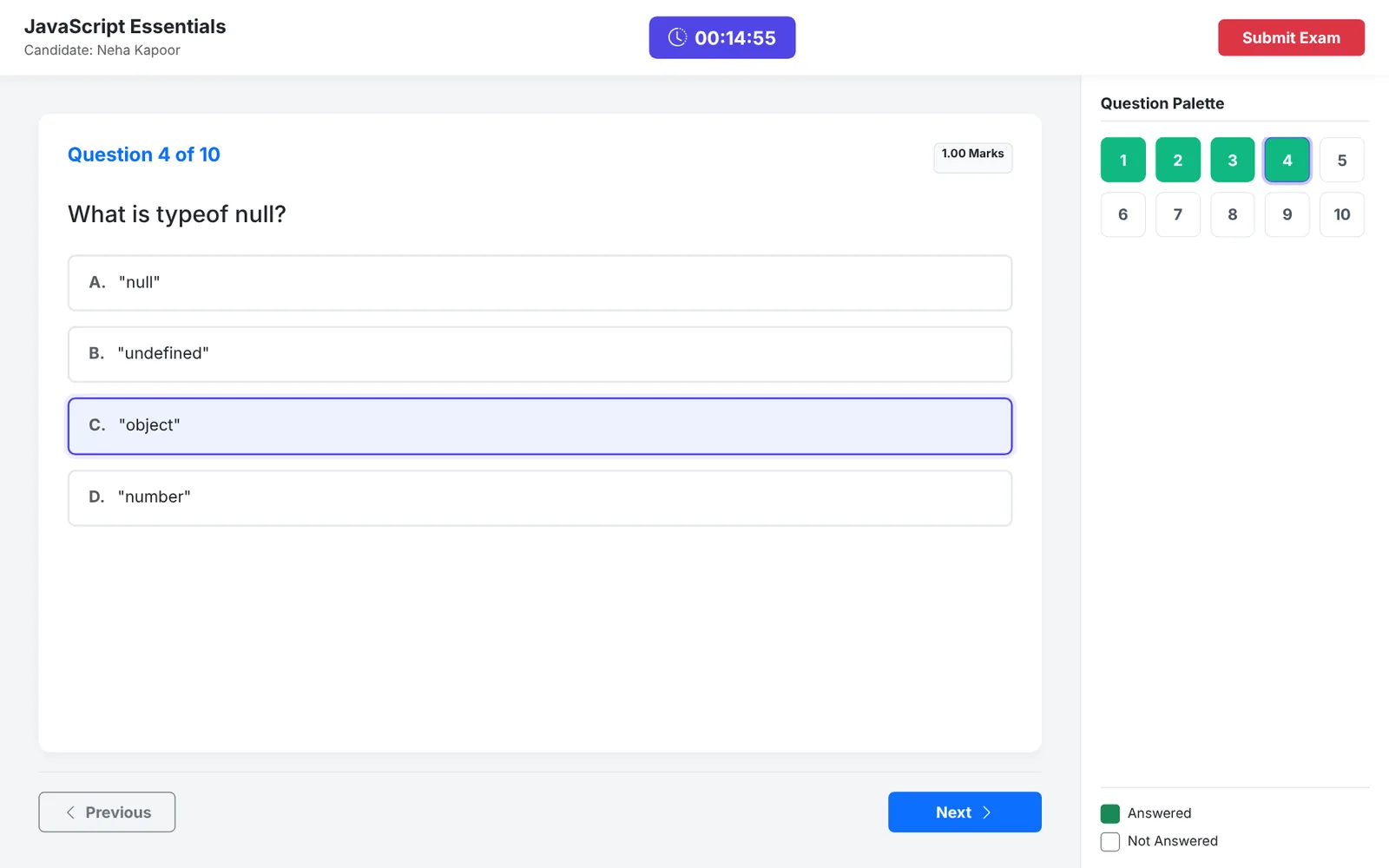
The exam opens behind a full-screen gate. Once in full screen, the student sees a live countdown timer, one question at a time and a question palette. Every answer is saved instantly with AJAX, so nothing is lost if the browser closes or the internet drops. Answered questions turn green in the palette, and any question is one click away.
How does the system prevent cheating?
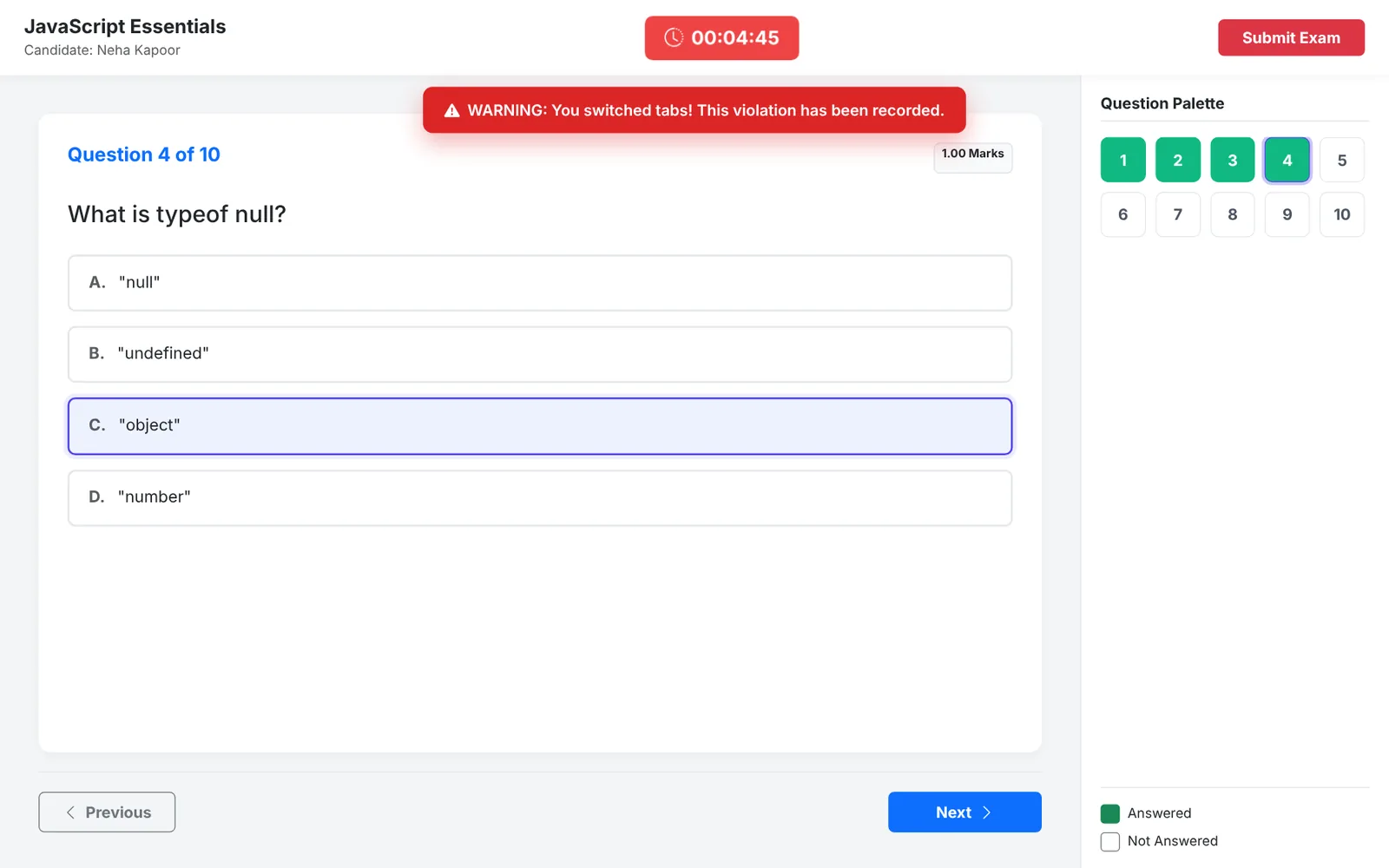
- Tab switching and leaving full screen show a warning and are recorded as violations on the attempt.
- Right-click, copy and paste are disabled on the exam page.
- In the last five minutes the timer turns red, and when time runs out the exam is submitted automatically.
- Scoring happens on the server, so correct answers never reach the student's browser before submission.
- Admins see every violation as an integrity flag in Results.
Instant result and My Results
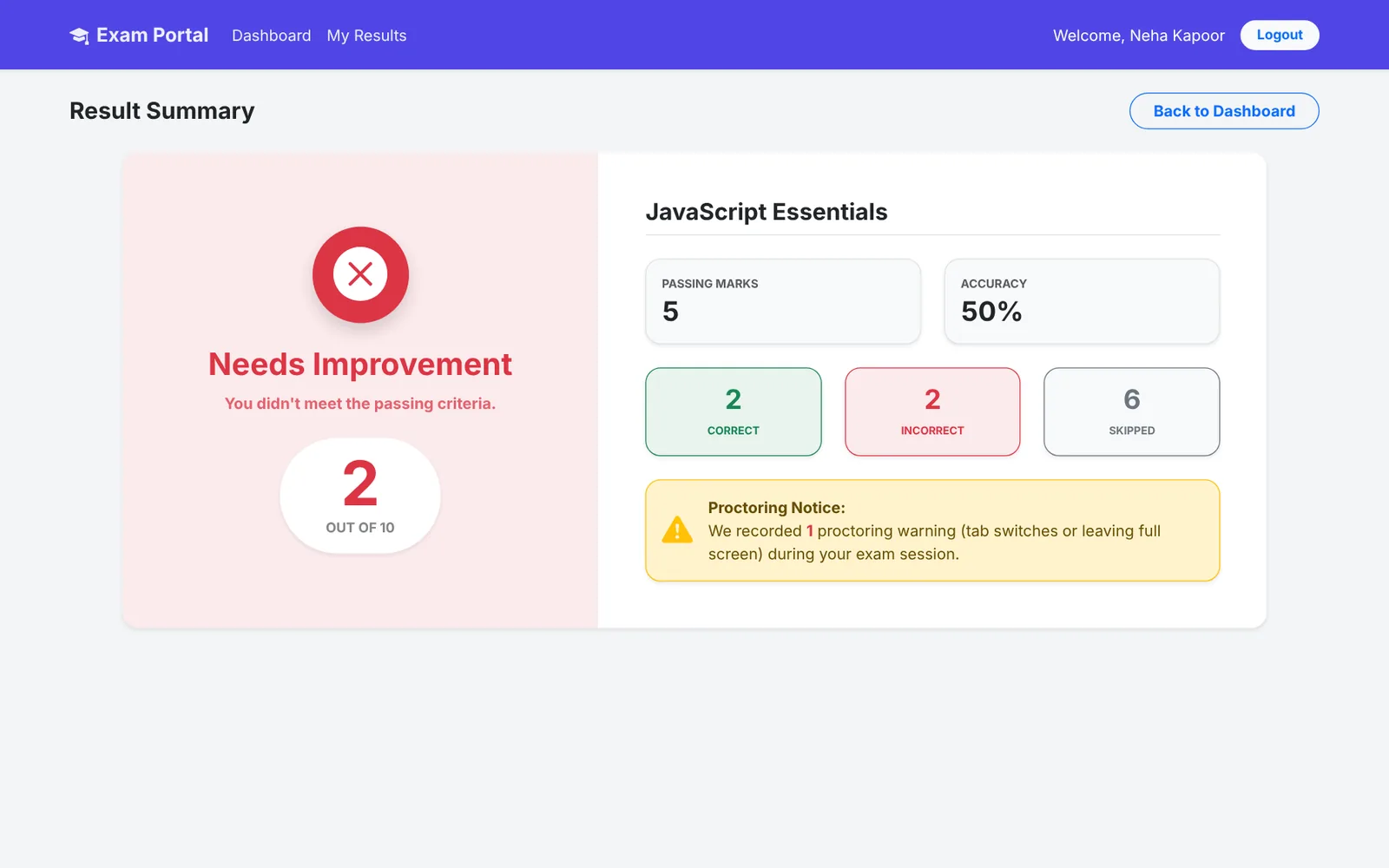
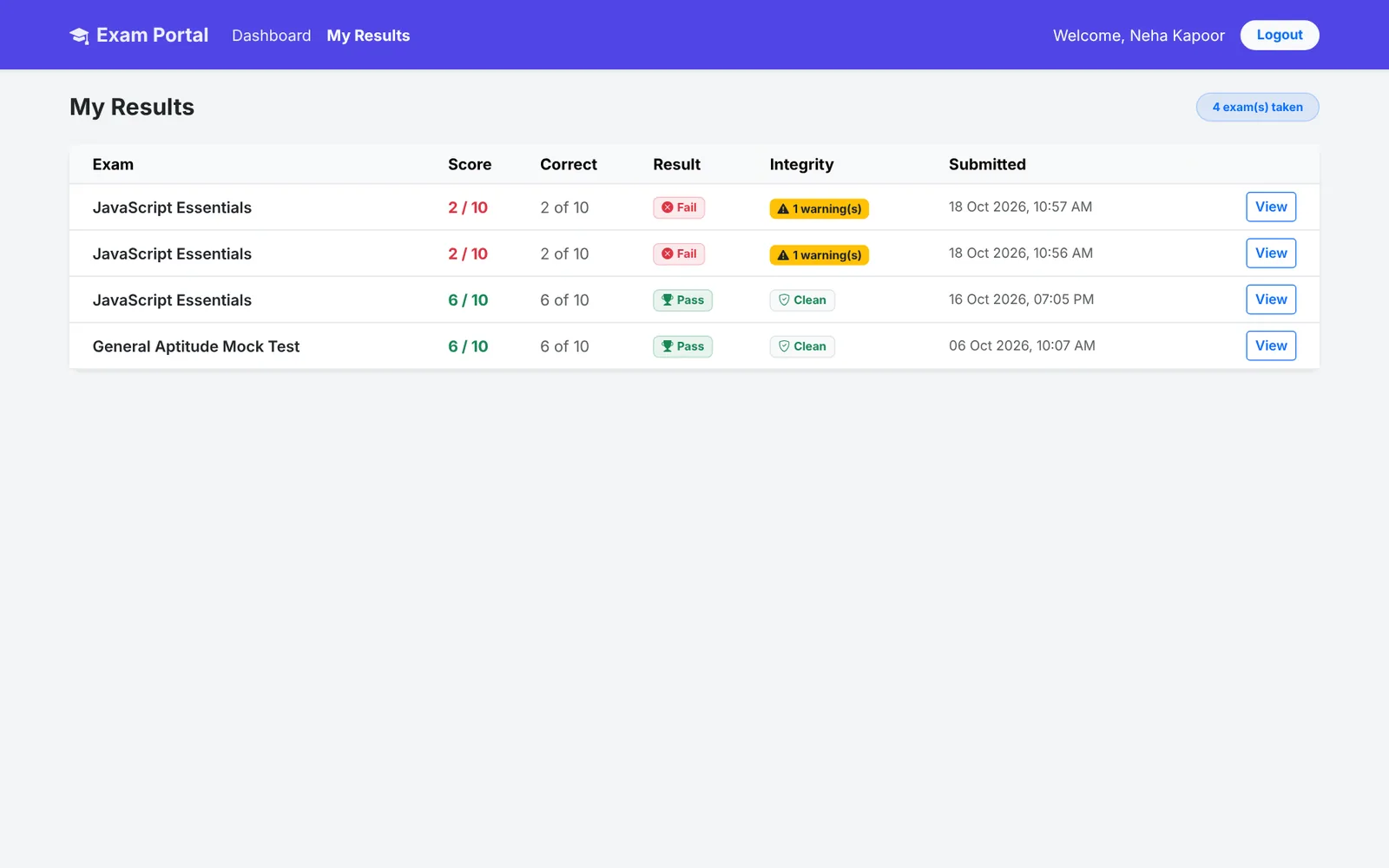
The moment an exam is submitted, it is graded on the server. The student sees the score, pass or fail, accuracy, and how many questions were correct, wrong or skipped, with negative marking applied (the score never goes below zero). Any proctoring warnings are shown too. The My Results page keeps a history of every exam the student has taken.
Project structure and database
Every request goes through index.php, which routes it to a controller. The controller calls a model, the model queries MySQL with PDO, and the result is rendered by a PHP view.
online-exam-system/
├── index.php              # front controller and router
├── database.sql           # schema + default admin
├── app/
│   ├── Config/Database.php
│   ├── Controllers/       # Home, Auth, Admin, Student
│   ├── Models/            # User, Exam, Question, Attempt
│   ├── Helpers/AuthHelper.php   # role-based access guard
│   └── Views/             # admin, student, auth, layouts
└── public/uploads/questions/ # question images| Table | What it stores |
|---|---|
| users | All accounts with role (admin, examiner, student), city and status |
| exams | Title, duration, start/end time, total and passing marks, negative marking, status |
| questions | Question text, marks and optional image, linked to an exam |
| options | Answer options with an is_correct flag |
| exam_attempts | Each student attempt with start/end time, score, status and violation count |
| student_answers | The option chosen for each question and the marks obtained |
How to install the online examination system
Requirements
- PHP 8.1 or newer with the
pdo_mysqlextension - MySQL 8 or MariaDB 10.4+ (XAMPP includes both)
- A modern browser (Chrome, Edge or Firefox)
Step 1: Download and extract the project
Download the source code with the button at the end of this post and extract it into a folder, for example online-exam-system.
Step 2: Import the database
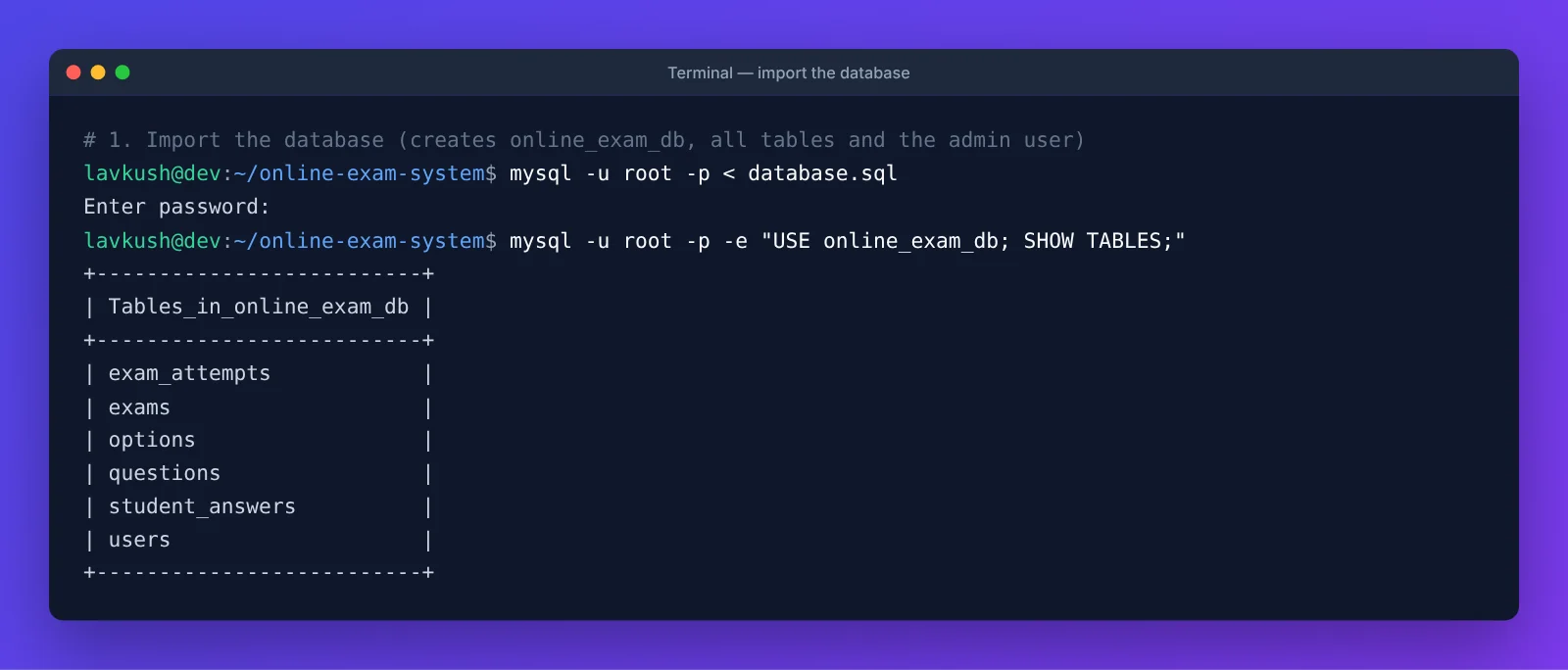
Open a terminal in the project folder and import database.sql. It creates the online_exam_db database, all six tables, two sample exams with 27 questions, and the default admin account. It works with both MySQL and MariaDB.
mysql -u root -p < database.sqlUsing XAMPP? Start MySQL in the XAMPP Control Panel, open http://localhost/phpmyadmin, click Import, choose database.sql and click Go. You don't need to create the database first.
Step 3: Update the database settings
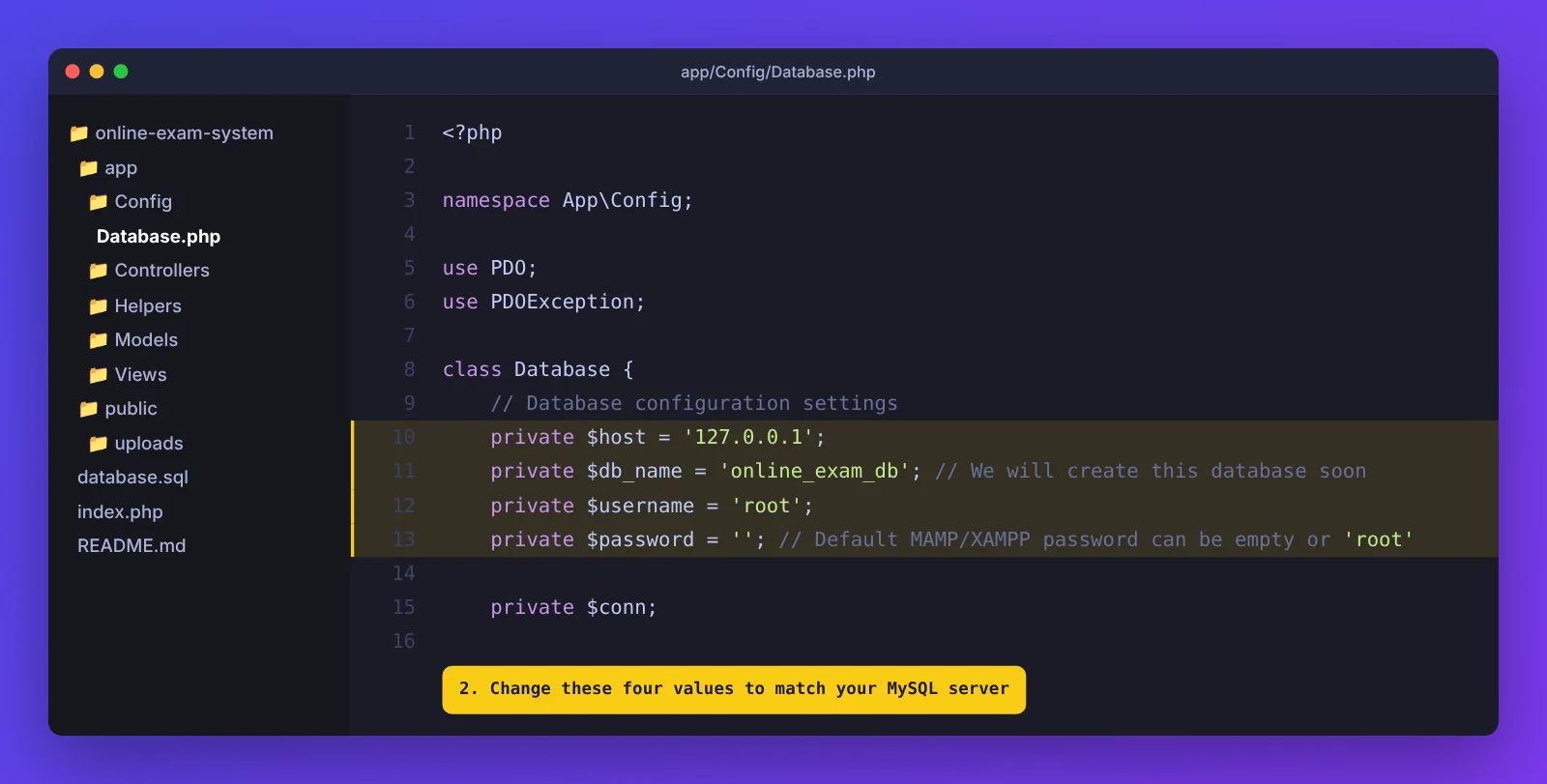
Open app/Config/Database.php and set the host, database name, username and password to match your MySQL server. With XAMPP the defaults usually work (root with an empty password). New to database connections? Read how to connect PHP with MySQL.
Step 4: Start the server
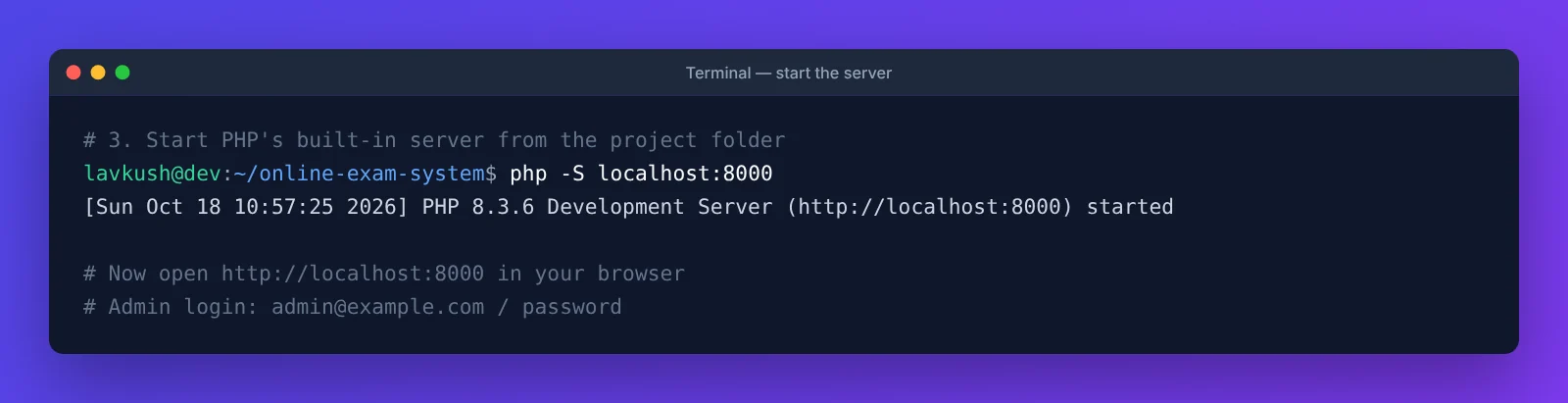
From the project folder, run PHP's built-in server and open http://localhost:8000 in your browser.
php -S localhost:8000On Windows with XAMPP, use XAMPP's PHP: C:\xampp\php\php.exe -S localhost:8000. The app expects to run at the root of a host, which is why the built-in server is the simplest option.
Step 5: Log in as admin
Sign in with the default admin account, then change the password from Users → Edit:
- Email:
admin@example.com - Password:
password
Create your first exam, add questions (or import a CSV), publish it, and register a student account to try the full exam flow.
Common installation problems
| Problem | Fix |
|---|---|
| "Connection Error: Access denied" | The username or password in app/Config/Database.php does not match your MySQL user. |
| "Unknown database online_exam_db" | The import in Step 2 did not run. Import database.sql again. |
| "Unknown collation: utf8mb4_0900_ai_ci" | You have an old copy of database.sql. Download the latest version, which works on MariaDB and XAMPP. |
| Every page shows 404 | The app is running in a subfolder. Start it with php -S localhost:8000 from the project folder instead. |
| Question images do not upload | Make sure public/uploads/questions exists and is writable, and that the image is JPG, PNG, GIF or WebP under 5 MB. |
| Login says the account is deactivated | An admin set the account to inactive. Re-activate it from Students or Users. |
Deploying to a live server
On shared hosting with cPanel, upload the files to public_html, create a MySQL database and user, import database.sql with phpMyAdmin, and update app/Config/Database.php with the new credentials. Then point the web server so every request is routed to index.php (a standard front-controller rewrite rule for Apache or Nginx).
Change the default admin password before you share the site.
Frequently Asked Questions
Is this online examination system free?
Yes. The full source code is free to download, study and use in your own projects, including college projects.
Is it suitable as a final-year BCA, MCA or B.Tech project?
Yes. It covers authentication, role-based access, CRUD, AJAX, a timer-based exam engine, proctoring and reporting, which are common requirements for final-year projects. You can explain every part because it uses plain PHP without a framework.
Does it need Laravel or any framework?
No. It uses pure PHP with a simple MVC structure, MySQL with PDO, and Bootstrap 5. You only need PHP and MySQL to run it.
What is the default admin login?
The default admin email is admin@example.com and the password is password. Change it right after your first login.
How does the exam timer work, and what happens when time runs out?
The remaining time is calculated on the server from the attempt's start time, so refreshing the page does not reset it. The timer turns red in the last five minutes, and the exam is submitted automatically at zero.
How does it stop students from cheating?
The exam runs in full-screen mode. Switching tabs or leaving full screen shows a warning and records a violation, right-click, copy and paste are blocked, and answers are scored only on the server. Admins see every violation as an integrity flag.
Can I add questions in bulk?
Yes. Download the sample CSV from the Import CSV tab, add one question per row, and upload it. Each valid row is imported as a question.
Does it support negative marking?
Yes. Set a negative marking ratio when creating an exam, for example 0.25. That amount is deducted for each wrong answer, and the final score never goes below zero.
Can students see their past results?
Yes. The My Results page lists every exam a student has submitted with the score, pass/fail status and any proctoring warnings, and links to the full result.
Download the source code
Download the complete project with the button below, follow the five installation steps, and you will have a working online examination system running in minutes. If you get stuck, leave a comment with the error message and I will help you fix it.
Want to build projects like this from scratch? Follow the free 30-lesson PHP & MySQL course, or try the student registration and login system project next.


Leave a Comment