

 Lavkush
 A news and blog CMS in PHP and MySQL is a website plus an admin panel that lets you write, schedule and publish articles, moderate comments, manage users and grow a newsletter, all without WordPress. This free project gives you a complete one, built from scratch in pure PHP with a clean MVC structure: a fast, responsive public site with built-in SEO, and a full admin panel with a rich text editor, revisions, user roles, a newsletter, a contact inbox and an ads manager.
This guide walks through every feature with real screenshots, explains how the project is organised, and shows you how to install it on your own computer in about five minutes.
Project at a glance
| Item | Details |
|---|---|
| Language | PHP 8.1+ (custom MVC, no framework) |
| Database | MySQL 8 or MariaDB 10.4+, accessed with PDO prepared statements |
| Editor | TinyMCE 6 rich text editor |
| User roles | Super Admin, Editor, Author, Contributor |
| Database tables | 16 (posts, categories, tags, comments, users, media, menus, pages, redirects, subscribers and more) |
| SEO | Meta tags, Open Graph, Twitter cards, JSON-LD structured data, XML sitemap, RSS feed, robots.txt |
| Security | CSRF tokens, prepared statements, hashed passwords, login rate limiting, honeypot, reCAPTCHA v3 |
| Setup time | About 5 minutes |
| Price | Free source code |
Key features
- Responsive news website with category, tag, author, search and monthly archive pages.
- Article pages with an automatic table of contents, reading time, share buttons, previous/next links, related posts and an optional file download.
- Comments with a moderation queue and honeypot spam protection.
- Post editor with TinyMCE, automatic slugs, tags, featured images resized into three sizes, and a per-post SEO panel.
- Drafts, publishing and scheduled posts that go live automatically at the time you choose.
- Revision history with one-click restore, and automatic 301 redirects when a URL changes.
- Four user roles, so authors only manage their own posts and contributors only submit drafts.
- Newsletter with subscriber management and bulk email through your own SMTP server.
- Contact inbox where you read and reply to messages from the admin panel.
- Site settings, menu manager and Google AdSense ads manager.
The public website
Homepage
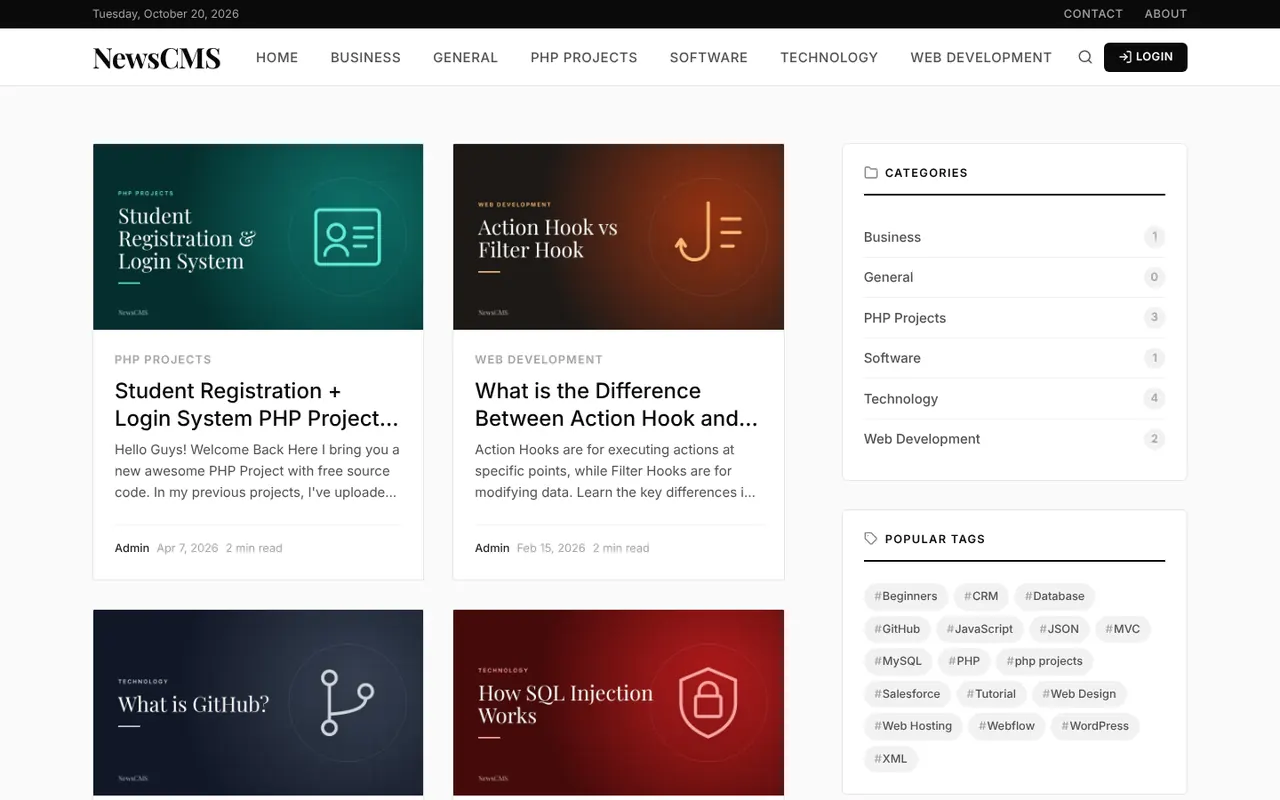
The homepage lists the latest articles in a clean card grid. Every card shows the featured image, category, title, a short excerpt, the author, the date and the reading time. The sidebar shows categories with post counts, popular tags and a newsletter signup box. The layout adapts to phones and tablets.
Article page with an automatic table of contents
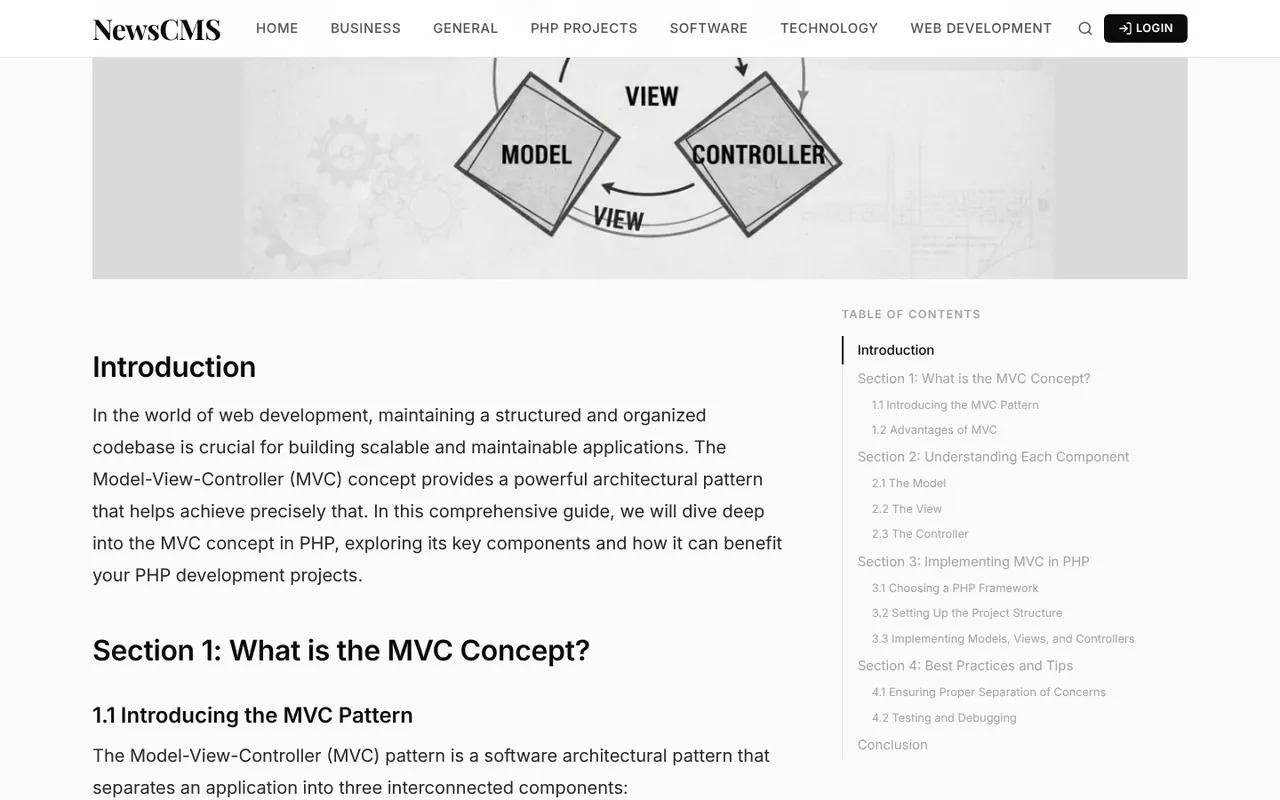
Each article shows its category, author, date and reading time at the top. The CMS reads the H2 and H3 headings of the post and builds a sticky table of contents automatically, so readers can jump to any section. Code blocks are styled for tutorials.
Downloads, tags, sharing and related posts
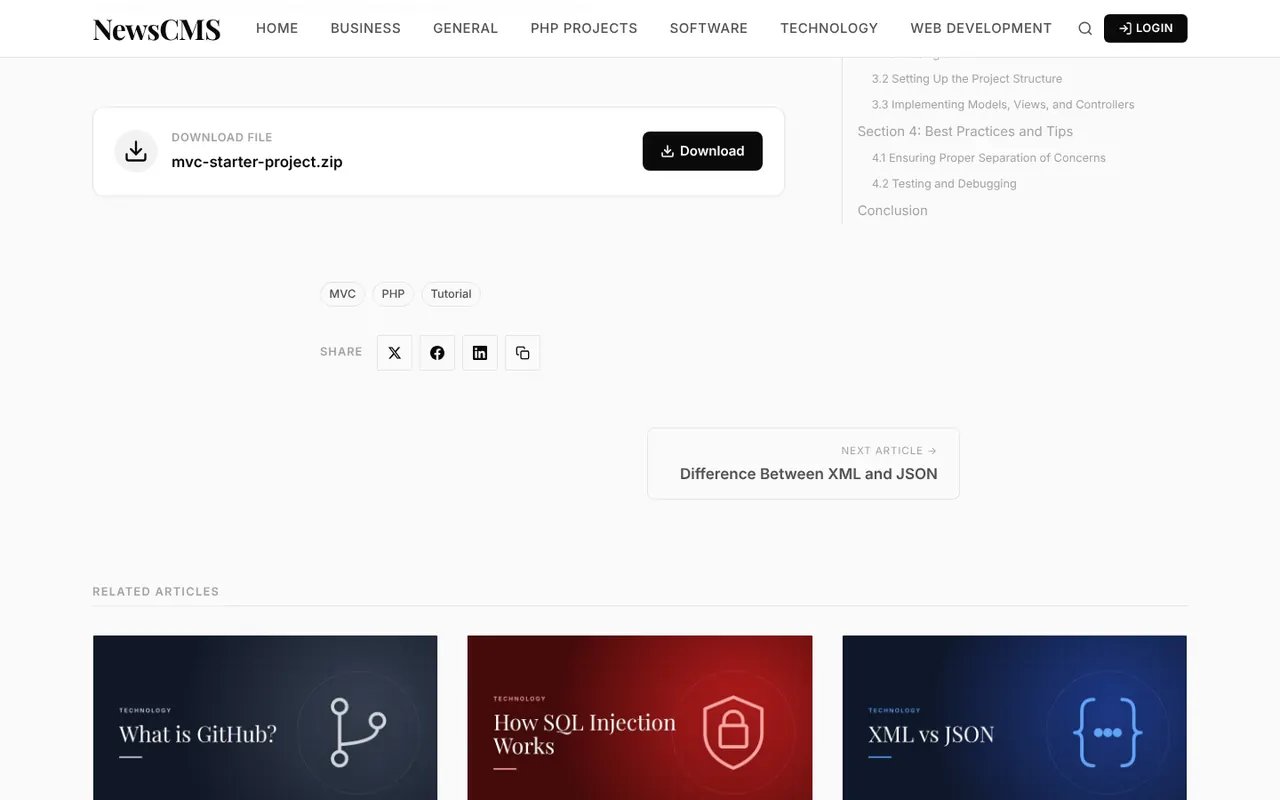
You can attach a downloadable file (ZIP, PDF and more) to any post, which is perfect for source code. At the end of the article readers see the tags, share buttons for X, Facebook and LinkedIn, links to the previous and next article, and related posts from the same category.
Comments with moderation
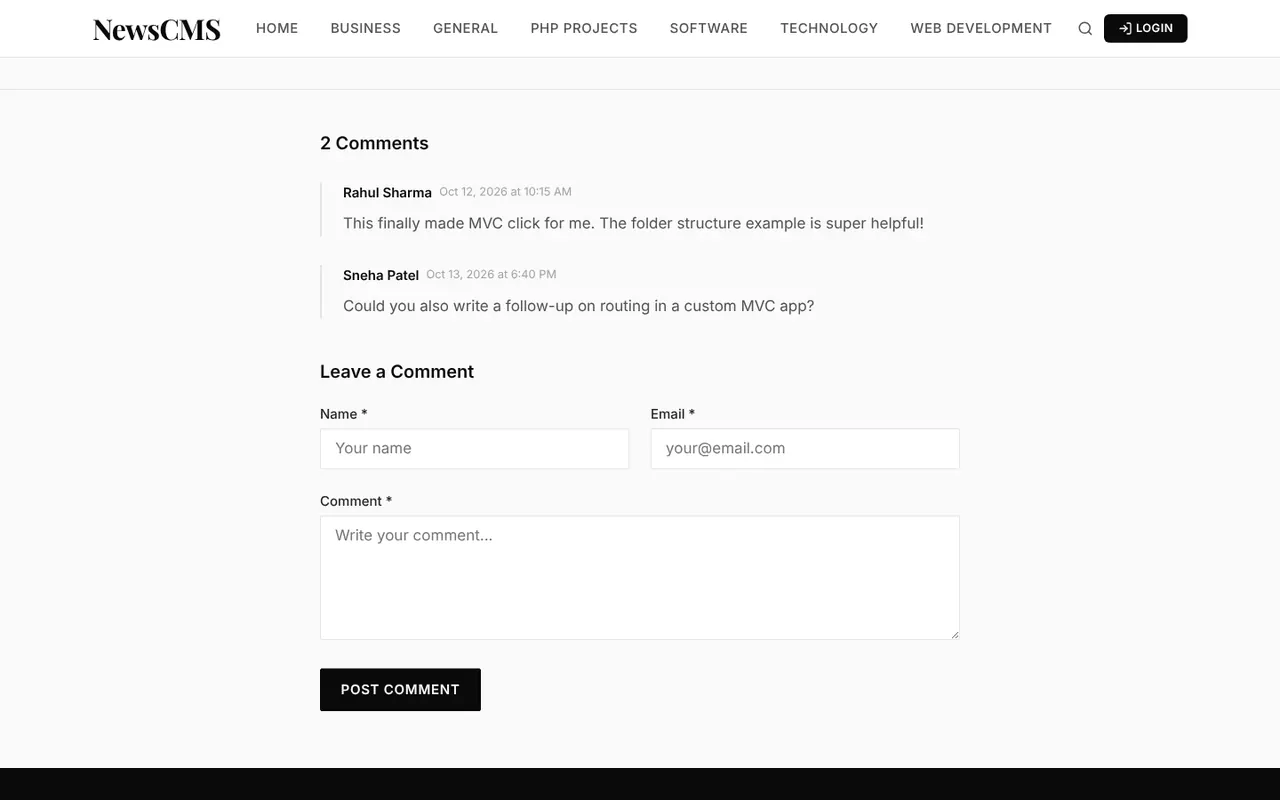
Readers can leave a comment with their name and email. New comments wait in a moderation queue until you approve them, and a hidden honeypot field silently blocks spam bots. You can turn comments off globally or for a single post.
Search, archive, author pages and contact form
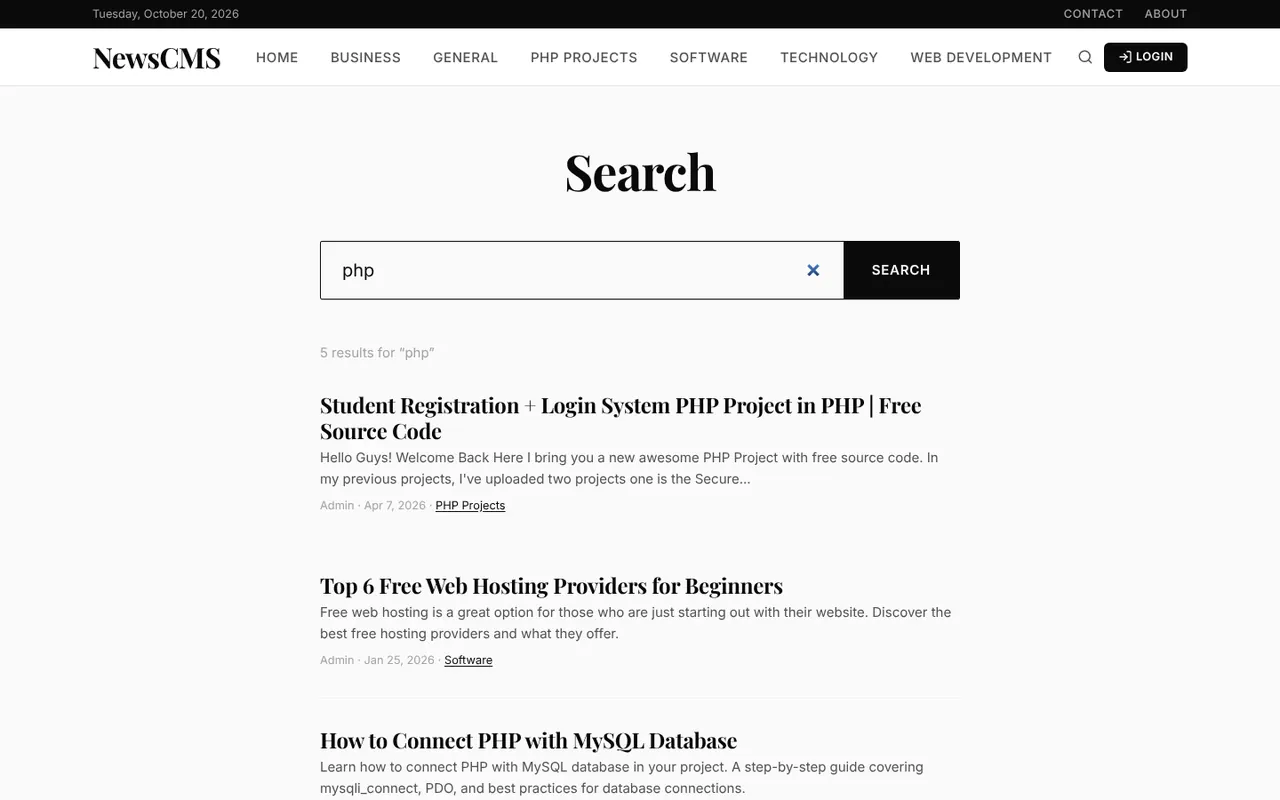
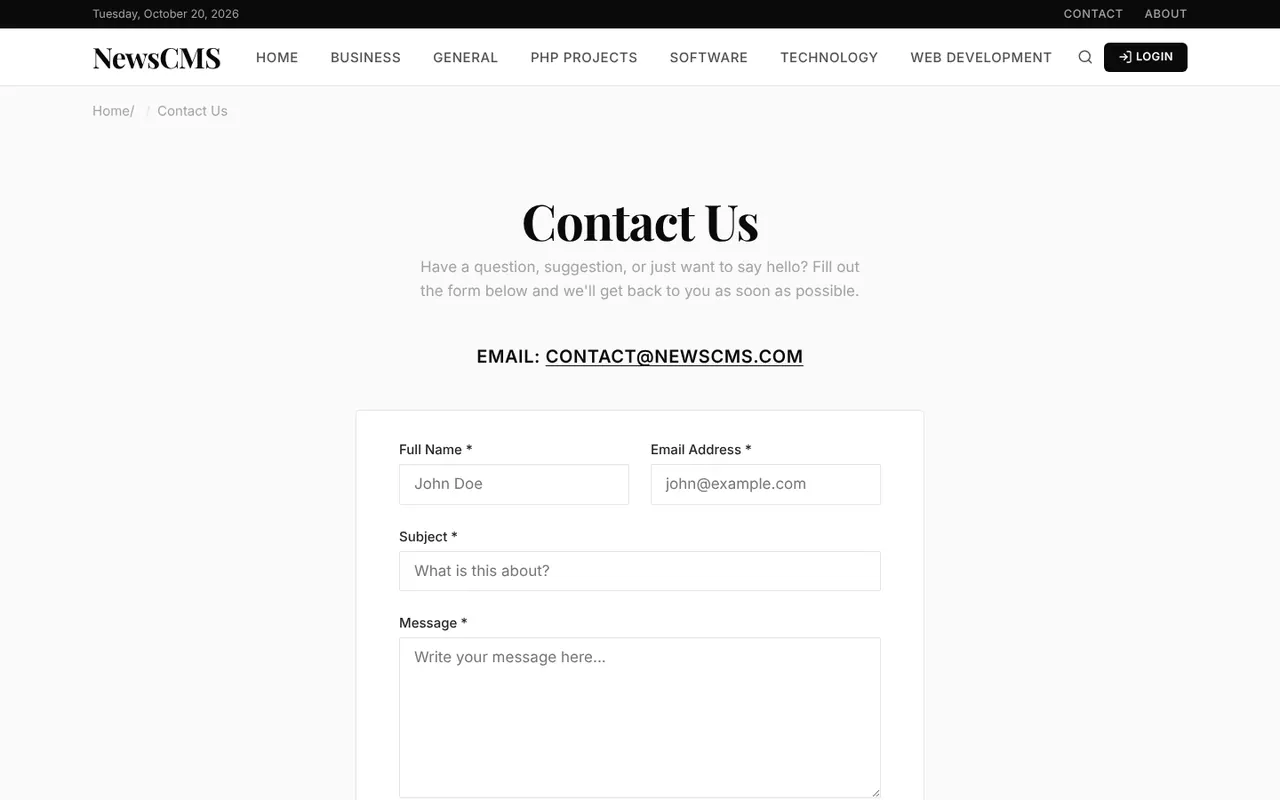
The site has MySQL full-text search, category and tag pages, a monthly archive and author profile pages. The contact page saves every message straight into the admin inbox.
Built-in SEO
Every page outputs a proper title, meta description, canonical URL, Open Graph and Twitter card tags, and JSON-LD structured data for articles and breadcrumbs. The CMS also generates an XML sitemap at /sitemap.xml, an RSS feed at /feed (plus one per category) and an editable robots.txt.
The admin panel
Dashboard
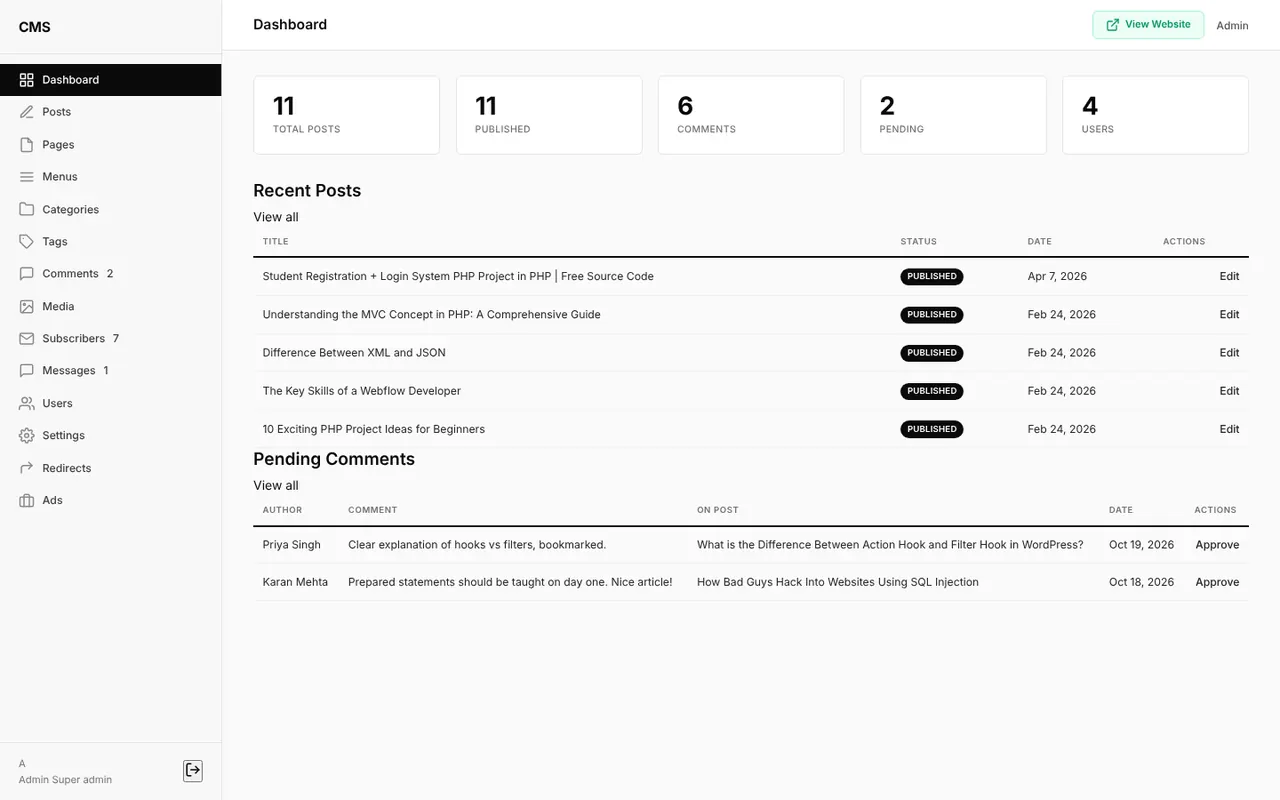
Log in at /admin to see total and published posts, comments, pending comments and users, along with the latest posts and the comments waiting for approval.
How do you create a post?
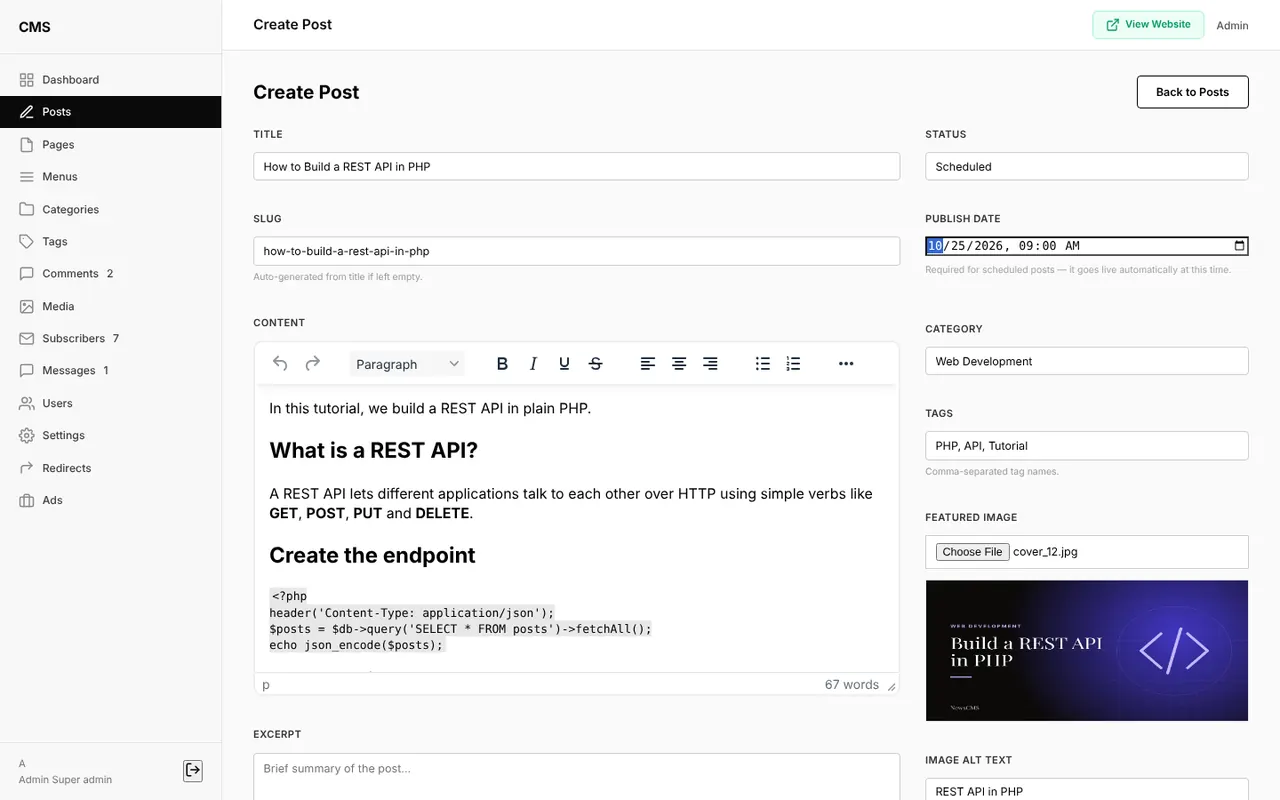
Open Posts → New Post and type a title. The slug is generated automatically as you type, and you can still edit it. Write the article in the TinyMCE editor, choose a category, add comma-separated tags and upload a featured image. The image is resized into three sizes (original, medium and thumbnail), so post cards load small images instead of the full file.
SEO settings, drafts and scheduled posts
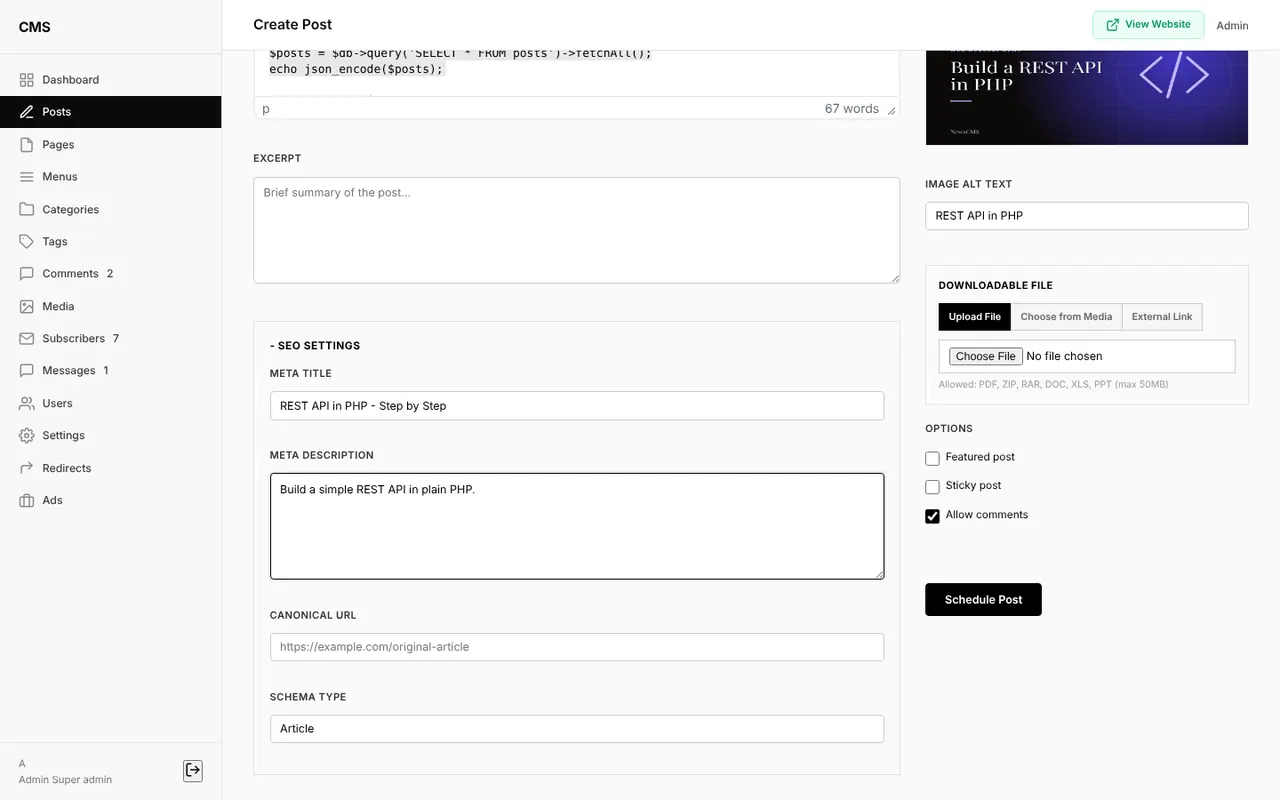
Every post has its own SEO panel for a custom meta title, meta description, canonical URL and schema type. The status can be Draft, Published or Scheduled. Choose Scheduled, pick a date and time, and the post goes live automatically at that moment.
Revision history and automatic redirects
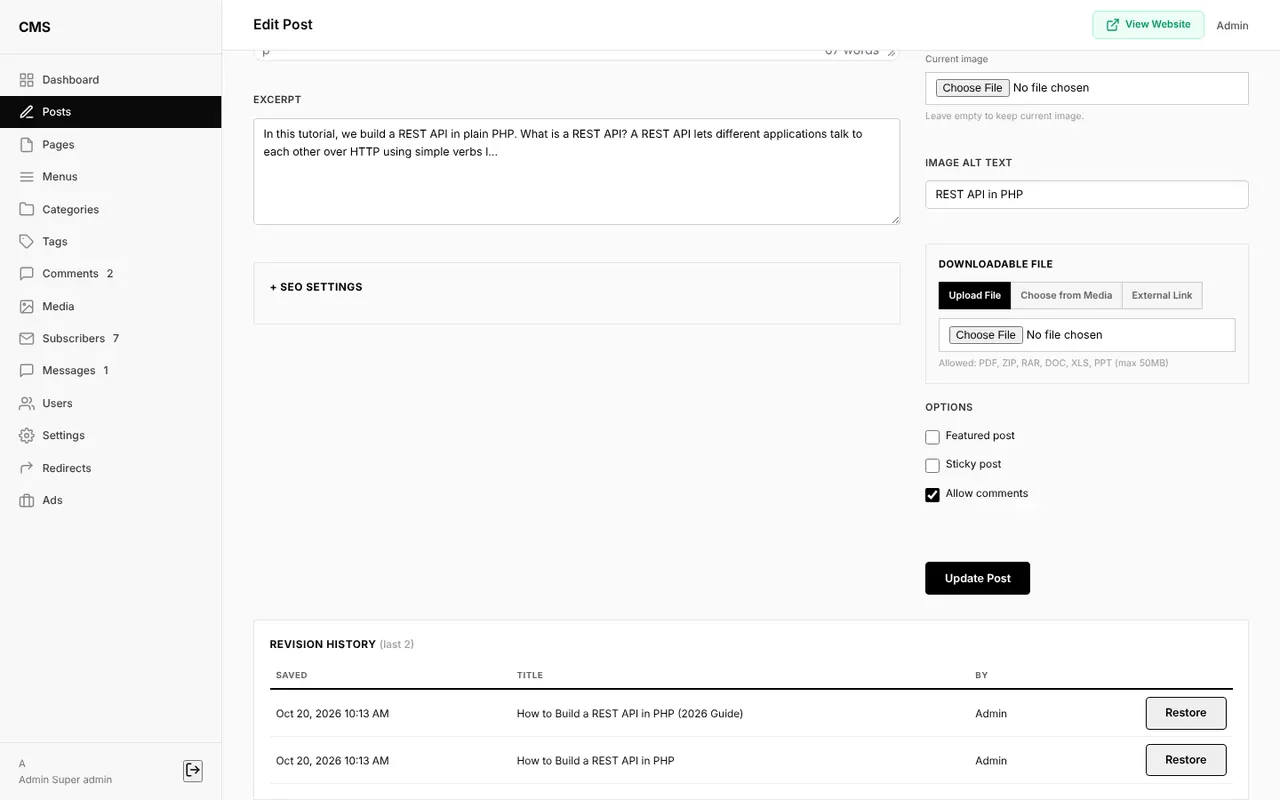
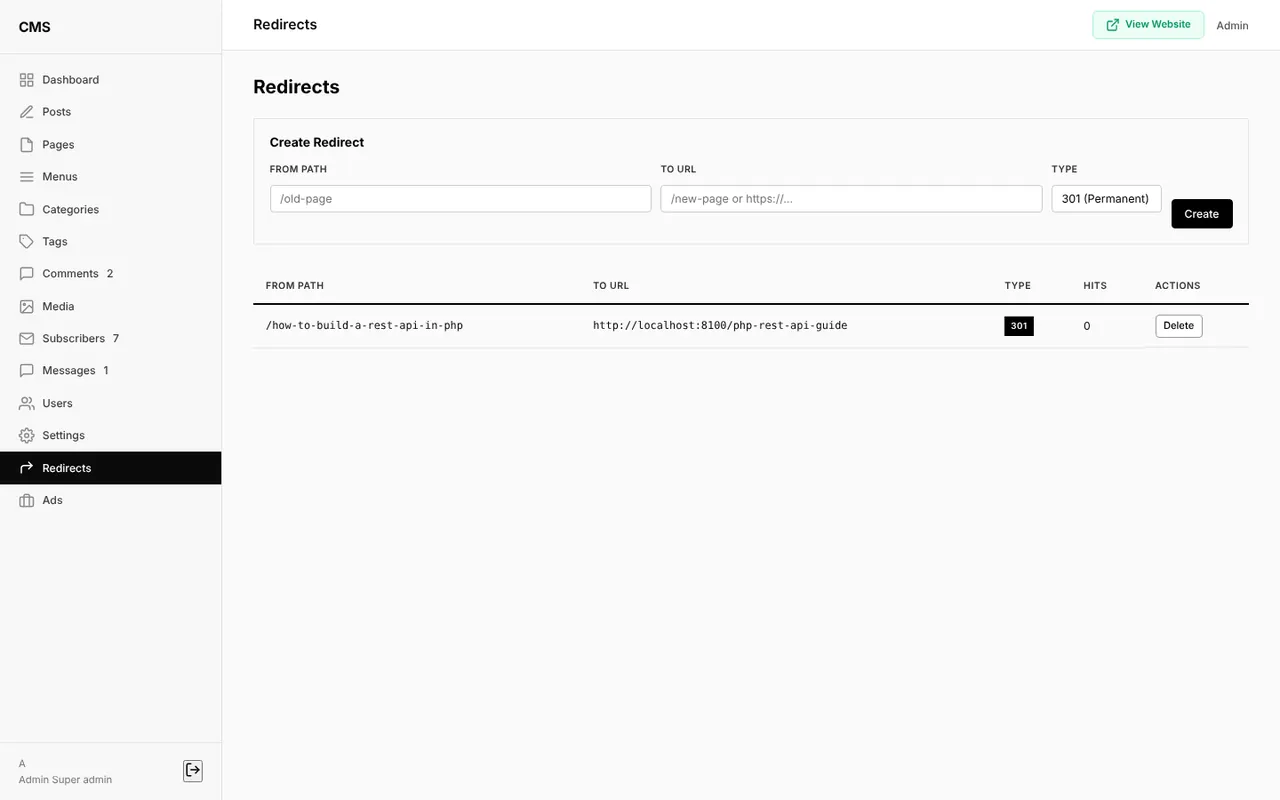
Each time you update a post, the CMS saves a revision and keeps the last five. Click Restore to bring back an older version; the current version is saved first, so nothing is lost. If you change a post's URL, the CMS creates a 301 redirect from the old address, so links from Google and social media keep working.
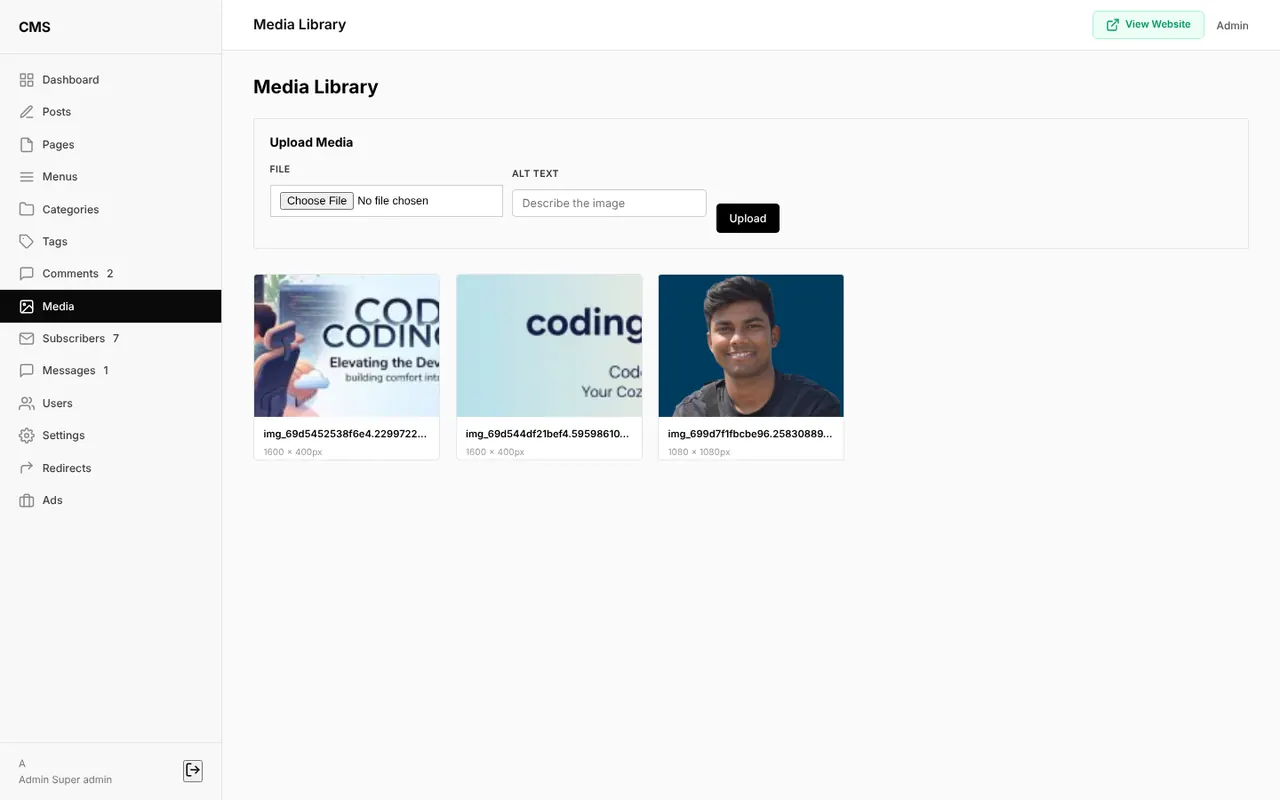
Comment moderation and media library
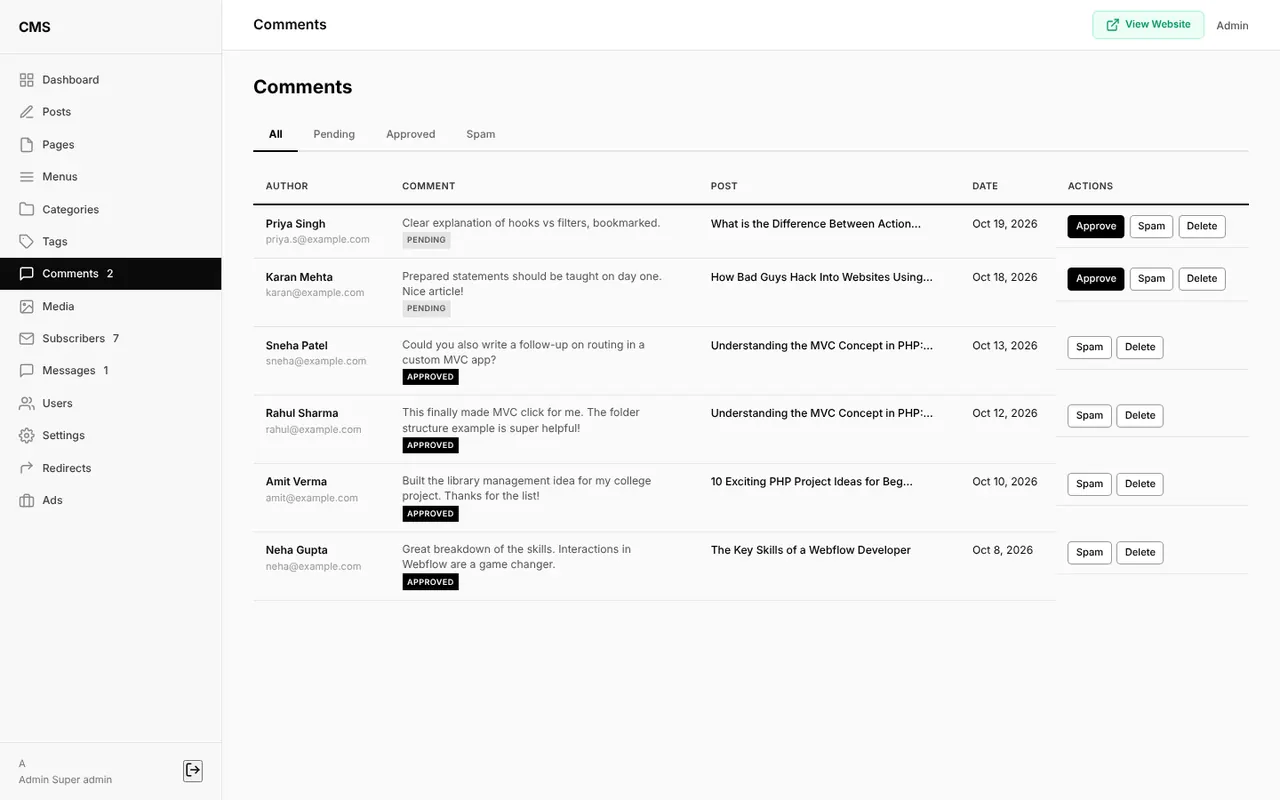
The comments screen has All, Pending, Approved and Spam tabs, with Approve, Spam and Delete buttons on each comment. The media library stores every uploaded image and copies its URL with one click.
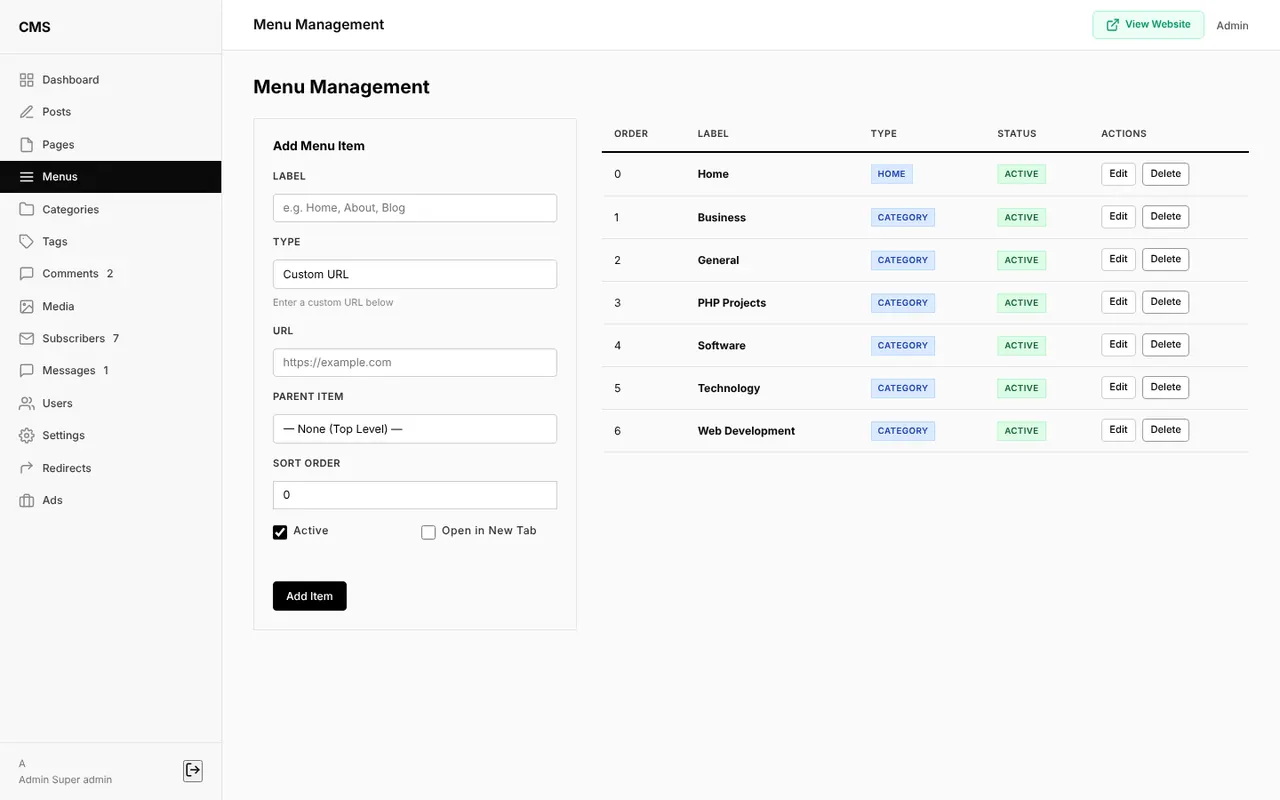
Categories, tags, pages and menus
Manage categories (with parent categories and their own SEO fields), tags and static pages such as About, Contact, Terms and Privacy Policy. The menu manager controls exactly which links appear in the navigation bar, in which order, and whether they open in a new tab.
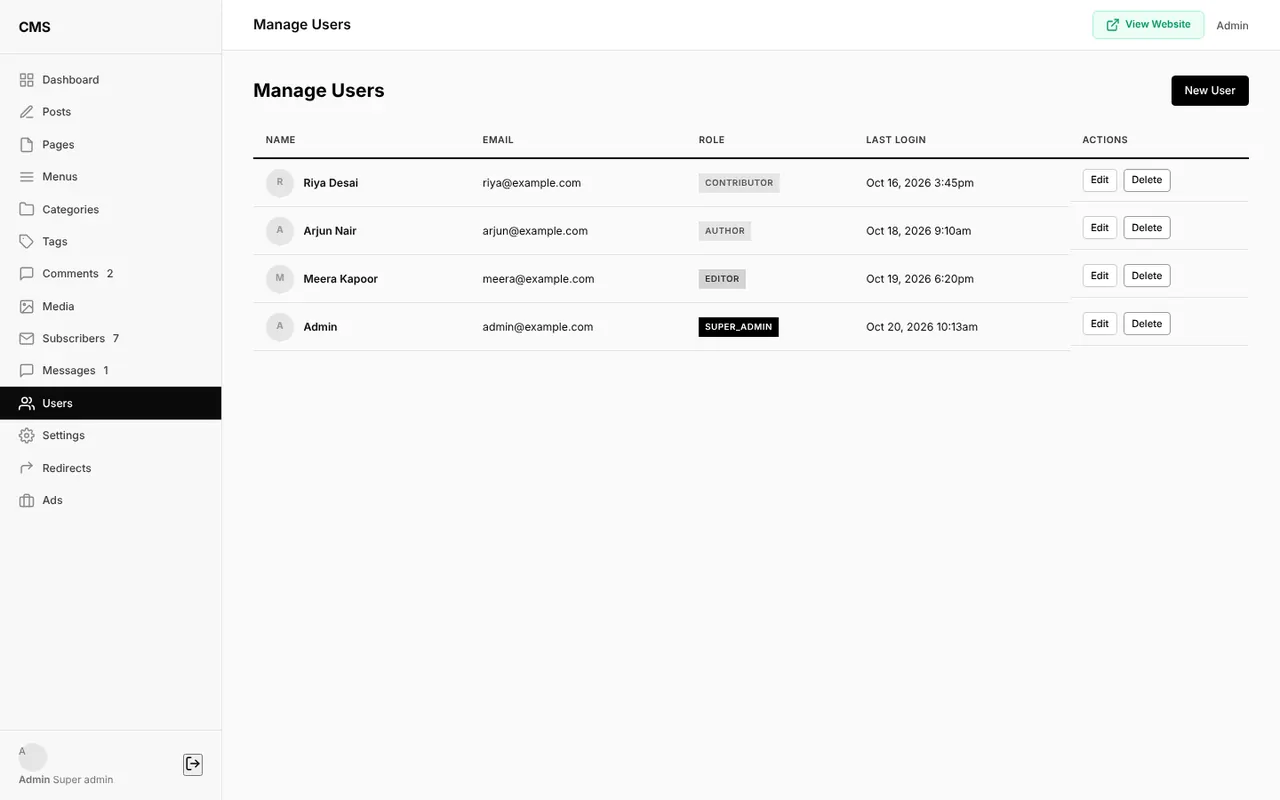
User roles
| Role | What they can do |
|---|---|
| Super Admin | Everything, including users, settings and ads |
| Editor | All posts, pages, comments, categories, tags, menus, media, subscribers and redirects |
| Author | Create, edit and publish their own posts, and upload media |
| Contributor | Write their own posts, saved as drafts for review |
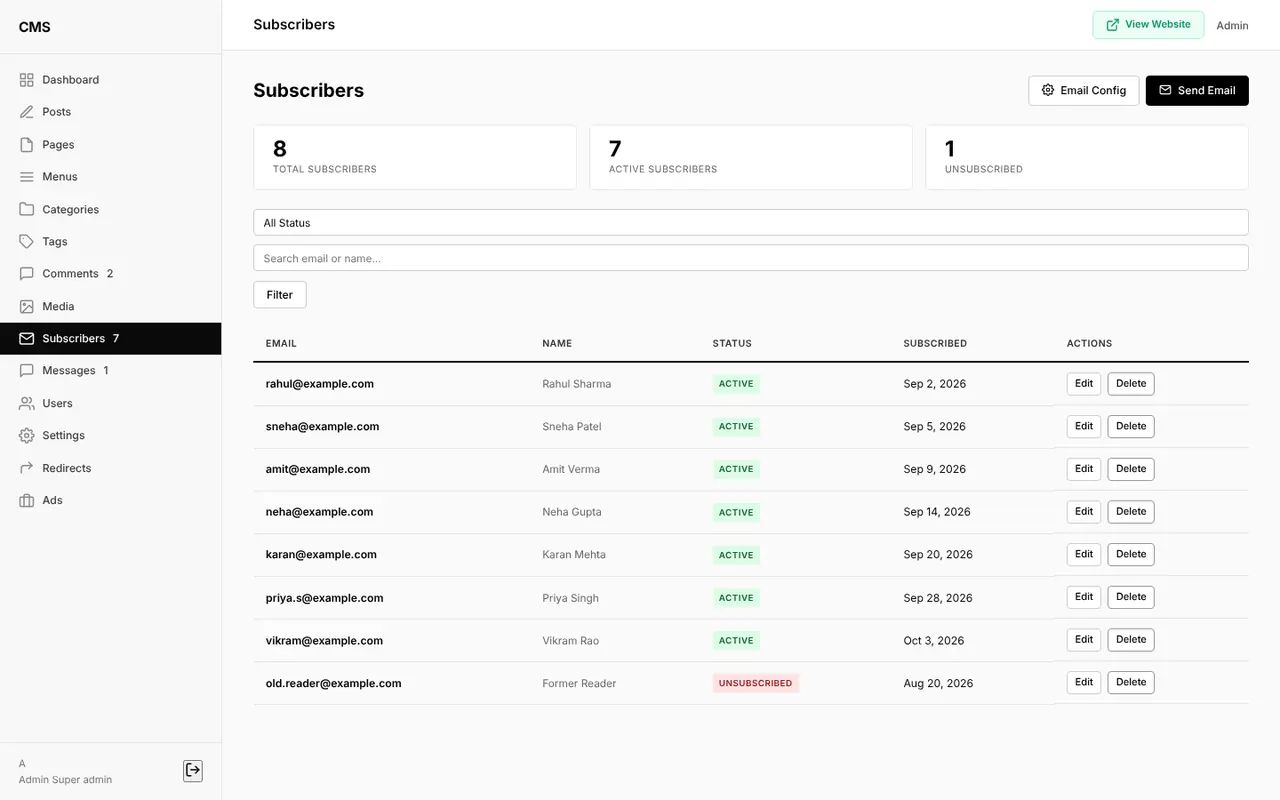
Newsletter subscribers
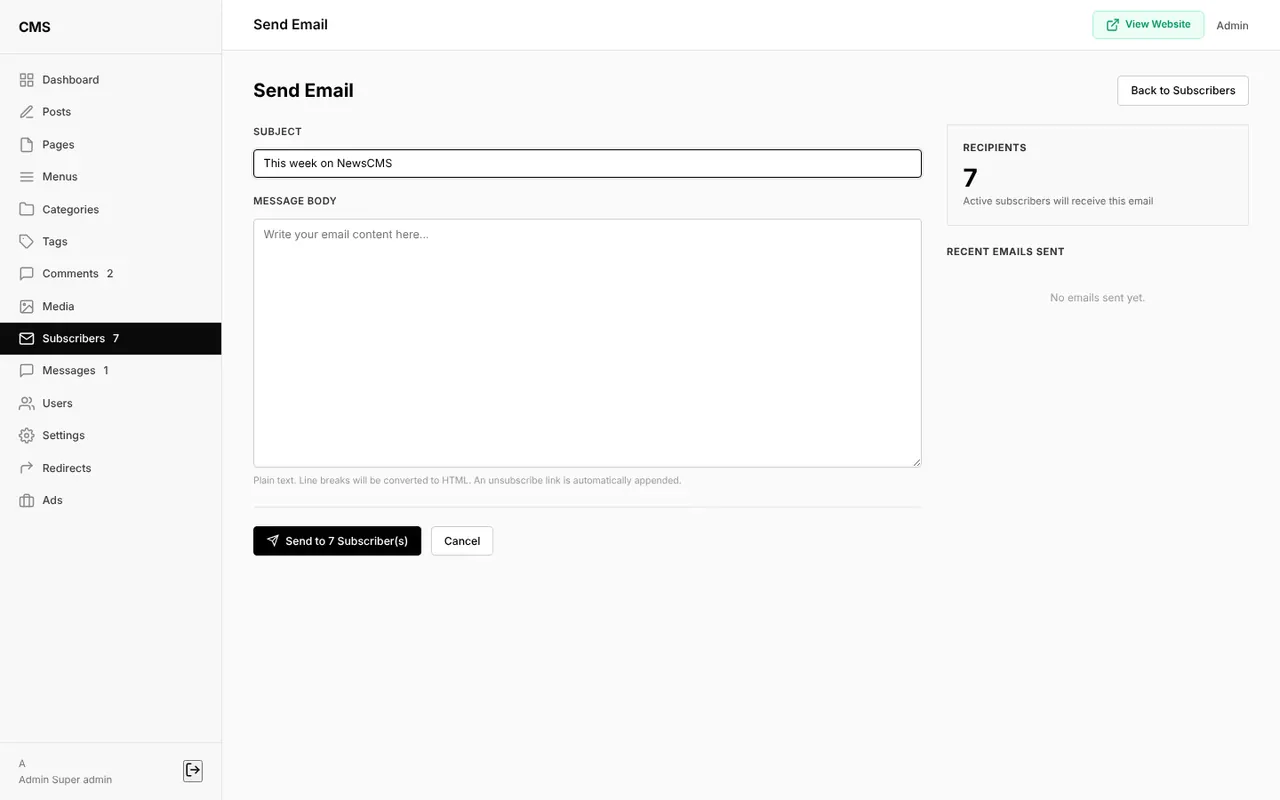
Visitors subscribe from the sidebar box. In the admin panel you see total, active and unsubscribed readers, edit or remove them, and send an email to every active subscriber. Emails go through your own SMTP server (Gmail, SendGrid, Mailgun and so on), set up under Subscribers → Email Config. Every email includes an unsubscribe link.
Contact inbox
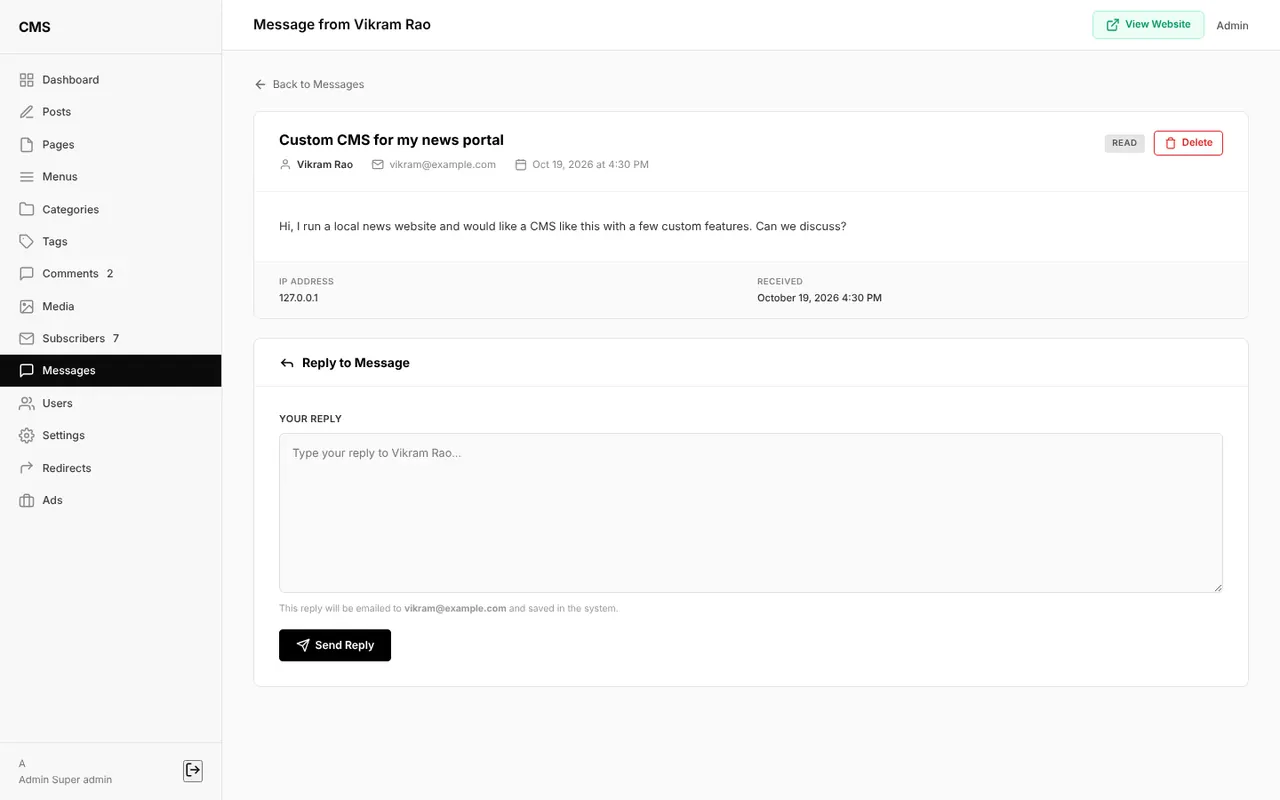
Messages from the contact form appear under Messages with Unread, Read and Replied tabs. Open a message and reply from the admin panel; the reply is emailed to the visitor and saved with the message.
Settings, reCAPTCHA and ads manager
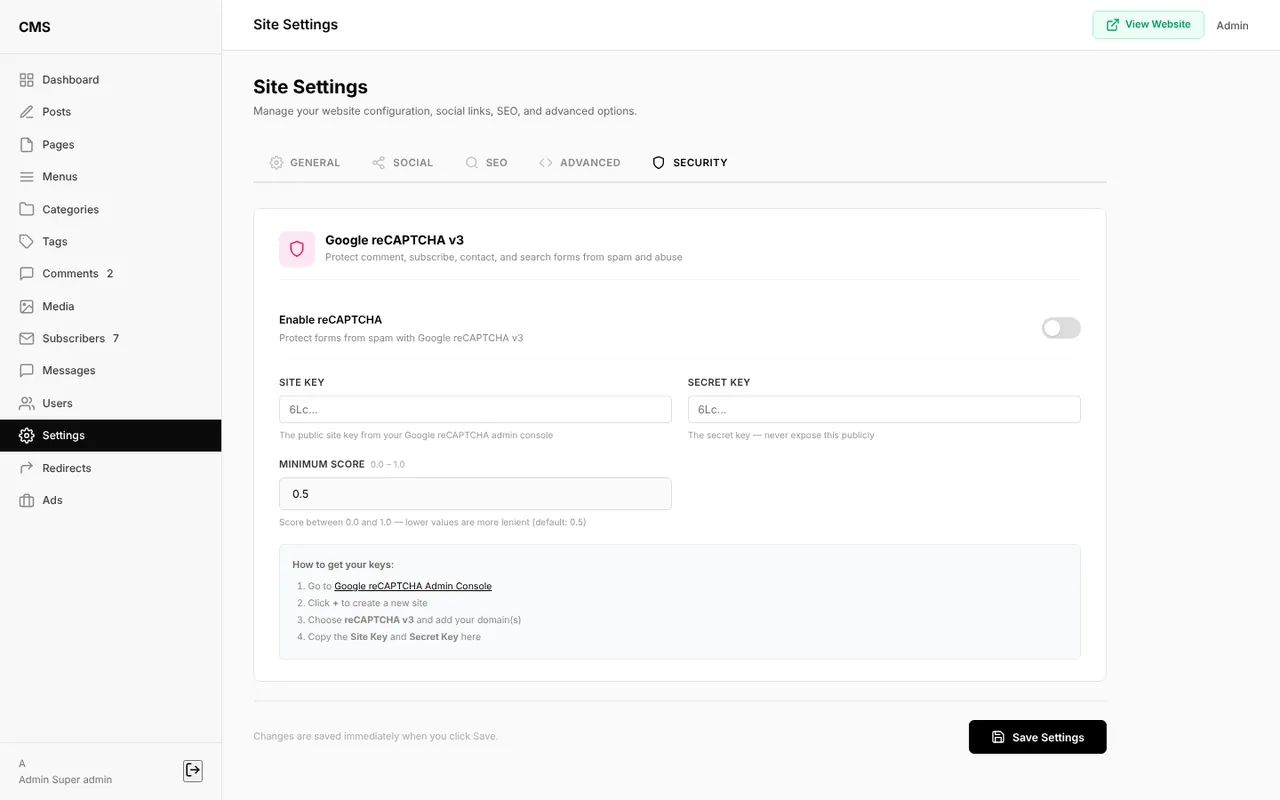
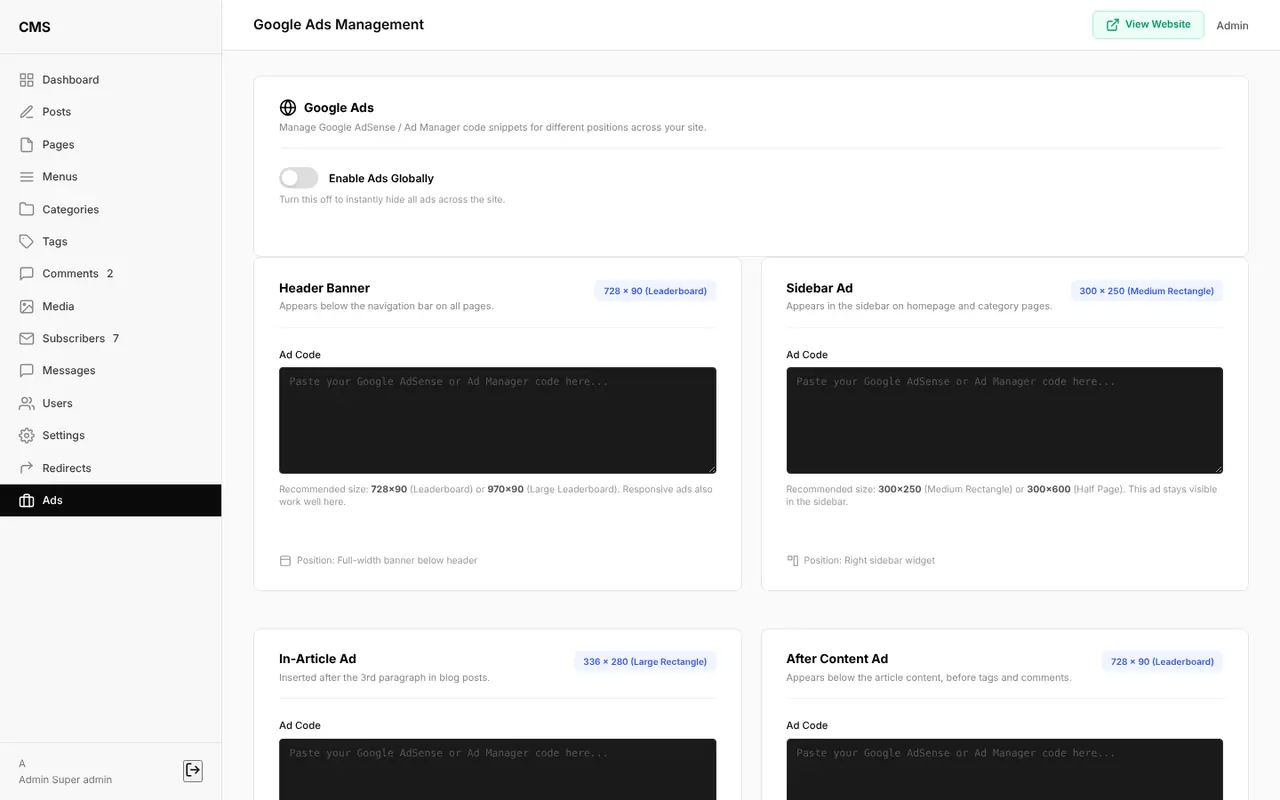
Settings are grouped into General, Social, SEO, Advanced and Security tabs. Change the site name, logo, favicon and posts per page; add social links; edit robots.txt; paste analytics or custom header and footer code; and enable Google reCAPTCHA v3. The ads manager has slots for the header, sidebar, inside articles, after articles and between posts, plus one switch that turns every ad on or off.
Security features
- CSRF tokens on every form.
- PDO prepared statements for every query, which stops SQL injection.
- Hashed passwords with
password_hash(). See how to hash passwords in PHP. - Login rate limiting after five failed attempts.
- Output escaping and an HTML sanitizer for post content.
- Honeypot field and optional reCAPTCHA v3 on public forms.
- Role checks on every admin page.
- Security headers (X-Frame-Options, X-Content-Type-Options, Referrer-Policy).
Project structure
blog-news-project-php/
├── app/
│   ├── Controllers/     # Frontend and Admin controllers
│   ├── Core/            # Router, Database, Auth, Csrf, Uploader, SEO, Validator
│   └── Models/          # Post, Category, Tag, Comment, User, Setting...
├── config/
│   └── routes.php       # Every URL in one place
├── database/            # schema.sql, seed.sql, migrations
├── public/
│   ├── index.php        # Front controller
│   ├── assets/          # CSS and JavaScript
│   └── uploads/         # Featured images, media and downloads
├── views/               # Frontend, admin and layout templates
├── .env                 # App URL, database and SMTP settings
├── router.php           # Router for PHP's built-in server
└── news_cms_database.sql
Every request goes through public/index.php. The router in config/routes.php picks a controller, the controller loads data through a model, and a view renders the page. If MVC is new to you, read understanding the MVC concept in PHP first.
How to install the News & Blog CMS
Step 1: Download and extract the project
Download the source code from the download box at the end of this post and extract it, for example into a folder called blog-news-project-php.
Step 2: Create the database and import the SQL file
Create an empty database called news_cms and import news_cms_database.sql. It creates all 16 tables with sample posts, categories, pages and the admin account.
mysql -u root -p -e "CREATE DATABASE news_cms CHARACTER SET utf8mb4 COLLATE utf8mb4_unicode_ci"
mysql -u root -p news_cms < news_cms_database.sql
Using XAMPP? Start Apache and MySQL, open http://localhost/phpmyadmin, create a database named news_cms, open its Import tab, choose news_cms_database.sql and click Go.
Step 3: Update the .env file
Open .env in the project folder and set your database details. With XAMPP the defaults usually work (root with an empty password). New to database connections? Read how to connect PHP with MySQL.
APP_URL=http://localhost:8000
DB_HOST=127.0.0.1
DB_NAME=news_cms
DB_USER=root
DB_PASS=
Step 4: Start the server
From the project folder, start PHP's built-in server and open http://localhost:8000:
php -S localhost:8000 -t public router.phpOn Windows with XAMPP, use XAMPP's PHP: C:\xampp\php\php.exe -S localhost:8000 -t public router.php.
Step 5: Log in to the admin panel
Open http://localhost:8000/admin and sign in with the default account, then change the password from Users → Edit:
- Email:
admin@example.com - Password:
admin123
Common installation problems
| Problem | Fix |
|---|---|
| "Access denied for user" | The database username or password in .env does not match your MySQL user. |
| "Unknown database news_cms" | Create the news_cms database first (Step 2), then import the SQL file. |
| Pages load without styles or links go to the wrong place | APP_URL in .env must match the address in your browser, for example http://localhost:8000. |
| Every page except the homepage shows 404 | Start the server with -t public router.php as shown in Step 4. |
| Images do not upload | Make sure public/uploads is writable and the PHP GD extension is enabled. |
| Emails are not delivered | Add your SMTP details under Subscribers → Email Config. For Gmail, use an app password. |
Deploying to a live server
Upload the project to your hosting account, import the database through phpMyAdmin, and update .env with the live database details and your domain in APP_URL. Point the domain's document root to the public folder; if your host does not allow that, the included .htaccess forwards requests to public for you. Set APP_DEBUG=false in production. Need a place to host it? Compare the best free web hosting providers.
Frequently Asked Questions
Is this News & Blog CMS free?
Yes. The complete source code is free to download, learn from and use in your own projects.
Does it need a framework like Laravel?
No. It is written in pure PHP with a small custom MVC core, so you can read and understand every part of it. It only needs PHP 8.1+ and MySQL or MariaDB.
Can I use it as a final year project?
Yes. It covers authentication, roles, CRUD, file uploads, SEO, email and security, which makes it a strong BCA, MCA or BTech project. Make sure you understand the code and can explain it.
Can I run it on XAMPP or shared hosting?
Yes. It runs with XAMPP on Windows or Mac, with PHP's built-in server, and on any shared hosting that supports PHP 8.1 and MySQL.
How do scheduled posts go live?
When anyone visits the site after a scheduled post's publish time, the CMS publishes it automatically. No cron job is needed.
What are the default admin login details?
Email admin@example.com and password admin123. Change the password right after your first login.
Download the source code
Download the complete News & Blog CMS from the download box below, follow the five installation steps, and you will have your own news website running in minutes. If you get stuck, leave a comment with the error message and I will help you fix it.
Looking for more projects? Try the online examination system in PHP and MySQL, or learn the basics with the free PHP & MySQL course.
Leave a Comment