

 Lavkush
 Yes — AI can fix most common coding errors fast, but only with the right prompt. "Fix this" usually gets a confident-looking answer that solves the wrong problem. The seven templates below tell the AI exactly what to look at, so you get a real fix instead of a polite guess.
If you have ever stared at an error message until it started staring back, welcome — you are a programmer now. ChatGPT and GitHub Copilot act like a patient senior developer sitting next to you at 2 a.m. But they are only as good as your instructions: feed them well and they fix bugs; feed them sloppily, and they confidently fix bugs you do not have.
Why Most "Fix My Code" Prompts Fail
The classic failed prompt: someone pastes 200 lines of code and types "why is this not working?" With no error message, the AI just picks the most common bug in that language and explains it — matched to your problem or not. Garbage in, plausible answer out.
A good debugging prompt has four ingredients: the exact error message, the code around it, what you expected to happen, and your language/version. The templates below bake all four in — fill in the blanks.
Prompt 1: Fix an Error Message
Your code refuses to run and throws an error. Paste the full error message, not a summary — the AI needs the exact line, file and wording.
Language: [e.g. PHP 8.3]

I get this error:
[PASTE THE FULL ERROR MESSAGE, EXACTLY AS IT APPEARS]

Here is my code:
[PASTE THE CODE AROUND THE ERROR]

1. Explain in simple words what this error means
2. Show me the fixed code
3. Mark the changed lines so I can see what changed
Why it works: asking for the meaning first stops the AI jumping to a random fix, and "mark the changed lines" keeps you in control of every change.
Prompt 2: Wrong Output, No Error
The silent bug is the scary one: no crash, just wrong results — your function returns 42 instead of 7 and acts very proud of itself. Here, the AI needs to know what "correct" looks like.
Language: [e.g. Python 3.12]

This code runs without errors, but the output is wrong.

My code:
[PASTE YOUR CODE]

Current output:  [PASTE WHAT IT ACTUALLY PRINTS]
Expected output: [WRITE WHAT YOU WANT IT TO PRINT]

Trace the code step by step, show where the logic goes off
track, and give me the corrected version.
Why it works: current-vs-expected turns "it is wrong" into a precise target, and tracing step by step makes the AI walk the code like a debugger to the off-by-one error.
Prompt 3: Explain This One Line
Sometimes there is no bug — you just have no idea what a line does, maybe copied from a tutorial. Rather than guessing (or deleting it to see what breaks), ask for a plain explanation.
Language: [e.g. JavaScript]

Explain this line to a beginner, in simple English:

[PASTE THE LINE OR SHORT SNIPPET]

Also tell me:
- What each part of it does
- Why someone would write it this way
- One common mistake with it
Why it works: half of all bugs come from code written without being understood — once a line makes sense, the bug inside it becomes obvious. New to AI tools? Our beginner guide on how to use ChatGPT for coding covers the basics.
Prompt 4: Write a Test That Catches It
Found and fixed a bug? Make sure it never comes back. A test that reproduces it is the best insurance you can get — the prompt people skip, then re-fix the same bug months later.
Language and testing tool: [e.g. PHP with PHPUnit]

I just fixed this bug:
[PASTE THE ORIGINAL BUGGY CODE + ONE LINE DESCRIBING THE BUG]

Write a test that FAILS on the buggy version and PASSES on the
fixed version. Explain briefly what it checks.
Why it works: the test proves you understood the bug, and that the fix is real — and it teaches you testing, one bug at a time.
Prompt 5: Rubber-Duck Debugging With AI
Rubber-duck debugging means explaining your code, line by line, to a duck until you spot the mistake. An AI duck is better: it talks back. This prompt makes the AI ask questions instead of handing you answers.
Language: [e.g. JavaScript]

I have a bug but I want to find it myself. Do NOT give me the fix.

Here is my code:
[PASTE YOUR CODE]

Ask me questions, ONE at a time, about what each part does and
what I expect. Ask the next one only after I answer. Guide me
until I find the bug myself.
Why it works: finding the answer yourself stops you repeating the mistake — and when the AI's "fix" would have been wrong, you are protected, because you understood the problem first.
Prompt 6: Review My Function Before It Breaks
The best bug is the one that never ships. Before committing a shaky function, ask the AI to review it like a senior developer — it will often spot the edge case you forgot.
Language: [e.g. PHP 8.3]

Review this function for bugs before I use it in production:

[PASTE YOUR FUNCTION]

Check for: wrong logic, edge cases (empty input, zero, null,
huge values), security issues like unsafe user input, and
anything that breaks as the code grows.

For each problem, rate it (minor or critical) and show the fix.
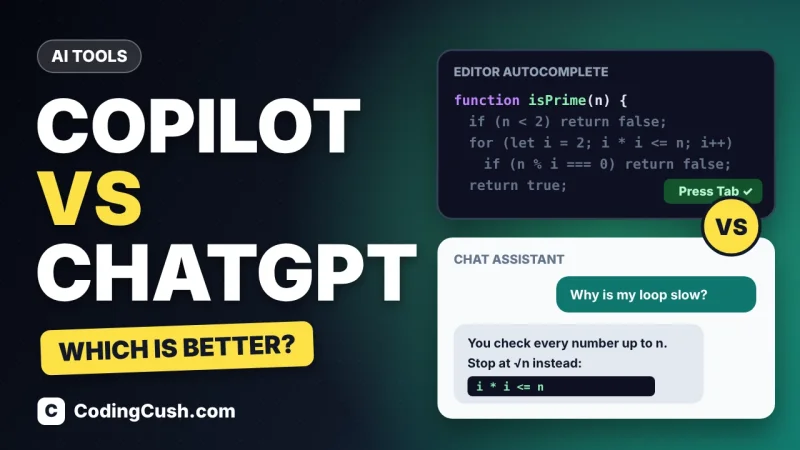
Why it works: checklists are how human reviewers work too — unstructured reviews miss things; checklist reviews catch them, and severity ratings keep you focused on the critical issue first. Choosing between tools? Our GitHub Copilot vs ChatGPT comparison for coding explains which fits your style.
Prompt 7: Explain the Fix So I Actually Learn
The hidden danger of AI debugging is becoming a copy-paste machine: paste the error, take the fix, learn nothing. Then the same bug returns wearing a different hat.
Language: [e.g. Python 3.12]

This was my bug:
[PASTE THE ERROR OR DESCRIBE IT IN ONE LINE]

And this was the fix that worked:
[PASTE THE FIXED CODE]

Teach me the concept behind this fix in simple words. Then give
me one tiny exercise to test whether I understood it.
Why it works: five minutes of understanding now saves fifty when this bug class returns — and turns you from "person who uses AI" into "person getting better at programming".
Which Prompt to Use: The Quick Table
| Your situation | Use this prompt | What you get |
|---|---|---|
| Red error message on screen | Prompt 1 — Error Message | Explained error + fix |
| Code runs but output is wrong | Prompt 2 — Wrong Output | Step-by-step trace + correction |
| A line you do not understand | Prompt 3 — Explain This Line | Plain-English explanation + pitfalls |
| Bug fixed, want it gone forever | Prompt 4 — Write a Test | A regression test |
| Want to find it yourself | Prompt 5 — Rubber-Duck | Guided questions, no spoilers |
| Unsure about a function | Prompt 6 — Review Function | Checklist review + ratings |
| Bug fixed, reason unclear | Prompt 7 — Explain the Fix | A mini-lesson + exercise |
Always Verify the AI's Fix (Seriously)
Here is the honest part: AI sometimes fixes your bug and breaks two other things. It can invent functions, or "fix" code by deleting the failing feature. That is not malice — it is a very confident autocomplete engine. So treat every fix like advice from a brilliant friend who makes things up: run the code, check the output, read the changed lines.
GitHub Copilot, from the official GitHub Copilot page, spots issues inside your editor as you type, while ChatGPT is where longer prompt templates shine. Either way: prompt well, test the fix, understand the fix.
Frequently Asked Questions
Can AI really fix my code, or does it just guess?
Both. Common errors it usually fixes correctly; unusual bugs it may guess at — always run the fixed code yourself.
Which AI tool is best for debugging?
ChatGPT suits pasting errors and discussing them; GitHub Copilot excels at inline fixes as you code. Many developers use both.
Will AI debugging make me a worse programmer?
Only if you copy fixes blindly. Prompts 3, 5 and 7 do the opposite — instant explanations and guided practice.
Is it safe to paste my code into an AI tool?
For learning projects, yes. For work code, check company policy first — never paste passwords, API keys or customer data into a public AI service.
Conclusion
AI will not replace your debugging skills, but it makes them faster — if you prompt it well. Keep the seven templates handy, fill in the blanks when a bug bites, and always verify the fix. The programmers who benefit most from AI ask the best questions.



Leave a Comment