

 Lavkush
 Webflow costs anywhere from $0 to about $39 per month per website, depending on what your site needs. The free Starter plan lets you build and publish a small test site at no cost. Paid Site plans — roughly $14 a month for a simple site, $23 for a site with a blog or CMS, and $39 for a busy business site, billed yearly — are what most real websites use. The confusion is not the prices themselves; it is that Webflow sells two different kinds of plans, and beginners keep buying the wrong one.
If you have ever opened Webflow's pricing and felt like you needed a second pricing page to explain the first one, you are not alone. There are Site plans, Workspace plans, monthly billing, yearly billing, and a free tier hiding in the corner. Let us untangle it in plain English, so you can work out what a Webflow website actually costs you.
The Two Kinds of Webflow Plans (This Is the Key)
Everything becomes clear once you see that Webflow charges for two separate things. A Site plan is paid per website and turns a project into a real, live site: it adds hosting, a custom domain, SSL security, a content management system (CMS) on the higher tiers, and enough bandwidth for real visitors. A Workspace plan is paid per team or account and controls how many projects you can build, whether you can export code, add teammates, and remove Webflow's staging limits while designing.
Here is the part that saves beginners money: if you only want to build one website for yourself, you mainly need a Site plan. Your account can stay on the free Workspace plan while you design. Many freelancers also stay on a free or low Workspace plan and let each client pay for their own Site plan, which is the polite way of saying the hosting bill is not your problem.
Site Plans: What a Live Website Costs
Site plans are billed per site, and paying yearly works out cheaper than paying monthly — the prices below are the yearly-billing figures most people quote, and Webflow occasionally adjusts them, so treat them as the current guide prices and confirm on the official site before you pay.
| Site plan | Price (billed yearly) | Best for | Key points |
|---|---|---|---|
| Starter | Free | Learning and testing | Publishes to a webflow.io address, 2 static pages, no custom domain |
| Basic | About $14/month | Simple static sites | Custom domain, hosting and SSL, no CMS |
| CMS | About $23/month | Blogs and content sites | Everything in Basic plus the CMS and a site search |
| Business | About $39/month | Busy business sites | More CMS items, more bandwidth, form file uploads |
The honest summary: a portfolio or landing page usually lives happily on Basic. The moment you want a blog, a news section, or any content you update through collections, you need the CMS plan — this is the plan most real Webflow websites end up on. Business is for sites with serious traffic or large collections, and most beginners never need it on day one. You can start lower and upgrade later in a couple of clicks; Webflow does not punish you for growing.
Workspace Plans: What Building Costs
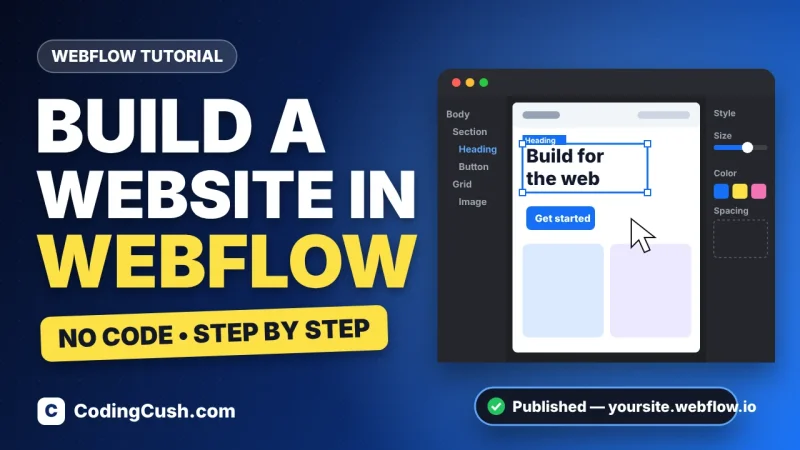
Workspace plans are about the design side, not the live site. The free Starter workspace lets you create a couple of unhosted projects and learn the Designer properly — which, as our step-by-step guide to how to build a website in Webflow shows, is enough to build a complete first site before spending anything. Paid workspaces (Core, at roughly $19 a month, and Growth, at roughly $49 a month, billed yearly) raise project limits, unlock code export and add team features such as shared libraries and more seats.
Do you need one? If you are learning, or building a single site for yourself or your own business, no — the free workspace plus one Site plan is the classic beginner combination. If you are freelancing for several clients at once, or working in a team, a paid workspace starts paying for itself in saved friction.
What Else Adds to the Real Cost?
The plan is the main cost, but three smaller items complete the honest picture. First, a custom domain: if you do not already own one, buying a domain typically costs around $10–15 a year, whether you buy it through Webflow or another registrar. Second, paid templates: Webflow's marketplace has lovely premium templates roughly in the $49–149 range, though the free templates are genuinely good and many beginners never buy one. Third, optional extras such as e-commerce plans (which start higher than the CMS plan) only apply if you are selling products with a cart and checkout.
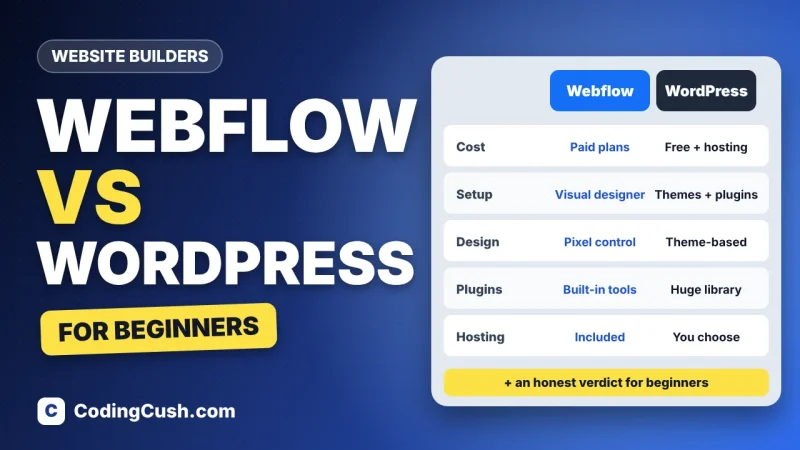
What you do not pay for is worth saying too: hosting is included, SSL is included, and you are not paying a developer to install security updates at midnight, because there is no server for you to maintain. When students ask us for the full beginner comparison, our honest breakdown of Webflow vs WordPress for beginners puts these costs next to the WordPress route, where hosting, themes and plugins each send their own little invoice.
So, What Should a Beginner Actually Pay?
Let us make it concrete with three common situations. Just learning: pay $0 — free workspace, free Starter site plan, publish to the webflow.io address and show people your work. One real website with a blog: the CMS Site plan at about $23 a month billed yearly, plus a domain if you need one — call it roughly $290 a year all-in. A simple business site without a blog: Basic at about $14 a month does the job, and you can upgrade the day you add a blog.
Before paying for anything, spend a weekend inside the free tier. The official Webflow homepage links straight to the live pricing from its main menu, and Webflow University offers free, genuinely excellent beginner courses — by the time you finish one, you will know exactly which plan your project needs, instead of guessing at a pricing table.
Frequently Asked Questions
Is Webflow free to use?
Yes, to start. The free Starter plan lets you design in the full Designer and publish a small site to a webflow.io address. You only pay when you want a custom domain, more pages, or CMS features.
What is the difference between a Site plan and a Workspace plan?
A Site plan is per website and covers hosting, a custom domain and CMS features for one live site. A Workspace plan is per account or team and controls project limits, code export and collaboration while you build.
How much is Webflow per month for a blog?
A blog needs the CMS Site plan, about $23 per month billed yearly. Add roughly $10–15 a year if you also need to buy a domain name.
Can I upgrade my Webflow plan later?
Yes. You can move up (or down) a plan from your site settings at any time, so starting on a cheaper plan while your site is small is a sensible, low-risk choice.
Does Webflow charge extra for hosting or SSL?
No. Hosting and an SSL certificate are included in every paid Site plan, which is one reason the monthly price is easier to predict than a self-hosted website.
Conclusion
Webflow's pricing looks complicated until you split it in two: Site plans make one website live (free to about $39 a month), and Workspace plans power the building side (free until you are freelancing or working in a team). Most beginners need exactly one purchase — a Basic or CMS Site plan — and nothing else. Learn free, launch small, upgrade when your traffic says so, and Webflow stays a predictable, honest cost.


Leave a Comment