

 Lavkush
 Handling a form in PHP means three simple jobs: show an HTML form, read what the user typed using $_GET or $_POST, and check the values before you use them. Use GET when the form asks for information, like a search box, because the values travel in the URL. Use POST when the form sends or changes information, like a contact form or a login form, because the values travel hidden in the request body. In this guide, you will build one complete contact form, read its values in PHP, and add simple validation step by step.
What Happens When a User Submits a Form?
When a visitor fills in a form and clicks the submit button, the browser collects every field's name and value and sends them to the page written in the form's action attribute. The method attribute decides how the values travel. With GET, the browser attaches the values to the URL, like search.php?q=php+tutorial. With POST, the browser sends the values inside the request, so they do not appear in the address bar.
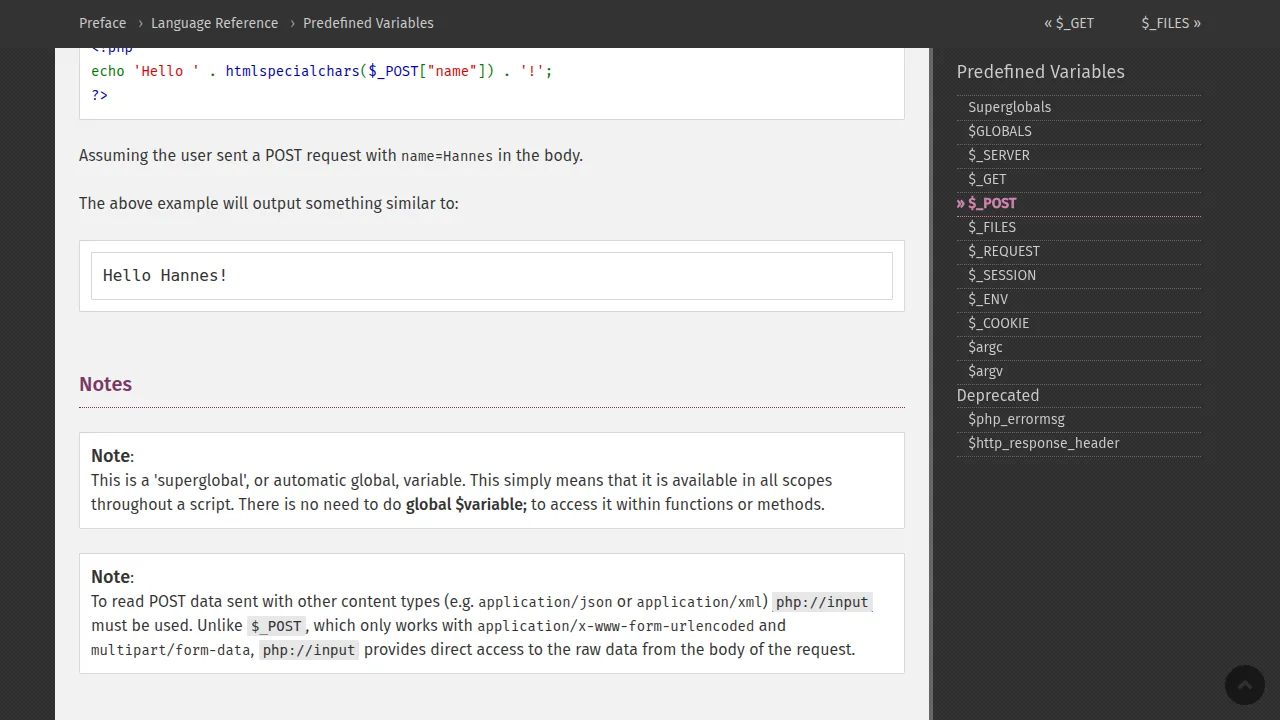
On the PHP side, the values arrive inside two special arrays called superglobals. The PHP manual explains $_POST in the official PHP documentation as an array of variables passed to the script through the HTTP POST method. GET values arrive in $_GET in exactly the same way. The field's name attribute becomes the key, so a field named email is read as $_POST['email'].
GET vs POST: The Real Difference
Both methods send data to the server, but they are built for different jobs. This table shows the differences that actually matter in daily work:
| Point | GET | POST |
|---|---|---|
| Where the data travels | In the URL, visible to everyone | In the request body, not visible in the URL |
| Best for | Search, filters, page numbers, shareable links | Contact forms, login, signup, checkout, file upload |
| Can it be bookmarked? | Yes, the URL carries the values | No |
| Size limit | Limited by URL length (about 2,000 characters) | Much larger, set by the server |
| Safe for passwords? | Never — the password would sit in the URL and browser history | Yes, this is the correct choice (always with HTTPS) |
| PHP array | $_GET |
$_POST |
A simple rule that never fails: if submitting the form again would create or change something — a message, an account, an order — use POST. If the form only asks the server to show something, GET is fine and even better, because the result page can be bookmarked and shared.
Step 1: Build the HTML Form
Here is a small contact form with three fields. Notice that every input has a name attribute — without a name, PHP receives nothing for that field, which is the most common beginner mistake with forms.
<form action="contact.php" method="post">
  <label>Your name</label>
  <input type="text" name="name">

  <label>Your email</label>
  <input type="email" name="email">

  <label>Your message</label>
  <textarea name="message" rows="4"></textarea>

  <button type="submit" name="send" value="1">Send message</button>
</form>
The method="post" part matters: this form sends private text, so POST is the right method. The submit button also has a name, send, which lets PHP check whether the form was actually submitted or the page was simply opened.
Step 2: Read the Values in PHP
Now the PHP side, in the same contact.php file or a separate one. First check that the form was submitted, then read each value:
<?php
if (isset($_POST['send'])) {
    $name    = $_POST['name'];
    $email   = $_POST['email'];
    $message = $_POST['message'];

    echo "Thank you, " . $name . ". We received your message.";
}
?>
The isset() check is important. If someone opens contact.php directly without submitting the form, $_POST is empty, and reading keys that do not exist gives warnings. Many real projects read form data exactly like this — our student registration and login project in PHP uses the same pattern to collect a student's name, email and password before saving them.
Step 3: Add Simple Validation
Never trust form data. A visitor can send empty fields, a fake email, or very long text — and a bot can send things your form never asked for. Validation means checking every value against simple rules before you use it, and showing friendly errors when a rule fails. Here is the same script with validation added:
<?php
$errors = [];

if (isset($_POST['send'])) {
    $name    = trim($_POST['name'] ?? '');
    $email   = trim($_POST['email'] ?? '');
    $message = trim($_POST['message'] ?? '');

    if ($name === '') {
        $errors[] = "Please enter your name.";
    }
    if (!filter_var($email, FILTER_VALIDATE_EMAIL)) {
        $errors[] = "Please enter a valid email address.";
    }
    if (strlen($message) < 10) {
        $errors[] = "Your message should be at least 10 characters long.";
    }

    if (empty($errors)) {
        echo "Thank you, " . htmlspecialchars($name) . ". Your message was received.";
        // Next step: save to database or send an email
    } else {
        foreach ($errors as $error) {
            echo "<p>" . $error . "</p>";
        }
    }
}
?>
Three small tools do most of the work here. trim() removes spaces from both ends, so a name of only spaces fails the empty check. filter_var() with FILTER_VALIDATE_EMAIL checks the email format for you — the filter_var() page in the PHP manual lists every check it can do, including URLs and numbers. And htmlspecialchars() makes printed user input safe, so a visitor cannot inject HTML or scripts into your page through the form. The ?? '' part gives an empty string when a key is missing, which keeps the code warning-free.
Step 4 (Optional): Save the Message to a Database
Once the values pass validation, the usual next step is storing them. If you already know how to connect PHP with a MySQL database, saving the message is one prepared statement:
$stmt = $conn->prepare("INSERT INTO messages (name, email, message) VALUES (?, ?, ?)");
$stmt->bind_param("sss", $name, $email, $message);
$stmt->execute();
echo "Message saved successfully.";
Always use a prepared statement like this instead of joining the values straight into the SQL string. Prepared statements keep user input separate from the query, which protects your site from SQL injection attacks.
Common Mistakes Beginners Make
Forgetting the name attribute. An input without name looks fine in the browser but sends nothing to PHP.
Using GET for a login form. The password would appear in the URL, in the browser history and in server logs. Login and signup forms must always use POST.
Trusting browser-side checks only. HTML attributes like required and type="email" help honest users, but anyone can bypass them. Always validate again in PHP.
Printing raw input. Echoing $_POST values without htmlspecialchars() opens the door to cross-site scripting (XSS). Escape output every time.
Frequently Asked Questions
How do I know whether a form was submitted in PHP?
Check the submit button or any expected field with isset(), for example if (isset($_POST['send'])). You can also check $_SERVER['REQUEST_METHOD'] === 'POST', which works even when the button has no name.
Can one page both show the form and handle it?
Yes. Put the HTML form and the PHP handling code in the same file, and set action to that file's name (or leave it empty). The PHP block runs only when the form is submitted, as the examples above show.
Why is $_POST empty after I submit my form?
Almost always one of three reasons: the form method is not set to post, an input is missing its name attribute, or the action points to a different page than the one running your PHP code. Check these three things first.
Is POST data completely safe and secret?
No. POST hides data from the URL, but it is not encrypted by itself. Only HTTPS encrypts the data while it travels, so any site with forms should use HTTPS — and you must still validate every value on the server.
Conclusion
Form handling in PHP is a small, repeatable pattern: build the form with named fields, choose GET for asking and POST for sending, check with isset() that the form was submitted, clean the values with trim(), validate them with simple rules and filter_var(), and escape anything you print with htmlspecialchars(). Master this one pattern and you can build contact forms, search boxes, login forms and sign-up pages with confidence — almost every PHP project you will ever make starts right here.


Leave a Comment