Tuesday, November 3, 2026 New tutorials published every day
Home
Tutorials
Core PHP PHP Course JavaScript React & Next.js Python WordPress Artificial Intelligence
Free Tools
JSON Formatter Base64 Encoder / Decoder Password Generator Text to QR Code Generator Word Counter Case Converter Age Calculator Color Converter Number to Words All Free Tools
Projects
PHP Projects — all projects
Students
Course Registration Download Syllabus Verify Certificate Student Leaderboard
Resources
WordPress Plugins Search tutorials About CodingCush Contact
More
Login
CodingCush Tweaks icon
WordPress plugin · Security & Performance

CodingCush Tweaks

23 one-click WordPress fixes in one light plugin: disable XML-RPC, control Heartbeat, raise the upload limit, limit revisions and more.

Available · WordPress.org review Version 1.0.0 Free

Submitted to the WordPress.org plugin directory and waiting for review. Until it is approved, download the zip here and upload it in Plugins → Add New → Upload Plugin.
CodingCush Tweaks — 23 one-click WordPress fixes in one light plugin: disable XML-RPC, control Heartbeat, raise the upload limit, limit revisions and more.

What is CodingCush Tweaks? CodingCush Tweaks is a free WordPress plugin that bundles 23 common fixes — security hardening, performance clean-ups, upload limits and admin tidy-ups — behind simple on/off switches. Each tweak is its own small class that loads only when you switch it on, so anything you leave off adds no code to your site. It is a maintained replacement for several popular plugins that are no longer updated, including Disable REST API, Heartbeat Control, Increase Maximum Upload File Size and WP Extra File Types.

Why this plugin exists

Most WordPress sites end up installing five to ten tiny plugins to switch off XML-RPC, slow the Heartbeat API, raise the upload limit or hide the WordPress version. Several of the most popular ones have not been updated in years, which leaves you running unmaintained code just to change a setting.

CodingCush Tweaks puts those fixes in one place, keeps them maintained, and makes every one of them optional.

Built to stay out of your way

  • Zero cost when off. A tweak that is switched off is never loaded.
  • One database option, no extra tables, nothing autoloaded beyond your settings.
  • No admin notices, no upsells, no tracking, no calls to outside servers.
  • Settings page assets load on that page only.
  • Export and import your setup as JSON to reuse it on other sites.
  • Clean uninstall that removes its single option and nothing else.

One plugin instead of

  • Disable REST API
  • Heartbeat Control
  • Increase Maximum Upload File Size
  • WP Extra File Types

All 23 features

Every feature is off until you switch it on, so you only run the code you need.

Security · 6

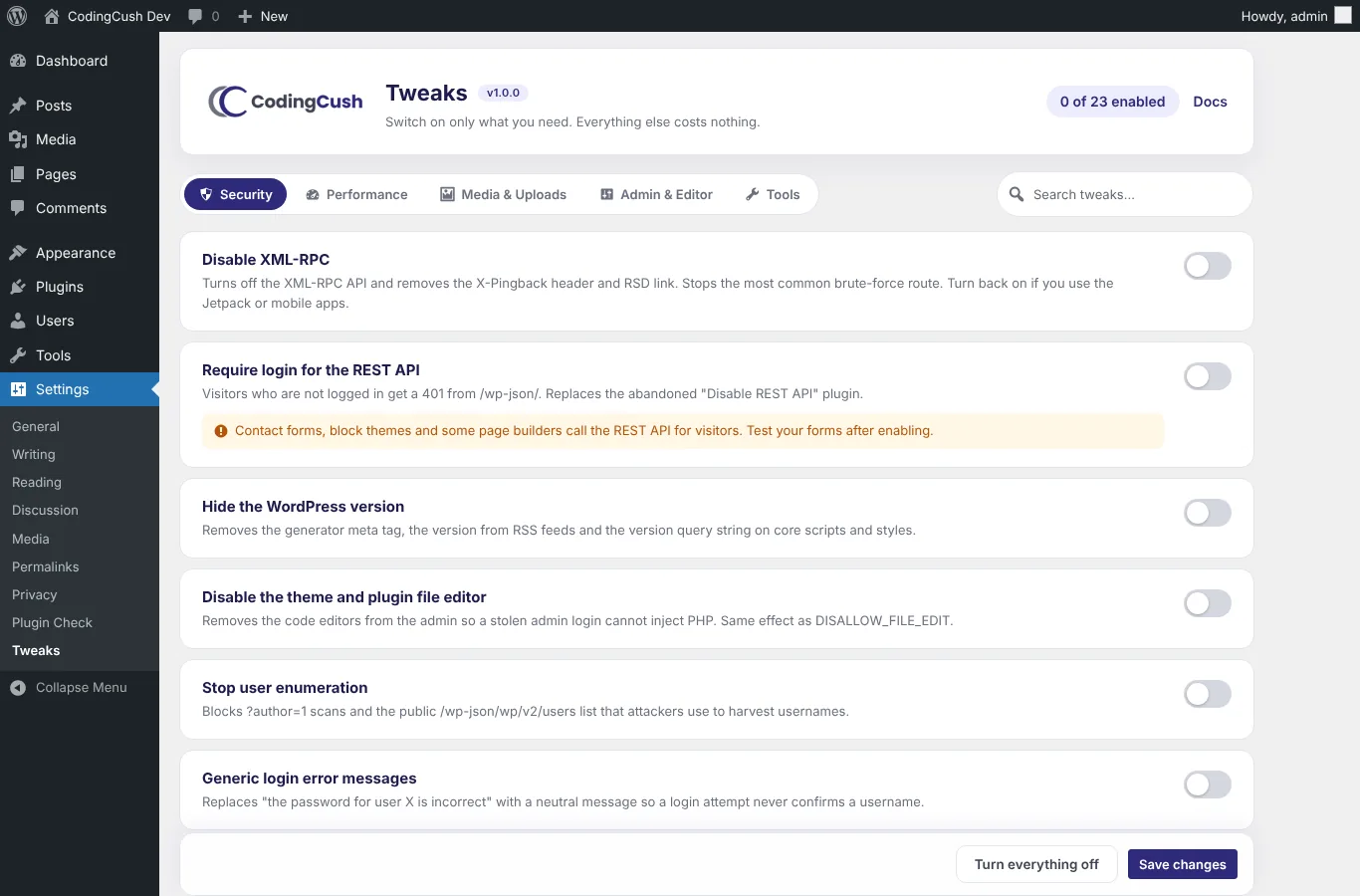
  • Disable XML-RPCTurns off the XML-RPC API, the X-Pingback header and the RSD link — the most common brute-force route.
  • Require login for the REST APIVisitors who are not logged in get a 401 from /wp-json/. Logged-in users are unaffected.
  • Hide the WordPress versionRemoves the generator tag, the version in feeds and the ?ver= string on core assets.
  • Disable the file editorNo theme or plugin code editing from wp-admin, so a stolen login cannot inject PHP.
  • Stop user enumerationBlocks ?author=1 scans and the public users endpoint that leak usernames.
  • Generic login errorsA failed login never confirms whether a username exists.

Performance · 7

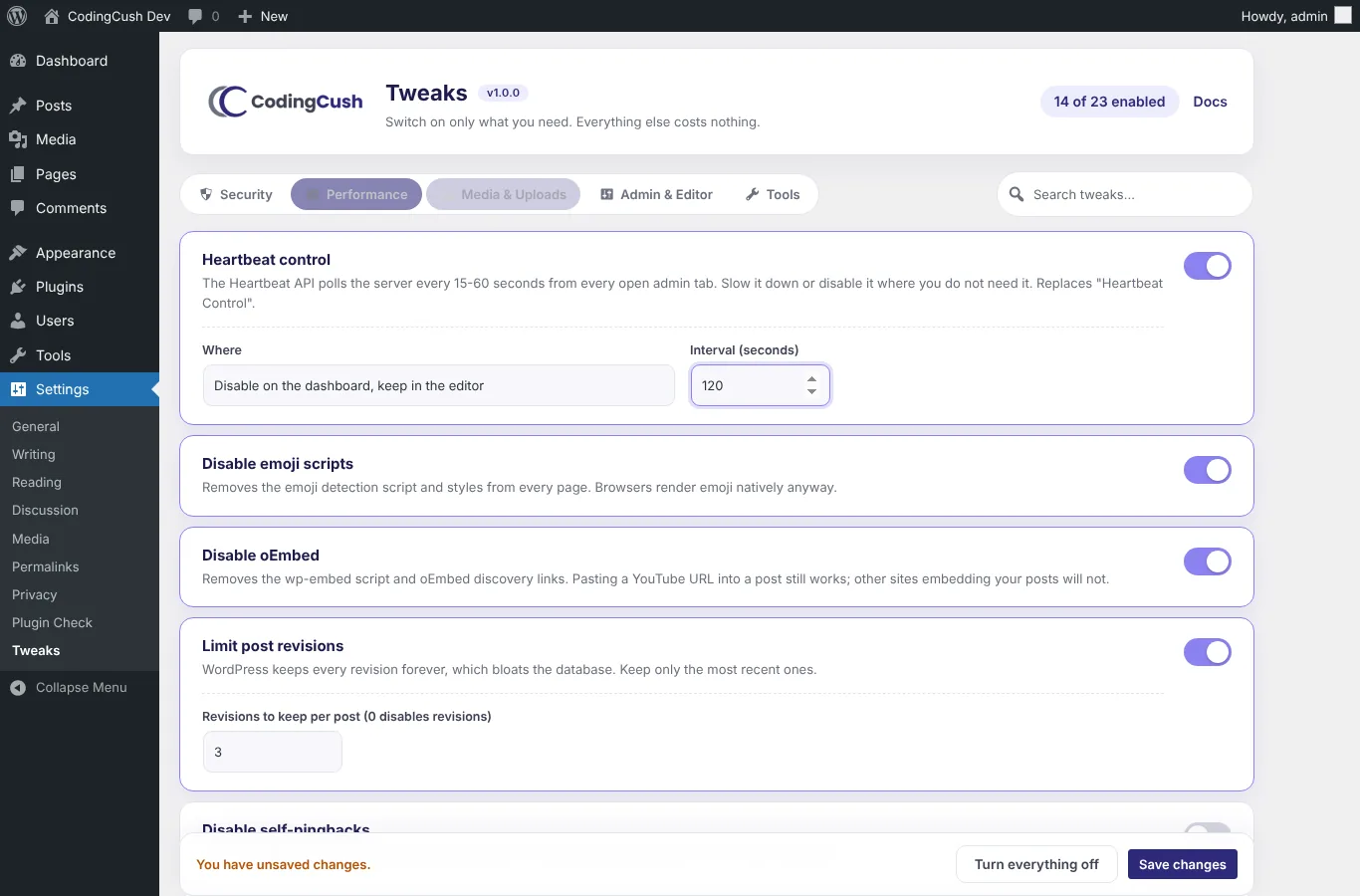
  • Heartbeat controlSlow the interval, or disable it on the dashboard, outside the editor, or everywhere.
  • Disable emoji scriptsRemoves the emoji detection script and styles from every page.
  • Disable oEmbedRemoves the wp-embed script and oEmbed discovery links.
  • Limit post revisionsKeep only the last N revisions so the database stops growing forever.
  • Disable self-pingbacksNo pingback to your own site every time you link to one of your posts.
  • Remove Dashicons for visitorsSkips the 46 KB icon font for logged-out visitors.
  • Disable RSS feedsRedirects feed URLs to the home page for sites that are not blogs.

Media & Uploads · 4

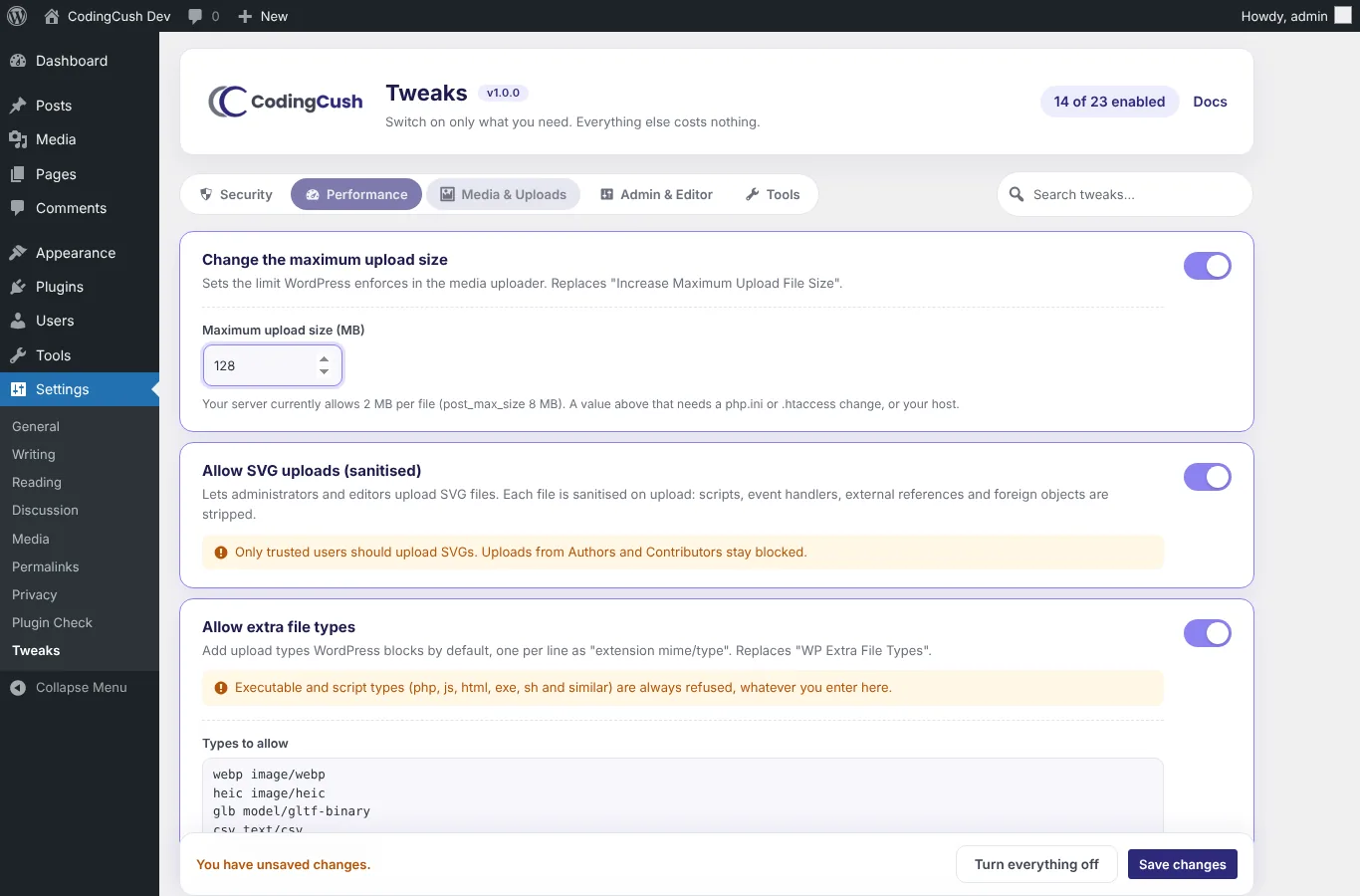
  • Change the maximum upload sizeSet the uploader limit, with your real server limits shown beside it.
  • Allow SVG uploads (sanitised)For administrators and editors only; scripts, event handlers and external references are stripped on upload.
  • Allow extra file typesAdd any extension and MIME pair. Executable and script types are always refused.
  • Keep original image sizeTurn off the 2560px big-image scaling and keep your originals.

Admin & Editor · 6

  • Disable comments everywhereCloses comments, hides comment blocks, menus, widgets and the comments REST route.
  • Classic editor per post typeSwitch chosen post types back to the classic editor without another plugin.
  • Stop automatic update emailsNo more success emails after auto-updates; failure emails still arrive.
  • Hide the admin bar for non-adminsSubscribers and customers see a clean front end.
  • Clean up the dashboardRemoves the News, Quick Draft, Activity and Welcome panels.
  • Remove head clutterDrops wlwmanifest, shortlink, REST discovery and adjacent-post links from the HTML head.

How to install and use CodingCush Tweaks

Set-up takes about five minutes and needs no code.

  1. Install the plugin

    In wp-admin go to Plugins → Add New → Upload Plugin, choose the zip and click Install Now, then Activate.

  2. Open Settings → Tweaks

    The tweaks are grouped into Security, Performance, Media & Uploads and Admin & Editor tabs. Use the search box to find one quickly.

  3. Switch on what you need

    Flip a switch; tweaks with options (Heartbeat interval, upload size, revisions to keep) show their fields as soon as they are on.

  4. Save and check

    Click Save changes. The counter shows how many tweaks are active, and the Tools tab lists exactly what is loaded.
Screenshots

CodingCush Tweaks: Security tweaks with a single switch each
Security tweaks with a single switch each
CodingCush Tweaks: Heartbeat control with per-screen options
Heartbeat control with per-screen options
CodingCush Tweaks: Upload limit with your real server limits shown
Upload limit with your real server limits shown
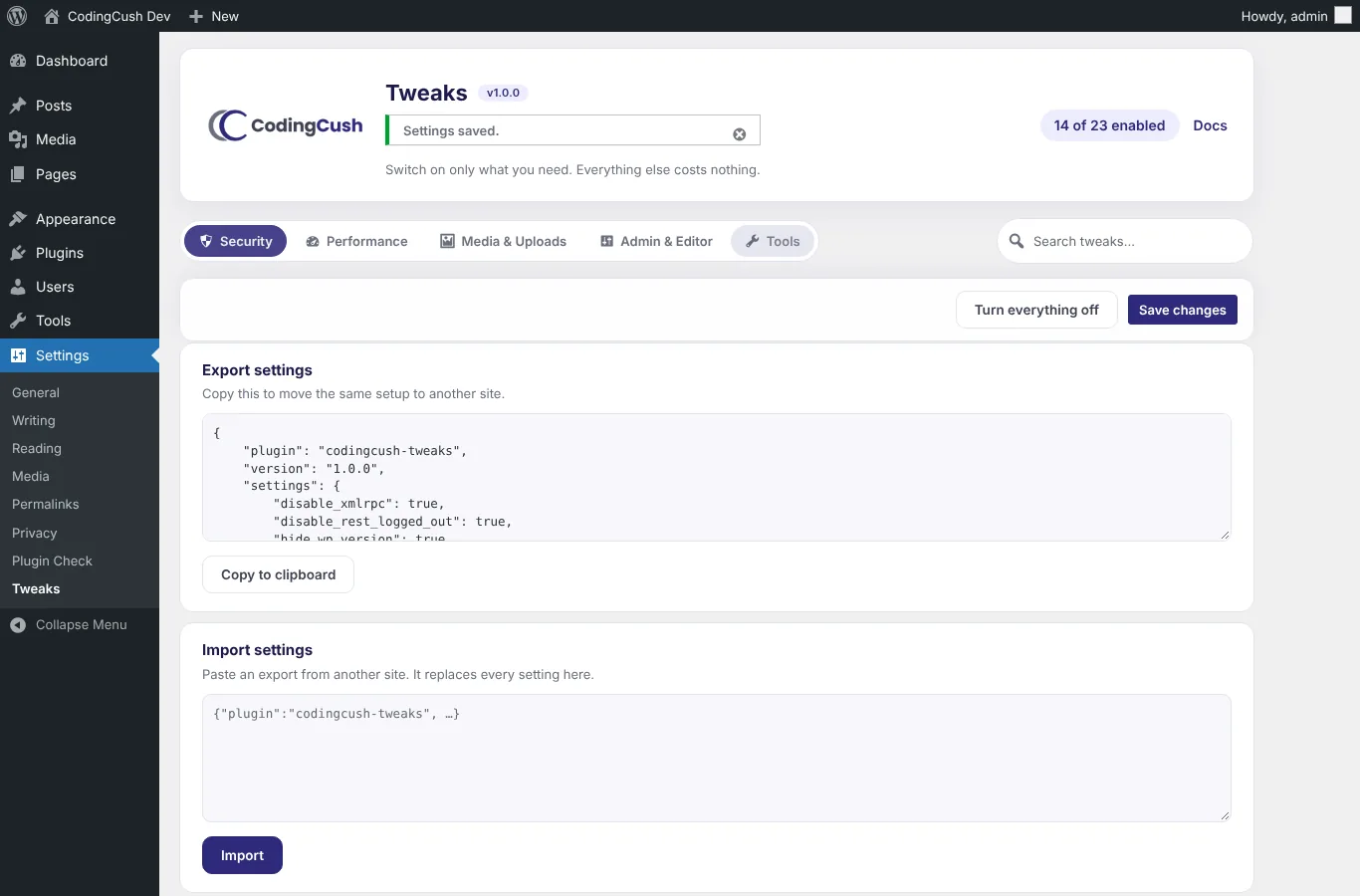
CodingCush Tweaks: Tools: export, import and a list of what is active
Tools: export, import and a list of what is active

Frequently asked questions

Is CodingCush Tweaks free?

Yes. It is completely free and open source under the GPL. There is no Pro version and no feature is locked.

Does it slow down my site?

No. A tweak that is switched off is never loaded. The plugin reads one database option and registers hooks only for the tweaks you enable.

Can it replace Disable REST API, Heartbeat Control and similar plugins?

Yes. It covers what Disable REST API, Heartbeat Control, Increase Maximum Upload File Size and WP Extra File Types do, and it is actively maintained. Deactivate the old plugin, then switch on the matching tweak.

My contact form stopped working after I required login for the REST API. Why?

Some form plugins, block themes and page builders call the REST API for visitors. Switch that tweak off on sites that depend on them.

Why did the upload limit not increase?

WordPress can only allow up to what PHP allows (upload_max_filesize and post_max_size). The settings page shows your server values; raising them needs php.ini, .htaccess, .user.ini or your host.

Is allowing SVG uploads safe?

SVG is allowed only for users who can already post unfiltered HTML (administrators and editors), and every file is sanitised on upload: scripts, event handlers, external references, foreignObject and use elements are removed.

Can I copy my settings to another site?

Yes. Settings → Tweaks → Tools has Export and Import. Paste the JSON from one site into the other.

What happens when I delete the plugin?

Uninstalling removes its single option from the database. Nothing else is left behind.

Which WordPress and PHP versions are supported?

WordPress 6.0 or newer (tested up to 7.1) and PHP 7.4 or newer.

Changelog

1.0.0 — November 2026

  • First release with 23 tweaks across Security, Performance, Media & Uploads and Admin & Editor.
  • Tested with WordPress 7.1 and PHP 7.4 to 8.3.
More from CodingCush

Other plugins

All WordPress plugins