

 Lavkush
 A role-based login system in PHP and MySQL is a login system where every account has a role, such as Admin, Manager or User, and each role lands on its own dashboard with its own permissions after logging in. This free project gives you a complete one, built in core PHP with no framework: registration with validation, one login page that sends each person to the right dashboard, server-side page protection, and an admin panel to search, edit, activate, deactivate and delete users.
This guide walks through every feature with screenshots, explains how the role protection works, and shows you how to run the project on your own computer in about two minutes.
Watch the full demo
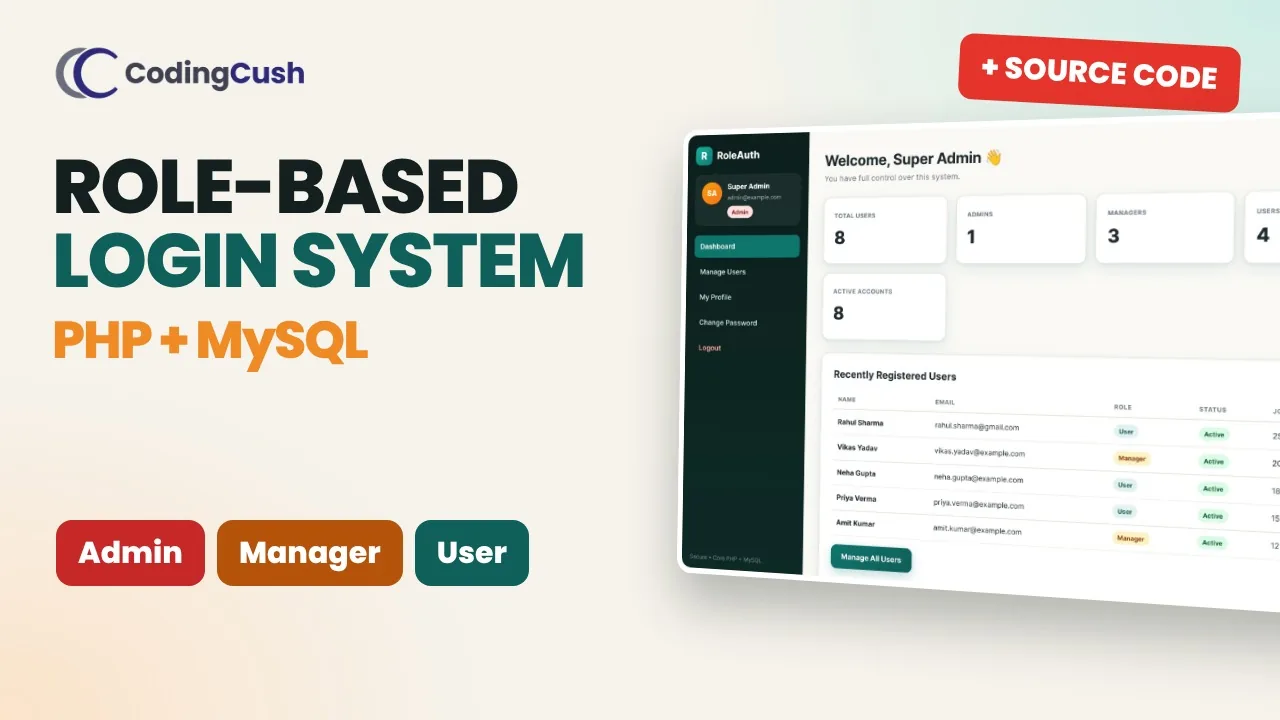
Prefer video? This 3-minute walkthrough shows registration, all three dashboards, the 403 Forbidden protection and the admin user management in action. Click the thumbnail or watch it on YouTube.
Project at a glance
| Item | Details |
|---|---|
| Language | Core PHP 8 (no framework, no Composer) |
| Database | MySQL or MariaDB, accessed with PDO prepared statements |
| User roles | Admin, Manager and User |
| Database tables | 1 (users, with role and status columns) |
| Dashboards | 3 separate dashboards, one login page |
| Security | Hashed passwords, CSRF tokens, session regeneration, prepared statements, XSS-safe output, POST-only delete |
| Setup time | About 2 minutes on XAMPP |
| Price | Free source code |
Key features
- Registration as a User or Manager, with server-side validation for name, email, phone and password.
- One login, three dashboards — after login, Admins, Managers and Users are redirected to their own dashboard automatically.
- Admin panel with live stats, a user list with search and role filter, and options to edit a user, change their role, activate or deactivate them, or delete them.
- Manager panel with a team overview and a view-only team list.
- User panel with a personal dashboard and account details.
- Edit Profile and Change Password for every role.
- Role-protected pages — the wrong role gets a 403 Forbidden page, and logged-out visitors are sent to the login page.
- Admins can't be self-registered. The registration form only offers User and Manager, so new admins can only be created by an existing admin.
- Clean, responsive design in plain HTML and CSS that works on mobile.
Landing page
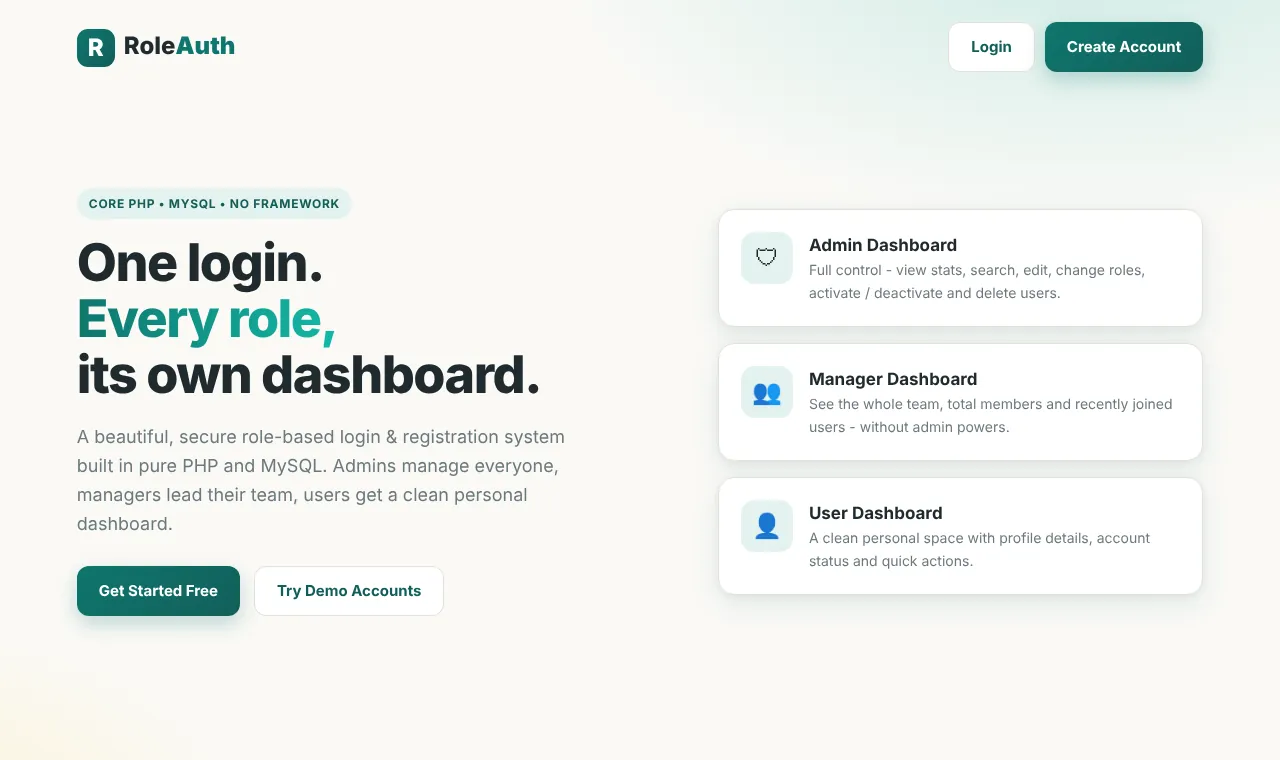
The home page explains the idea in one line — one login, every role, its own dashboard — with a short card for each of the three dashboards and buttons to create an account or try the demo accounts.
Registration with validation
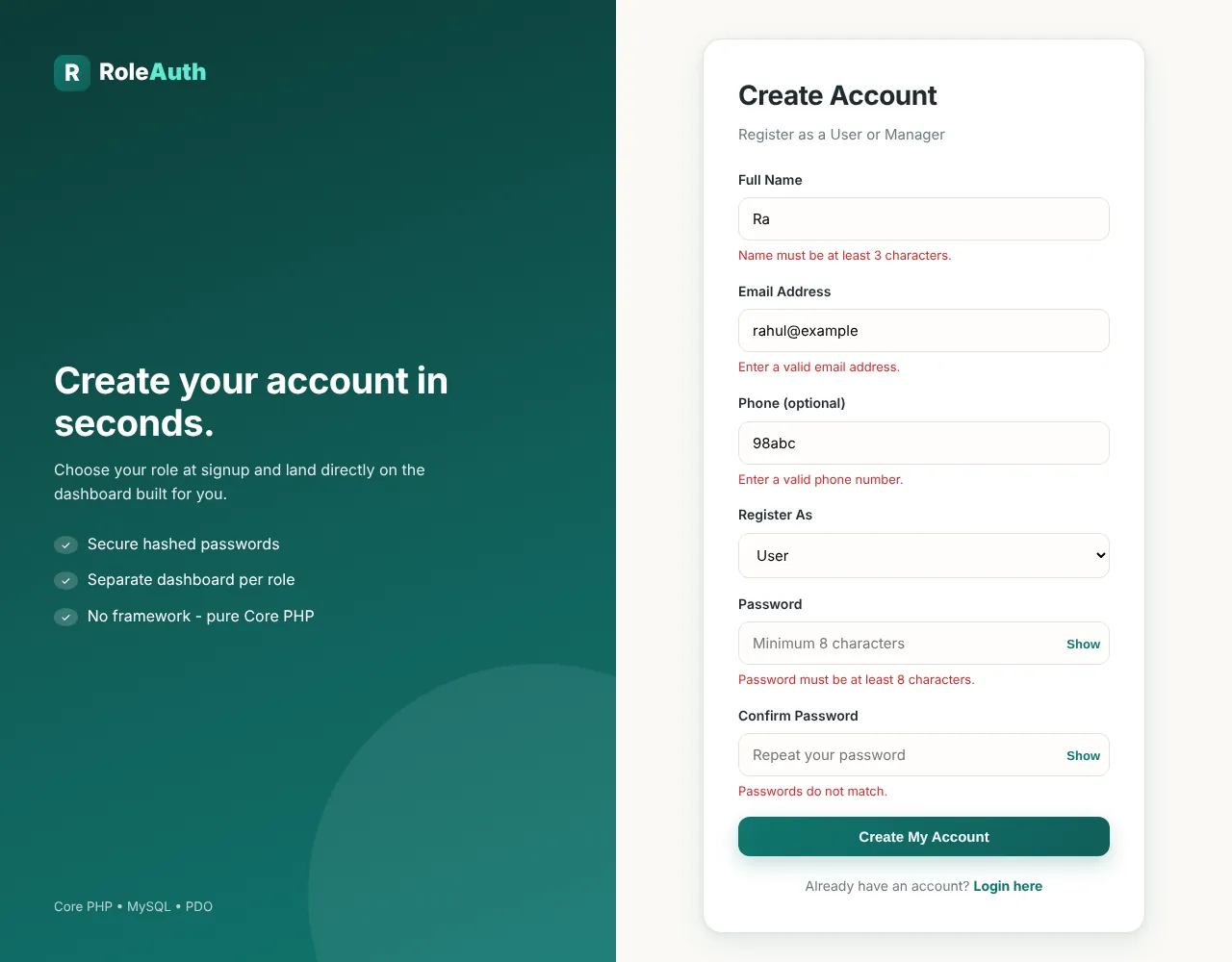
New people create an account from register.php and choose to register as a User or a Manager. All checks run on the server, so they can't be skipped by turning off JavaScript:
- Name must be at least 3 characters
- Email must be valid and not already registered
- Phone is optional, but must be a real number if entered
- Password must be at least 8 characters, and both passwords must match
Each error appears right under its field, and what you already typed stays filled in. Here is the form after submitting bad data:
Passwords are stored with password_hash() and checked with password_verify(), so the database never holds a plain-text password. If you're new to this, read how to hash passwords in PHP.
Login and automatic redirect
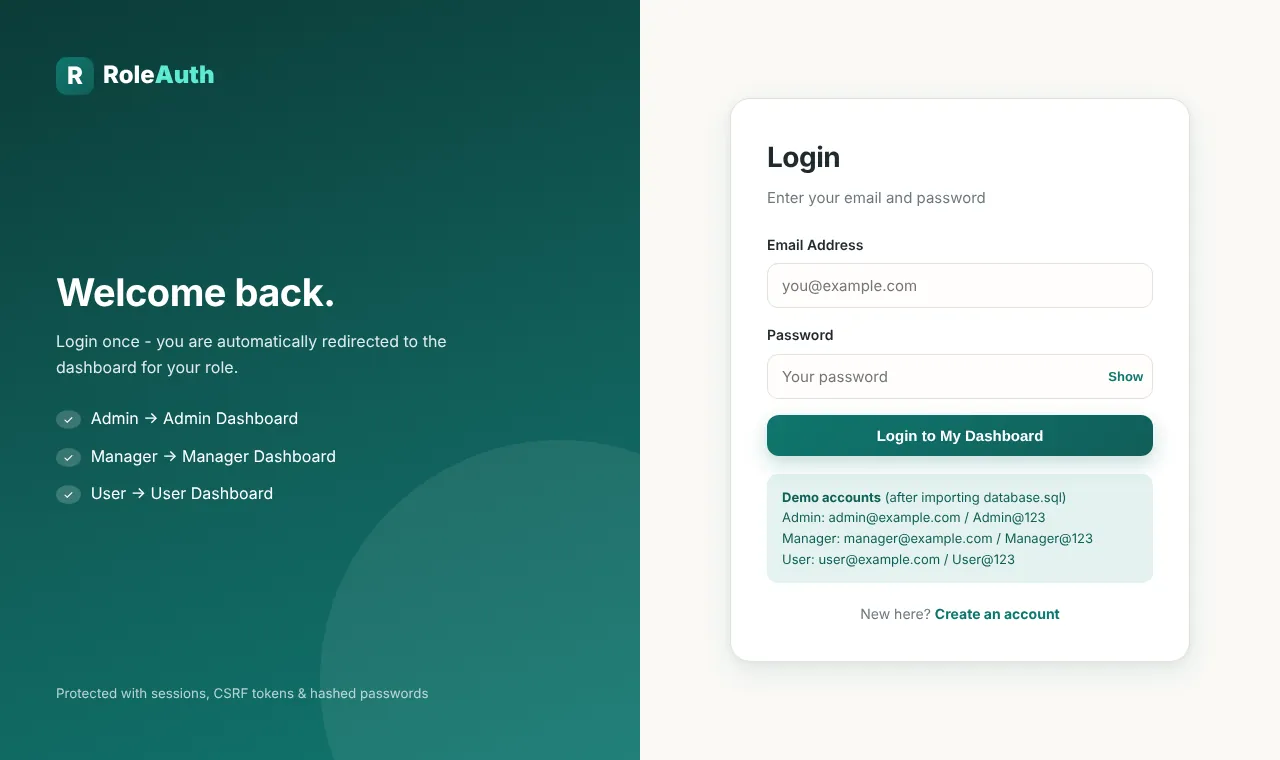
Everyone uses the same login page. After a successful login, the session ID is regenerated (this protects against session fixation) and the user is sent straight to the dashboard for their role. Deactivated accounts are refused with a clear message. The demo accounts are listed on the login page so you can test all three roles quickly.
Admin dashboard
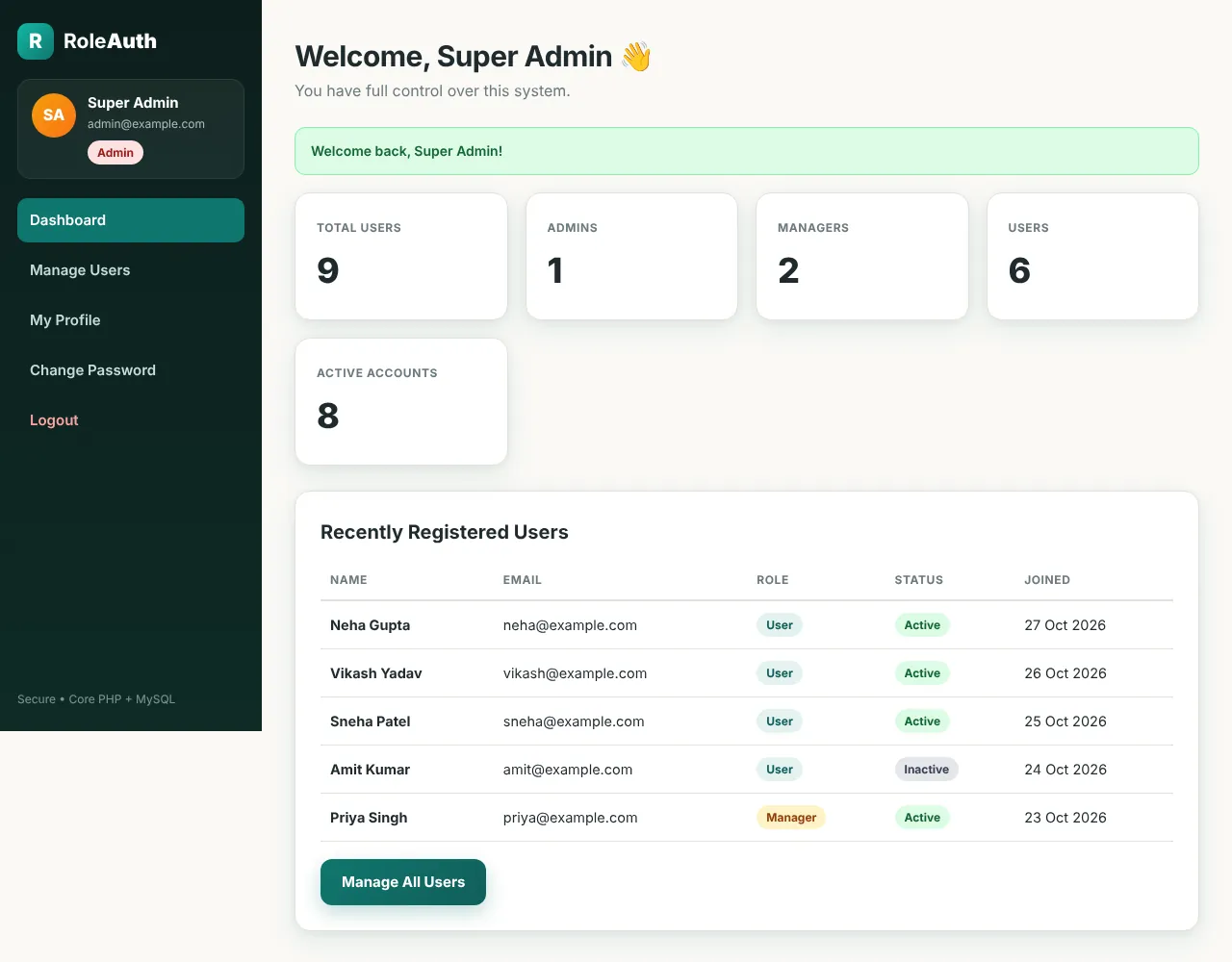
The admin dashboard shows live numbers: total users, admins, managers, users and active accounts. Below the stats, a table lists the most recently registered users with their role and status badges, and a Manage All Users button.
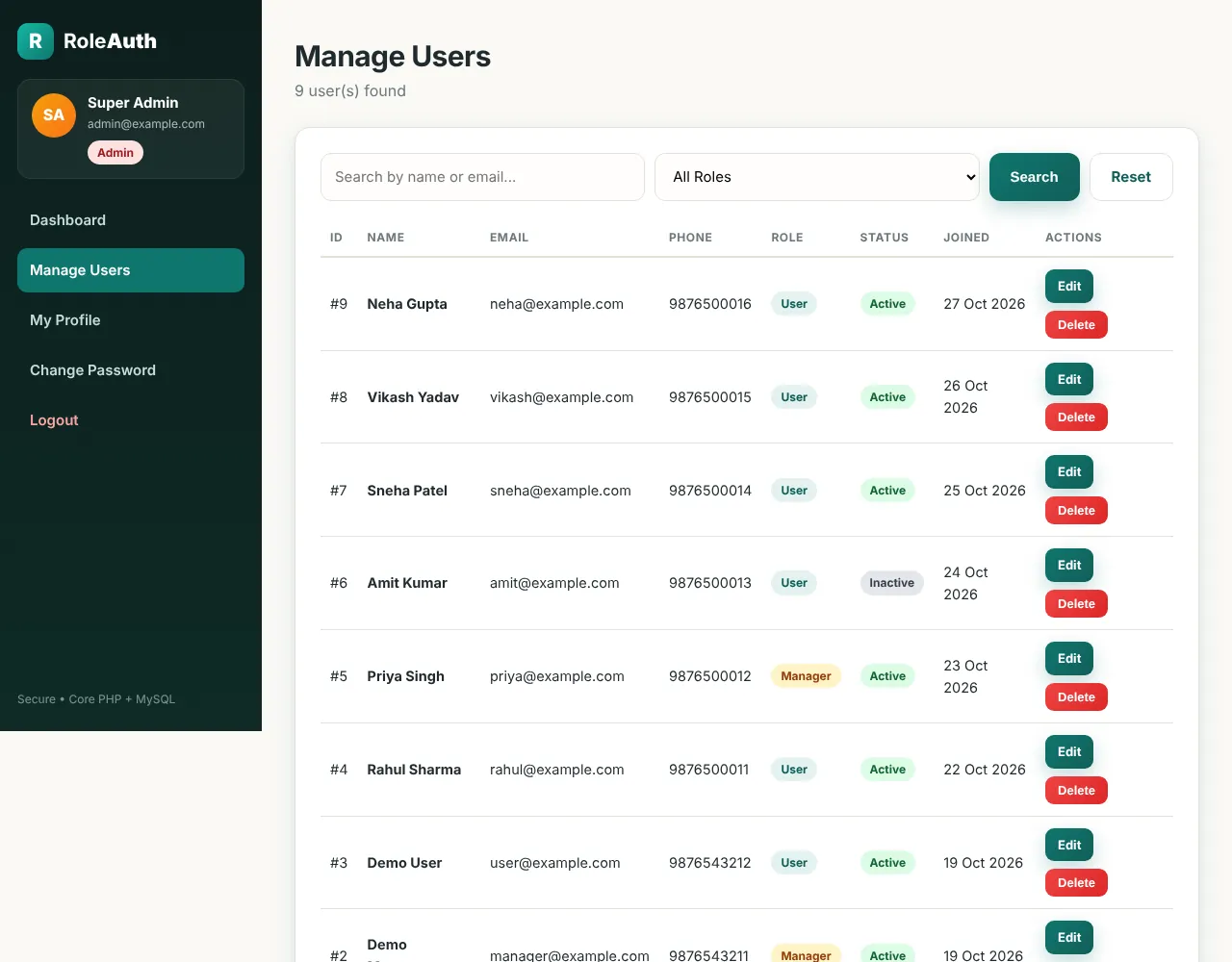
Manage users: search, filter, edit and delete
On Manage Users, the admin can search by name or email and filter the list by role. Each row shows the user's phone number, role, status and joining date, with Edit and Delete buttons.
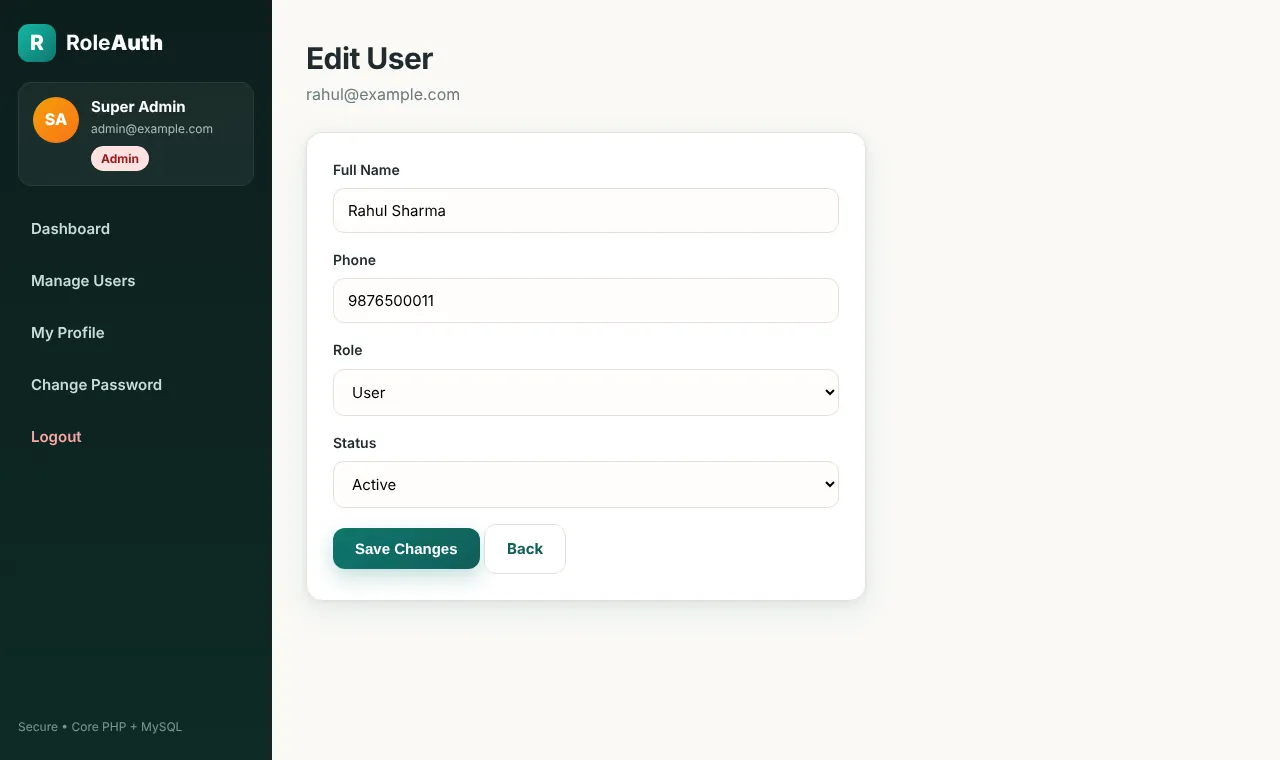
Clicking Edit opens a simple form where the admin can change the user's name and phone, switch their role between Admin, Manager and User, and set their status to Active or Inactive.
A few safety rules are built in:
- An admin can't delete their own account or remove their own admin role.
- Delete works only through a POST form with a CSRF token, so a link someone sends you can't delete a user.
- Every protected page checks the account again, so if an admin deactivates or deletes a user, that user is logged out on their next click. A role change takes effect immediately too.
Manager dashboard
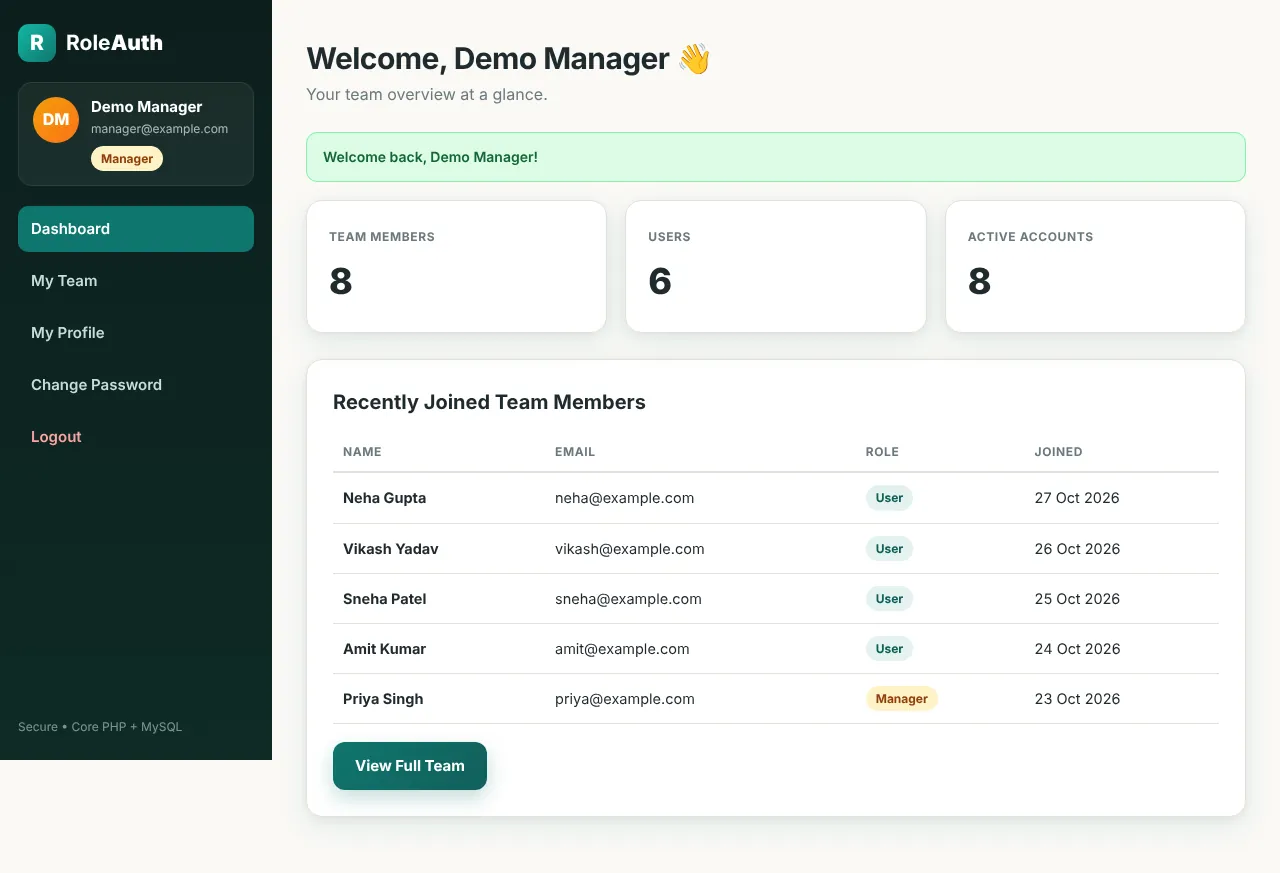
Managers see a team overview: total team members, users and active accounts, plus the team members who joined most recently. My Team shows the full list, but it is view-only — managers can see the team without getting the admin's power to edit or delete.
User dashboard
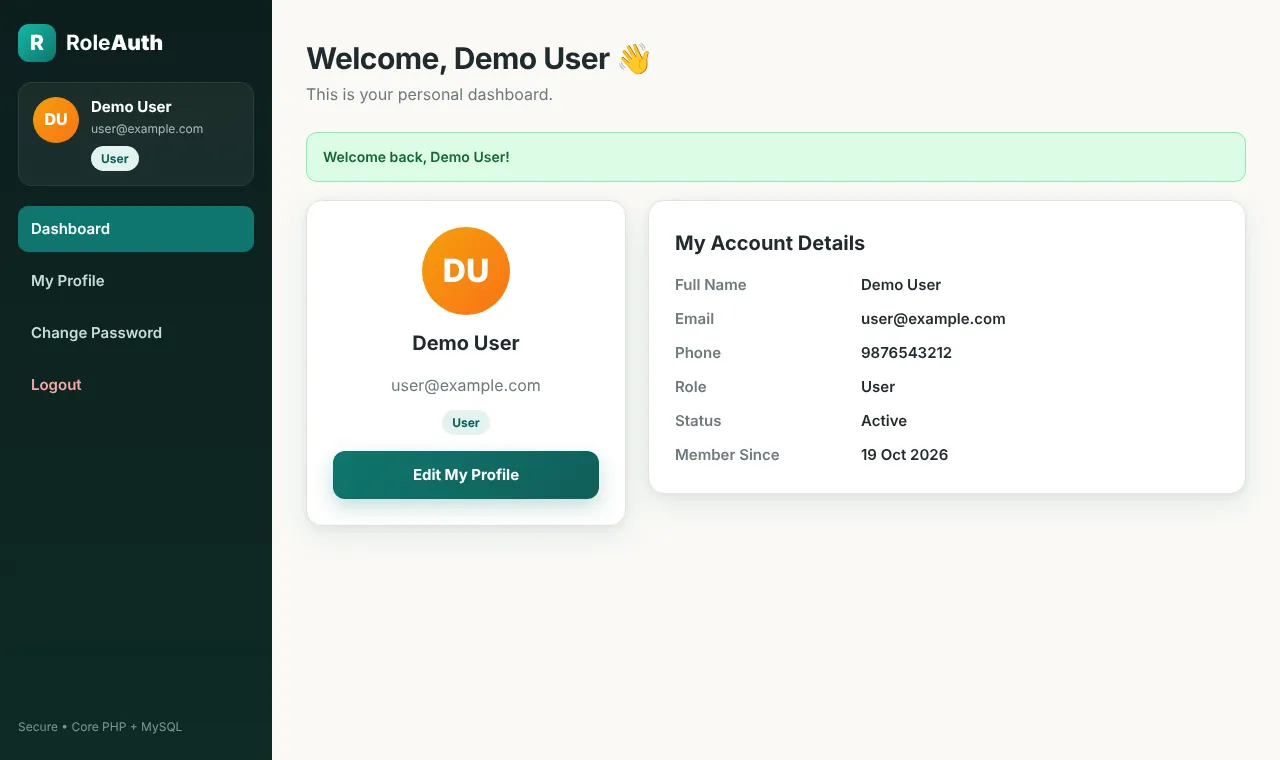
A regular user gets a clean personal space: an avatar with their initials, their role badge and their account details. From the sidebar they can edit their profile or change their password, and they can't reach any admin or manager page.
How role protection works
Hiding a menu link is not security, because anyone can type a URL. That is why every protected page starts with one line that runs on the server before any other code:
require_role(['admin']);            // only admins can open this page
require_role(['admin', 'manager']); // admins and managers
require_role() first checks that the visitor is logged in. If not, they are sent to the login page. Then it compares the role stored in the session with the roles allowed on that page. If the role doesn't match, the page stops with 403 Forbidden. In the demo video, a Manager opens admin/users.php directly and gets exactly that.
The role itself is just a column in the users table:
`role`   ENUM('admin','manager','user') NOT NULL DEFAULT 'user',
`status` ENUM('active','inactive')      NOT NULL DEFAULT 'active',
Want to understand where the logged-in user is remembered between pages? See PHP sessions vs cookies.
Security features
- PDO prepared statements for every query, so there is no SQL injection
- password_hash() and password_verify() for passwords
- CSRF tokens on every form
- Session regeneration on login and HttpOnly, SameSite session cookies
- XSS-safe output — everything shown on screen goes through
htmlspecialchars() - .htaccess files block direct access to the
configandincludesfolders and turn off directory listing
Project structure
role-based-login-system/
├── config/database.php      PDO connection
├── includes/                functions.php (session, CSRF, auth guards), header, footer, sidebar
├── assets/                  css/style.css, js/app.js
├── admin/                   dashboard.php, users.php, edit-user.php, delete-user.php
├── manager/                 dashboard.php, team.php
├── user/                    dashboard.php
├── index.php, register.php, login.php, logout.php
├── dashboard.php            sends each role to its own dashboard
├── profile.php, change-password.php
└── database.sql             database, users table and 3 demo accounts
How to install the Role-Based Login System
Step 1: Download and extract the project
Download the source code from the download box at the end of this post and extract it. You get a folder called role-based-login-system.
Step 2: Copy it to htdocs
Put the folder inside htdocs if you use XAMPP, www for WAMP, or public_html on shared hosting.
Step 3: Import the database
Start Apache and MySQL, open http://localhost/phpmyadmin, click Import, choose database.sql and click Go. The file creates the role_login_system database by itself, with the users table and three demo accounts.
Step 4: Check the database settings
If your MySQL user is not root with an empty password, open config/database.php and update the details:
define('DB_HOST', 'localhost');
define('DB_NAME', 'role_login_system');
define('DB_USER', 'root');
define('DB_PASS', '');
Step 5: Open it and log in
Visit http://localhost/role-based-login-system/ and log in with one of the demo accounts:
| Role | Password | |
|---|---|---|
| Admin | admin@example.com | Admin@123 |
| Manager | manager@example.com | Manager@123 |
| User | user@example.com | User@123 |
Change these passwords after your first login from Change Password.
Common installation problems
- “Database connection failed” — the database was not imported, or the details in
config/database.phpare wrong. - “Invalid email or password” with a demo account — import
database.sqlagain; it resets the three demo users. - “Invalid security token” — the page was open for a long time or cookies are blocked. Reload the page and submit again.
Frequently Asked Questions
Is this role-based login system free?
Yes. The complete source code is free to download, learn from and use in your own projects.
How are the roles stored?
In one users table, with a role column (admin, manager or user) and a status column (active or inactive). After login, the role is kept in the session and checked again on every protected page.
Can I add more roles, like Teacher or Student?
Yes. Add the new value to the role ENUM in the database, create a folder with a dashboard for it, add the role to dashboard_url() in includes/functions.php, and protect its pages with require_role(['teacher']).
Can someone register as an admin?
No. The registration form only accepts User and Manager, and the server rejects any other value. If you don't want people to sign up as Managers either, remove that option from register.php and the allowed list on the server.
Can I use it as a final year project?
Yes. It covers authentication, authorization, CRUD, validation and security, which is the base of almost every PHP and MySQL project. You can build your own modules on top of it — make sure you understand the code and can explain it in your viva.
What are the default login details?
Admin: admin@example.com / Admin@123. Manager: manager@example.com / Manager@123. User: user@example.com / User@123.
Download the source code
Download the complete Role-Based Login System from the download box below, follow the five installation steps, and you will have all three dashboards running in a couple of minutes. If you get stuck, leave a comment with the error message and I will help you fix it.
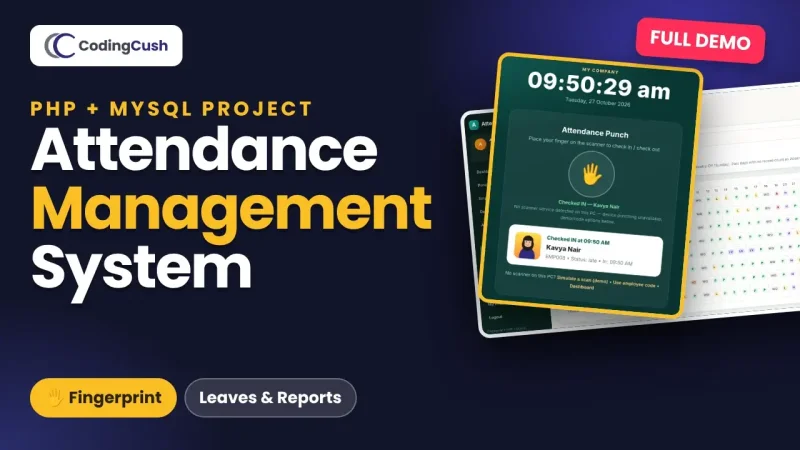
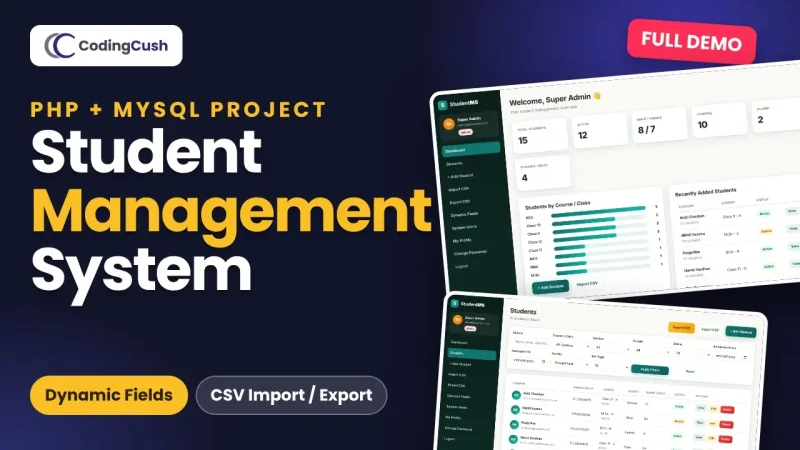
Looking for more projects? Try the advanced student management system in PHP and MySQL, the biometric attendance management system, or the simpler student registration and login system.


Leave a Comment