

 Lavkush
 React is a JavaScript library for building user interfaces, while Next.js is a full framework built on top of React that adds routing, server rendering, better SEO and backend features. Learn React first so the components, props and state make sense, then learn Next.js when you are ready to build complete, real websites. That order saves you a lot of confusion.
Almost every beginner hits this question. One tutorial says "learn React", the next says "just start with Next.js", and both sound completely sure of themselves. The truth is calmer: React and Next.js are not rivals. One sits inside the other, and once you see that, your learning order becomes obvious.
What React Actually Is
React was created by Meta and released in 2013. At its heart, React does one job very well: it builds what the user sees and updates it efficiently when data changes. You describe your page as small reusable pieces called components — a button, a card, a navbar — and React keeps the screen in sync.
React calls itself a library, not a framework, and that word matters. A library gives you tools and lets you decide how to use them. A framework gives you a structure and asks you to work inside it. With React alone, you choose almost everything else yourself: how pages are linked, how data is fetched, and how the app is organised. The official React documentation at react.dev teaches you to think in components first, and leaves the rest of the architecture to you.
That freedom is wonderful once you know what you are doing. At the start, though, it can feel like being handed a box of very good tools with no picture on the lid. If components are still new to you, our beginner guide to React components, props and state explained walks through those three ideas slowly, with small examples you can copy and run.
What Next.js Actually Is
Next.js is a framework built by Vercel that uses React for the interface, then adds the parts a real website normally needs around it. You still write React components in Next.js, and still use props, state and hooks in exactly the same way. Next.js does not replace React — it organises it into a complete system for building websites.
Think of it this way. React is the engine and the dashboard. Next.js is the full car built around that engine, with doors, seats and navigation already fitted. You can drive further in the full car, but it helps to understand the engine first, otherwise every warning light feels mysterious.
The official Next.js documentation describes Next.js as a framework for building full-stack web applications with React, and "full-stack" is the key phrase. The same project can contain your pages, loading states, and even small backend endpoints — a much bigger promise than React alone makes.
The Same Page, Written Two Ways
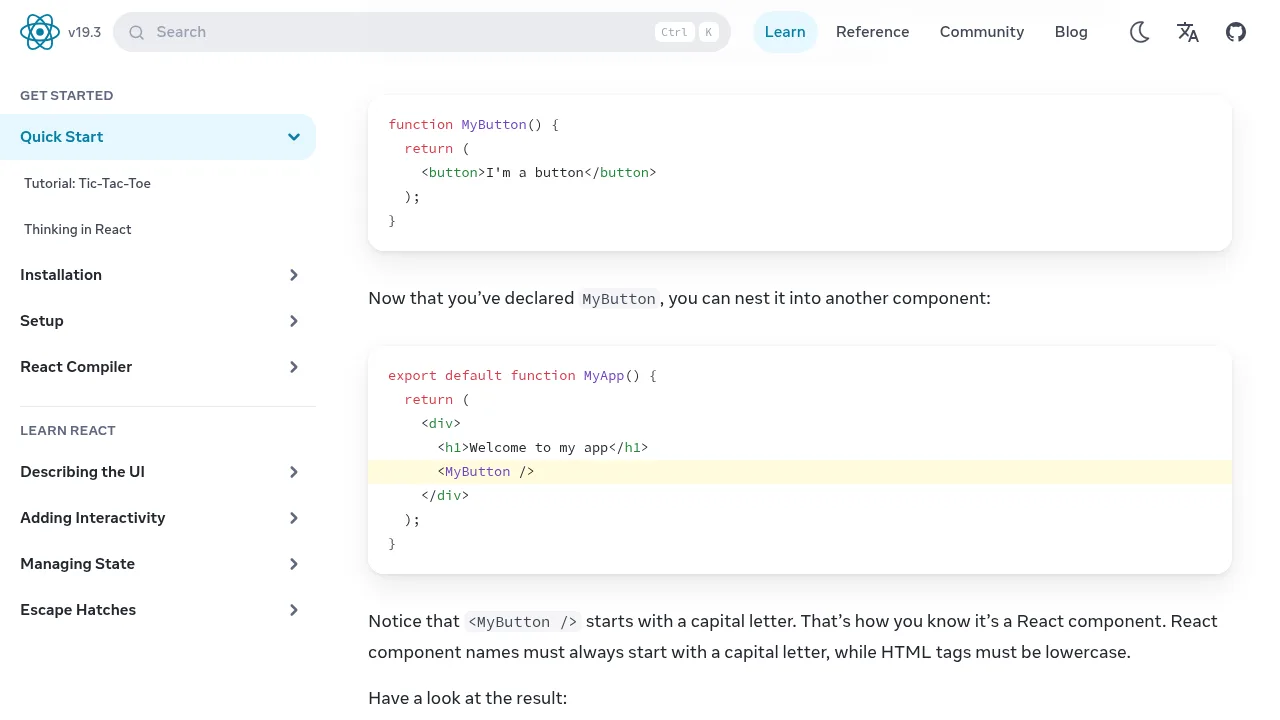
Let us make this concrete. Here is a tiny profile card written as a plain React component. It receives a name and a role through props, and React renders it in the browser:
function ProfileCard({ name, role }) {
  return (
    <div className="card">
      <h2>{name}</h2>
      <p>{role}</p>
    </div>
  );
}

export default function App() {
  return <ProfileCard name="Asha" role="Frontend Developer" />;
}
Simple, clean and very React. Now here is the same idea as a page in a modern Next.js app using the App Router. The file lives at app/profile/page.js, and its folder location is what creates the /profile URL — no extra routing setup needed:
export default function ProfilePage() {
  return (
    <main>
      <h1>Asha</h1>
      <p>Frontend Developer</p>
    </main>
  );
}
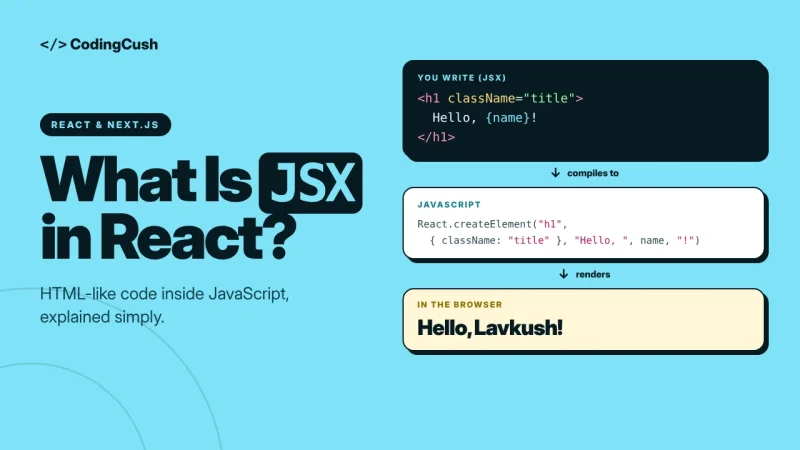
Notice what did not change: it is still a React component returning JSX. What did change: in Next.js, where you save the file decides where the page lives, and by default it can render on the server before the browser sees it. Same language, bigger system around it.
What Next.js Adds on Top of React
So what do you get for that extra structure? Four additions matter most.
File-based routing. In plain React, you normally install and configure a separate routing library to move between pages. In Next.js, you simply create folders and files. A file at app/about/page.js becomes the /about page automatically. One less library to learn, and one less decision to get wrong at midnight.
Server rendering and SEO. A plain React app usually renders mostly in the browser, so search engines may first receive a nearly empty page that fills in later. Next.js can render pages on the server first, sending ready-made HTML that loads faster, shares nicely, and is far easier for Google to read. For blogs, shops and portfolio sites, this is often the biggest reason teams choose Next.js.
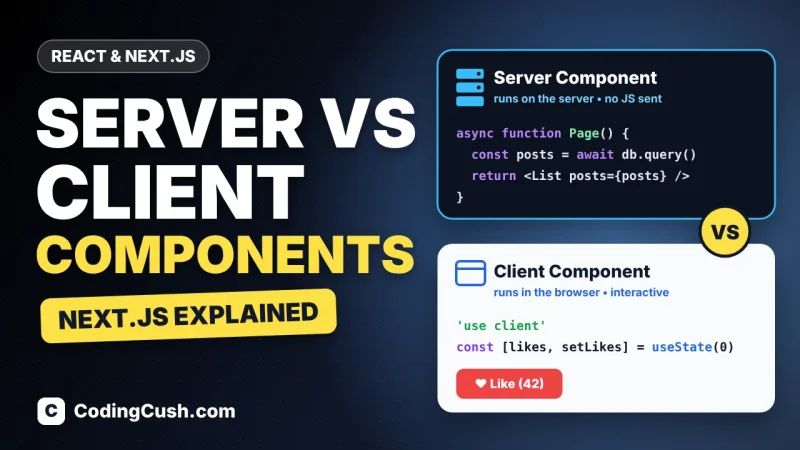
Server and client components. Next.js lets part of your page run only on the server — fetching data directly and keeping secrets off the browser — while interactive parts like buttons and forms run in the browser as client components. It is powerful, but also the idea that confuses newcomers most. Our guide on server components vs client components in Next.js breaks down when each type should be used, so you do not have to guess.
API routes. Next.js lets you add small backend endpoints inside the same project, for jobs like handling a contact form, talking to a database, or hiding an API key. With plain React alone, you would need a separate backend project for that. For small and medium projects, having both in one place is genuinely convenient.
React vs Next.js: The Full Comparison Table
| Feature | React | Next.js |
|---|---|---|
| Type | Library for user interfaces | Framework built on React |
| Main job | Build and update UI with components | Build complete websites and web apps |
| Routing | You add a routing library yourself | Built in, based on folders and files |
| Rendering | Mostly in the browser by default | Server, static and client rendering options |
| SEO out of the box | Needs extra work and setup | Strong, with server-rendered HTML and metadata |
| Backend features | None — needs a separate backend | API routes inside the same project |
| Freedom and control | Very high — you choose every tool | Structured — sensible defaults are chosen for you |
| Learning difficulty | Gentler starting point | Steeper — React plus routing, rendering and server ideas |
The table also explains why this debate never fully ends. React wins on simplicity and freedom. Next.js wins on completeness and convention. They are answers to slightly different questions: are you learning how interfaces work, or shipping a complete website this month?
Which Should You Learn First?
For most beginners, the clear recommendation is this: learn React first, then Next.js. Spend a few weeks getting comfortable with components, props, state, lists, forms and basic data fetching in plain React. Build two or three small projects — a to-do app, a weather card, a simple shop page. They do not need to be pretty. They need to be yours.
Once those ideas feel normal, move to Next.js. Routing will feel like a gift instead of another puzzle, server components will make sense because you already know what a client component is, and the SEO benefits will be obvious because you have felt the limits of a browser-only app yourself.
There is one fair exception. If your only goal is to ship one specific site quickly — a blog or a business website — following a good Next.js course that teaches React along the way, starting with Next.js can work. Just be honest when something confuses you: nine times out of ten, the confusing part is a React idea you skipped, not a Next.js idea at all. Going back to fill that gap is not failure — it is learning in the right order, slightly out of order.
Frequently Asked Questions
Is Next.js better than React?
Not better or worse — they do different jobs. React builds the interface. Next.js uses React and adds routing, server rendering, SEO help and backend routes around it.
Can I use Next.js without knowing React?
You can start, but you will struggle quickly. Next.js pages are React components, so props, state and hooks appear from day one. A basic React foundation makes Next.js far easier.
Do companies ask for React or Next.js in jobs?
Both. Most job posts list React as the core skill and treat Next.js as a strong plus, because a developer who truly understands React can pick up Next.js in a few weeks.
Is plain React still worth learning in 2026?
Yes, completely. React is still the foundation under Next.js and many other tools. Learning it well is never wasted time, even if every project you ship later uses Next.js.
Conclusion
React is the library that teaches you how modern interfaces are built. Next.js is the framework that turns that knowledge into fast, complete, search-friendly websites. Learn React first, build small things with it, then step up to Next.js — and this debate will quietly stop feeling like a debate.



Leave a Comment