

 Lavkush
 JSX is a syntax extension for JavaScript that lets you write HTML-like markup inside a JavaScript file. It is the way React developers describe what a component should look like: instead of writing long, confusing function calls, you write something that looks like HTML, and a tool converts it into regular JavaScript before the browser runs it. If React code has ever looked like HTML and JavaScript had a friendly baby, that baby is JSX.
Almost every beginner opens their first React file, sees HTML sitting inside JavaScript, and thinks something has gone wrong. Nothing has gone wrong. That mix is deliberate, and once you understand why it exists and learn its five or six small rules, JSX becomes the part of React that feels easiest — honestly, many developers say they could never go back to the old way.
Why JSX Exists at All
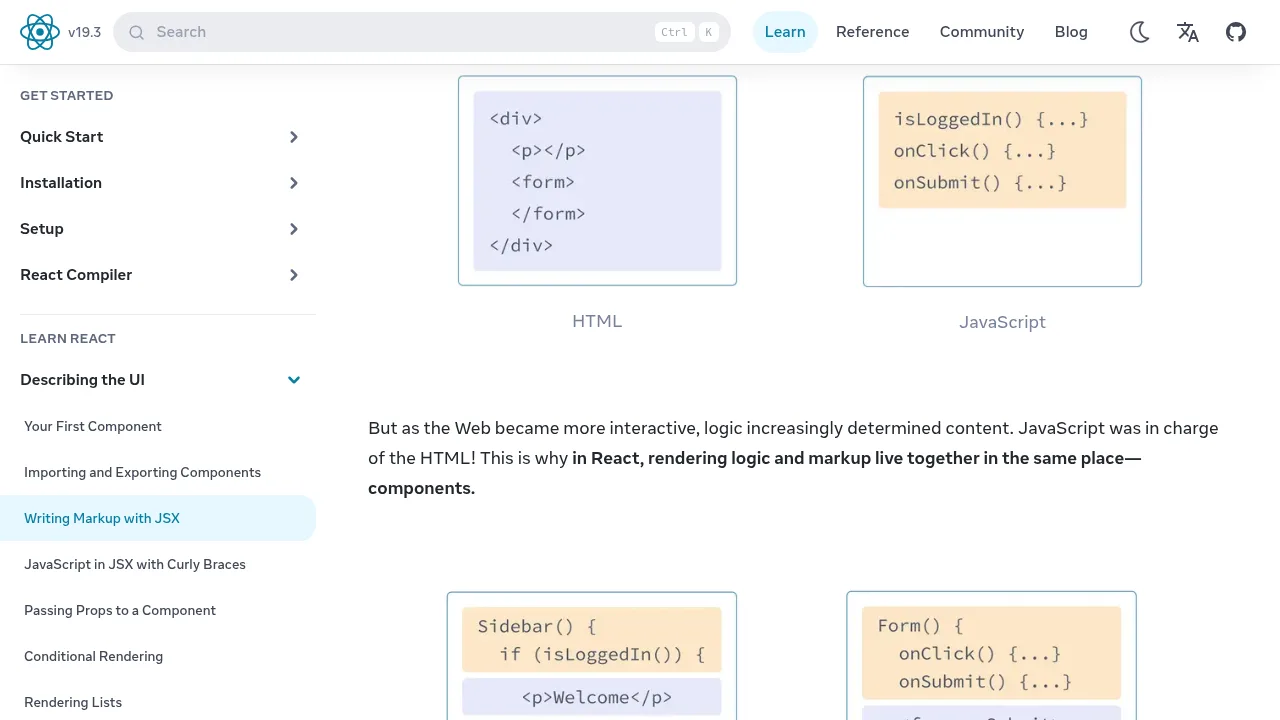
Before JSX, writing a user interface in JavaScript meant calling functions for every single element. A simple heading with a paragraph under it needed nested function calls that were painful to read and even more painful to change. React's team realised something simple: the markup and the logic for a piece of interface naturally belong together. A button's appearance and what happens when you click it are one idea, not two.
So JSX lets you describe the interface the way it looks. Under the hood, a build tool such as the one inside Vite or Next.js converts your JSX into plain JavaScript function calls before anything reaches the browser. Browsers cannot read JSX directly — a point worth remembering, because it explains why React projects always have a build step. The official React documentation page on writing markup with JSX puts it neatly: JSX is stricter than HTML, and that strictness catches mistakes early instead of letting them hide.
JSX and the Same Code Without JSX
The fastest way to understand JSX is to see both versions of the same component side by side. Here is a small profile card written with JSX:
function ProfileCard() {
  return (
    <div className="card">
      <h2>Priya Sharma</h2>
      <p>Frontend developer</p>
    </div>
  );
}
And here is exactly the same thing without JSX, using the function calls JSX secretly becomes:
function ProfileCard() {
  return React.createElement(
    "div",
    { className: "card" },
    React.createElement("h2", null, "Priya Sharma"),
    React.createElement("p", null, "Frontend developer")
  );
}
Both versions build the identical screen. The first one takes five seconds to understand; the second one makes your eyes work for a living. That difference is the whole reason JSX won. You are not learning a new language — you are learning a shortcut that writes the boring version for you.
The Rules That Trip Up Every Beginner
JSX looks like HTML, but it follows JavaScript's rules, and a handful of differences catch everyone at least once. Learn these now and you will save yourself several confusing error messages.
Rule 1: Return one parent element. A component must return a single parent. If you want two elements side by side, wrap them in a parent div — or use a fragment, written as <> and </>, which groups elements without adding an extra box to the page.
Rule 2: Close every tag. HTML forgives a forgotten closing tag; JSX does not. Even tags that HTML lets stand alone, like an image or a line break, must be closed: <img /> and <br />.
Rule 3: Use className, not class. The word class is reserved in JavaScript, so JSX uses className for CSS classes. This is probably the single most common beginner mistake in React, and every developer has made it. Welcome to the club.
Rule 4: camelCase for most attributes. Attributes with hyphens in HTML become camelCase in JSX: stroke-width becomes strokeWidth, and onclick becomes onClick.
Rule 5: Curly braces are an escape hatch into JavaScript. Inside JSX, wrapping something in { } switches back to real JavaScript, so you can drop in variables, calculations and function calls exactly where they belong on screen.
Using JavaScript Inside JSX with Curly Braces
This is where JSX stops being just tidy markup and becomes genuinely powerful. Anything inside curly braces is live JavaScript:
function Welcome() {
  const name = "Arjun";
  const hour = 10;
  return (
    <div>
      <h1>Hello, {name}!</h1>
      <p>It is {hour} o'clock. You have {2 + 3} new messages.</p>
    </div>
  );
}
The screen will show "Hello, Arjun!" and "You have 5 new messages", because React evaluates the expressions and places the results into the markup. The same trick works for attributes: pass a variable as an image source or a link address by putting it in braces instead of quotes. If components, props and state are still new ideas for you, our beginner guide to React components, props and state explained covers those three foundations slowly, with examples you can copy and run.
JSX vs HTML: A Quick Comparison
| Feature | HTML | JSX |
|---|---|---|
| Where it lives | In .html files | Inside JavaScript / React files |
| CSS class attribute | class | className |
| Closing tags | Some can be left open | Every tag must close |
| Dynamic values | Needs separate JavaScript | Built in with { } curly braces |
| Comments | <!-- comment --> | {/* comment */} |
| Runs in the browser? | Yes, directly | No — converted to JavaScript first |
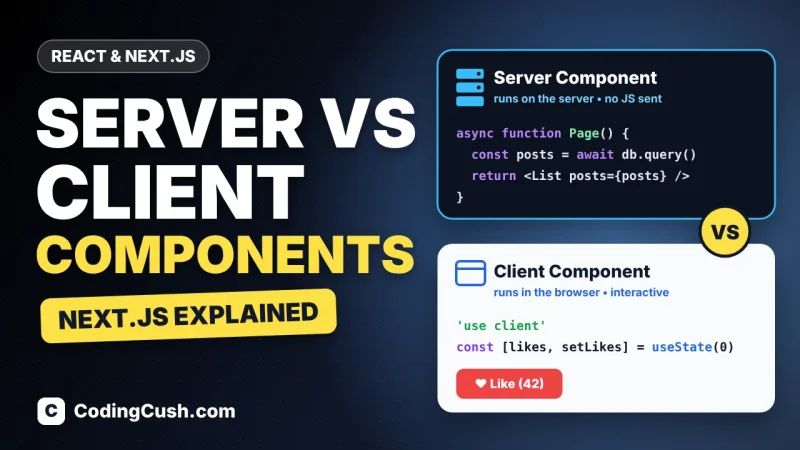
Notice the pattern: JSX is not a replacement for HTML, and learning it does not waste your HTML knowledge. Almost everything transfers. You are simply writing your markup in the same file as your logic, with a few stricter rules in exchange for dynamic superpowers. And when you later meet frameworks built on React, the same JSX comes with you — our comparison of Server Components vs Client Components in Next.js shows JSX components working on both the server and the client.
Common JSX Mistakes and How to Fix Them
Three mistakes account for most beginner JSX errors. First, returning two elements without a wrapper produces an error about adjacent JSX elements — fix it with a fragment. Second, writing class instead of className leaves your CSS mysteriously unapplied; React warns about this in the console, so read the console before panicking. Third, putting quotes around a variable, like src="avatarUrl", makes React look for a file literally named avatarUrl — use braces, src={avatarUrl}, whenever the value is JavaScript rather than plain text.
The official React homepage at react.dev is the best place to practise next: its first tutorial pages let you edit JSX in the browser and watch the result change live, which is exactly how these rules stop being theory.
Frequently Asked Questions
Is JSX a programming language?
No. JSX is a syntax extension for JavaScript. It adds a way to write markup inside JavaScript files, and a build tool converts it into ordinary JavaScript before the browser sees it.
Can browsers run JSX directly?
No. Browsers only understand HTML, CSS and JavaScript. Every React project uses a compiler step that turns JSX into regular JavaScript function calls.
Do I have to use JSX with React?
Technically no — you can write React.createElement calls by hand. In practice almost every React developer and tutorial uses JSX, because it is far easier to read and write.
What is the difference between JSX and HTML?
JSX lives inside JavaScript files, requires every tag to close, uses className instead of class, camelCase attributes, and lets you embed JavaScript values with curly braces. HTML is more forgiving but cannot do dynamic values on its own.
Why does JSX need one parent element?
Because a component's return value must be a single JavaScript expression. One parent element — or a fragment — keeps everything inside that single value.
Conclusion
JSX is simply a friendlier way to describe a React interface: HTML-like markup, written inside JavaScript, converted to plain JavaScript before it runs. Learn the five rules — one parent, close every tag, className, camelCase attributes, and curly braces for JavaScript — and you can read almost any React component you will meet. Write a few tiny components yourself this week, and JSX will quickly go from "that strange HTML in my JavaScript" to the most natural part of React.



Leave a Comment