

 Lavkush
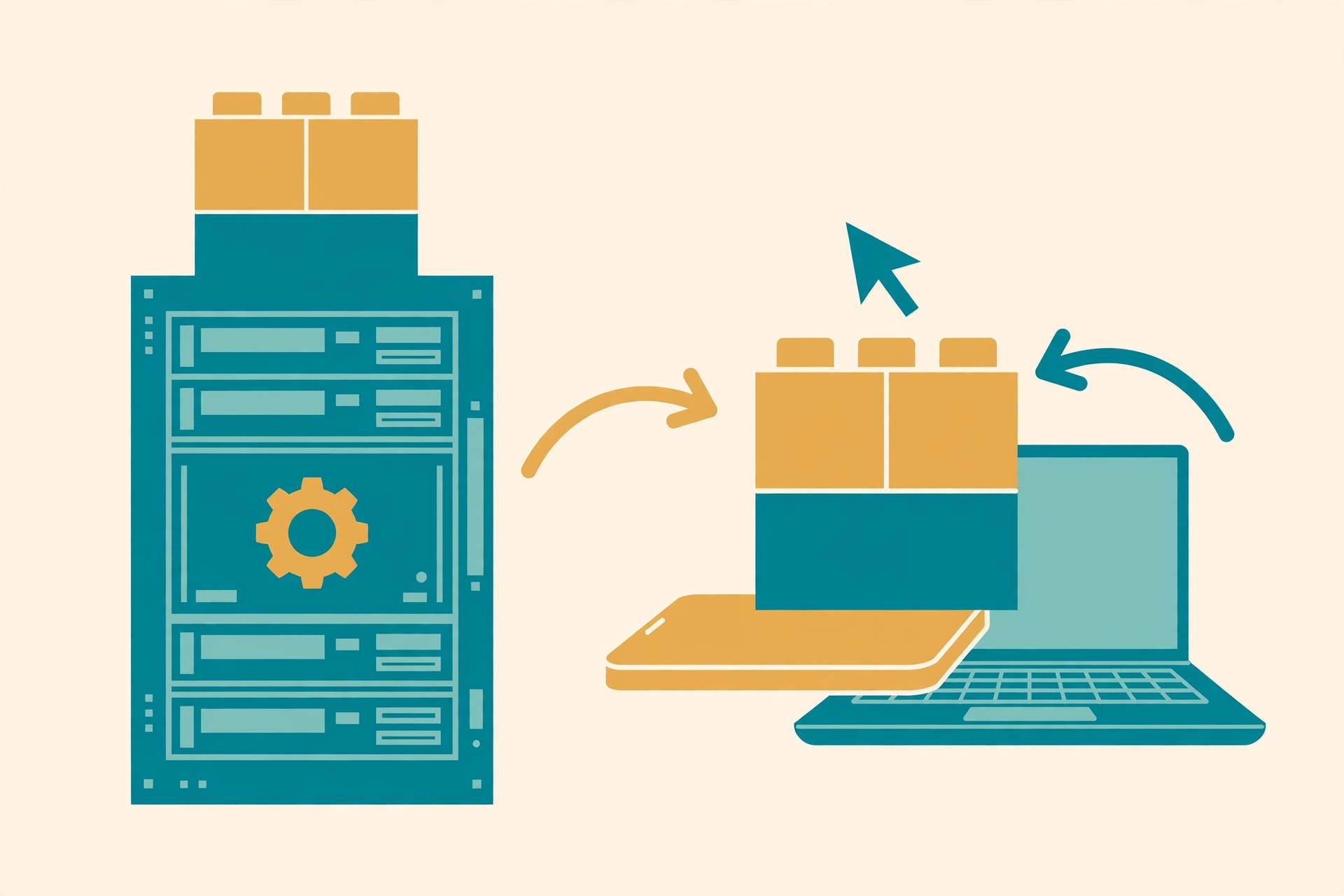
 Server Components in Next.js run only on the server and never reach the browser as JavaScript, so they are best for fetching data and showing mostly static content. Client Components run in the browser, so they can respond to clicks, typing and changes on screen, but their code is added to the JavaScript bundle. In short: start with a Server Component, and switch to a Client Component only when the piece of UI needs interactivity or a browser feature.
Why Did Next.js Split Components Into Two Types?
Older React apps sent almost everything to the browser. The browser downloaded a large bundle, built the page, fetched the data, and only then showed something useful. That worked, but big apps became slow on cheap phones and weak connections.
The App Router in Next.js changed the default. Every component is a Server Component unless you say otherwise. The server does the heavy lifting first, sends finished HTML to the browser, and ships far less JavaScript. Client Components are then used like small islands of interactivity inside that mostly server-rendered page: a button here, a search box there, a menu that opens and closes.
If the words props and state still feel new, first read our guide to React components, props and state explained. The split in this post builds directly on those basics.
What Is a Server Component?
A Server Component runs on the server only. Because it lives next to your database and your secret keys, it can fetch data directly, read files, and use private API keys without exposing any of them to the browser. The result it produces is HTML and a compact description of the UI — not a JavaScript file the visitor has to download.
This gives you three clear wins. Pages load faster because the bundle stays small. Secrets stay secret because the code never leaves the server. And data fetching becomes simple, because the component can be an async function that waits for data before it renders.
// app/products/page.js — a Server Component (the default)
// No 'use client' line, so this runs only on the server.

export default async function ProductsPage() {
  // Direct, private data fetching on the server
  const res = await fetch("https://api.example.com/products", {
    headers: { Authorization: `Bearer ${process.env.API_KEY}` },
  });
  const products = await res.json();

  return (
    <main>
      <h1>Our Products</h1>
      <ul>
        {products.map((product) => (
          <li key={product.id}>
            {product.name} — ${product.price}
          </li>
        ))}
      </ul>
    </main>
  );
}
Notice what is missing: no useState, no useEffect, and no click handler. A Server Component cannot use hooks or listen to browser events, because it never runs in a browser at all. It renders once on the server and is done — polite, efficient, and slightly boring, exactly like a good waiter who brings the food and leaves.
The Next.js documentation on Server and Client Components puts it the same way: do the data fetching and static rendering on the server, and move to the client only for the parts that must react to the user.
What Is a Client Component?
A Client Component is a normal, interactive React component. You mark it by writing 'use client' on the very first line of the file. That one line tells Next.js: "send this component's JavaScript to the browser, and let it run there."
Once a component runs in the browser, it can do everything traditional React can do. It can use state and effects, handle onClick and onChange, read the browser's location or local storage, and update instantly without a round trip to the server.
// app/components/LikeButton.js — a Client Component
'use client'; // This line makes it run in the browser

import { useState } from "react";

export default function LikeButton() {
  const [likes, setLikes] = useState(0);

  return (
    <button onClick={() => setLikes(likes + 1)}>
      👍 Like ({likes})
    </button>
  );
}
One important detail: 'use client' creates a boundary. Everything that this file imports also becomes part of the client bundle. So keep Client Components small and focused. Making one giant Client Component at the top of your page quietly turns the whole page into client-side JavaScript and throws away the performance win you wanted. If your JavaScript fundamentals need a brush-up before this clicks, our free Learn JavaScript hub covers the language basics step by step.
Server vs Client Components: Side-by-Side Comparison
| Feature | Server Component | Client Component |
|---|---|---|
| Where it runs | On the server only | In the visitor's browser |
| Hooks and onClick | No — cannot use useState, useEffect or event handlers | Yes — full use of hooks and event handlers |
| Data fetching | Direct: database, files and secret keys are safe here | Through an API route or data passed in as props |
| Bundle size | Adds nothing to the browser JavaScript bundle | Its code is downloaded by every visitor |
| When to choose it | Default choice: content, lists, layouts, data display | Only for interactive pieces: forms, buttons, menus, charts |
The pattern behind the table is simple. Server Components are about getting and showing data. Client Components are about reacting when the user does something. Most real pages need both, which is not a problem, because the two types are designed to work together.
How Server and Client Components Work Together
A Server Component can import and render a Client Component. In the products example above, the server page could render the LikeButton under each product. The list still comes from the server with zero bundle cost, and only the tiny button ships JavaScript to the browser.
The reverse direction has one rule: a Client Component cannot import a Server Component directly. Instead, the Server Component is passed in as a prop — usually as children. This is called composition, and it is how you keep a slow, data-heavy section on the server while wrapping it in an interactive client shell, such as a tabbed panel or an accordion.
Data flows one way too: a Server Component passes plain, serialisable values down as props. Functions and database connections cannot cross that boundary.
React's own reference on React Server Components describes this same model, because the idea comes from React itself — Next.js is simply the framework that made it the everyday default for building apps.
A Simple Decision Checklist
When you create a new component, ask these questions in order:
- Does it need a click, typing, hover or any other user interaction? If yes, make it a Client Component.
- Does it need
useState,useEffector another hook? If yes, Client Component. - Does it need a browser API, such as local storage or the window size? If yes, Client Component.
- Does it mainly fetch data or display content that rarely changes? If yes, keep it a Server Component.
- Does it need a secret key or direct database access? Server Component, always — secrets must never ship to the browser.
- Still unsure? Start with a Server Component. Add
'use client'later only to the smallest piece that actually needs it.
That last rule prevents the most common beginner mistake: marking a whole page as a Client Component "just in case", which quietly inflates the bundle for every visitor.
Frequently Asked Questions
Are Server Components the default in Next.js?
Yes. In the App Router, every component is a Server Component by default. It only becomes a Client Component when you add 'use client' at the top of its file.
Can a Client Component fetch data?
Yes, but not directly from your database or with secret keys. It should call an API route, or receive data that a parent Server Component fetched and passed down as props.
Does 'use client' make the whole page a Client Component?
No. It applies to that file and everything that file imports. Sibling and parent components stay on the server, which is why keeping Client Components small matters so much.
Can I use useState in a Server Component?
No. Server Components cannot use hooks or event handlers because they never run in the browser. Move the interactive part into a small Client Component instead.
Which type is better for SEO and speed?
Server Components usually help both. The server sends ready-made HTML that search engines can read easily, and the browser downloads less JavaScript, so pages feel faster.
Conclusion
Server Components and Client Components are not rivals; they are two tools for two different jobs. Let the server fetch data, protect secrets and render content cheaply. Let the browser handle clicks, state and instant feedback. Start on the server, add 'use client' only where the user truly interacts, and your Next.js app will stay fast, safe and pleasantly simple as it grows.



Leave a Comment