

 Anand Bajrangi
 Blog SEO is simply this: helping every post you publish rank on Google for one clear search. Not tricks, not secret settings — a repeatable routine. Pick the right keyword, match what the searcher actually wants, structure the post properly, link it to your other posts, and refresh it as it ages. This guide gives you the full routine in eight steps, with examples, whether your blog is brand new or three years old. Follow it for every post and ranking stops being luck.
Step 1: Pick One Keyword per Post
Every post gets ONE main keyword — the exact phrase a real person types into Google. Write it the way they type it, not the way an expert would say it. Beginners search "how to upload files in php" and "javascript promises explained simply", not "asynchronous file handling methodologies". Example: a post titled "Understanding Async in JS" is vague to Google and to readers. The same post aimed at "javascript promises vs async await" tells both exactly what it covers — and that clarity is what ranks. Write the keyword down before you write a single paragraph; if you cannot name it, the post is not ready.
Where do you find these phrases? Start with Google itself: type your topic and read the autocomplete suggestions, then scroll to the "People also ask" questions — both are real searches, free of charge. If your blog already has traffic, Google Search Console shows the exact queries your posts are already appearing for, which is a goldmine of next-post ideas.
Step 2: Check the Search Intent Before Writing
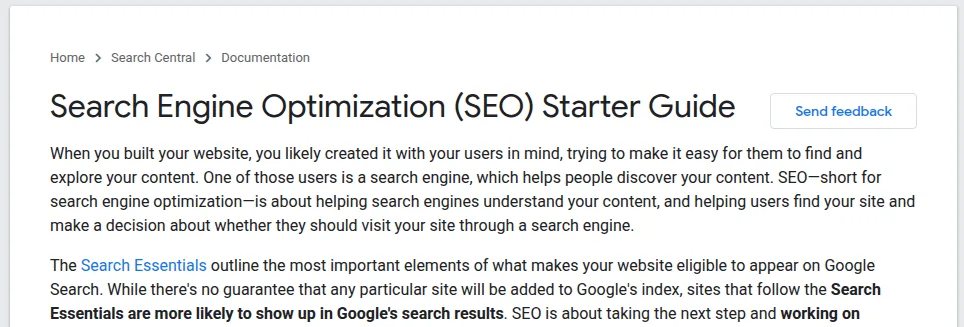
Now Google your keyword and study the top five results like a detective. What format wins — step-by-step guide, list, comparison, tool? How deep do they go? What do they all miss? Your post must match the winning format and then beat it somewhere: clearer examples, fresher screenshots, a better table. Example: if every top result for your keyword is a hands-on tutorial with code, a thoughtful opinion essay will not rank, however well written it is. Google's own SEO Starter Guide puts it plainly: create content that matches what people are looking for, and organise it so both readers and search engines can follow.
Step 3: Structure the Post for Readers and Google
Structure is where most blogs quietly lose rankings. Follow this shape: the keyword appears naturally in the title; the URL slug is short and readable (yourblog.com/blog-seo-guide, not /post-4821); the first paragraph answers the search directly in two or three lines, before any storytelling; H2 headings break the post into the sub-questions a reader would ask; and paragraphs stay short — two to four lines — so the page is easy to scan on a phone. If your blog runs on WordPress, our Learn WordPress hub collects the beginner guides for the practical side of setting this up.
Step 4: Run the On-Page Checklist
Before publishing, walk this short checklist. It takes five minutes and covers what Google actually reads:
| Element | What to do |
|---|---|
| Title | Keyword near the start, written to earn the click |
| First 100 words | Keyword once, plus a direct answer to the search |
| Headings | One H1 (the title), H2s for sections, no skipped levels |
| Images | Real screenshots where possible, descriptive alt text, compressed size |
| Internal links | 2 links to your related posts, with natural anchor text |
| External links | 1–2 links to official or authoritative sources |
| FAQ | 3–5 real questions readers ask about the topic |
Step 5: Use Real Images and Keep Pages Fast
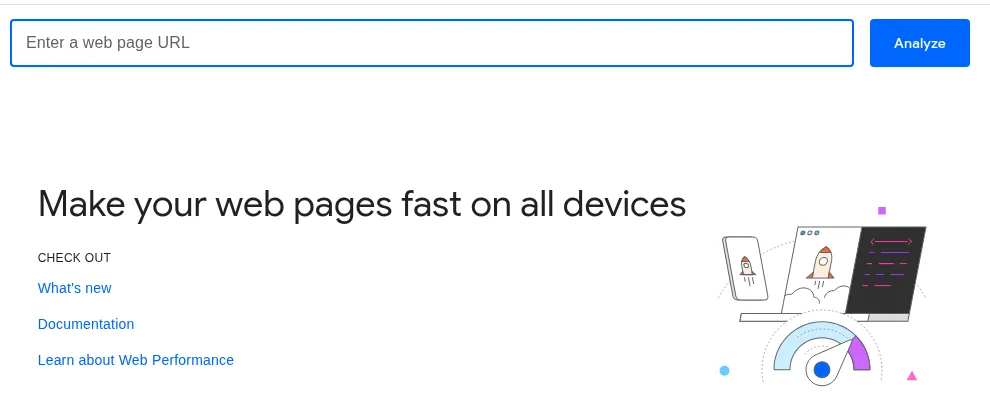
Readers trust posts that show the real thing — the actual tool, the actual screen, the actual result. Screenshots also slow the "is this genuine?" doubt that stock photos create. But heavy images slow your pages, and slow pages lose readers and rankings. Compress every image before uploading, and test your post afterwards with PageSpeed Insights, Google's free speed checker: paste the URL, and fix the biggest warnings first, especially on mobile.
Step 6: Link Your Posts to Each Other
Internal links tell Google which of your posts matter and how topics connect — and they keep readers on your site longer. The routine is simple: every new post links out to two related older posts, and you also go back and add a link TO the new post from two relevant older ones. Use anchor text that describes the destination ("our guide to SEO metrics") instead of "click here". A post with no internal links pointing to it is an orphan, and orphans rarely rank.
Example: take two neighbouring posts on this blog — the JavaScript Promises tutorial and the == vs === explainer. Linking them to each other, and both to the wider JavaScript guides, turns two lonely pages into a small cluster a student can travel through. Google reads that structure as topical depth, and readers stay longer because the next lesson is always one click away.
Step 7: Publish, Submit and Share
When the post goes live, do not just wait. Submit its URL in Google Search Console with the Request Indexing tool so Google finds it quickly, share it wherever your audience already is, and link it from your homepage or category page if it is an important one. Then leave it alone for a few weeks — rankings wobble while Google tests new pages, and daily panic-editing helps nobody.
Step 8: Refresh Old Posts on a Cycle
Your old posts are your cheapest rankings. Every two to three months, open Search Console, find posts sitting at positions 5–20, and refresh the best candidates: update outdated steps, replace old screenshots, add the question readers are now asking, tighten the introduction. Finally, measure honestly — our guide to SEO metrics, backlinks and rankings shows which numbers prove a refresh worked. Example: a six-month-old tutorial that had slipped to page 2 got new screenshots, one extra FAQ and a clearer first paragraph; within a month it was back in the top five, without writing a single new post that week.
Frequently Asked Questions
How long does it take for a blog post to rank?
For a new blog, expect 3–6 months before posts rank steadily; an established blog can rank a good post in a few weeks. Low-competition, specific keywords rank fastest. Publishing consistently matters more than any single post.
How long should a blog post be?
As long as the topic needs — no more, no less. A focused tutorial may rank at 900 words; a complete guide may need 1,800. Match the depth of the pages already ranking for your keyword, then be clearer than them.
Can one post rank for many keywords?
Yes, and good posts do — one main keyword, plus several close variations that appear naturally in headings and text. But start with one clear target; a post aimed at everything usually ranks for nothing.
Do backlinks matter for a blog?
They help, especially from relevant sites, but they are not step one. Structure, intent and internal linking are fully in your control and come first. Backlinks tend to follow content that genuinely deserves them.
My post is published but not ranking. Should I edit it?
Give it a few weeks first — new pages wobble. If it is stuck below position 20 after a month, compare it honestly with the top three results: usually the intent, the depth or the structure is off, and fixing that one thing works better than ten small tweaks.
Conclusion
Blog SEO is a routine, not a talent: one keyword per post, intent checked before writing, a clean structure, the five-minute on-page checklist, real images on fast pages, internal links both ways, and a refresh cycle for older posts. Run that routine on every post for six months and your traffic graph will explain the rest.




Leave a Comment