

 Lavkush
To become a front-end developer, learn HTML first, then CSS, then JavaScript. After that, learn Git and GitHub, pick one framework such as React, build real projects for a portfolio, and start applying for junior roles. Most focused beginners can follow this path in six to nine months. You do not need a computer science degree to start. You need a clear order, steady practice, and finished projects that prove what you can do.
The Roadmap at a Glance
Front-end development is the part of a website that people see and touch: the text, buttons, forms, menus and layouts. If you are still deciding which side of development suits you, our guide to front-end vs backend vs full stack explains the difference in simple words. This roadmap keeps things simple. One step at a time, in the right order, so you never feel like you are studying everything and learning nothing.
| Stage | What to Learn | Rough Time |
|---|---|---|
| 1 | HTML basics and semantic tags | 2 to 3 weeks |
| 2 | CSS, Flexbox, Grid and responsive design | 4 to 6 weeks |
| 3 | JavaScript and working with the DOM | 6 to 8 weeks |
| 4 | Git, GitHub and basic command line | 1 to 2 weeks |
| 5 | React and modern tooling | 5 to 6 weeks |
| 6 | Projects and a portfolio site | 4 to 6 weeks |
| 7 | Resume, interviews and applying | Ongoing |
Step 1: Learn HTML, the Structure of Every Page
HTML is the skeleton of a web page. It tells the browser what each part is: a heading, a paragraph, an image, a link or a form. Start with common tags, then learn semantic tags such as header, main, section and footer. Semantic HTML helps search engines and screen readers understand your page, and interviewers love asking about it.
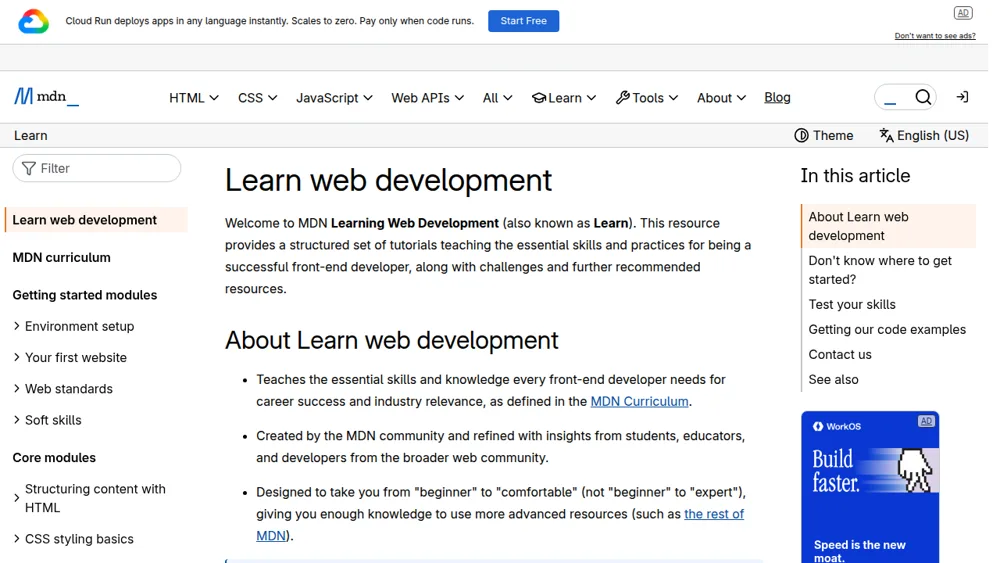
A great free place to begin is the MDN Learn web development course on developer.mozilla.org, which takes you from your very first page to working with forms and tables. Build small things as you learn: a personal profile page, a recipe page and a simple sign-up form. Typing code yourself, even when it breaks, teaches far more than watching videos on double speed.
Step 2: Learn CSS, the Design Layer
CSS makes pages look good. It controls colours, fonts, spacing and layout. Learn selectors and the box model first, then Flexbox for rows and columns, and CSS Grid for bigger page layouts. After that, practise responsive design with media queries, so your pages work on a small phone and a wide monitor. Yes, centring a div really is a rite of passage. Everyone struggles with it once.
Here is a tiny example that combines simple HTML and CSS:
<button class="cta">Start Learning</button>

.cta {
  background: #0f766e;
  color: #ffffff;
  padding: 12px 20px;
  border: none;
  border-radius: 6px;
  cursor: pointer;
}
.cta:hover {
  background: #115e59;
}
Copy pages you like, such as a landing page or a pricing table, using only HTML and CSS. This copy practice trains your eye for spacing and alignment, which is a big part of looking like a professional.
Step 3: Learn JavaScript, the Behaviour Layer
JavaScript makes pages interactive. It opens menus, validates forms, fetches data and updates content without reloading the page. Start with variables, data types, functions, loops and arrays. Then learn objects, array methods like map and filter, and events. Next, practise DOM manipulation, which means changing page content with JavaScript, and fetch, which lets you load data from an API.
Build small projects at this stage: a to-do list, a quiz app, a weather app using a free API, and a simple shopping cart. Keep each project small and finish it. Five finished mini projects teach more than one giant project abandoned in week two, a trap almost every beginner knows well.
Step 4: Learn Git and GitHub
Git tracks changes in your code, and GitHub stores your projects online. Employers check GitHub profiles, so learn this early instead of treating it as an afterthought. Practise the daily basics: git add, git commit, git push, and creating branches and pull requests. Learn to write clear commit messages, such as "Add mobile menu toggle", instead of the classic "stuff" or "final final version 2".
Put every practice project on GitHub with a short README that explains what the project does, what you used, and what you learned. A tidy profile quietly tells a hiring manager that you work like a developer already.
Step 5: Learn One Framework, Such as React
Once your JavaScript feels comfortable, learn one popular framework. For most beginners, React is the safest choice because so many job posts ask for it. Learn components, props, state, hooks such as useState and useEffect, and basic routing. If you want a guided path for this stage, follow our beginner roadmap for learning React, which breaks the journey into small weekly goals.
For a structured syllabus of what modern front-end developers should know, the MDN Curriculum on developer.mozilla.org is a helpful checklist to compare against your own progress. Avoid learning three frameworks at once. One framework, learned well, gets you hired. Three frameworks, learned halfway, mainly get you confused.
Step 6: Build Projects and a Portfolio
Projects are your proof. Tutorials show you followed instructions, but projects show you can solve problems alone. Aim for three to five solid projects: a responsive business website, an app that uses a public API, a React project with routing and state, and one project you genuinely care about, such as a tool for your hobby. Quality beats quantity every time.
Then build a simple portfolio site with your name, a short about section, your skills, project screenshots with live links and code links, and a contact option. Keep the design clean and fast. Recruiters often spend less than a minute on a portfolio, so make your best project impossible to miss.
Step 7: Apply for Jobs and Prepare for Interviews
Start applying before you feel fully ready, because that feeling rarely arrives on schedule. Tailor your resume to each role, highlight your projects, and use the same keywords the job post uses, honestly. Prepare for interviews by revising HTML semantics, CSS layout, JavaScript basics and your own project decisions. Be ready to explain what you built, what broke, and how you fixed it.
Apply on job boards, company career pages and LinkedIn, and ask developers in communities for referrals and feedback. Rejections are normal at this stage, even for strong candidates. Treat each interview as practice, note the questions you could not answer, learn those topics, and apply again. Consistency wins this game.
Keep a simple weekly tracker as you apply. Note the company, the role, the date, and one skill each job post repeats often. If many posts mention TypeScript or testing, add that topic to your study list next. This turns job hunting into useful feedback, not just waiting and hoping.
Frequently Asked Questions
How long does it take to become a front-end developer?
With one to two hours of focused study a day, most beginners become job ready in six to nine months. The exact time depends on your starting point and, more than anything, on how many real projects you finish.
Do I need a degree to get a front-end job?
No. Many employers care more about your portfolio, your GitHub and your interview performance than a degree. A degree can help for some large companies, but it is not a requirement to start applying.
Should I learn React before JavaScript?
No. Learn JavaScript first, including functions, arrays, objects and DOM basics. React is built on JavaScript, so weak JavaScript makes React feel much harder than it needs to be.
What salary can a beginner front-end developer expect?
It varies a lot by country and city. In India, junior front-end roles often start around ₹3 to ₹6 lakh per year, while remote and international roles can pay more. Strong projects and interview skills push you towards the higher end.
Conclusion
Becoming a front-end developer is not about learning everything at once. It is about following a simple order: HTML, CSS, JavaScript, Git, one framework, projects, and then applications. Take one step at a time, build as you go, and keep your work public on GitHub. Start step one today, even if you only have thirty minutes. Small daily progress beats a perfect plan that never leaves your notebook.


Leave a Comment