

 Lavkush
A list comprehension is a short, readable way to build a new list in Python in a single line. Instead of writing a loop that starts with an empty list and appends one item at a time, you describe the list you want — the expression, the loop and an optional condition — inside square brackets, and Python builds it for you.
The Loop You Already Know, Written Shorter
Every list comprehension starts life as an ordinary loop, so let us begin with the loop version. Suppose you want the squares of the numbers from 1 to 5. The traditional way takes three honest lines, and there is absolutely nothing wrong with it:
squares = []
for n in range(1, 6):
    squares.append(n * n)

print(squares)  # [1, 4, 9, 16, 25]
Now watch the same job collapse into one line that says exactly the same thing, in almost the same order as you would say it out loud — the squares of each n, for each n in the range:
squares = [n * n for n in range(1, 6)]

print(squares)  # [1, 4, 9, 16, 25]
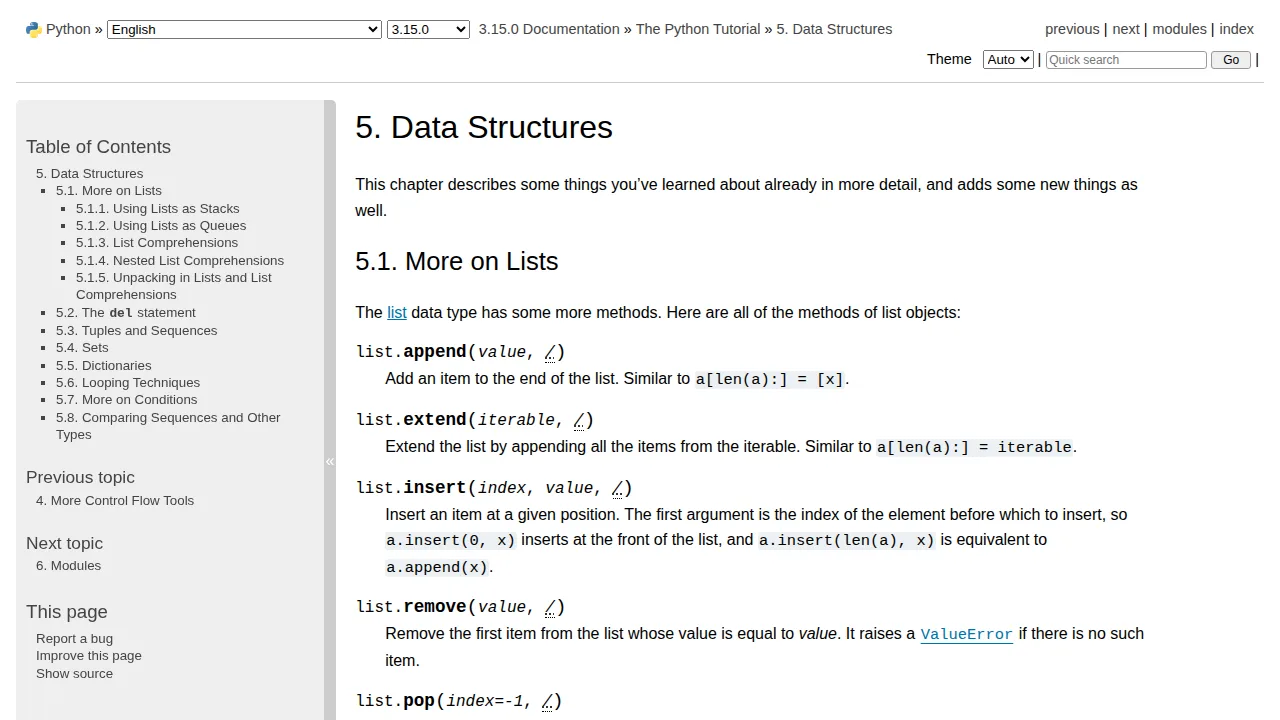
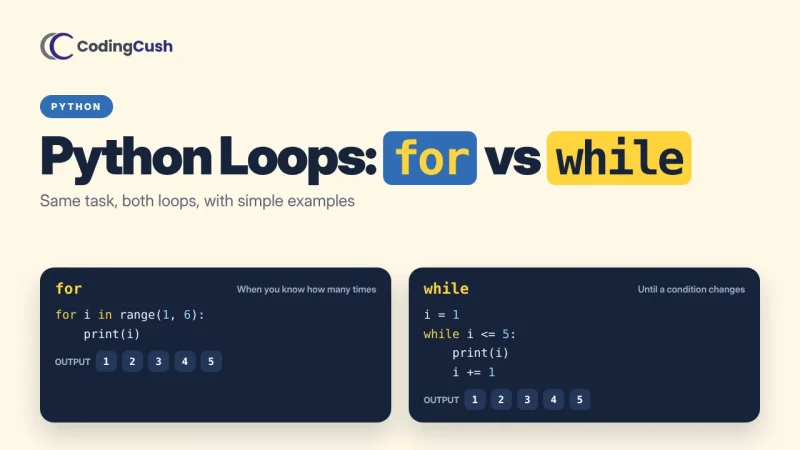
That is the whole idea. A comprehension is not a different kind of loop; it is the loop, the calculation and the collecting of results written as one expression. The official Python tutorial chapter on data structures introduces comprehensions in exactly this way, right after lists themselves, because Python programmers use them constantly. If loops themselves still feel new, pause here and work through our guide to Python loops: for loop vs while loop first — comprehensions will then take you about ten minutes.
Reading a Comprehension in Three Parts
Beginners sometimes stare at a comprehension as if it were a spell. It helps to split every comprehension into the same three parts, always in the same order:
| Part | In the example | What it does |
|---|---|---|
| Expression | n * n |
The value placed into the new list for each item |
| Loop | for n in range(1, 6) |
Where the items come from, one at a time |
| Condition (optional) | if n % 2 == 0 |
Keeps only the items that pass the test |
A reliable reading trick is to start from the loop in the middle, then apply the condition, then finish with the expression on the left. Read it as a sentence: for each n in the range, if it passes the test, put n times n in the list. After a week of practice, your eyes will parse that sentence as quickly as the loop version — and your code files will be noticeably shorter and calmer.
Adding a Condition: Filtering While You Build
The optional if at the end is where comprehensions quietly earn their keep. It filters the source as you build, so a separate filtering loop disappears entirely. Here are the even numbers from a list, and the names longer than four letters, each in a single readable line:
numbers = [3, 8, 12, 5, 20, 7, 14]
evens = [n for n in numbers if n % 2 == 0]
print(evens)  # [8, 12, 20, 14]

names = ["Asha", "Ravi", "Meera", "Tom", "Priya"]
long_names = [name for name in names if len(name) > 4]
print(long_names)  # ['Meera', 'Priya']
Notice that the filtering version changes nothing about the expression — it simply skips the items that fail the test, exactly as an if inside a normal loop would. You can also transform and filter together, which is the combination real code uses most: take the prices from a shopping list, keep only the ones under a budget, and convert each to a discounted price, all in one line that a colleague can still read at a glance. That filtering habit pairs naturally with dictionaries too, which is why our comparison of Python list vs dictionary makes a good next read once lists feel easy.
Transforming Data: The Everyday Use Case
Most comprehensions in real projects do not square numbers. They clean and reshape data: trimming spaces from user input, converting strings to numbers, extracting one field from a list of records, or building display labels. These small transformations are where the one-line form shines brightest, because the intent stays visible instead of hiding inside loop machinery.
raw = ["  asha ", " RAVI", "meera  "]
clean = [name.strip().title() for name in raw]
print(clean)  # ['Asha', 'Ravi', 'Meera']

prices = ["499", "1299", "250"]
totals = [int(p) for p in prices]
print(sum(totals))  # 2048
Two different jobs, one shared shape: an expression that transforms each item, and a loop that supplies the items. The Python tutorial's introduction to lists shows the same building blocks from the very first chapters, which is why comprehensions feel like a natural dialect of the language rather than a trick bolted on later. A small warning from experience: the moment your expression needs three method calls and a condition with two tests, the charm fades. Comprehensions reward restraint — one transformation, one filter, done.
Nested Loops and Flattening a List
A comprehension can contain more than one loop, read left to right in the same order as nested loops would run. The classic use is flattening a list of lists — turning rows of a small table into one long list:
rows = [[1, 2, 3], [4, 5, 6], [7, 8, 9]]
flat = [n for row in rows for n in row]
print(flat)  # [1, 2, 3, 4, 5, 6, 7, 8, 9]
Read it as two sentences joined together: for each row in rows, for each n in that row, collect n. The order of the two for parts matches the order you would indent them in a normal nested loop, which is the only detail beginners usually get backwards once — write it, print it, and the pattern sticks. Beyond two loops, though, stop and use a regular loop. A comprehension that needs its own diagram has stopped saving anyone any time, including future you at midnight.
When NOT to Use a List Comprehension
Honest guidance matters here, because overusing a neat tool is a rite of passage. Use a plain loop when the body does several things at once, such as printing, saving to a file and updating totals together; when the logic needs an else branch doing real work; or when the line grows so long that you have to scroll sideways to read it. Python even lets you split a long comprehension across lines inside the brackets, and that is fine — but a five-line comprehension is usually a loop wearing a costume.
There is also a close cousin worth knowing: wrapping the same pattern in parentheses instead of brackets creates a generator, which produces items one at a time without building the whole list in memory. You will meet generators when your data grows large. For everyday lists — dozens, hundreds, even thousands of items — the comprehension is the right, simple default, and it is also a touch faster than the append loop because Python is optimised for it.
Frequently Asked Questions
Is a list comprehension faster than a for loop?
Usually a little faster, yes, because Python builds the list with optimised internal operations instead of repeated append calls. The bigger win is readability: the whole intention fits in one line.
Can I use if and else in a list comprehension?
Yes, but the position changes. A filter goes at the end — [x for x in items if x > 0] — while a choice goes at the front — ["big" if x > 10 else "small" for x in items]. Mixing the two orders up is the most common beginner error.
Can a comprehension build a dictionary or a set?
Yes. Curly braces with a key and value make a dictionary comprehension, such as {n: n * n for n in range(5)}, and curly braces with a single expression make a set comprehension that removes duplicates automatically.
How long should a list comprehension be?
Short enough to read as one sentence. One expression, one loop and one simple condition is the sweet spot; anything more deserves a normal loop with clear steps.
Conclusion
A list comprehension is a loop, a transformation and an optional filter written as one honest sentence inside square brackets. Learn to read it in three parts — expression, loop, condition — practise on cleaning and filtering small lists, and resist squeezing complicated logic into a single line. Your Python will become shorter, clearer and a little more joyful to read, which is precisely why experienced Python programmers reach for comprehensions every single day.


Leave a Comment