

 Lavkush
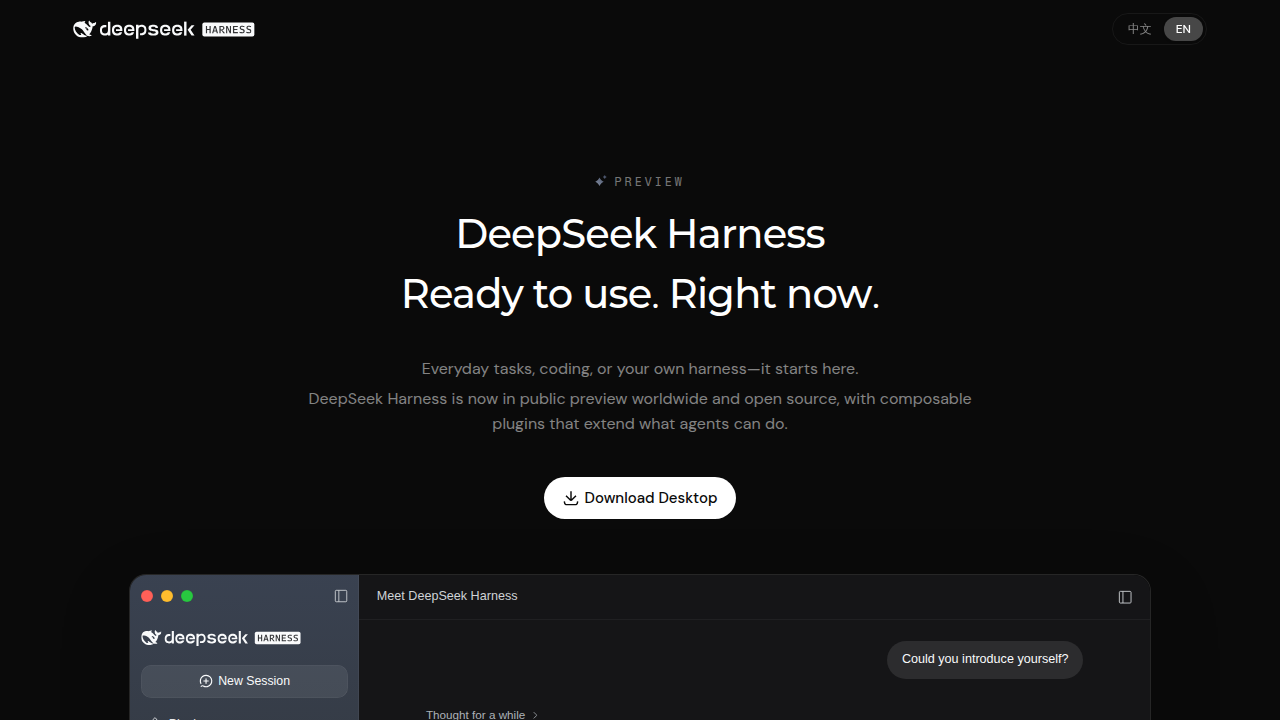
DeepSeek Harness is a free, open-source agent runtime from DeepSeek AI. It is not a new AI model. It is the software shell that wraps around a model and turns it into a working agent: something that can read and edit your files, run commands, remember a session and finish multi-step coding tasks on your own machine. DeepSeek launched it on 13 August 2026 as a developer preview under the MIT licence, on the same day DeepSeek V4-Pro arrived on the API. Think of it this way: the model is the brain, and the harness is the hands, the toolbox and the desk it works at.
First, a Clarification: the Harness Is Not a Model
This one point confuses almost everyone, so let us clear it up early. When people say "DeepSeek", they usually mean the DeepSeek chat models. DeepSeek Harness, short name dsh, is a different thing. It is a program you install and run. Inside it, you connect a model, and the harness gives that model tools and a safe place to work.
A helpful comparison: if you already use an AI coding assistant inside your editor, our guide on how to use GitHub Copilot in VS Code shows the assistant side of that world. A harness goes one step further. Instead of only suggesting code in your editor, the agent plans steps, runs them, checks the results and keeps going until the task is done.
The Big Idea: Agent = Model + Harness
The DeepSeek team describes the design with one neat formula: Agent = Model + Harness. A strong model on its own can only chat. It cannot open your project folder, fix a failing test or run your build. The harness supplies everything around the model: the tools, the file access, the terminal, the memory of what happened earlier in the session, and the loop that keeps the agent working step by step.
This split matters because it means the two halves can improve separately. When a better model arrives, you plug it into the same harness. When you need a new tool, you improve the harness without waiting for a new model. It is a simple idea, but it explains why agent tools suddenly feel so much more capable than plain chatbots.
Everything Is a Plugin
The most unusual design choice in DeepSeek Harness is that almost nothing is hard-coded. The model adapter is a plugin. The tools are plugins. The session log is a plugin. The sandbox is a plugin. Even the agent loop itself is a plugin. This plugin system is built on Cordis, a plugin framework that comes from the Koishi ecosystem and was created by developer Shigma.
Why does that matter to you? Because the harness can be reshaped without forking the whole project. A team that wants a different model, a stricter sandbox or a custom tool can write a plugin instead of editing the core. It also explains the project's speed: within about a week of launch, the repository had collected roughly 169,000 GitHub stars and 18,100 forks, which is a lot of developers voting with their keyboards. You can browse the code yourself in the official DeepSeek Harness repository on GitHub.
What Can It Actually Do?
In daily use, the harness gives the connected model a practical set of abilities:
- Read and edit files in your project, with permission checks before changes land.
- Run shell commands, again with permission checks, so you can approve risky steps.
- Keep sessions and to-do lists, so a long task survives pauses and restarts.
- Delegate work to subagents, smaller agent runs that handle side tasks.
- Load skills and MCP servers, so extra knowledge and external tools can join the session.
One careful note on MCP: at launch, MCP support was not part of the core. It arrives through plugins, which fits the everything-is-a-plugin design. So if you read an early review saying "no MCP", that was the launch state, not a permanent limit.
The Four Modes
DeepSeek Harness ships with four modes, so you can pick how much machinery you want between you and the model:
| Mode | What it means |
|---|---|
| Standard | The full agent experience with tools, sessions and permission checks. |
| PTC | A leaner programmatic style for users who drive the agent more directly. |
| Minimal | A stripped-back setup with very little between you and the model. |
| Creator | A special mode that writes new plugins for the harness from inside the chat. |
Creator mode is the playful one. You describe a tool you wish existed, and the harness writes it as a plugin. It is a neat party trick, and also a genuinely fast way to prototype ideas.
Where Does It Run?
You can run DeepSeek Harness in several ways. There are packaged desktop apps for macOS and Windows, announced on 2 October 2026. There is a local web UI that listens on 127.0.0.1:3080, which means it runs on your own machine and opens in your browser. There is a classic command line interface for terminal fans, and a headless mode for scripts and servers. The official overview on the DeepSeek Harness page walks through the options.
The harness is also model-agnostic. DeepSeek models are the default, but you can connect Anthropic, OpenAI, Kimi, GLM or any compatible endpoint using your own API key. That freedom is a big reason developers paid attention. If you have been comparing assistant ecosystems, our breakdown of GitHub Copilot vs ChatGPT for coding gives useful background on how these tools differ in style and price.
DeepSeek Harness vs Claude Code
The comparison everyone asks about is Claude Code, Anthropic's popular coding agent. The honest summary is that they aim at similar work with opposite philosophies:
| Point | DeepSeek Harness | Claude Code |
|---|---|---|
| Licence | Open source, MIT | Closed source |
| Models | DeepSeek by default, plus Anthropic, OpenAI, Kimi, GLM and compatible endpoints | Tied to Anthropic models |
| Design | Everything is a plugin on the Cordis framework | Fixed, polished product from one vendor |
| Status | Developer preview, expect breaking changes | Mature commercial product |
Neither answer is automatically right. If you want polish and support, a commercial tool is comfortable. If you want to open the box, swap parts and bring your own model key, the harness approach is refreshing.
The Safety Part, Stated Honestly
Now the part too many reviews skip. DeepSeek Harness is a developer preview. The README warns clearly that there will be compatibility-breaking changes, so do not build your company's critical workflow on it today. More importantly, DeepSeek's own safety notice says the project has not had a security audit and is not production-ready.
That does not mean "never touch it". It means use it the way careful developers test any powerful young tool: run it inside a disposable virtual machine or container, give it the least access it needs, keep real secrets and production folders out of reach, and read permission prompts instead of approving them on autopilot. An agent that can run shell commands deserves the same respect you would give a new junior developer with sudo access: helpful, promising, and supervised.
Frequently Asked Questions
Is DeepSeek Harness a new AI model?
No. It is an open-source agent runtime. It connects to models such as DeepSeek V4-Pro and gives them tools, file access and a session to work in.
Is DeepSeek Harness free?
Yes. It is released under the MIT licence. You still pay for model API usage if you use a paid endpoint with your own key.
Can I use models other than DeepSeek with it?
Yes. It works with Anthropic, OpenAI, Kimi, GLM and other compatible endpoints. DeepSeek models are simply the default.
Is DeepSeek Harness safe to use at work?
Not yet for production. DeepSeek itself says it has not had a security audit. Test it in a disposable VM or container with limited permissions.
Does DeepSeek Harness support MCP?
At launch, MCP was not in the core, but it is available through plugins, which matches the project's plugin-first design.
Conclusion
DeepSeek Harness is one of the most interesting open-source AI releases of 2026, not because it is a smarter model, but because it gives everyone the machinery around the model for free. The plugin design, the four modes and the bring-your-own-key freedom make it a joy to explore. Just keep the preview label in mind: experiment freely, in a sandbox, and let the commercial tools carry your production work until the harness grows up a little.


Leave a Comment