

 Lavkush
A fake website is a copy of a real brand, bank or shop, built to steal your money, your card details or your password. Some fakes are laughably bad. Others copy the real site pixel by pixel and fool careful people every day, especially during sales seasons. The good news: every fake site fails a few basic checks, because criminals can copy the paintwork but not the foundations. This guide gives you 9 simple checks that take under a minute. Run them before you log in, pay, or download anything, and you will catch almost every fake.
Why fake websites work so well
Criminals build fake sites for three jobs. Fake shops take your payment for goods that never arrive. Fake login pages harvest usernames and passwords, which is the same trick behind most phishing attacks. And fake download pages deliver malware dressed as software or updates. The bait usually arrives as an ad, a social media post, or a text message like the fake delivery texts that pretend your parcel needs a small fee. The trap only works if you arrive rushed and pay quickly, so the whole defence is one habit: pause, and check.
The 9 checks that expose a fake website
1. Read the address like a detective
The domain is the one thing a fake cannot copy. Look at the part just before the .com or .co.uk: that is the real owner. paypal-secure-login.com is not PayPal. amaz0n with a zero is not Amazon. Extra words, hyphens, swapped letters and strange endings like .shop or .xyz on a "bank" site are all warning signs.
2. Check the padlock, but understand it
The padlock (or tune icon) in the address bar means your connection is encrypted. It does NOT mean the site is honest. Criminals get padlocks for free in minutes. No padlock on a page asking for a password or card is an instant walk-away. A padlock alone proves nothing.
3. Be suspicious of prices that break reality
A new phone at 70 percent off, designer shoes for the price of lunch, every size in stock during a sell-out season. Fake shops compete on fantasy prices because the discount is the bait. If a deal makes you say "that cannot be right", it usually is not.
4. Look for spelling and design slips
Real brands employ proofreaders. Fake sites carry small gifts: "custumer service", blurry logos, stretched images, buttons that lead nowhere, and pages that look odd on mobile. One typo proves little; five small sloppinesses together are a signature.
5. Test the contact details
Honest shops publish a real address, a working phone number and a returns policy. Fakes offer only a web form or a free email address like shop.support.88@gmail.com. No physical address plus no returns page equals no purchase.
6. Check how they want to be paid
Fake shops push payment methods with no buyer protection: bank transfer, gift cards, crypto, or a strange payment page that does not match the shop. A real store happily takes cards and PayPal, because those protect you. Being pushed away from protected payment is one of the loudest alarms.
7. Ask how old the site is
Most fake shops live for days or weeks. If the site claims to be a famous store but the design feels like a fresh template and there are no reviews anywhere except its own page, be careful. A quick search for the shop name plus "scam" or "reviews" often tells the whole story.
8. Do not trust the reviews on the site
Every fake shop has five-star reviews written by itself. Look for reviews on independent platforms instead, and be suspicious when every review is short, glowing and posted in the same week.
9. Let your browser help you
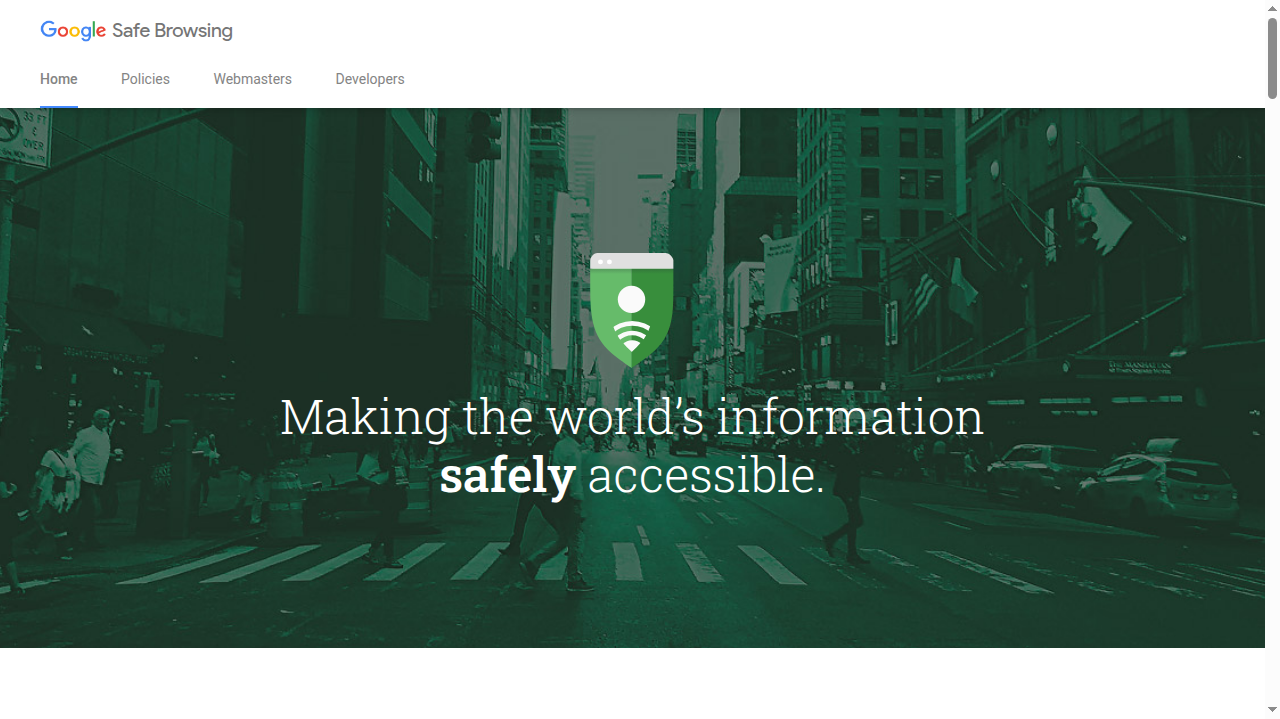
Modern browsers warn you about many dangerous sites before the page even loads. That protection is powered by services such as Google Safe Browsing, which tracks deceptive and malware sites across the web. Never click through a red warning page because you were in a hurry. The warning is doing exactly the job you would want.
Real site vs fake site, at a glance
| Check | Real shop | Fake shop |
|---|---|---|
| Domain | The brand name, spelled exactly, nothing extra | Extra words, hyphens, swapped letters, odd endings |
| Prices | Discounts that match other real stores | 50 to 80 percent off everything, always |
| Contact | Real address, phone number, returns policy | Only a form, or a free Gmail-style address |
| Payment | Cards, PayPal and other protected options | Bank transfer, gift cards or crypto pushed hard |
| Reviews | Mixed reviews over months or years, on independent sites | Perfect reviews, all recent, only on its own pages |
| History | An old, known presence you can find everywhere | Appeared days ago, unknown anywhere else |
One row rarely convicts a site on its own. Honest small shops can have a clumsy page or a new domain. But fakes usually fail three or four rows at once, and that pattern is the signal. Your job is not to prove a site is fake beyond doubt. Your job is to decide whether it has earned your card number, and "not sure" is a perfectly good reason to buy somewhere else.
Why social media ads are the favourite bait
Most victims do not find fake shops by searching. They arrive from an ad or a post, often showing a much loved brand "closing down" with a final clearance sale. The ad itself can look perfect, complete with stolen photos and a bought blue tick. Platforms remove these ads in waves, but new ones appear daily, and each fake shop only needs a few days of victims to profit. Treat every unbelievable deal that reaches you through an ad as a claim to be verified, not a shortcut to be grabbed. Open the brand's real site yourself, in a new tab, and see whether the sale exists there. Ten seconds of typing defeats the entire trick.
A 30-second routine before you pay anywhere new
- Read the domain slowly, letter by letter.
- Glance at the price and ask, "would a real shop sell it at this?"
- Find the address, phone and returns policy.
- Choose card or PayPal, never a transfer.
- If anything felt off, close the tab and reach the real site by typing its address yourself.
Found a fake? Report it
Reporting takes a minute and protects the next person. In the UK, the National Cyber Security Centre explains how to report a scam website so it can be taken down. In the USA you can report fraud at reportfraud.ftc.gov, and in India on the national cyber crime reporting portal. You can also report phishing pages to Google Safe Browsing and to the real brand being copied.
Frequently asked questions
If a site has HTTPS and a padlock, is it safe?
Not necessarily. The padlock only proves the connection is encrypted, so nobody can listen in. It says nothing about who runs the site. Plenty of scam sites have padlocks, which is why the domain check matters more.
I paid on a fake site. What now?
Call your bank immediately and ask to block the card and dispute the payment. Change the password if you created an account, and if you reused that password anywhere else, change it there too. Then report the site so it gets taken down faster.
Can a fake website infect my computer just by visiting?
It can try, especially with fake download and update pages. Keeping your browser and system updated blocks most drive-by attacks. If a site pushes a download you never asked for, close it and never open the file.
Conclusion
A fake website is a stage set: convincing from the front, fake from every other angle. The domain, the prices, the contact page and the payment options are the sides and back of the set, and criminals rarely bother to build them properly. Slow down for thirty seconds, run the checks, and pay only when the whole picture looks real. That small pause is the difference between a bargain and a lesson.


Leave a Comment