

 Lavkush
 SQL and MySQL are not rivals — they are not even the same kind of thing. SQL is a language: the standard way of asking a database to store, find, change and delete data. MySQL is a piece of software: a database program that understands SQL and does the actual storing. In short, SQL is the language you speak, and MySQL is one of the databases that listens. Every MySQL database is worked with using SQL, but SQL is also spoken by many other databases — PostgreSQL, SQLite, Microsoft SQL Server and more. Once you see that one is a language and the other is a program, the whole confusion disappears.
The mix-up is understandable. Tutorials say "learn MySQL" when they really mean "learn SQL, using MySQL as your practice database". Job ads list both words as if they were separate skills. And the names look like versions of each other, which does not help. This post separates them cleanly: what SQL is, what MySQL is, how they work together every day in a typical PHP website, and which one you should actually learn first (spoiler: you learn both at once, because that is how it naturally works).
What Is SQL?
SQL stands for Structured Query Language. It is the standard language for working with relational databases — databases that store data in tables of rows and columns, a bit like very strict spreadsheets. With SQL you do four everyday jobs, often called CRUD: create data, read data, update data and delete data. Each job has its own keyword:
INSERT INTO students (name, course) VALUES ('Asha', 'BCA');
SELECT name, course FROM students WHERE course = 'BCA';
UPDATE students SET course = 'MCA' WHERE id = 3;
DELETE FROM students WHERE id = 3;
Notice the language's personality: it reads almost like English sentences with attitude. SQL was standardised decades ago, and the core of it — the statements above, plus things like CREATE TABLE, WHERE, ORDER BY and joining tables — works nearly identically in every serious database. That portability is SQL's superpower: the SQL you learn this month will still be useful in ten years, on whatever database your future job uses.
When you are ready to go one level deeper, joins are the SQL skill that separates beginners from working developers, and our guide to MySQL JOINs, explained with simple examples shows exactly what each join type returns, table by table.
What Is MySQL?
MySQL is a database management system — the actual software you install, run and connect to. It listens for SQL statements, stores your tables safely on disk, handles many users asking at the same time, manages passwords and permissions, and sends results back. If SQL is the language, MySQL is a very capable librarian who speaks it: you state your request in SQL, MySQL does the fetching, shelving and guarding.
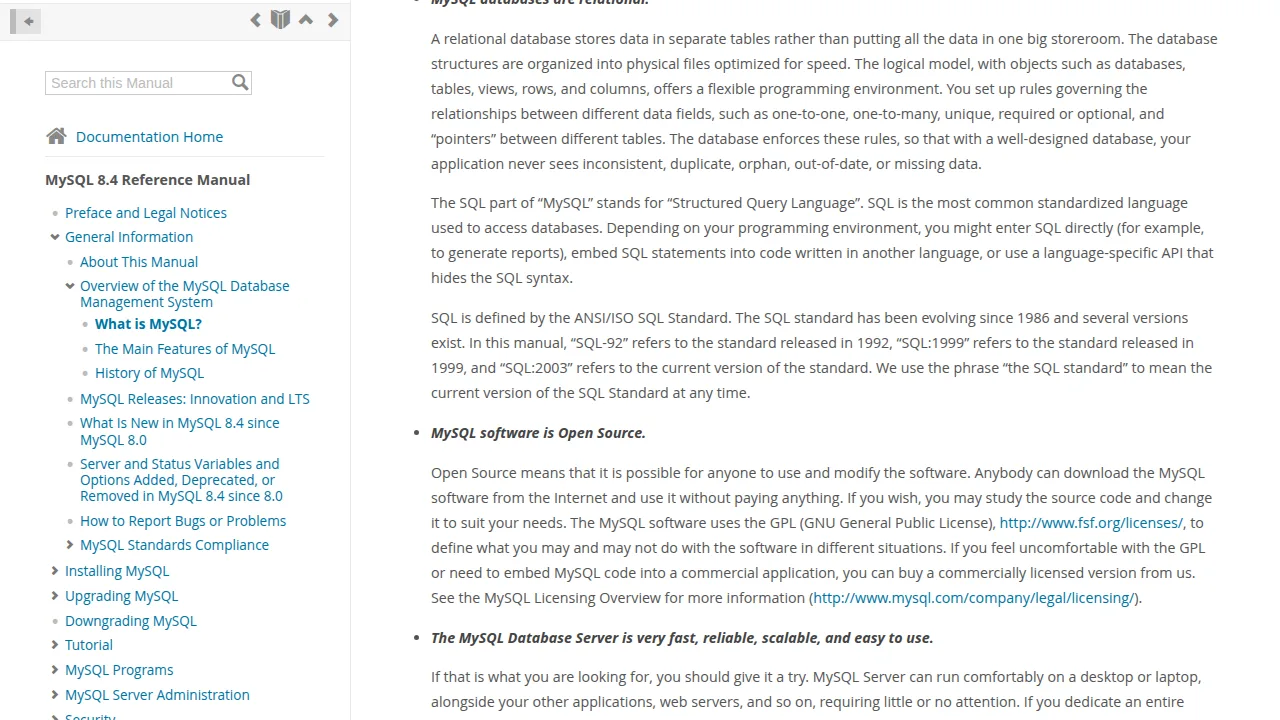
The MySQL Reference Manual introduces it as an open source relational database system that uses SQL — its own documentation makes the same split this post is making. You can read the official answer on the MySQL manual's "What is MySQL?" page. MySQL is developed and supported by Oracle, a point the company itself outlines on the official MySQL website's about page, and it remains free to use under its open source licence for the great majority of projects, including the student and small-business websites most beginners build.
Practically speaking, MySQL is the M in the famous stacks: it is the database sitting behind a huge share of the world's WordPress sites, PHP applications and college projects. When you install XAMPP on your laptop, the database that starts up is MySQL (or its close fork, MariaDB, which behaves the same way for everything in this post).
SQL vs MySQL: The Side-by-Side Table
| Point | SQL | MySQL |
|---|---|---|
| What it is | A language | Database software (a program) |
| What it does | Expresses requests: store, read, update, delete | Stores the data and carries out the requests |
| Runs where | It does not run — it is written and sent | Runs as a server on your machine or host |
| Made by | An international standard, maintained by committees | Oracle (open source edition is free) |
| Alternatives | None really — it is the standard | PostgreSQL, SQLite, SQL Server, MariaDB |
| You learn it by | Writing queries | Installing it and sending it queries |
Other Databases That Speak SQL
MySQL is one member of a whole family. PostgreSQL is the powerful open source favourite for larger applications. SQLite is a tiny database stored in a single file, built into phones and countless apps — no server to install at all. Microsoft SQL Server is the enterprise option in the Windows world, and MariaDB is a fork of MySQL created by MySQL's original developers, compatible enough that most tutorials work unchanged on either. The pleasing part: all of them speak SQL. The statements at the top of this post run, word for word, on every single one. Small details differ between systems — date functions, auto-increment syntax, quoting habits — but the core language travels with you.
How SQL and MySQL Work Together in a Real Website
Let us put the pair to work in the stack this blog talks about most: PHP and MySQL. A visitor opens your student listing page. Your PHP code connects to the MySQL server, sends it an SQL statement as a string, and MySQL returns the matching rows, which PHP turns into HTML. The connection itself takes a few lines — our step-by-step guide to connecting PHP with a MySQL database walks through it — and from then on, everything is SQL travelling back and forth:
$sql = "SELECT id, name, course FROM students ORDER BY name";
$result = $conn->query($sql);
See the division of labour clearly: the SQL is the sentence inside the string. MySQL is the server on the other end that understood the sentence and did the work. PHP is just the messenger. If you later moved the same website to PostgreSQL, the messenger and the sentences would barely change — only the listener would be different. That is why experienced developers say "I know SQL" as the durable skill, and treat each database system as a variation.
Which Should You Learn First?
Both together, in this order: install MySQL (XAMPP does it for you), then start writing SQL against it on day one. There is no "SQL first, MySQL later" path, because SQL needs a database to practise on, and MySQL is pointless without SQL to send it. Learn the four CRUD statements, then tables and keys, then conditions and sorting, then joins — inside MySQL, using real little tables of students, books or products. Within a couple of weeks you will have both "skills" job ads ask for, because in practice they were one skill all along.
One habit to build early: prefer prepared statements when your SQL includes user input, so values are sent separately from the query instead of being glued into the string. That single habit closes the door on SQL injection, the most famous database attack — worth knowing about from your very first project, not your fiftieth.
Frequently Asked Questions
Is MySQL a programming language?
No. MySQL is database software. SQL is the language, and it is a query language — it asks for data rather than building whole applications. You use it alongside a real programming language like PHP, Python or Java.
Can I use SQL without MySQL?
Yes — SQL works with PostgreSQL, SQLite, SQL Server, MariaDB and many others. You always need some database system to run your SQL against, but it does not have to be MySQL.
Is MySQL free?
The community edition is free and open source, and it is the version used by most websites, students and small businesses. Oracle also sells commercial editions with extra support for large companies.
Which is better, SQL or MySQL?
The question does not quite apply — they are different kinds of things, like asking whether English is better than a library. You write SQL; you run MySQL. A real comparison would be MySQL versus PostgreSQL, which are genuine alternatives.
Conclusion
SQL is the language, MySQL is the software. SQL is the standard set of statements for storing and asking questions of data in tables; MySQL is a free, hugely popular database program that understands those statements and does the work. Learn them together — install MySQL, write SQL from the first day, and build up from CRUD to joins. The SQL you practise will serve you on every database you ever meet, and MySQL will be the friendly first home where you learned it.


Leave a Comment