

 Lavkush
 Almost everything in JavaScript is stored in one of two boxes: an array or an object. An array is an ordered list of items — like a playlist of songs. An object is a set of labelled details about one thing — like the ID card of a person. Once you truly understand these two, half of JavaScript suddenly becomes easy. In this guide we explain both with pictures, real-life examples and small code snippets. No heavy theory, promise.
What Is an Array?
An array is a way to store many values in one variable, in a fixed order. Picture a row of boxes on a shelf. Each item sits in its own box, and every box has a number, called the index. The first box is number 0, the second is number 1, and so on. Yes, counting starts at 0 — every programmer has been confused by this once, so you are in good company.
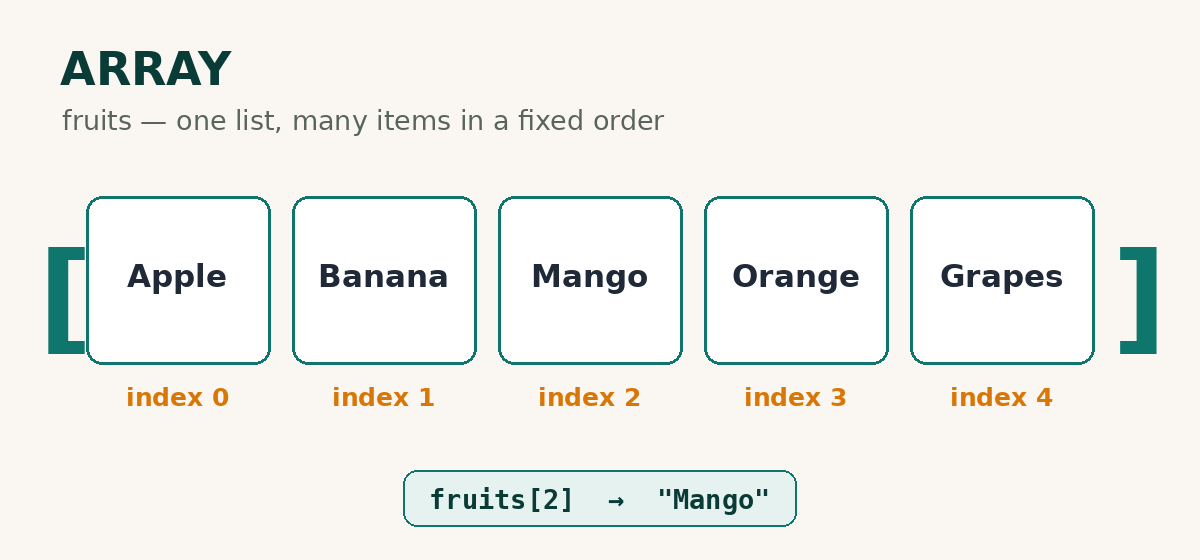
In code, an array is written with square brackets [ ] and its items are separated by commas:
let fruits = ["Apple", "Banana", "Mango", "Orange", "Grapes"];

console.log(fruits[0]);      // Apple
console.log(fruits[2]);      // Mango
console.log(fruits.length);  // 5
To use an item, write the array name and the item's number in square brackets, like fruits[2]. Two handy things to know: fruits.length tells you how many items there are, and fruits.push("Kiwi") adds a new item at the end. An array can hold any type of value — numbers, words, true/false values, even other arrays. You can also change any item by its number — fruits[1] = "Pear" replaces Banana — and remove the last item with fruits.pop(). And if you ever need to find where an item is sitting, fruits.indexOf("Mango") answers 2. When you are ready for more tricks like sorting and searching, read our guide to JavaScript array methods.
What Is an Object?
An object stores details about one thing, and every detail has a label. The label is called a key, and the detail itself is the value — together they form a key-value pair. Think of a student's ID card: it is one card (the object), and on it you find name, age, city and course (the keys), with the actual information written next to each one (the values).
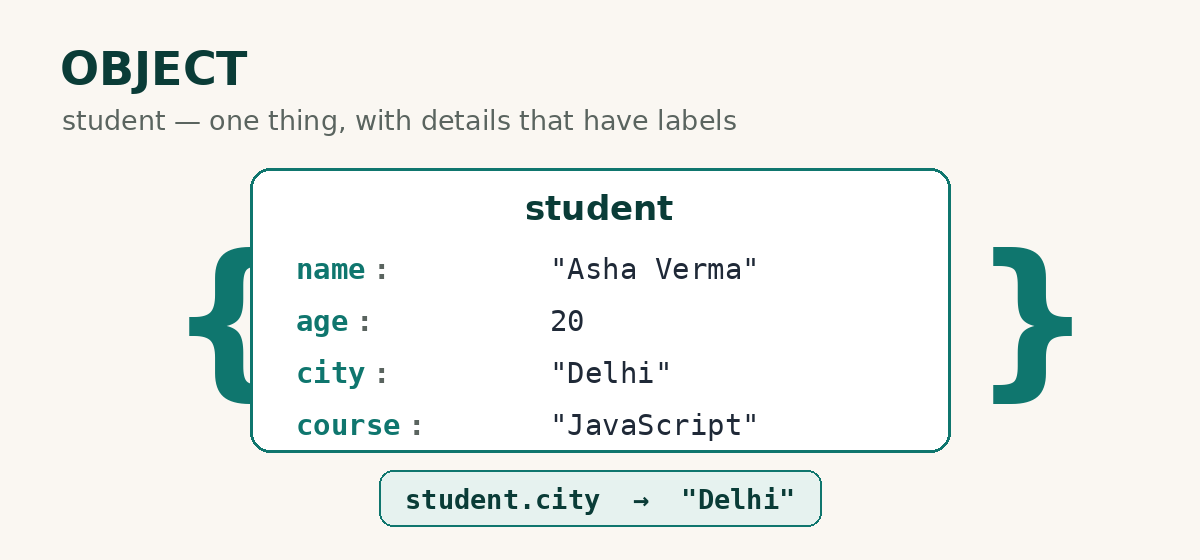
In code, an object is written with curly brackets { }:
let student = {
  name: "Asha Verma",
  age: 20,
  city: "Delhi",
  course: "JavaScript"
};

console.log(student.name);  // Asha Verma
console.log(student.city);  // Delhi
To read a detail, write the object name, a dot, and the key: student.city. It reads almost like English — "student dot city". You can also change a value at any time (student.city = "Mumbai") or add a completely new key later (student.phone = "98765 43210"). Objects are flexible like that, which is why real programs love them.
There is also a second way to read a value, using square brackets: student["city"] gives "Delhi" too. It looks like the array style, and it becomes useful when a key has a space in it, or when the key itself is stored in a variable. Most of the time, though, the friendly dot style is all you need.
Array vs Object: The Simple Difference
| Point | Array | Object |
|---|---|---|
| What it stores | A list of items | Details about one thing |
| Written with | Square brackets [ ] | Curly brackets { } |
| Items are picked by | Numbers (index 0, 1, 2...) | Labels (keys like name, age) |
| Does order matter? | Yes, the order is fixed | No, order does not matter |
| Best for | Lists: songs, products, marks | One item: a user, a product, a book |
Here is a memory trick worth stealing: if you can line it up in a queue, use an array; if you would describe it on an ID card, use an object. And if you have just come from our array vs linked list explainer — yes, this is the same array, just meeting its best friend, the object.
The Power Combo: An Array of Objects
Real programs mix both, all the time. A class register is a list (array) of students (objects). A shop is a list of products. Your chat list is a list of chats. This pattern — an array of objects — is probably the most common shape of data in all of programming.
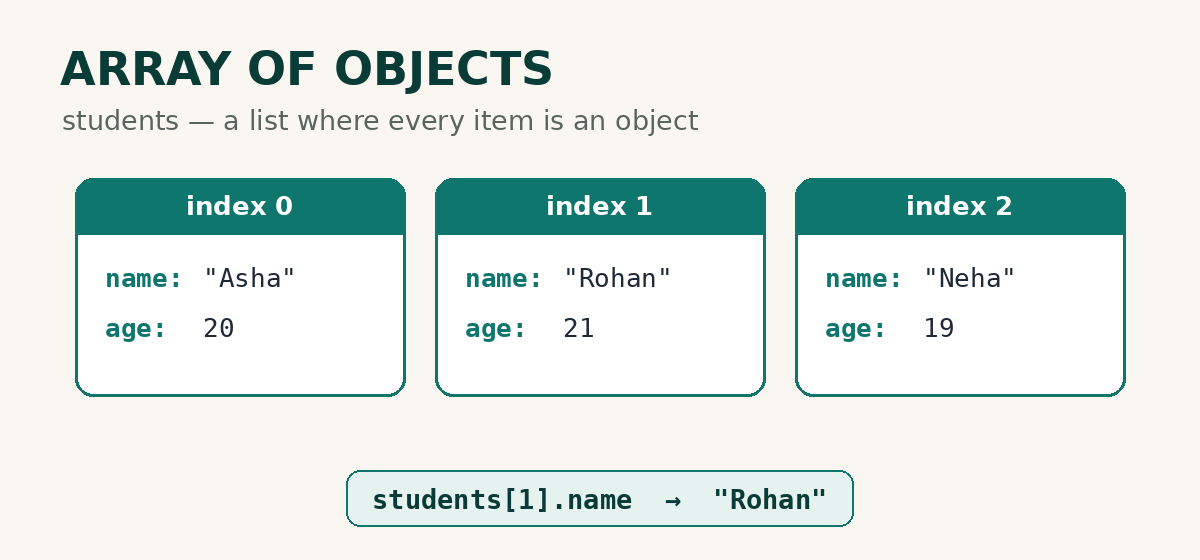
let students = [
  { name: "Asha", age: 20 },
  { name: "Rohan", age: 21 },
  { name: "Neha", age: 19 }
];

console.log(students[1].name);  // Rohan
Read it in two steps: first pick the item by number (students[1] gives the second object), then pick the detail by label (.name). Number first, label second — that is the whole secret, and now you know it.
Here is the same idea in daily life: your phone's contact list is an array of objects. Every contact is one object (name, number, photo), and the list itself is the array. Social media feeds, product pages, playlists with song details — once you start looking for this pattern, you will see it everywhere.
Common Beginner Mistakes
- Mixing up the brackets — lists use [ ], objects use { }. Wrong bracket, confused program.
- Expecting index 1 to be the first item — counting starts at 0, so the first item is [0]. Everyone trips on this once; now you won't.
- Using an object for a simple list — if the items are all the same kind and their order matters, an array is the right box.
- Forgetting the commas — items in an array and pairs in an object are separated by commas. One missing comma, and JavaScript will complain loudly.
Frequently Asked Questions
Is an array also an object in JavaScript?
Technically, yes — inside JavaScript, an array is a special kind of object with numbered keys and some extra powers like length and push. For everyday coding, just remember the simple rule: lists go in arrays, labelled details go in objects.
Can an object contain an array, or an array contain objects?
Both — and it happens all the time. A student object can hold an array of marks, and an array of students holds objects. We saw the second pattern above, and it is the most useful one of all.
How do I know whether to use an array or an object?
Ask one question: "Am I storing many similar items, or the details of one item?" Many items → array. Details of one item → object. And if the answer is "many items, each with details" → an array of objects.
Can an array store different types of values together?
Yes. One array can happily hold a number, a word, a true/false value and even an object, all side by side. It is completely legal — though for your own sanity, most arrays keep one kind of item, like all numbers or all names.
Why do array indexes start from 0 and not 1?
It is an old computing habit: the index counts how many steps you move from the start, and the first item is zero steps away. Whatever the history, just remember this: first item = 0, second = 1, last = length − 1.
Conclusion
That is really all there is to it: an array is an ordered list where items are picked by number, and an object is a labelled set of details where values are picked by key. Put them together and you get the array of objects — the shape of almost all real data. To go deeper, the official MDN guides on JavaScript arrays and working with objects are the best free reference. Now open your browser console, type the examples from this post, and play with them for ten minutes — that is where the understanding actually happens.

Leave a Comment