

 Lavkush
 CI/CD is a way of shipping code where small changes are automatically tested, built and prepared for release every time a developer shares them. CI stands for continuous integration: merging code into a shared project often, with automatic checks on every change. CD stands for continuous delivery (and sometimes continuous deployment): taking that checked code and getting it safely to your live website, with little or no manual copying, uploading or praying.
If you have ever fixed one small thing, uploaded files by hand, and then watched a completely different page break, you already understand the problem CI/CD solves. Instead of one big, scary release day, you get many small, boring releases — and in software, boring is a beautiful word.
Follow One Small Change From Laptop to Live Website
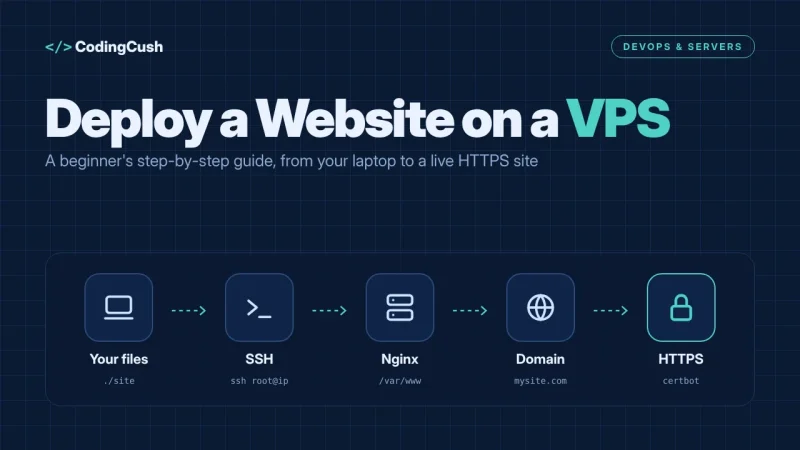
Imagine you change one line on your website: the contact button now says "Get a Free Quote" instead of "Contact Us". On your laptop, it looks perfect. In the old manual way, you would connect to the server, copy the changed file across, hope you copied the right one, and refresh the live site with your fingers crossed.
With CI/CD, you simply save the change and push it to your shared code repository, such as GitHub. That push is the starting pistol. A server wakes up, downloads your exact code, runs your tests, builds the project, and — if everything passes — prepares or performs the release for you. A few minutes later, the new button text is live, and you have a clear record of what changed, when, and whether the checks passed. If a check fails, nothing goes live, and you find out while the change is still small and easy to fix.
What Is Continuous Integration (CI)?
Continuous integration means developers merge their work into the main shared project frequently — often several times a day — instead of working alone for weeks and combining everything at the end. That old end-of-project merge was nicknamed "merge hell", because everyone's changes collided at once and nobody knew what broke.
Every merge triggers an automatic run: the code is built, and tests check that key features still work. Think of CI as a careful teammate who checks everyone's homework the moment it is handed in. Small problems are found within minutes, attached to one small change, so the fix is usually obvious. GitLab's overview describes the same idea well: its guide to CI/CD topics on GitLab explains how integrating early and testing automatically stops small errors from quietly growing into release-day disasters.
What Is Continuous Delivery (CD)?
Continuous delivery takes the code that passed CI and automatically prepares it for release: building the final files, packaging them, and placing them on a staging server that mirrors the real website. At any moment, the project is in a state that could go live. A human still presses the final "release" button, often after a quick look at staging. That one human click is the key detail.
Continuous deployment goes one step further: there is no final click. If all the automatic checks pass, the change goes live on its own. Same pipeline, different ending. Delivery keeps a person as the gatekeeper; deployment trusts the tests enough to open the gate automatically. Neither is "more correct" — a banking app may wisely choose delivery, while a small blog or shop may happily choose deployment for tiny fixes.
The Main Stages of a CI/CD Pipeline
The automated journey is called a pipeline, and most pipelines share the same stages, whatever tool you use.
1. Source. A push or merge starts everything. 2. Build. The code is compiled or bundled into the form the website actually runs. 3. Test. Automatic tests check the build; a failure stops the pipeline here and reports exactly what broke. 4. Deliver. The passing build is packaged and sent to staging, or made ready as a release. 5. Deploy and monitor. The release goes live, and monitoring watches for errors so the team can roll back to the previous version if something looks wrong.
Notice what is missing from that list: a person manually copying files at midnight. The pipeline does the repetitive steps identically every time, which is why it makes fewer mistakes than tired humans.
A Tiny Pipeline Example with GitHub Actions
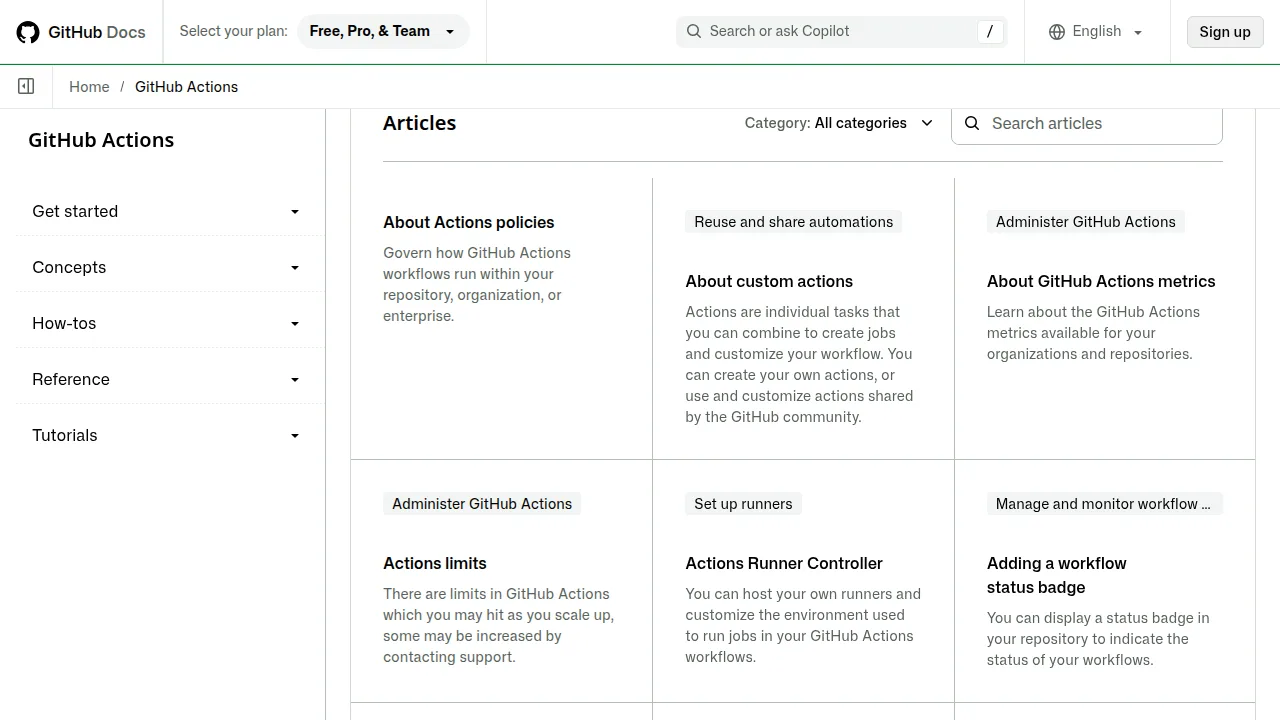
Many teams store their pipeline instructions in a small text file inside the project itself. With GitHub Actions, that file is written in YAML and lives in a folder called .github/workflows. The official GitHub Actions documentation on GitHub Docs describes it as a way to automate tasks directly from your repository. A very small example looks like this:
name: Test and Build

on: [push]

jobs:
  build:
    runs-on: ubuntu-latest
    steps:
      - uses: actions/checkout@v4
      - name: Run tests
        run: npm test
      - name: Build the site
        run: npm run build
Read it like a recipe: "When code is pushed, start a fresh machine, check out the code, run the tests, then build the site." If the tests fail, the build step never runs and the change stays off the live website. Real pipelines add a deploy step after this, plus safer checks — but the skeleton really is this friendly.
CI vs CD vs Continuous Deployment
| Practice | What is automatic? | Who gives the final go-ahead? |
|---|---|---|
| Continuous integration (CI) | Building and testing every merged change | Tests must pass before code joins the main project |
| Continuous delivery (CD) | Preparing a ready-to-release version | A person approves the release |
| Continuous deployment | Preparing and releasing to live users | Nobody — passing tests release it automatically |
| Manual deployment (for contrast) | Very little; files are copied by hand | A person does every step, every time |
The three practices build on each other: delivery needs integration underneath it, and deployment is delivery with the last human step removed.
Why Teams Use CI/CD — and Honest Small Catches
The benefits are practical, not fashionable. Releases become smaller, so bugs are easier to trace. Testing happens constantly instead of "when we remember". New team members can ship on their first week, because the pipeline carries the release knowledge, not one senior person's memory. Rollback also becomes calmer: redeploying the previous passing version is a normal step, not an emergency ritual.
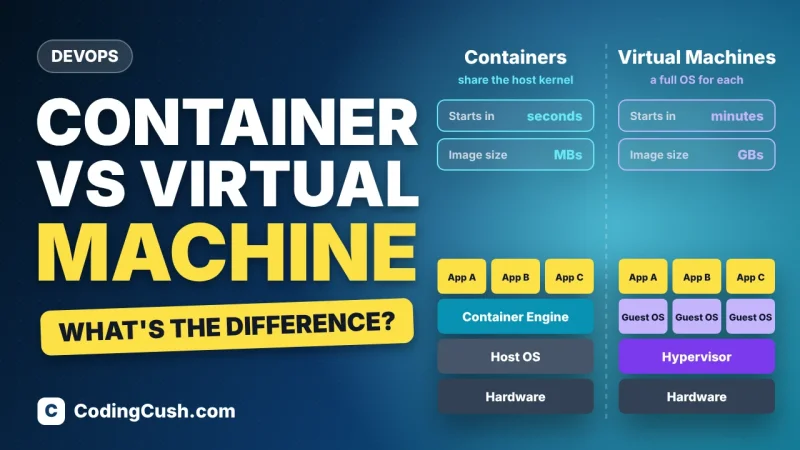
Pipelines also pair naturally with containers, which package an app so it runs the same way on every machine. If that idea is new, our beginner explainer on what Docker is and how it works shows why a pipeline loves building one tidy package and shipping that exact package everywhere. And if you wonder why teams pick containers over heavier virtual machines for this, our clear comparison of Docker containers vs virtual machines explains the difference in plain words.
The honest catches? Writing good tests takes real effort, and a pipeline is only as trustworthy as its tests. Setup costs a day or two the first time. And a broken pipeline blocks everyone, so teams treat fixing it as urgent. None of this is a reason to avoid CI/CD — just budget for it like any other tool that earns its keep.
Frequently Asked Questions
Is CI/CD a tool or a practice?
It is a practice — a way of working. Tools such as GitHub Actions, GitLab CI and Jenkins simply run the pipeline that puts the practice into action.
What does a pipeline mean in simple words?
A pipeline is the fixed list of automatic steps your code travels through after you push it: build, test, deliver, and deploy if you allow it.
Do small projects and beginners need CI/CD?
Not on day one, but even a tiny project benefits from one automatic test run on every push. Start with CI only, and add delivery when manual uploading starts wasting your evenings.
What happens if a test fails in the pipeline?
The pipeline stops, the change does not go live, and the developer gets a report showing which test failed. The live website keeps running the last good version.
Is continuous delivery the same as continuous deployment?
Almost, with one difference: delivery prepares a release for a person to approve, while deployment releases automatically once every check passes.
Conclusion
CI/CD replaces one big, risky release with many small, checked ones. CI makes sure merged code still builds and passes tests; CD makes sure that good code is always ready — or automatically able — to reach your users. Follow one button-text change through a pipeline once, and the whole idea stops sounding like jargon. Start small: one repository, one test step, one automatic build. Your future self, not copying files at midnight, will say thank you.


Leave a Comment