

 Lavkush
 If your useEffect runs twice in development, React is usually doing it on purpose: Strict Mode deliberately runs your effects an extra time to help you find bugs before your users do. And if your useEffect runs forever in an endless loop, the cause is almost always the same — the effect changes something it also depends on, so React runs it again, which changes it again, and round you go. Neither behaviour means React is broken. Both are signals about how your effect is written, and both have clear, simple fixes once you can see the pattern.
Think of an effect like an assistant told to “keep this list fresh.” If your instructions rewrite the list every time they check it, they will never stop checking. Your job is to write instructions that finish. Let us separate the two problems — twice, and forever — because they need different thinking.
Why useEffect Runs Twice in Development
When your app is wrapped in Strict Mode, React mounts your component, runs your effects, cleans them up, and then runs them one more time. This double run happens only in development, never in the production build your visitors use. React does this on purpose: if your effect works correctly when it runs, cleans up, and runs again, it will also survive real-life situations like a component disappearing and coming back.
The official explanation is friendly and direct in the React StrictMode documentation, which describes the extra development-only checks, including re-running effects. So if you see two console logs, two identical-looking setups, or a timer that starts, stops and starts again — and your app is in Strict Mode — that is expected behaviour, not a bug in your code or in React.
What Strict Mode is really testing is your cleanup. An effect that adds a listener, timer, or subscription must remove it in the cleanup function. If the double run leaves you with two timers, the lesson is not “remove Strict Mode” — it is “my cleanup is incomplete.” Fix the cleanup and keep the free bug-finder. If the basics underneath effects feel shaky, our guide to React components, props and state will firm them up quickly.
The Correct Shape of an Effect
Here is a healthy effect with proper cleanup. Notice the returned function — that small detail is what Strict Mode is checking for:
// ✅ Healthy effect: setup + cleanup
import { useEffect } from "react";

function Clock() {
  useEffect(() => {
    const id = setInterval(() => {
      console.log("tick");
    }, 1000);
    return () => clearInterval(id); // cleanup
  }, []);
  return <p>Check the console</p>;
}
Run this in Strict Mode and it still sets up twice in development — but only one interval stays alive, because the first was cleaned up. In production it sets up once. That is the pattern for timers, listeners and subscriptions: everything created inside the effect gets removed in its cleanup.
Why useEffect Runs Forever: The Infinite Loop
Now the more serious problem. An infinite effect loop happens when three things combine: the effect depends on a value, the effect changes that same value, and the new value looks “different” to React, so the effect must run again. The classic version updates state inside its own dependency list:
// ❌ Infinite loop: effect depends on count and changes count
useEffect(() => {
  setCount(count + 1);
}, [count]);
Every run changes count, every change re-runs the effect, and your browser tab gets very busy doing absolutely nothing useful. The fix depends on what you actually wanted. If you wanted the update to happen once, remove the dependency and run it on mount only. If you wanted a repeating update, use a timer with cleanup. And if the new value is calculated from the old one, use the updater form, which does not need the value as a dependency at all:
// ✅ Fixed: updater form, no self-dependency
useEffect(() => {
  const id = setInterval(() => {
    setCount((c) => c + 1);
  }, 1000);
  return () => clearInterval(id);
}, []);
The Sneaky Loop: Objects, Arrays and Functions
The loop that confuses everyone does not mention state directly. It hides in a dependency that is recreated on every render. Objects, arrays and functions written inline are new on each render, even if their contents look identical. Put one in the dependency array and React sees a “new” dependency every time, so the effect re-runs every time:
// ❌ options is a brand-new object on every render
const options = { page: 1 };
useEffect(() => {
  loadData(options);
}, [options]); // runs after every render
The honest fixes are simple. Move a constant object outside the component if it never changes. Depend on the simple values inside it instead — page, not the whole options object. Or, when you genuinely need the object, keep only the primitive values in the dependency list. The React team explains this thinking step by step in Synchronizing with Effects on react.dev, including how dependencies and cleanup work together. It is the single best page to read if effects feel mysterious.
Fetching causes a version of this too. Fetch on mount, or depend only on the real inputs — a user ID, a search term, a page number — never on the result you just stored.
Do You Even Need This Effect?
Here is a question that deletes more loops than any trick: should this code be an effect at all? Effects are for synchronising with things outside React — network requests, timers, browser APIs, third-party widgets. They are not for copying props into state, calculating values you can compute during render, or responding to a button click. Those belong in normal rendering or in the event handler itself.
For example, do not do this:
// ❌ No effect needed: just calculate during render
const [fullName, setFullName] = useState("");
useEffect(() => {
  setFullName(firstName + " " + lastName);
}, [firstName, lastName]);
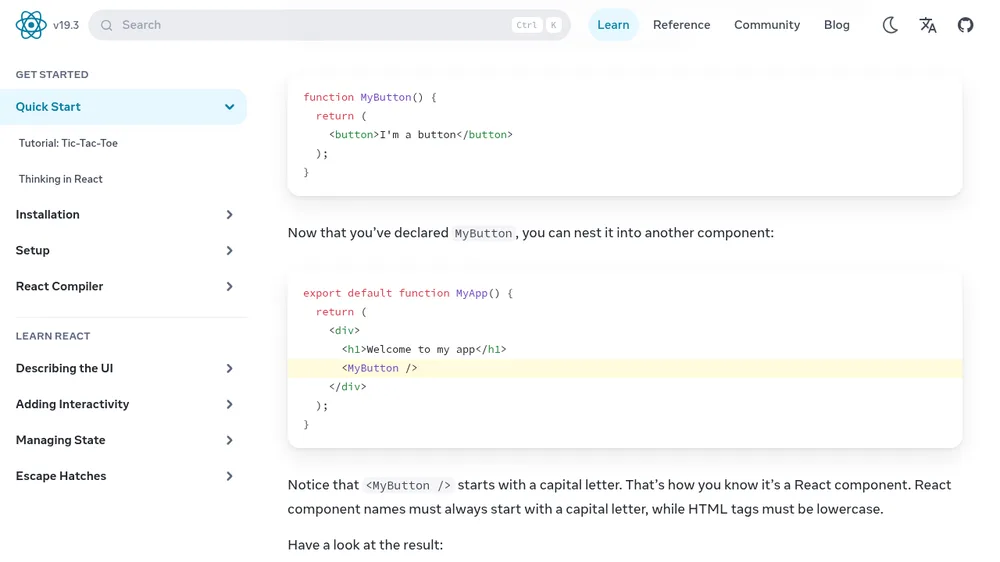
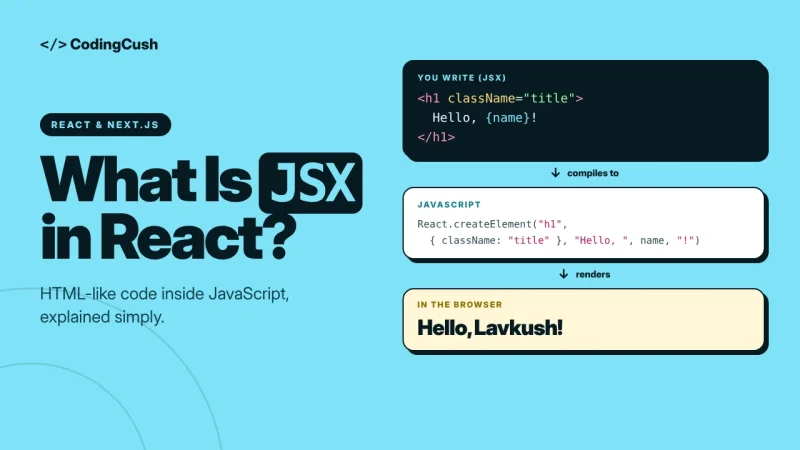
Replace it with one plain line during render — const fullName = firstName + " " + lastName — and the effect, its dependencies and its loop risk all disappear together. Beautiful. The reference for the hook itself, the useEffect page on react.dev, opens with exactly this guidance about when effects are and are not needed. If JSX syntax in these examples is still new, our explainer on what JSX is in React will make the code samples much easier to read.
A Simple Debugging Checklist
| Symptom | Likely cause | Fix |
|---|---|---|
| Runs twice, dev only | Strict Mode double-check | Keep it; add proper cleanup |
| Runs twice in production too | Component mounts twice, or a parent re-renders and remounts it | Check keys and conditional rendering above it |
| Runs after every render | Object, array or function in dependencies | Depend on simple values inside it instead |
| Runs forever, tab freezes | Effect updates its own dependency | Use the updater form or remove the self-dependency |
| Old values inside the effect | Missing dependency | Add it — or restructure so it is not needed |
One habit prevents most of these rows: read your dependency array as a sentence — “run this whenever X changes” — then ask, “does the effect change X?” If yes, you have found your loop.
Frequently Asked Questions
Should I remove Strict Mode to stop the double run?
No. The double run only happens in development and exists to expose missing cleanup. Removing Strict Mode hides the bug; it does not fix it, and the bug can return in production when components remount.
Does useEffect run twice in production?
No, Strict Mode's extra run is development-only. If your production effect truly runs twice, look for the component being mounted in two places, or unmounted and remounted by a changing key or condition.
Why does my fetch run twice and show duplicate requests?
In development with Strict Mode, the mount effect runs, cleans up, and runs again — so you see two requests. Write the fetch so a cleanup can ignore or cancel the stale first result, and remember production will request once.
Can I leave the dependency array empty to be safe?
Only when the effect uses nothing that changes. An empty array with changing values inside gives you stale data. Match the dependencies to what the effect actually reads.
What is the fastest way to spot an infinite loop?
Add a simple counter log inside the effect. If the number climbs endlessly without you touching anything, the effect is updating one of its own dependencies — check state updates and inline objects first.
Conclusion
Twice in development is React helping you; forever is your effect feeding itself. Keep Strict Mode, always write cleanup for anything you create, depend on simple values rather than fresh objects, and ask whether the code needs to be an effect at all.


Leave a Comment