

 Lavkush
 "Server Not Found" almost always means a DNS problem: your browser asked for the website's address, and nobody answered with a usable one. DNS is the internet's phone book — it turns a name like example.com into an IP address like 93.184.216.34, which is the number your computer actually connects to. When that lookup fails, the browser cannot even start loading the page, so it shows scary messages like "Server Not Found", "DNS_PROBE_FINISHED_NXDOMAIN" or "This site can't be reached". The good news: the website is usually fine, your connection is usually fine, and the fix is usually one of the simple steps in this guide.
Think of it like ordering food. You know the restaurant's name, but your phone book gives you a wrong number, an old number, or no number at all. The kitchen is working perfectly — you just cannot call it. DNS errors are exactly that: a phone book problem, not a restaurant problem.
What DNS Actually Does, in 30 Seconds
When you type a website name and press Enter, your computer asks a DNS resolver — usually run by your internet provider, or a public one like Google or Cloudflare — "what is the IP address of this name?" The resolver checks its memory, asks other DNS servers if needed, and returns the address. Only then does your browser connect to the real server and ask for the page. If you want the full journey, our step-by-step guide on what happens when you type a URL walks through every stage, and Cloudflare's free learning centre explains what DNS is and how DNS lookup works with nice diagrams.
This lookup happens in milliseconds and you never see it — until it breaks. Then every site, or just one site, suddenly "does not exist". Knowing which error you see tells you a lot about which part broke.
The Most Common DNS Error Messages (and What They Mean)
DNS_PROBE_FINISHED_NXDOMAIN (Chrome) means the resolver answered, but said "this domain does not exist". Causes: a typo in the address, a domain that really expired, or a resolver with stale or wrong records. Server Not Found (Firefox) is the same family — the name could not be resolved at all. DNS_PROBE_FINISHED_NO_INTERNET means your device has no working connection to even ask the question. "This site can't be reached — server IP address could not be found" is Chrome's friendly way of saying the lookup failed. And if only ONE website fails while everything else works, suspect that site's DNS records or your cache — not your whole internet.
A useful first test: try opening the same site on your phone using mobile data. If it opens there, the site is alive and the problem sits inside your home network, device or DNS settings. That one test saves an hour of random guessing.
Fix 1: Restart Things and Clear the DNS Cache
Your computer remembers old DNS answers to save time — this memory is the DNS cache. If a website moved to a new server yesterday, your cache may still hold the old address, like a phone book from last year. Restarting your router clears its cache and forces fresh answers from your provider. On your computer, you can clear the cache yourself: on Windows, open Command Prompt and run ipconfig /flushdns; on macOS, run sudo dscacheutil -flushcache in Terminal; in Chrome, visit chrome://net-internals/#dns and clear the host cache. Yes, "turn it off and on again" is a cliché. It is also, annoyingly, the fix for a large share of DNS problems.
Fix 2: Change Your DNS Server (the Fix That Works Most Often)
If your provider's resolver is slow, broken or out of date, switch to a free public resolver. Google's Public DNS service (8.8.8.8 and 8.8.4.4) and Cloudflare's 1.1.1.1 are the two most popular choices, and both have official setup guides for every device. On Windows, open your network adapter settings, choose "Use the following DNS server addresses", and enter the new numbers. On a phone, the DNS setting hides inside the Wi-Fi network's advanced options. Change it on the router instead, and every device in the house gets the fix at once — laptops, phones, the smart TV, everything.
Test before and after: if a "broken" website opens instantly after the switch, your old resolver was the problem, and you can keep the new settings permanently. Many people find pages also load a little faster, because a good resolver answers in fewer milliseconds. Small win, still a win.
Fix 3: Check the Boring Causes Everyone Skips
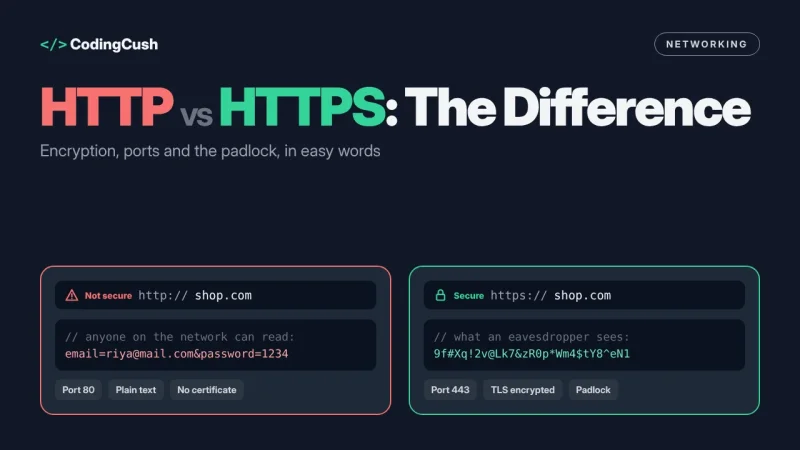
Before deep troubleshooting, check the embarrassingly simple things. Is the address spelt correctly — .com versus .co, an extra letter, a missing letter? Does the site open in a different browser? Does it open with your VPN switched off (VPNs often force their own DNS, and when that fails, everything looks broken)? Is your antivirus or firewall "web protection" quietly blocking the lookup? Each of these takes thirty seconds and each one has, at some point, been the entire problem. Also check the date and time on your device: a badly wrong clock breaks secure connections and can look like a DNS failure. And if the problem is only on HTTPS sites, our guide to the difference between HTTP and HTTPS explains what the padlock checks are doing in the background.
Fix 4: If It Is YOUR Website Showing the Error
Website owners see the other side of this problem. If visitors report "Server Not Found" for your site, check three things. First, did the domain expire or is it suspended for an unverified email address? Second, did you recently change hosting or nameservers? DNS changes take time to spread worldwide — minutes usually, up to 24–48 hours in stubborn cases — because resolvers everywhere must let their old cached answers expire. Third, use a free DNS checker tool to see what the world currently gets for your domain's A and AAAA records, and compare them with your hosting panel. A missing or wrong A record is the classic cause: the phone book simply has no number listed for you.
How to Tell Where the Problem Lives
Here is a two-minute diagnosis that works almost every time. If NO website opens on any device in the house, suspect your router or your provider. If websites fail on one device only, suspect that device's cache, DNS settings or security software. If only one website fails everywhere — including on mobile data — the problem belongs to that website's owner, and all you can do is wait (or politely tell them). Matching the symptom to the layer like this stops you from reinstalling browsers when the router was the culprit all along, which is a rite of passage best avoided.
Frequently Asked Questions
Why does one website say "Server Not Found" while others work?
That site's DNS records are wrong, expired or still updating, or your cache holds an old answer for it. Clear your DNS cache, try a public DNS server, and test on mobile data to confirm the problem is not your whole connection.
Is changing my DNS server safe?
Yes, if you use a well-known public resolver such as Google Public DNS (8.8.8.8) or Cloudflare (1.1.1.1). You are only choosing a different phone book; your traffic itself does not pass through them.
How long do DNS changes take to work?
Usually minutes to a few hours. The official worst case is 24–48 hours, because cached answers around the world expire at different times depending on the record's TTL value.
What does NXDOMAIN mean?
NXDOMAIN means "non-existent domain": the resolver answered, but said no such name exists. It is caused by typos, expired domains, or records that have not been created or have not spread yet.
Can a virus cause DNS problems?
Yes. Some malware changes your DNS settings to redirect you to fake sites. If your DNS settings keep changing back after you fix them, run a full antivirus scan.
Conclusion
"Server Not Found" sounds dramatic, but it is usually just a phone book problem. Restart the router, flush the DNS cache, switch to a public resolver like 8.8.8.8 or 1.1.1.1, and check the simple causes before panicking. Nine times out of ten, the website was never down at all — your computer was simply asking for directions from an out-of-date map.


Leave a Comment