

 Lavkush
HTTP headers are small pieces of metadata that travel with every request and response on the web. When your browser asks for a page, it attaches headers that say what it wants, which formats it accepts and which language it prefers. When the server replies, it attaches headers that describe what it is sending, how long you may cache it and whether you should go somewhere else. Once you understand headers, a lot of mysterious web behaviour suddenly makes sense.
What Are HTTP Headers, Really?
Think of an HTTP message like a parcel. The body is the item inside, such as HTML, JSON or an image. The headers are the labels on the outside, telling handlers what is inside and how to treat it.
Every header is a name and a value, separated by a colon. Content-Type: text/html means the body is HTML. Headers are plain text, which makes HTTP easy to inspect.
Request Headers vs Response Headers
Follow one conversation. You type an address into your browser. Before any page appears, your browser builds a request and adds headers saying which site it wants, what kind of browser it is, which formats it understands and whether it already has a saved copy. That request travels across the internet, underneath the reliable delivery system explained in our guide to the difference between TCP and UDP and when each one is used, until it reaches the server.
The server reads those headers, makes decisions and builds a response with its own headers. It might confirm a login, set a cookie, allow caching for an hour or redirect you to a new address. Your browser reads the response headers before rendering anything, so important decisions like following a redirect happen purely because of headers.
Common Request Headers You Will See Every Day
Host is one of the few truly required headers. It tells the server which website you want, which matters because one server often hosts hundreds of sites on one IP address. Without Host, the server would not know which site to serve.
User-Agent identifies the client, such as a browser on a particular operating system, a script or a mobile app. Websites once used it heavily to serve different layouts. That habit is fading, but you will still see it in every server log, and it helps when one device shows something odd.
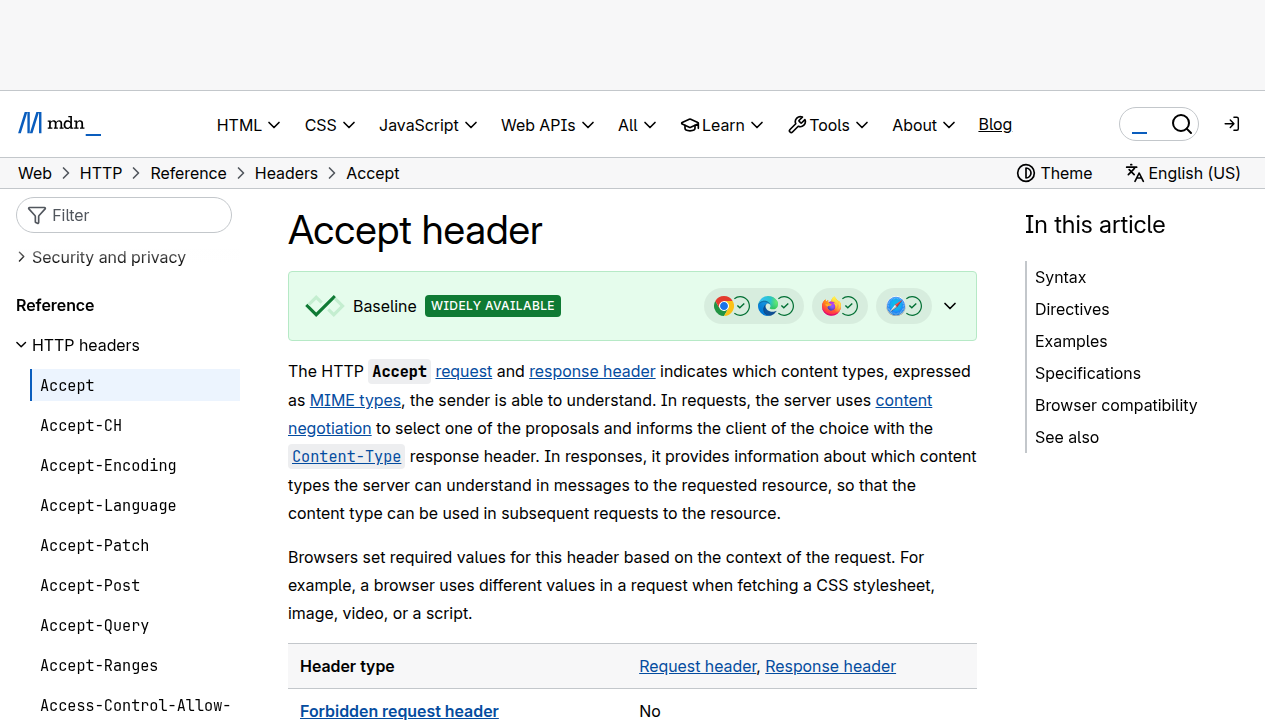
Accept tells the server which formats the client can handle, in order of preference. This quiet negotiation is how the same address can return HTML to a browser and JSON to a mobile app. The full list is long, and the complete HTTP header reference on MDN is the best place to look up any header you meet.
Content-Type appears on requests when the client sends a body, for example when a form is submitted or an app posts JSON. If this header is wrong, the server may reject good data, which is a classic beginner bug. If you have seen that happen from JavaScript, our walkthrough of how the JavaScript Fetch API sends requests and reads responses shows exactly where this header gets set.
Cookie carries the cookies stored for that site, most importantly the session cookie that keeps you logged in. Accept-Language suggests your preferred languages, which is why some sites greet you in your own language without being asked. Referer, famously misspelled in the original specification and never fixed, says which page you came from.
Common Response Headers From the Server
On the way back, Content-Type tells your browser what the server actually sent. Browsers trust it a lot. If a server labels a file incorrectly, the browser may download it instead of displaying it, or refuse to run a script at all.
Set-Cookie is the response partner of Cookie. The server asks your browser to store a small value and send it back on future requests. This is how logins, carts and preferences survive from page to page. One response can contain several Set-Cookie headers.
Cache-Control tells browsers and caches how long they may reuse a response. A value like max-age=3600 means it can be reused for one hour. Good caching makes sites feel instant on repeat visits. Bad caching makes users see stale pages or forces servers to repeat the same work endlessly.
Location appears with redirects. When a server answers with a status code in the 300 range, Location tells the browser where to go next. You meet it after logging in, after submitting forms and when a page has moved. Headers also keep connections secure, which is worth understanding alongside the difference between HTTP and HTTPS and why the secure version matters for every site today.
What a Real HTTP Conversation Looks Like
Headers stop feeling abstract when you see a raw exchange. Below is a simplified request, followed by the start of the response. There is no magic here. It is just lines of text, with a blank line separating the headers from the body.
GET /products HTTP/1.1
Host: example.com
User-Agent: Mozilla/5.0
Accept: text/html,application/xhtml+xml
Accept-Language: en-GB,en;q=0.9
Cookie: session=abc123

HTTP/1.1 200 OK
Content-Type: text/html; charset=UTF-8
Content-Length: 4821
Cache-Control: max-age=3600
Set-Cookie: visited=yes; Path=/

<!DOCTYPE html>
<html>
  <body>Page content here...</body>
</html>
Read it top to bottom and you can narrate the story. The browser asked for the products page, named the host, introduced itself, stated its formats and language, and proved it was logged in with its session cookie. The server replied with success, described the body as UTF-8 HTML, promised 4,821 bytes, allowed caching for an hour and set one extra cookie. Everything after the blank line is the page itself. For the friendlier big picture, MDN also publishes an excellent overview of how HTTP works from request to response that pairs nicely with this article.
How to View Headers in Your Browser
You do not need special software. Every modern browser includes developer tools with a Network tab that records every request. Open any page, press F12 or right click and choose Inspect, open the Network tab and reload. Click any request in the list and the Headers panel shows the request headers sent and the response headers received, neatly organised.
This is a useful debugging habit. Serving a stale page? Check Cache-Control. Wrong format from an API? Check Content-Type. Unexpected redirect? Look for Location. Half the strange behaviour developers chase for hours is written plainly in the headers.
Headers, Caching and Security in Brief
Caching headers decide how fresh your view is. Alongside Cache-Control, ETag gives a response a fingerprint. If it still matches on the next visit, the server replies 304 Not Modified with no body, saving time and bandwidth. Bad caching is why a site sometimes shows yesterday's page.
Security also leans on headers. Strict-Transport-Security tells browsers to only use HTTPS. Content-Security-Policy declares which sources scripts may come from, blunting injection attacks. X-Content-Type-Options: nosniff stops browsers guessing a file type. A well configured server sends several of these with every response.
Common HTTP Headers at a Glance
| Header | Sent by | What it does |
|---|---|---|
| Host | Client | Names the website the client wants on a shared server |
| User-Agent | Client | Identifies the browser, device or app making the request |
| Accept | Client | Lists the content formats the client can handle |
| Content-Type | Both | Declares the format of the body being sent |
| Cookie | Client | Sends stored cookies, including the login session |
| Set-Cookie | Server | Asks the browser to store a cookie for later requests |
| Cache-Control | Server | Controls how long a response may be cached and reused |
| Location | Server | Gives the new address for a redirect response |
Frequently Asked Questions
Are HTTP headers visible to everyone?
On plain HTTP, yes, anyone watching the network can read them. On HTTPS, headers are encrypted with the body while travelling, so only your browser and the server can see them. That is one more reason every site should use HTTPS.
Can a request work without any headers?
Not really in practice. A modern request needs at least a Host header, and browsers always add several more automatically. Servers usually reject or mishandle a request that arrives with no useful headers.
Who decides which headers get sent?
Your browser or app adds standard request headers automatically, and developers can add custom ones in code. On the server side, the web server, framework and application together decide the response headers.
What is a custom header?
It is any header outside the standard set, often used by APIs to carry API keys or request IDs. Custom headers starting with X were common in the past, though the X prefix is no longer officially recommended.
Conclusion
HTTP headers are the labels on every parcel the web delivers: plain text lines that describe content, carry your login, control caching, trigger redirects and enforce security. Next time a page behaves strangely, do not guess. Open the Network tab and read the labels.




Leave a Comment