

 Lavkush
A closure is a function that remembers the variables from the place where it was created, even after that place has finished running. That sentence explains a lot of JavaScript behaviour that feels like magic at first: counters that keep counting, buttons that remember their own value, and helpers that carry private data. In this guide you will learn what a closure really is, how lexical scope makes it work, and how to use closures in real code, with every example tested in Node.js.
What Is a Closure, in Plain Words?
Imagine a backpack. When a function is created inside another function, JavaScript quietly packs the variables around it into a backpack and hands that backpack to the inner function. Wherever the inner function goes later, the backpack goes with it. The inner function can open the backpack and use those variables at any time.
The formal definition is not much scarier. A closure is the combination of a function and the environment in which it was declared. The MDN guide to closures puts it this way: a closure gives a function access to its outer scope, and closures are created every time a function is created. You have probably written dozens already without knowing the name.
Step 1: See the Smallest Possible Closure
Start with an outer function that creates a variable and an inner function that uses it:
function greet() {
  const name = "Asha";

  function sayHello() {
    console.log("Hello, " + name);
  }

  sayHello();
}

greet();
Expected output:
Hello, AshaHere sayHello has no variable called name of its own. It borrows name from greet, the function it was born inside. This works because of lexical scope: JavaScript decides where a variable comes from by looking at where the code is written, not where it is called from. If the variable is not found in the inner function, JavaScript looks one level out, then another, until it reaches the global scope.
This example is a closure in its simplest clothing, but nothing surprising happens yet, because sayHello runs while greet is still alive. The real trick appears when the inner function outlives the outer one.
Step 2: A Function That Returns a Function
Now return the inner function instead of calling it straight away:
function makeGreeter() {
  const name = "Asha";

  return function () {
    console.log("Hello, " + name);
  };
}

const greetAsha = makeGreeter();
greetAsha();
Expected output:
Hello, AshaLook closely at the last two lines. makeGreeter() has finished running. In many languages, its local variable name would now be gone, like chalk wiped off a board. But greetAsha() still prints "Asha". The returned function kept its backpack. That memory is the closure.
Scope behaviour depends on how you declare variables, which is why the difference in our guide to var vs let vs const in JavaScript and what the difference is matters so much here: closures capture variables declared with any of them, but let and const give each block its own copy, as you will see in the loop example below.
Step 3: Build a Counter (The Classic Interview Example)
Here is the example interviewers love, because it shows closures doing real work: keeping state private.
function makeCounter(start) {
  let count = start;

  return function () {
    count = count + 1;
    return count;
  };
}

const counter = makeCounter(10);
console.log(counter());
console.log(counter());
console.log(counter());
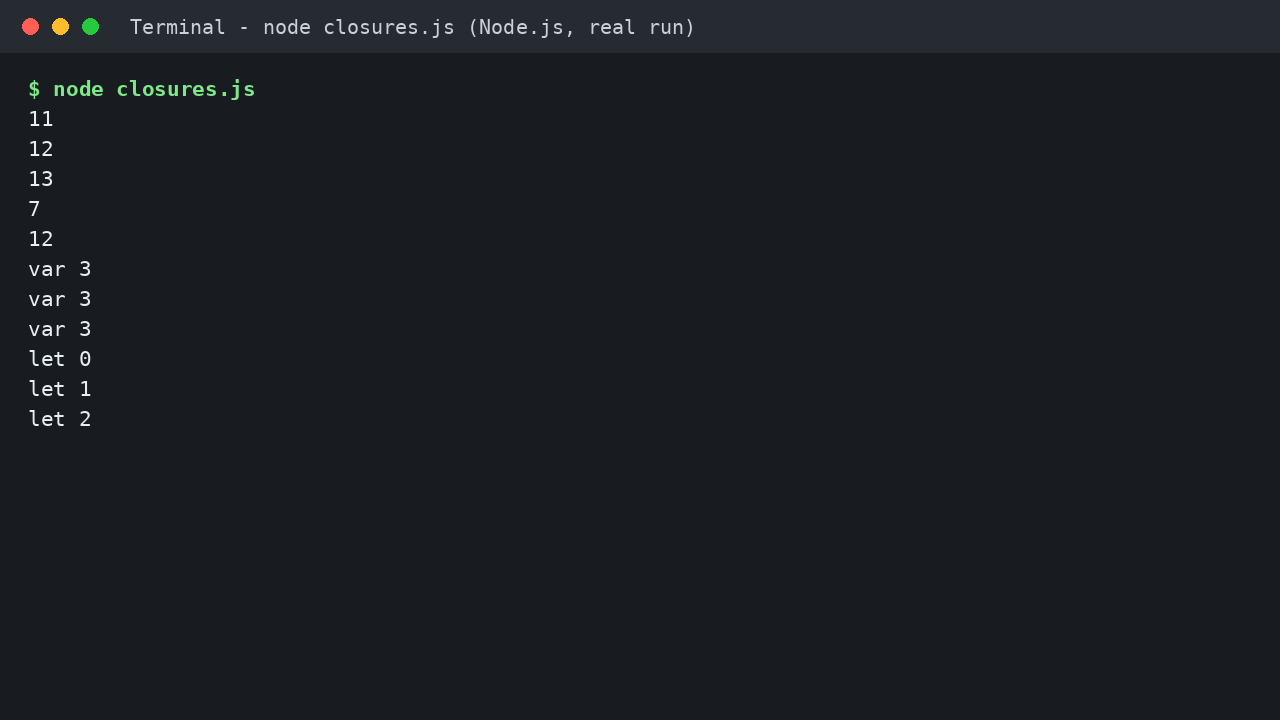
Expected output (tested with Node.js):
11
12
13
Three things are happening. First, count survives between calls, because the returned function closes over it. Second, nobody outside can touch count directly; that is free privacy, no classes needed. Third, every call to makeCounter creates a fresh backpack, so makeCounter(100) counts from 100 without disturbing the first counter.
Step 4: Function Factories with makeAdder
A closure can also remember a setting, which turns a function into a small factory:
function makeAdder(x) {
  return function (y) {
    return x + y;
  };
}

const add5 = makeAdder(5);
const add10 = makeAdder(10);

console.log(add5(2));
console.log(add10(2));
Expected output (tested with Node.js):
7
12
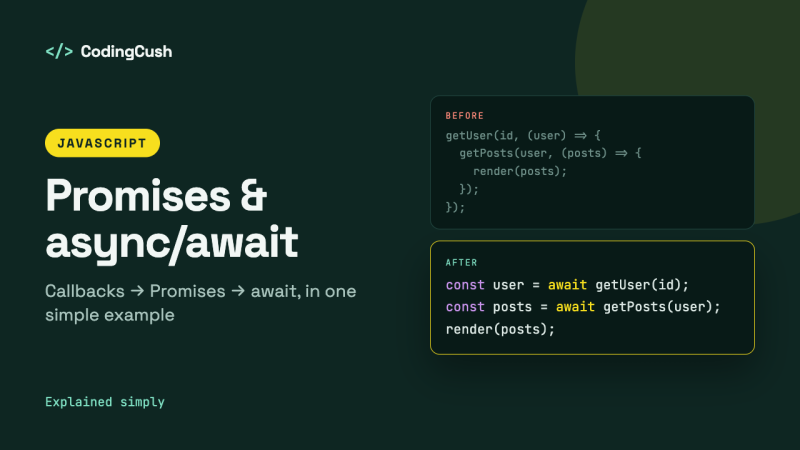
add5 and add10 share the same code but carry different backpacks: one remembers x as 5, the other as 10. This pattern sits behind a lot of real code: event handlers that remember which item they belong to, middleware that remembers its options, and callbacks in general. That is also why closures pair naturally with asynchronous code, as our guide to JavaScript promises and async/await explained with simple examples shows: the function you hand over today brings its variables with it tomorrow.
Step 5: The Famous Loop Problem (and the let Fix)
This example has embarrassed many of us in interviews, so meet it here first, in friendly conditions:
for (var i = 0; i < 3; i++) {
  setTimeout(function () {
    console.log("var", i);
  }, 0);
}

for (let j = 0; j < 3; j++) {
  setTimeout(function () {
    console.log("let", j);
  }, 10);
}
Expected output (tested with Node.js):
var 3
var 3
var 3
let 0
let 1
let 2
Why does var print 3 three times? All three callbacks close over the same variable i, and by the time the timers fire, the loop has finished and i is 3. With let, each round gets its own fresh j, so each callback remembers a different backpack. Same closures, different scope rules.
Where Closures Show Up in Real Projects
| Use case | What the closure remembers |
|---|---|
| Click handlers | Which item, tab or button the handler belongs to |
| Counters and ID generators | The last number used, kept private |
| Function factories | A setting such as a tax rate, a prefix or a limit |
| Debounce and throttle helpers | The timer ID and the last call time |
| Module pattern | Private data that only the returned methods can reach |
| React hooks such as useState | The current state value between renders |
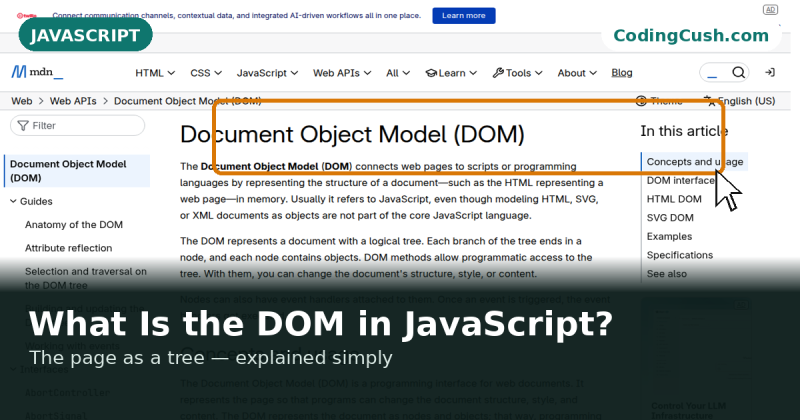
Closures also power the handlers you attach when you change a page by hand, as in our guide to what the DOM is in JavaScript, explained simply: every click callback remembers the elements and values from its birthplace. One honest warning: a closure keeps its variables alive while the function is reachable, so a forgotten listener can hold on to a large object. Long-lived closures deserve housekeeping, like anything else.
Common Mistakes and Troubleshooting
Expecting a fresh copy with var in a loop. You saw the output above: three callbacks, one shared variable. Use let in the loop, or pass the value into an inner function straight away.
Thinking the closure copies the value. A closure captures the variable, not a photograph of it. If the outer code changes the variable later, the inner function sees the new value. This is a feature for counters and a surprise for everyone else, once.
Creating closures in hot loops without noticing. Defining a function inside a loop creates a new closure each round. Usually fine, but in tight loops over thousands of items, define the function once outside and pass values in.
Confusing closures with scope itself. Scope is the rule book that decides which variables a piece of code can see. A closure is what you get when a function keeps access to that scope after the outer function returns. The MDN functions guide is a good next read if the rule book still feels fuzzy.
Frequently Asked Questions
Is every function in JavaScript a closure?
Practically, yes. Every function is created with a link to the scope around it. The word closure is usually used when that link becomes interesting, most often when an inner function is returned or passed as a callback and used after the outer function ends.
What is the difference between a closure and scope?
Scope is the set of variables a piece of code can access, decided by where the code is written. A closure is a function bundled together with the variables from its birthplace scope, so it can keep using them later.
Do closures waste memory?
They keep the captured variables alive while the function is reachable, which is exactly what counters and handlers need. Problems start only when closures outlive their purpose, for example listeners that are never removed on long-lived pages.
How do I practise closures?
Write the counter and the adder factory from this article without looking, predict each output before you run it, then try the loop example with var and let. Predicting outputs is the fastest way to make the idea stick.
Conclusion
A closure is a function plus the variables it was born next to. Return the function, hand it to a timer or a click handler, and those variables travel with it, privately and reliably. Once you see the backpack, counters, factories, callbacks and even React hooks all start to look like the same friendly idea wearing different clothes.


Leave a Comment