

 Lavkush
 DLSS (Deep Learning Super Sampling) is NVIDIA's AI technology that makes games run faster by rendering them at a lower resolution and then using AI to rebuild a sharp, full-resolution image. Newer versions can also generate extra frames that were never rendered at all. The result: much higher FPS — sometimes close to double — with picture quality that often looks nearly identical to native rendering, and occasionally even cleaner.
It sounds like magic, and game settings menus do a poor job of explaining it. So let us open the trick and see how it actually works, in simple words.
The Problem: Native 4K Rendering Is Brutally Heavy
Every frame of a game is a giant grid of pixels that your GPU must calculate: colours, lighting, shadows, reflections. A 1080p frame has about 2 million pixels. A 4K frame has more than 8 million — four times the work, every single frame, sixty or more times a second. Add modern ray-traced lighting, which simulates how light actually bounces around a scene, and even expensive graphics cards start to sweat.
For years the only choices were ugly ones: lower your resolution and accept a blurry picture, or keep the sharp picture and accept choppy gameplay. DLSS exists because NVIDIA asked a clever question — what if the GPU renders a smaller picture, and AI paints in the missing detail?
How DLSS Super Resolution Works
Here is the core idea, step by step. First, the game renders at a lower internal resolution — fewer pixels, much less work. Then DLSS's AI network, running on the GPU's Tensor Cores, rebuilds the image up to your screen's full resolution. It is not just stretching the picture, the way your TV does. The AI studies several previous frames, uses motion information from the game (which way each object is moving), and fills in detail so the final image stays sharp and stable, even in movement.
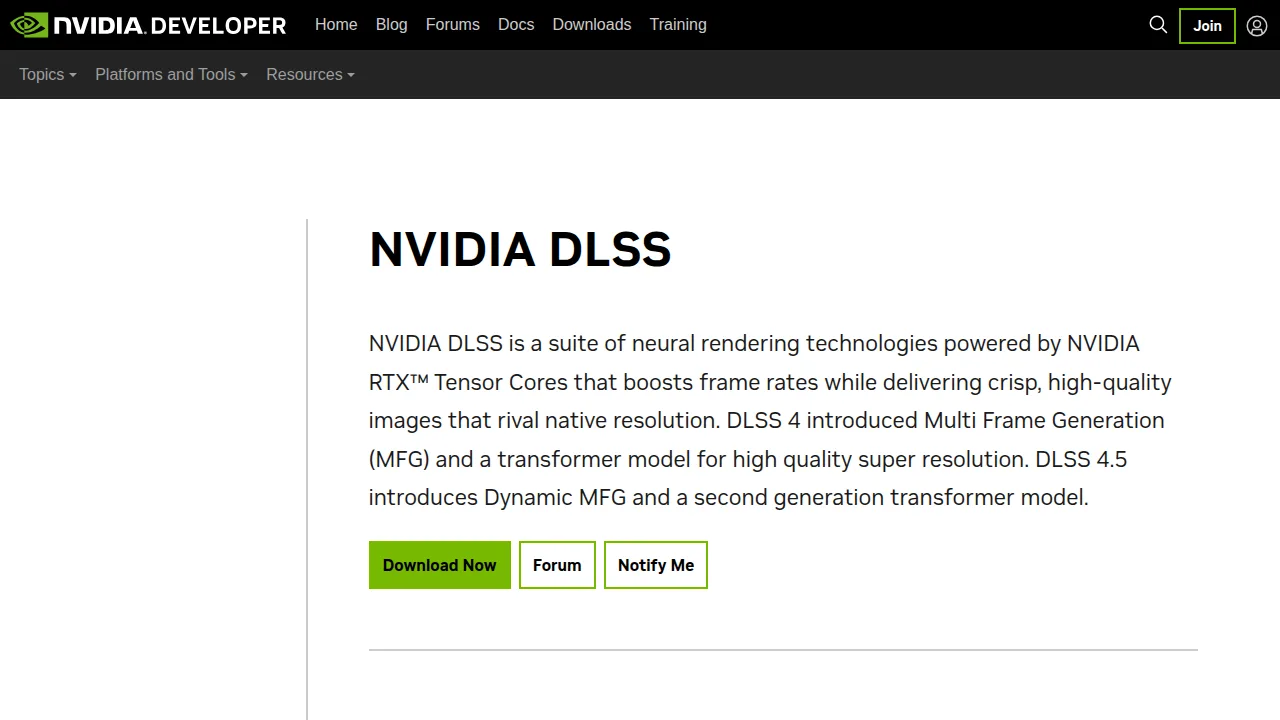
As NVIDIA puts it on its official DLSS technology page, DLSS boosts performance by using AI to output higher-resolution frames from a lower-resolution input, sampling multiple lower-resolution images and using motion data and feedback from prior frames to construct high-quality images. In plain words: the AI has seen so many game images in training that it is very good at guessing what the full-detail picture should look like — and it guesses fast.
This is the same style of AI thinking behind the tools in our generative AI overview, just aimed at pixels instead of paragraphs.
Quality, Balanced, Performance: The Modes Explained
Most games offer DLSS modes. They simply choose how low the internal rendering resolution goes — the lower it goes, the more speed you gain and the harder the AI has to work.
Quality mode renders closest to native resolution. The FPS boost is modest, but the image is usually almost indistinguishable from native. This is the mode to try first. Balanced mode drops the internal resolution further, trading a little sharpness for a solid speed gain. Performance mode goes much lower and leans heavily on AI reconstruction — it can transform an unplayable 4K game into a smooth one, though fine details may soften. Some games also offer Ultra Performance, meant mainly for 8K screens, and DLAA, which uses the same AI at full native resolution purely to smooth edges instead of gaining speed.
A sensible rule: start on Quality, and step down only if your frame rate still is not where you want it.
Frame Generation: Frames That Were Never Rendered
Newer DLSS versions added a second trick. Instead of only upscaling real frames, the AI can create brand-new frames and slip them between the real ones. Your GPU renders, say, 60 frames per second, and Frame Generation shows you something that feels like 90 or 100, because extra AI-made frames fill the gaps. Motion looks smoother, and the counter in the corner goes up — even though the GPU never drew those frames.
There are two honest catches. First, generated frames improve smoothness, not responsiveness: your clicks are still sampled from the real rendered frames, so a game can look smoother than it feels if the base frame rate is very low. NVIDIA pairs the feature with its Reflex technology to keep latency down, and the topic is worth understanding properly — our guide to ping, latency and packet loss explains why low delay matters as much as high FPS. Second, Frame Generation needs a decent base frame rate to work well; it is a multiplier, not a rescue for a game running at 15 FPS.
The newest step, Multi Frame Generation on the latest RTX 50-series cards, can generate several AI frames for every real rendered frame, pushing the multiplier much further. NVIDIA's own DLSS page for developers describes DLSS as a suite of neural rendering technologies powered by RTX Tensor Cores that boosts frame rates while delivering crisp, high-quality images that rival native resolution.
Which Graphics Cards Support DLSS?
DLSS needs the Tensor Cores found in NVIDIA's RTX cards, so the older GTX series cannot use it. Within the RTX family, support depends on the feature, as shown in NVIDIA's official compatibility information:
| DLSS feature | RTX 20 series | RTX 30 series | RTX 40 series | RTX 50 series |
|---|---|---|---|---|
| Super Resolution (AI upscaling) | Yes | Yes | Yes | Yes |
| DLAA (AI anti-aliasing) | Yes | Yes | Yes | Yes |
| Frame Generation | No | No | Yes | Yes |
| Multi Frame Generation | No | No | No | Yes |
So if you own any RTX card, the core upscaling — the most useful part — is available to you. The frame-generation tricks are rewards for the newer generations.
DLSS vs Native Rendering vs AMD FSR
How does DLSS honestly compare? Against native rendering, DLSS in Quality mode is usually so close that most players cannot tell them apart in motion, and in some games the AI image is actually more stable than the game's own native anti-aliasing, which can shimmer. Native still wins for purists in still screenshots, and DLSS can occasionally produce small artefacts around fast-moving objects or fine fences and hair. It is a trade — a tiny bit of theoretical purity for a lot of real smoothness — and for most players it is a trade worth making.
AMD's rival technology is FSR. The big difference is openness: FSR does not need special AI hardware, so it runs on almost any modern GPU, including older NVIDIA cards. DLSS generally produces a slightly cleaner, more stable image because its AI uses dedicated hardware and temporal data, while FSR's great strength is that it works nearly everywhere. Many gamers simply use whichever their game and card support best — having both technologies exist has been good for everyone.
Frequently Asked Questions
Does DLSS make image quality worse?
In Quality mode, the difference from native is very hard to see while playing. Lower modes like Performance soften fine detail a little, but they can make the difference between unplayable and smooth, which is the whole point.
Does DLSS add input lag?
Super Resolution itself does not add meaningful lag — it usually reduces it, because frames are rendered faster. Frame Generation can add a little, since generated frames are not tied to your inputs, which is why NVIDIA combines it with Reflex and why a healthy base frame rate matters.
Is DLSS available in every game?
No. Each game must add support, but hundreds of games and apps now include it, and the NVIDIA app can upgrade DLSS in many supported titles to the latest version.
Can GTX cards use DLSS?
No. DLSS requires the Tensor Cores in RTX cards (RTX 20 series and newer). GTX owners can use AMD's FSR in games that offer it, since FSR runs on most GPUs.
Conclusion
DLSS is AI doing the job smart instead of brute-force: render less, reconstruct more, and — in newer versions — generate extra frames to multiply smoothness. If you have an RTX card and a game offers DLSS, turn it on, start with Quality mode, and enjoy the free performance. It is one of the rare settings that genuinely feels like getting something for nothing.


Leave a Comment