

 Lavkush
 CUDA is NVIDIA's platform that lets ordinary software use your graphics card (GPU) for general computing work, not just for games and pictures. A GPU has thousands of small cores that can do many simple jobs at the same time, and CUDA is the bridge that lets programs use that power for things like training AI models, rendering videos faster, and running scientific calculations. If an app says "CUDA acceleration" or "requires an NVIDIA GPU", this is the technology it is talking about.
You do not need to be a programmer to meet CUDA. It quietly works inside video editors, 3D tools, and the local AI apps many people now run at home. Let us break it down in plain words.
CPU vs GPU: Two Very Different Workers
The easiest way to understand CUDA is to first understand the hardware it runs on. Your CPU and your GPU are built for opposite kinds of work.
Think of the CPU as a few master chefs in a small kitchen. Each chef is brilliant and can handle a complicated recipe step by step, making decisions along the way. Your GPU is more like a giant hall with thousands of junior cooks. None of them is a genius, but give them all one simple job — "chop this onion" — and the whole hall finishes in seconds.
Many computing problems are exactly like that pile of onions: the same simple operation repeated millions of times. Adding two huge lists of numbers, adjusting every pixel in a photo, or multiplying the large grids of numbers that AI models are made of. The CPU does these one by one, quickly but in order. The GPU splits the pile across thousands of cores and does them all at once. That split-and-work-together style is called parallel computing, and it is the whole point of CUDA.
| Feature | CPU | GPU |
|---|---|---|
| Number of cores | A few powerful cores | Thousands of smaller cores |
| Best at | Complex tasks, one after another | Simple tasks, all at the same time |
| Everyday jobs | Running Windows, browsing, logic-heavy code | Games, video effects, AI training |
| Team style | A few master chefs | A hall full of cooks |
So, What Exactly Is CUDA?
CUDA stands for Compute Unified Device Architecture. Behind that scary name is a simple idea: CUDA is the software platform NVIDIA created so that programs can send general-purpose work to the GPU instead of only graphics work.
Before CUDA, a graphics card mostly had one job — drawing games and video. Programmers who wanted to borrow its power for maths or science had to disguise their problems as pictures, which was painful. CUDA changed that. With CUDA, a developer writes code (traditionally in C or C++, and today very often through libraries in Python and other languages), and the platform takes care of running that code on the GPU's cores.
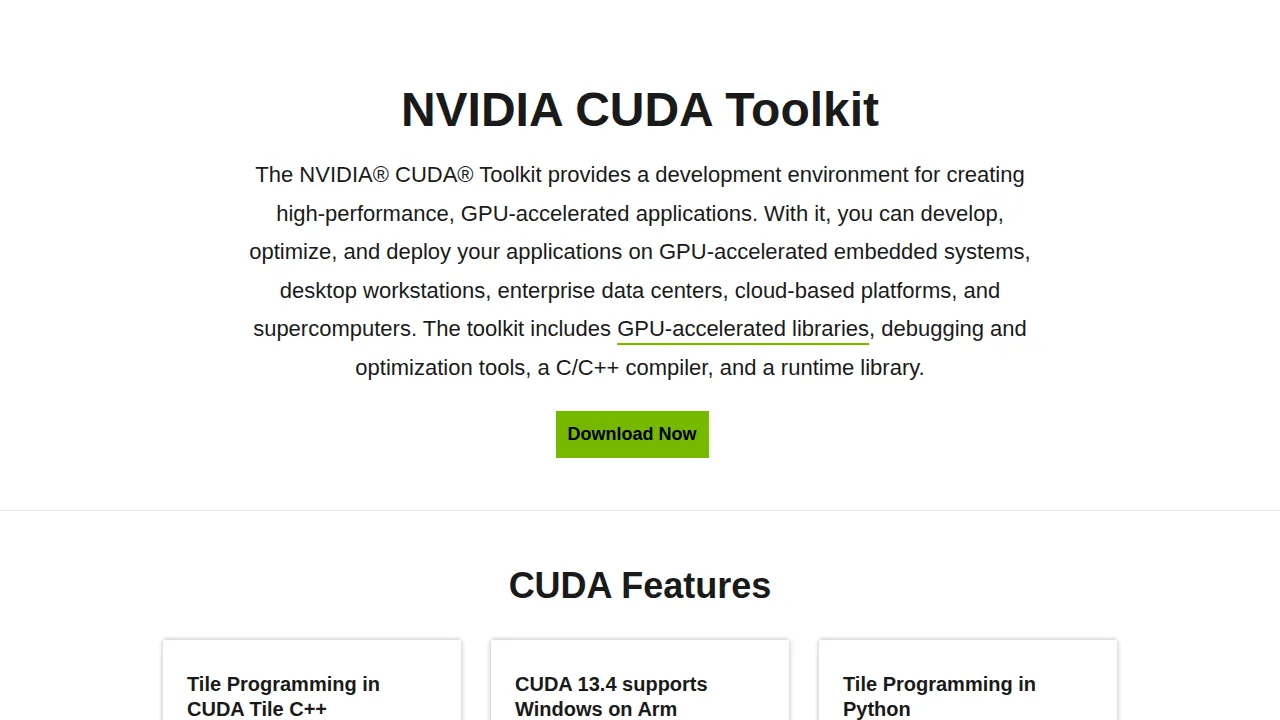
For developers, NVIDIA provides the free CUDA Toolkit. As NVIDIA describes it on the official CUDA Toolkit page, the toolkit provides a development environment for creating high-performance, GPU-accelerated applications, including GPU-accelerated libraries, debugging and optimization tools, a C/C++ compiler, and a runtime library. The full technical reference lives in the CUDA documentation for anyone who wants to go deeper.
What Are CUDA Cores?
When a graphics card's box brags about having thousands of "CUDA cores", it is simply counting those small workers in the hall. Each CUDA core is a small processing unit that handles a piece of a parallel job. More CUDA cores generally means the card can chew through more parallel work at once, which is why bigger NVIDIA cards train AI models and render scenes faster.
Two honest warnings, though. First, CUDA cores are not the same as CPU cores — one CPU core is far smarter and faster on its own, so you cannot compare the numbers directly. Second, newer NVIDIA cards also carry separate Tensor Cores, which are specialised units built mainly for AI maths. When you read a spec sheet, CUDA cores handle the general parallel work, and Tensor Cores are the AI specialists standing next to them.
Why AI and Deep Learning Run on CUDA
Training an AI model means adjusting millions — sometimes billions — of numbers, over and over, using the same maths operations. That is the GPU's favourite kind of work, and it is the main reason the AI boom runs on NVIDIA hardware.
The popular AI frameworks, such as PyTorch and TensorFlow, are built to use CUDA underneath. A researcher writes normal-looking code, and the framework quietly sends the heavy number-crunching to the GPU. Work that could take weeks on a CPU can finish in days or hours on a good GPU. This is a big part of the story behind the generative AI wave — the models got big, and CUDA-powered GPUs were the machines that could train them.
If you are learning to code for AI, you will meet CUDA sooner than you think. Even a beginner writing simple Python functions today may, a few months later, run a model that silently depends on CUDA every time it trains.
Where a Normal Person Meets CUDA
You may already be using CUDA without knowing it. Common places it appears in everyday life:
Video editing and rendering. Editors like Adobe Premiere Pro and DaVinci Resolve can use the GPU to speed up effects and exports, and CUDA is the route they use on NVIDIA cards.
3D work. Blender's Cycles renderer can render scenes with CUDA on NVIDIA GPUs, turning overnight renders into coffee-break renders.
Local AI tools. Image generators and chat models that run on your own PC usually ask for an NVIDIA GPU precisely because they are built on CUDA. This is why "which GPU should I buy for local AI?" so often ends with an NVIDIA answer.
Science and engineering. Simulations, weather models, medical imaging and data analysis tools have used CUDA for years, long before AI made it famous.
Do You Need CUDA?
Honest answer: it depends on what you do. If you only play games, browse and do office work, CUDA will never cross your mind, and that is fine — your games use the GPU through graphics technologies, not CUDA. If you edit video, learn AI, run local AI tools, or study data science, CUDA support becomes a real reason to choose an NVIDIA card.
One limit matters: CUDA is NVIDIA-only. It does not run on AMD or Intel graphics cards, because it is NVIDIA's own platform for its own hardware. AMD has its own alternative (ROCm), but the world of AI software is still mostly built and tested on CUDA first, which is why NVIDIA cards dominate AI workstations.
CUDA vs "Just Using the GPU" in Games
This confuses many people, so let us clear it up. When you play a game, the GPU is already working hard — but it is working through graphics systems like DirectX or Vulkan, whose job is drawing the picture. CUDA is a different door into the same hardware: it is for compute work, the maths-and-data jobs that are not about drawing the next frame.
Same kitchen, two different entrances. Games enter through the front door marked "graphics". CUDA users walk in through the side door marked "computing". The cooks are the same; the kind of order is different.
Frequently Asked Questions
Is CUDA free?
Yes. The CUDA Toolkit is free to download from NVIDIA's developer website, and CUDA support is built into NVIDIA's normal graphics drivers. You only need a compatible NVIDIA GPU.
Do all NVIDIA cards support CUDA?
All modern NVIDIA GeForce and RTX cards support CUDA. Very old cards may only support older CUDA versions, so AI tools sometimes ask for a reasonably recent card.
Can I use CUDA on an AMD GPU?
No. CUDA works only on NVIDIA GPUs. AMD's equivalent platform is called ROCm, but most AI software is developed for CUDA first.
Is CUDA only for programmers?
No. Programmers use it directly, but everyone else meets it through apps — video editors, Blender, and local AI tools use CUDA behind the scenes so you get the speed without writing any code.
Conclusion
CUDA is simply NVIDIA's way of letting software borrow the GPU's thousands of cores for general work, not just graphics. CPUs are a few brilliant chefs; GPUs are a hall full of cooks; CUDA is the system that hands the cooks their orders. That is why AI training, fast renders and local AI tools all lean on it — and why the green NVIDIA logo keeps appearing wherever serious computing happens.



Leave a Comment