

 Lavkush
 Nginx is a free, open-source web server software that delivers websites to visitors quickly and reliably. It is pronounced "engine-x", and it powers a huge number of busy websites because it can handle thousands of visitors at the same time while using very little memory. It also works as a reverse proxy, a load balancer and a caching tool, which is why so many servers use it by default.
What Is Nginx in Plain Words?
Think of Nginx as a very efficient receptionist for a website. When someone types a web address, somebody on the server side must receive the request, find the right page or file, and send it back. Nginx is that somebody, and it answers at impressive speed.
Nginx was created by Igor Sysoev and released in 2004. Popular websites then had a famous problem: what happens when ten thousand people use your site at the same moment? Older servers often slowed down or fell over, like a small coffee shop when a whole office block walks in at once. Nginx was built to solve that problem, and it solved it so well that today it runs everything from small blogs to large shops and streaming platforms.
What Does a Web Server Actually Do?
People often mix up two things: the machine that stores a website, and the software that handles requests. Nginx is the software part. The machine may be in a data centre across the world, but Nginx is the programme doing the talking.
The conversation goes like this. You click a link. Your browser sends a request over HTTP or HTTPS, asking for a page, image, stylesheet or data. The server works out what is wanted and sends back a response — the page, the file, or an error if it does not exist. That famous "404 Not Found" page? The web server sent that too, politely admitting defeat.
Some content is static: files that already exist as stored, like images, CSS, JavaScript and PDFs. Other content is dynamic, created on the spot by an application — for example, a WordPress page built from a database. A good web server handles static work itself and passes dynamic work to the application. That division is where Nginx shines.
How Nginx Handles Many Visitors at Once
The secret is its event-driven design. That phrase sounds complicated, but the idea is simple. Imagine two restaurants. In the first, every table gets a dedicated waiter who stands idle while customers read the menu. That is the traditional approach: one process or thread per visitor, waiting even when the visitor does nothing. Fine for a quiet café, wasteful at scale.
In the second restaurant, a few smart waiters keep moving: take an order, pass it to the kitchen, help another table while it cooks, return when the dish is ready. That is Nginx. A small number of worker processes each handle many connections at once by reacting to events — a request arriving, a file ready, an application finishing — instead of waiting on one visitor.
So Nginx uses far less memory per visitor and stays calm under load: ten thousand visitors does not mean ten thousand heavy processes. For visitors, the site simply loads quickly and does not break during a sale or viral post — honestly, all anyone asks of a website.
The Main Jobs Nginx Does Every Day
Nginx is really a multi-tool. Most servers use it for several jobs at once, and these four explain nearly everything you will see it doing in tutorials.
1. Serving static files
This is the original job. Nginx is exceptionally fast at handing out files that do not change: images, stylesheets, fonts, JavaScript and downloads. It serves them directly from disk, without bothering your application.
2. Working as a reverse proxy
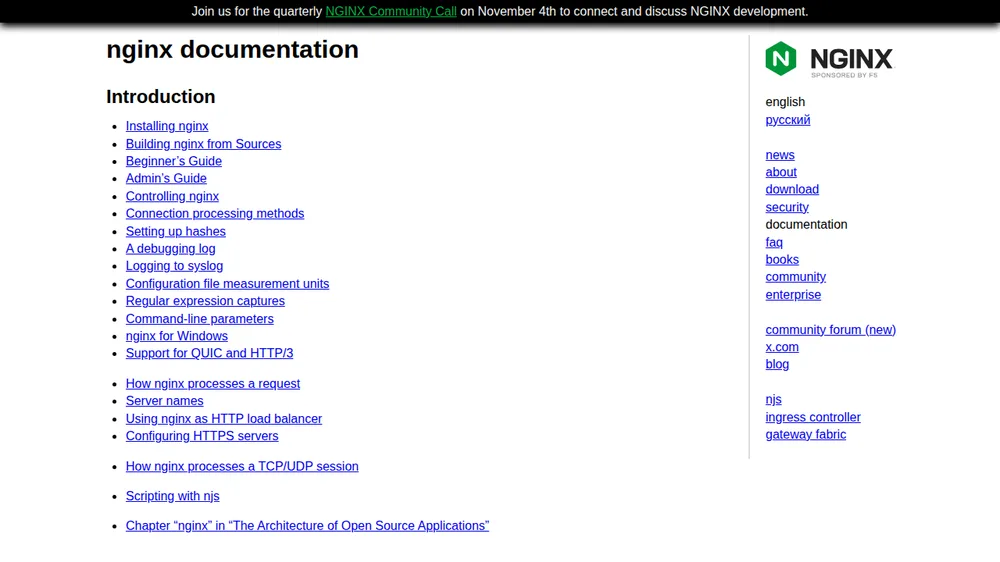
A reverse proxy stands in front of your application. Browsers talk to Nginx, which quietly passes each request to your PHP, Python or Node.js application and returns its answer. This adds security, because the application is not exposed directly, and Nginx can handle HTTPS centrally. The official Nginx documentation shows proxy settings in almost every real-world configuration for this reason.
3. Load balancing
When one application server is not enough, load balancing spreads visitors across several servers so none is overwhelmed. Nginx shares requests between back-end servers and skips any that stop responding — like opening extra tills instead of letting one supermarket queue stretch out of the door.
4. Caching
Caching means saving a copy of a response for reuse. If a thousand people request the same page in a minute, Nginx serves its saved copy instead of asking the application to rebuild it a thousand times. This cuts load and helps a site survive traffic spikes.
Nginx vs Apache: A Simple Comparison
The other famous web server is Apache, around since the 1990s. Both are excellent, but their different strengths explain why Nginx became the popular choice for busy modern sites.
| Feature | Nginx | Apache |
|---|---|---|
| How it handles visitors | Event-driven, many connections with few workers | Traditionally one process or thread per connection |
| Memory use under load | Very low and predictable | Higher as visitor numbers grow |
| Static files | Extremely fast, a key strength | Good, but usually slower |
| Configuration style | Central file with server blocks | Central file plus per-folder .htaccess files |
| Popular extra role | Reverse proxy and load balancer | Running dynamic content with modules |
| Best known for | Speed, efficiency, busy websites | Flexibility and a long, trusted history |
If you are starting fresh on your own server today, Nginx is the more common recommendation, and most modern hosting guides assume it.
A Real Nginx Server Block Example
Nginx configuration lives in plain text files. The part describing one website is called a server block. Here is a small, real example:
server {
    listen 80;
    server_name example.com www.example.com;

    root /var/www/example.com/html;
    index index.html;

    location / {
        try_files $uri $uri/ =404;
    }
}
Walk through it. listen 80 answers on the standard HTTP port. server_name lists its domains. root points to the folder holding the website files, and index names the default file for a folder request. Inside location, try_files looks for the exact file or folder, returning 404 if neither exists. That is a complete pattern for a static site.
Real configurations add HTTPS, PHP, caching and proxy settings, but the shape stays the same. The official Nginx beginner's guide walks through extending a setup like this. One warning: always test your configuration before reloading. A missing semicolon can stop the whole server — no semicolon, no website.
When Will You Actually Meet Nginx as a Beginner?
You have probably used an Nginx site today without knowing it. As a learner, you will meet it directly in two common situations. The first is VPS hosting: when you rent a small virtual server, installing Nginx is usually step one. Our guide on how to deploy a website on a VPS server follows that route, because VPS plus Nginx is the classic cheap way to host real projects.
The second is WordPress and PHP sites. On many hosts Nginx sits in front, serving images and cached pages while passing dynamic work to PHP-FPM, the PHP processor. If you move WordPress to a VPS, that is this setup — with no .htaccess files, because Nginx does not use them.
You will also spot Nginx in development tools: many Docker setups include a small Nginx container to serve a finished front-end app. If that is new to you, our explainer on what Docker is and how it works is a good companion read.
Frequently Asked Questions
Is Nginx free to use?
Yes. The main version is free and open source, and most websites use it. A paid product, Nginx Plus, adds support for large companies, but beginners never need it.
Is Nginx a programming language?
No. Nginx is server software, not a language. You write a short configuration file telling it where your site lives, which domains it answers for, and how requests are handled.
Which is better for a beginner, Nginx or Apache?
For a new VPS, Nginx is usually simpler: fast, light on memory, and matching most current tutorials. Apache is still fine on shared hosting where it is already set up.
Can Nginx run WordPress and PHP sites?
Yes. Nginx serves static files itself and passes PHP work to PHP-FPM. With caching, this combination runs very fast WordPress sites, which is why many hosts use it.
Conclusion
Nginx — engine-x — is the quiet workhorse behind a huge share of the modern web: fast with files, calm with thousands of visitors, and handy as a proxy, load balancer and cache. You do not need to master it on day one. Read one server block slowly, try it on a test server, and next time a tutorial says "now install Nginx", it will feel like meeting an old friend.


Leave a Comment