

 Anand Bajrangi
 Your marketing emails land in spam mainly because inbox providers do not trust your sending setup or your sending history. The big three causes: your domain has no proper authentication records (SPF, DKIM and DMARC) proving the emails really come from you; your list contains people who never asked to hear from you, so they ignore or report your mail; and your messages look like classic spam — image-only designs, shouty subject lines, no working unsubscribe link. Gmail, Outlook and Yahoo grade every sender like a credit score. This guide explains how that score works and the fixes that raise it, in plain English.
First, a reality check: check your actual numbers before panicking. A normal marketing email gets opened by roughly a fifth to a third of recipients who received it in the inbox. If your open rate is near zero, your problem is deliverability — the emails are not reaching inboxes at all. If they reach inboxes but opens are low, your problem is the subject line and the sender name. Different diseases, different medicine.
How Spam Filters Judge You
Modern spam filters ask three questions about every email. One: is this sender who they claim to be? That is authentication. Two: do people usually want this sender's mail? That is engagement history — opens, replies and clicks help you; deletes without reading, and especially "Report spam" clicks, hurt you. Three: does this message itself look like the mail people complain about? That is content.
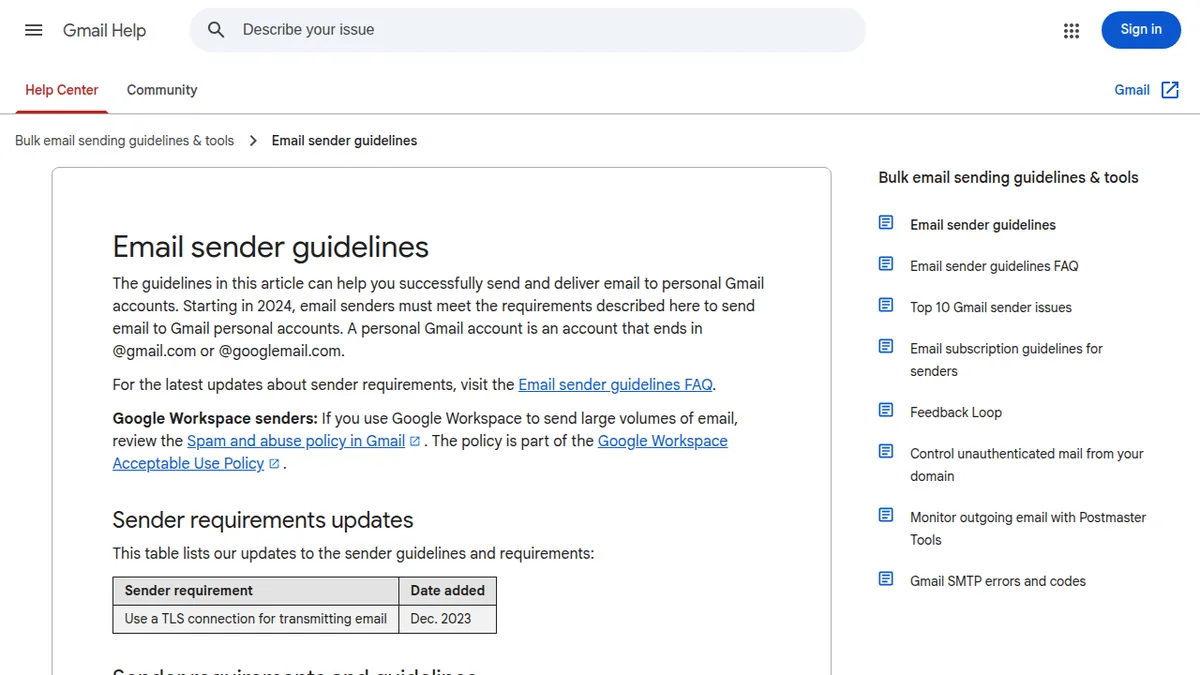
Google publishes its official expectations in the email sender guidelines for sending to Gmail, and they are worth reading even if you send to everyone, because other providers follow similar rules. Fail any one of the three questions badly enough and the whole message goes to spam — including your good emails to people who wanted them.
Fix 1: Authenticate Your Domain (SPF, DKIM, DMARC)
These three records live in your domain's DNS settings and together they prove your emails are genuinely from you, not a stranger borrowing your name. SPF lists the servers allowed to send for your domain. DKIM adds a digital signature to each message. DMARC tells receivers what to do with mail that fails the first two checks — and lets you receive reports about it.
If you send through a platform like Brevo, Mailchimp or your CRM, it will generate the exact records to add; your job is to actually add them in your domain/hosting DNS panel and wait a few hours. Sending bulk mail without these records in 2026 is like running a shop with no signboard and wondering why customers are suspicious. Our technical companion on why WordPress emails fail and the SMTP fix covers the same authentication records from the website side.
Fix 2: Never Buy Lists, and Clean the One You Have
A purchased list feels like a shortcut and behaves like poison. The addresses never opted in to hear from you, so they ignore you, bounce (many are dead), or hit "Report spam" — and a handful of spam complaints can damage your sender reputation for months. Some addresses on sold lists are literally traps planted to catch people who mail bought lists.
Grow your list the slower, working way: sign-up forms, lead magnets, checkout opt-ins. Then clean it every few months: remove hard bounces immediately, and stop mailing people who have not opened anything in six months. A smaller list of people who asked is worth ten times a big list of strangers. Mailchimp's own guide to avoiding spam filters stresses the same discipline: permission and list hygiene decide more than any clever wording trick.
Fix 3: Write Subject Lines Like a Person, Not a Carnival
ALL CAPS, five exclamation marks, "FREE!!!", "You WON", fake "Re:" and "Fwd:" prefixes — filters have seen every trick, and so have humans. Both now punish them. Honest, specific subject lines win: what the email contains, in the voice of a real sender, ideally under about 50 characters so mobile inboxes show it fully.
Equally important is the From name. People open mail from people and brands they recognise. "Team at Sharma Bakery" opens better than "noreply@x7-mailserver.net". Keep the sender address and name consistent so recognition — and your reputation — accumulates in one place.
Fix 4: Balance Text and Images, and Always Include a Plain Version
An email that is one giant image with no real text is a classic spam pattern, because spammers used images to hide their words from filters. It also breaks for everyone whose email app blocks images by default — they see a big empty box. Use real text for the important content, images as support, and add alt text to each image.
Your sending platform should include a plain-text version automatically; check that it does and that it reads sensibly. A healthy email reads fine with images off and in plain text alone.
Fix 5: Make Unsubscribing Easy (Yes, Really)
Hiding the unsubscribe link feels protective and backfires completely: a reader who cannot unsubscribe uses the other button, "Report spam", which damages you far more. A visible one-click unsubscribe, plus your business's physical address in the footer, is both a legal expectation in many places and a trust signal filters reward.
Let people go gracefully. The subscribers who remain are the ones who actually want your emails, and their opens and clicks raise the reputation that carries your future campaigns into inboxes.
Fix 6: Respect Engagement History — Stop Mailing the Silent
Filters watch what recipients do with your mail over time. If hundreds of people delete every email from you unopened, Gmail learns "people don't want this sender" and starts spam-foldering you for everyone — including your fans. This is why "but my list is permission-based" is not a full defence after two years of mailing the uninterested.
The fix is a sunset routine: after a few campaigns of total silence, send one "Still want to hear from us?" email, then remove non-responders from regular sends. Painful, yes. Watching your open rate and inbox placement climb afterwards makes it worth it. And if you send from your own website or forms, make sure that plumbing is authenticated too — our guide on sending emails in PHP with PHPMailer shows how proper SMTP sending works under the hood.
Fix 7: Test Like a Professional Before Every Campaign
Send every campaign to your own test accounts on Gmail, Outlook and Yahoo first. Check: inbox or spam? Images on and off? Links working? Name spelled right? Then check your sender reputation monthly in Google Postmaster Tools, which shows your domain's spam rate and reputation as Google sees them.
Also warm up new domains and new sending tools gradually instead of blasting 10,000 emails on day one. Sudden volume from an unknown sender is itself a spam signal. Ramp up over a few weeks, starting with your most engaged subscribers.
Quick Diagnosis Table
| What you see | Likely cause | First fix |
|---|---|---|
| Almost all mail in spam, opens near zero | No SPF/DKIM/DMARC, damaged reputation | Add authentication records; check Postmaster Tools |
| Good opens that slowly decayed | Mailing unengaged subscribers for years | Sunset the silent; clean the list |
| One campaign flopped, others fine | Spammy subject line or image-only design | Rewrite subject; add real text content |
| High bounces | Old or bought list | Remove bounces; never buy lists again |
Frequently Asked Questions
What is a good open rate for marketing emails?
For most small businesses, 20% to 35% of delivered emails is a healthy range, varying by industry and list size. Watch your trend and your spam placement more than any single number.
Why do my emails go to the Promotions tab instead of spam?
That is Gmail sorting, not punishing: marketing mail with images and unsubscribe links usually lands in Promotions, which many users do read. It is far better than spam. More personal-looking mail — fewer images, plainer design — tends to land in Primary more often.
How long does it take to repair a bad sender reputation?
Usually several weeks of clean sending: authenticated domain, engaged list only, low complaints. There is no reset button, which is exactly why prevention is cheaper than repair.
Does buying a "clean, verified" list avoid these problems?
No. Verification only checks that addresses exist, not that the people consented to hear from you. It is consent and engagement that filters ultimately measure.
Conclusion
Spam folders are not random cruelty; they are a reputation system with published rules. Authenticate your domain, mail only people who asked, write like a human, let the uninterested leave, and clean your list like you mean it. Do those unglamorous things and your emails quietly start arriving where they belong — in the inbox, in front of people who might actually open them.


Leave a Comment