

 Anand Bajrangi
 If your Google Ads spend money but bring no calls, no enquiries and no sales, the problem is rarely "Google Ads doesn't work for my business". The usual causes are boring and fixable: keywords that attract the wrong people, ad copy that promises one thing while the landing page delivers another, a budget sliced so thin that no single campaign learns anything, and conversion tracking that was never set up — so you cannot even see which clicks did work. Think of it as a chain: search term, keyword, ad, landing page, conversion. Results break at the weakest link. Below are the eight links that snap most often, in the order to check them.
Before changing anything, open the Search Terms report. It shows the actual phrases people typed before clicking your ad. For many struggling accounts, five minutes there is a shock: half the budget went to searches the business never wanted. Start there.
Fix 1: Your Keywords Attract the Wrong Searches
Broad keywords feel efficient and are usually a bonfire. An ad for "accounting services for startups" triggered by the broad keyword accounting can show for "accounting courses", "accounting jobs" and "accounting software free" — clicks you pay for from people who will never buy. Match types control how loose that connection is: broad match explores widely, phrase match keeps the meaning, exact match keeps the exact intent.
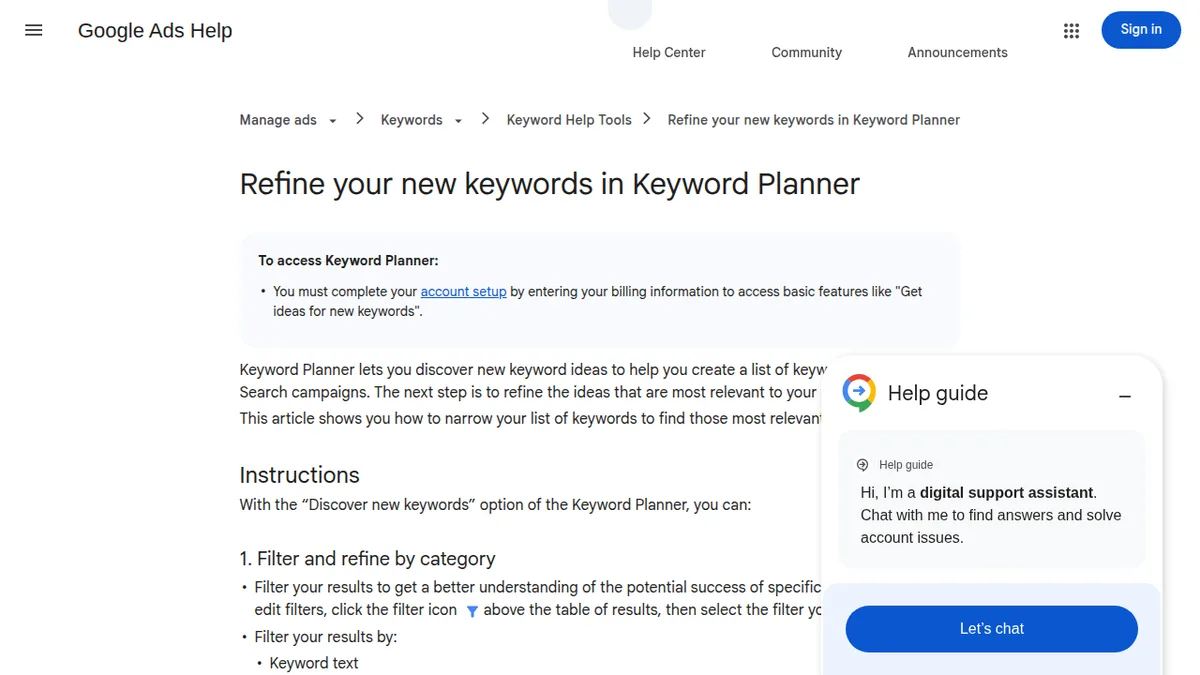
The fix: build campaigns around phrase and exact match keywords written the way customers search when they are ready to buy, review the Search Terms report weekly, and add junk terms as negative keywords. Google Ads Help's walkthrough on refining your new keywords in Keyword Planner shows the tool side of narrowing a wild list into a focused one. If you are new to how customers phrase searches, the same thinking behind organic keyword research applies — our guide on what keyword research is explains how people actually type what they want.
Fix 2: Your Ad Copy Is Weak or Vague
People do not click ads that sound like everyone else's. "Best quality services at affordable prices" could be any business in any city — and it gives the searcher no reason to pick you. Strong ads repeat the searcher's own words back at them, state one concrete benefit or proof point (price, years, rating, guarantee, delivery time), and end with a clear next step.
Write two or three ad variants per ad group, let Google rotate them, then keep the winner. Use every headline slot and pin the most important message — service plus location — to position one so it always shows.
Fix 3: The Landing Page Does Not Match the Ad
This is the silent budget killer. The ad promises "emergency plumber in Andheri, 30-minute response"; the click lands on a generic homepage where the visitor must hunt for a phone number. They leave in five seconds — and you paid for that click.
Send every ad group to a page that continues the same sentence the ad started: same service, same city, same offer, with the call or enquire button visible without scrolling — especially on mobile, where most clicks happen. If you would not be happy landing there as a customer in a hurry, neither will they.
Fix 4: Conversion Tracking Is Broken (or Was Never Installed)
If you optimise by clicks because you cannot see enquiries, you are flying blindfolded. Without conversion tracking, you cannot tell that one keyword brings all the customers while three others bring none — so budget keeps flowing to the wrong places, and Google's smart bidding has nothing real to learn from.
Set up tracking for the action that matters: form submissions, calls, WhatsApp clicks, purchases. Then send a real test conversion yourself and confirm it appears in the account — no bidding or quality advice helps until you can measure outcomes. Also link Google Analytics so you can see what ad visitors do after landing.
Fix 5: Your Budget Is Spread Too Thin
₹500 a day split across six campaigns, four cities and forty keywords means every keyword gets pennies and a handful of clicks a month. Nothing reaches the volume needed to judge it, so everything looks like a failure. Small budgets win by being narrow: one service, one city, a short list of high-intent keywords, done well.
Once that tight campaign produces steady enquiries, expand it with its own profits. It feels slower; it is actually the fastest route.
Fix 6: Location Targeting Is Leaking Money
Two classic leaks: the campaign targets "people in or regularly in" your area when you only serve one city — so ads show to travellers and researchers elsewhere — or the radius is so wide it includes places you would never drive to. And the mirror-image mistake: your ads show perfectly, but to a city with the same name in another state.
Check the Locations tab and the geographic report: where did the clicks actually come from? Set targeting to the areas you truly serve, choose "presence: people in or regularly in your targeted locations" where suitable, and exclude everywhere else.
Fix 7: Your Ads Run All Night to Nobody
By default, ads run 24 hours. A B2B service paying for 2 a.m. clicks, or a restaurant advertising breakfast at 11 p.m., is donating money. Ad scheduling lets you run only when customers search and your team can respond — an enquiry at 3 a.m. that gets a callback at noon is half-dead already.
Start with your real business hours plus an hour of buffer, review the hour-of-day report after a few weeks, and widen only where the data says conversions actually happen.
Fix 8: You Ignore Quality Score and Ad Relevance
Google grades each keyword with a Quality Score built from expected click-through rate, ad relevance, and landing page experience. Low scores mean you pay more per click than a competitor with a better-matched ad and page — sometimes much more — or your ads barely show at all.
You raise it with unglamorous alignment: one tightly themed ad group per service, the keyword's words inside the ad headline, and a landing page that delivers exactly that service. Google's own guide to Quality Score for Search campaigns explains how the score is worked out and how to check yours, keyword by keyword.
Quick Check: Are Ads Even Right for You Yet?
Sometimes the honest answer is that the offer or the website is not ready, and ads reveal it quickly — useful information, not failure. If your landing page converts nobody from any traffic source, fix the page first. Our comparison of SEO vs Google Ads explains when each channel makes sense; many small businesses do best with a tight ads campaign for immediate enquiries while SEO builds behind it.
Quick Diagnosis Table
| What you see | Likely cause | First fix |
|---|---|---|
| Clicks, zero enquiries | Wrong search terms or weak landing page | Read the Search Terms report; match the page to the ad |
| Impressions, almost no clicks | Vague ad copy | Put the service + location + one proof point in headline one |
| Ads barely show | Low Quality Score, thin budget, narrow targeting | Tighten ad groups; check Quality Score and ad status |
| Some sales, but you can't tell from where | No conversion tracking | Install and test conversion tracking today |
Frequently Asked Questions
How much budget do I need to test Google Ads properly?
Enough to buy roughly 10 to 15 clicks a day on your main keywords for at least two to three weeks. If your clicks cost ₹100, that is about ₹1,000–1,500 a day on one focused campaign — far better than the same money spread over six campaigns.
How long before Google Ads shows results?
Clicks start the same day, but judging takes two to four weeks of clean data with tracking working from day one. Change one thing at a time and let each test collect real numbers before you decide.
Why do I get clicks but no calls?
Usually the landing page or the intent is wrong: the searcher wanted information, a job, or a free version — or wanted to call but could not find the number on mobile. Check the Search Terms report first, then your page on a phone.
Is a low Quality Score really that expensive?
Yes. Relevance is part of how Google ranks ads and prices clicks, so a well-matched small advertiser regularly pays less per click than a sloppy big one for the same search.
Conclusion
Google Ads rarely fail all at once; they leak at one or two joints. Match the keywords to real buying intent, make the ad and the landing page tell the same story, track every enquiry, and concentrate your budget until something works. Fix the chain link by link and the same budget starts behaving very differently.


Leave a Comment