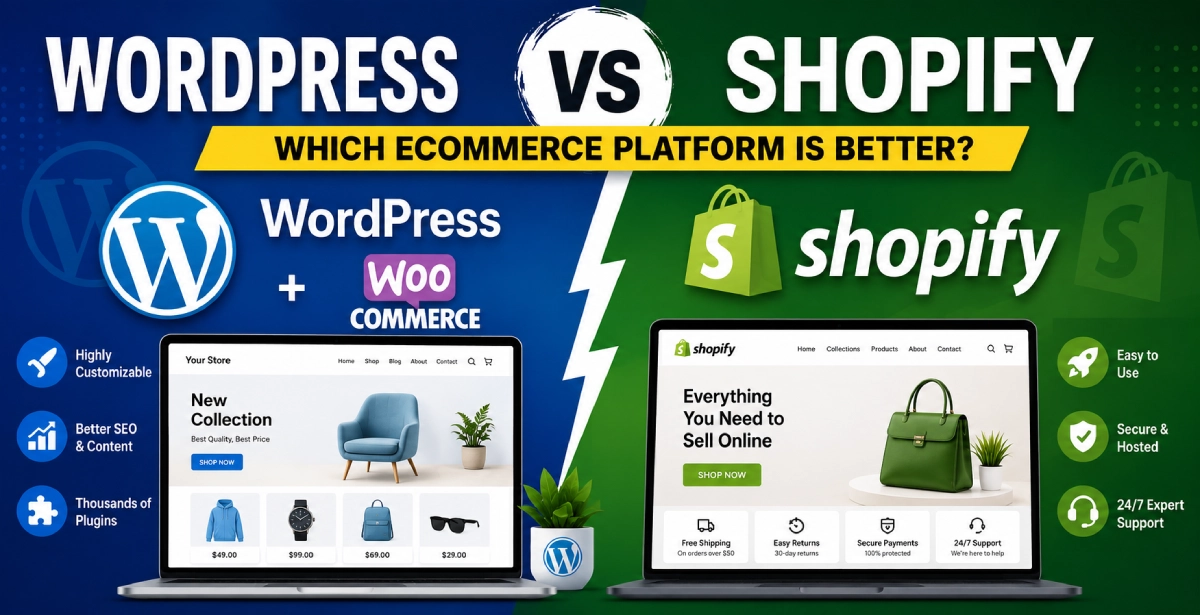
WordPress vs Shopify Ecommerce Platform
Starting an online store is easier today than ever before. But choosing the right ecommerce platform is one of the most important decisions for your business. Two of the most popular ecommerce platforms are WordPress and Shopify.
Both platforms are powerful, popular, and trusted by millions of businesses around the world. However, they work in different ways and are suitable for different types of users.
In this article, we will compare WordPress and Shopify step by step in easy English so you can choose the best platform for your ecommerce business.
1. What is WordPress?
WordPress is an open-source website platform used to create websites, blogs, and ecommerce stores.
To create an online store with WordPress, most people use the WooCommerce plugin. WooCommerce adds ecommerce features like products, cart, checkout, and payments to your website.
WordPress gives you full control over your website design and functionality.
Best For:
-
Businesses needing full customization
-
Bloggers and content creators
-
SEO-focused websites
-
Developers and agencies
2. What is Shopify?
Shopify is a fully hosted ecommerce platform specially designed for online stores.
Shopify handles hosting, security, speed, updates, and technical management for you. You only need to create your store, upload products, and start selling.
It is beginner-friendly and simple to use.
Best For:
-
Beginners
-
Small businesses
-
Fast store setup
-
Users who want less technical work
3. Ease of Use
WordPress
WordPress has a learning curve. You need to:
-
Buy hosting
-
Install WordPress
-
Configure WooCommerce
-
Manage plugins
-
Handle backups and updates
If you know web development, WordPress is very flexible. But beginners may find it difficult in the beginning.
Pros:
-
Full control
-
Flexible features
-
Thousands of plugins
Cons:
-
Technical setup required
-
Maintenance responsibility
Shopify
Shopify is much easier for beginners. You can create a store in a few hours without coding knowledge.
Shopify provides:
-
Hosting
-
Security
-
Store management
-
Payment setup
-
Ready themes
Everything is managed in one dashboard.
Pros:
-
Beginner-friendly
-
Quick setup
-
Easy dashboard
Cons:
-
Limited customization compared to WordPress
4. Design and Themes
WordPress
WordPress offers thousands of free and premium themes. You can fully customize your website design.
You can also use page builders like:
-
Elementor
-
WPBakery
-
Gutenberg
Developers can edit the entire website code.
Good for:
-
Unique website designs
-
Custom branding
-
Advanced layouts
Shopify
Shopify also provides beautiful ecommerce themes. Most themes are mobile responsive and professionally designed.
However, deep customization may require Shopify Liquid coding knowledge.
Good for:
-
Clean ecommerce design
-
Fast mobile stores
-
Easy customization
5. Ecommerce Features
WordPress + WooCommerce
WooCommerce is highly flexible and supports:
-
Physical products
-
Digital products
-
Subscriptions
-
Memberships
-
Booking systems
-
Multi-vendor stores
You can extend features using plugins.
Popular WooCommerce Plugins:
-
Rank Math SEO
-
Elementor
-
Dokan
-
Razorpay
-
Mailchimp
Shopify
Shopify provides built-in ecommerce tools such as:
-
Inventory management
-
Product management
-
Shipping setup
-
Payment gateways
-
Analytics
-
Discount coupons
Shopify App Store also provides many apps for extra features.
Best Advantage:
Everything works smoothly without much setup.
6. SEO (Search Engine Optimization)
WordPress
WordPress is considered one of the best platforms for SEO.
With plugins like:
-
Yoast SEO
-
Rank Math
You can fully optimize:
-
Meta titles
-
Meta descriptions
-
URLs
-
Schema
-
Blog content
WordPress is excellent for content marketing and organic traffic.
Shopify
Shopify also provides good SEO features, but customization is more limited compared to WordPress.
You can still optimize:
-
Product pages
-
Titles
-
Meta descriptions
-
Images
But advanced SEO flexibility is better in WordPress.
Winner for SEO:
WordPress
7. Pricing Comparison
WordPress Pricing
WordPress itself is free, but you need:
-
Hosting
-
Domain
-
Premium themes
-
Plugins
-
Developer support (optional)
Estimated Cost:
-
Basic store: ₹3000–₹10000/year
-
Advanced store: Higher depending on features
Shopify Pricing
Shopify works on monthly subscription plans.
Shopify Costs Include:
-
Hosting
-
Security
-
Ecommerce tools
Estimated Cost:
-
Monthly subscription
-
Paid apps
-
Premium themes
-
Transaction fees
Shopify can become expensive as your store grows.
8. Security and Maintenance
WordPress
In WordPress, security depends on:
-
Hosting quality
-
Plugin updates
-
Website maintenance
You must regularly:
-
Update plugins
-
Backup website
-
Protect against hacking
Shopify
Shopify manages:
-
Security
-
SSL certificate
-
Hosting
-
Updates
-
Server performance
This makes Shopify more secure and easier for beginners.
Winner for Security:
Shopify
9. Payment Gateways
WordPress
WooCommerce supports many payment gateways:
-
Razorpay
-
PayPal
-
Stripe
-
Paytm
-
UPI payments
You can integrate almost any payment system.
Shopify
Shopify supports many global payment gateways too.
However, some gateways may include extra transaction fees if you do not use Shopify Payments.
10. Scalability
WordPress
WordPress can handle very large ecommerce websites if optimized properly.
But you may need:
-
Better hosting
-
Developer support
-
Performance optimization
Shopify
Shopify is built for scaling ecommerce businesses. It can manage high traffic stores easily without server management.
Large brands also use Shopify.
11. Customer Support
WordPress
WordPress does not provide official customer support. Support depends on:
-
Hosting provider
-
Plugin developers
-
Community forums
Shopify
Shopify offers:
-
24/7 support
-
Live chat
-
Email support
-
Help center
This is helpful for beginners.
12. Which Platform Should You Choose?
Choose WordPress if:
-
You want full customization
-
SEO is your main focus
-
You have technical knowledge
-
You want complete ownership
-
You plan to create content-heavy websites
Choose Shopify if:
-
You are a beginner
-
You want quick setup
-
You want less technical work
-
You prefer all-in-one solutions
-
You want easy maintenance
Final Conclusion
Both WordPress and Shopify are excellent ecommerce platforms.
If you want flexibility, advanced customization, and strong SEO, WordPress with WooCommerce is a great choice.
If you want simplicity, security, and easy store management, Shopify is the better option.
Your final decision should depend on:
-
Your budget
-
Technical knowledge
-
Business goals
-
Store size
-
Customization needs
Choosing the right platform today can help your ecommerce business grow faster in the future.

0 Comments
Leave a Comment